
Getting Started with MIDI Keyboards

What is a MIDI keyboard?
A MIDI keyboard is a device that can send commands to a MIDI-equipped device. When you press a key or pad, it creates a MIDI message. The message is sent to the device it’s connected to with the use of either a USB or MIDI cable. Some MIDI keyboards have additional programmable pads, encoders, and faders, giving you more functionality both the studio and on stage. In the end, they all achieve the same goal; composing and performing. Check out our article explaining everything MIDI below. If you’re already familiar with MIDI, you can skip to connecting MIDI keyboards.
What is MIDI?
The two most common MIDI messages used with MIDI keyboards are MIDI notes and MIDI CC. While they both send data, the way each behaves is a bit different. MIDI notes are like a light switch; you can either turn it on or off. MIDI CC, on the other hand, is like a dimmer which allows you to send a range of MIDI data. It’s used for things such as volume, patch changes, foot pedal control, and modulation. For more information on MIDI CC, visit our DAW Controller quick start guide. And if you’re new to the world of MIDI, be sure to check out our essential guide for getting started with MIDI.
Connecting MIDI keyboards to your DAW
Now that you know a little about MIDI and MIDI keyboards, next we’ll explain how to connect one to your computer. We’ve detailed all the steps below, but check your DAW’s user manual for specific instructions and information about MIDI routing.
Connecting MIDI keyboards over USB
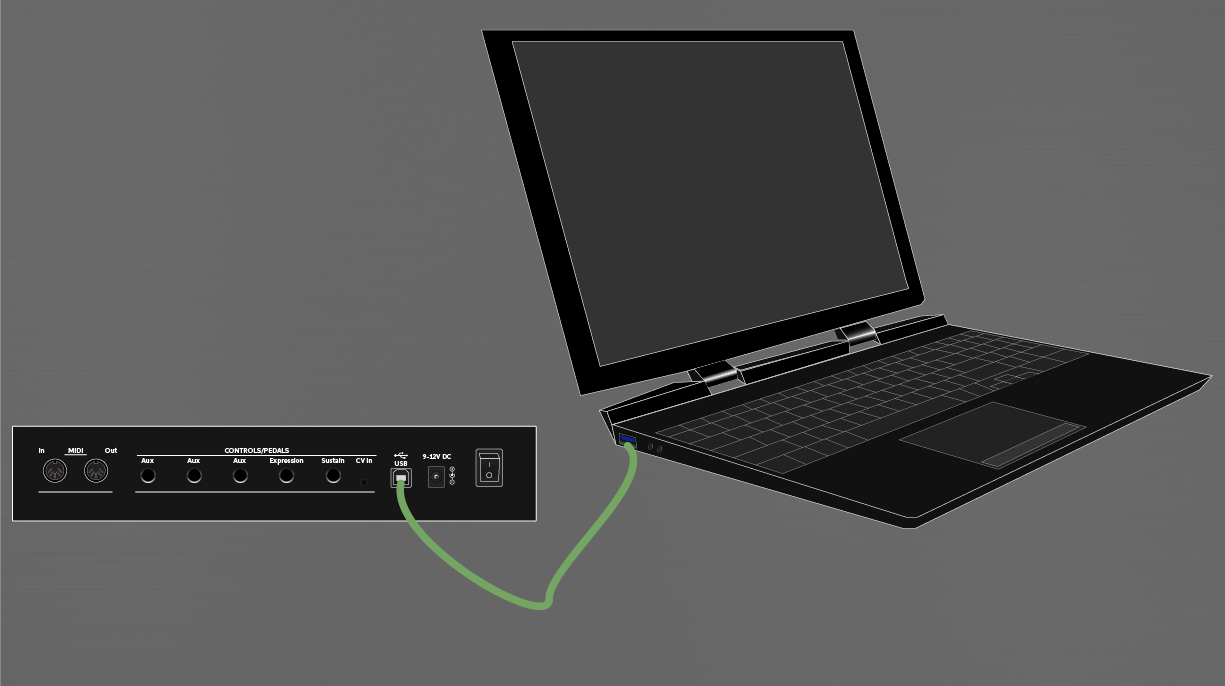
Connecting a MIDI keyboard is easy; connect the USB cable and start playing. Depending on the model, you may need to install any necessary software before connecting the controller. Check the user manual for more information about driver software, firmware, and power requirements. If your keyboard doesn’t show up on the computer, visit our resolving MIDI device issues guide to reconnect it.
- Download and install the MIDI keyboard’s driver software, if required.
- Connect the MIDI keyboard via USB; either directly to the computer or using a powered USB hub.
- Configure the DAW with the MIDI keyboard.
After connecting the MIDI controller, continue to the DAW setup guides.
Connecting MIDI keyboards with MIDI cables
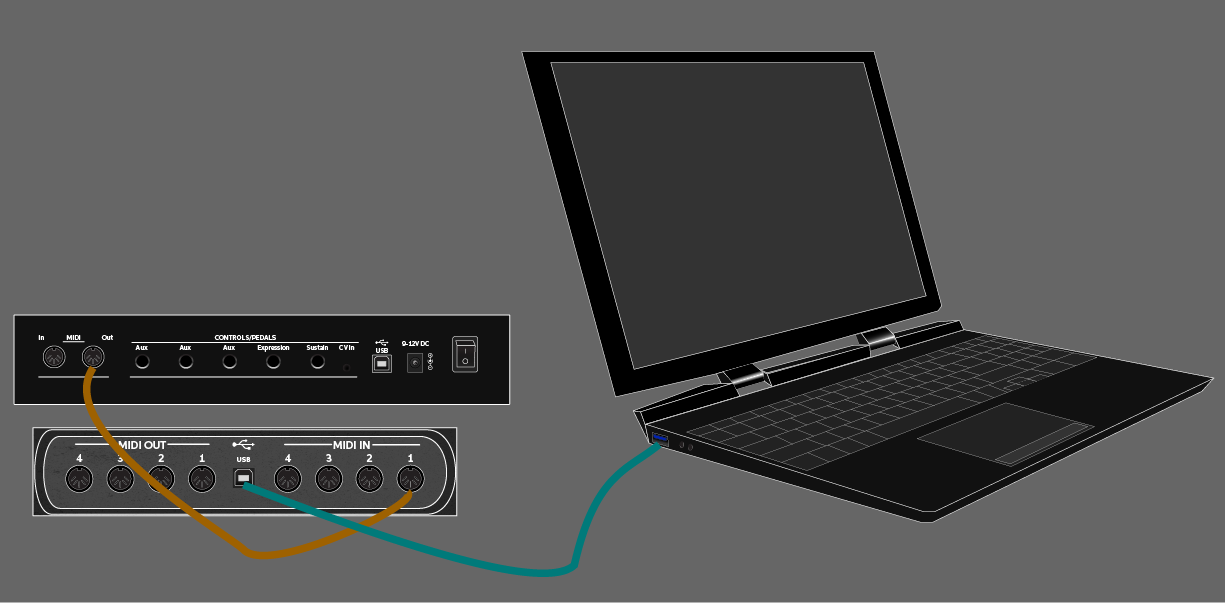
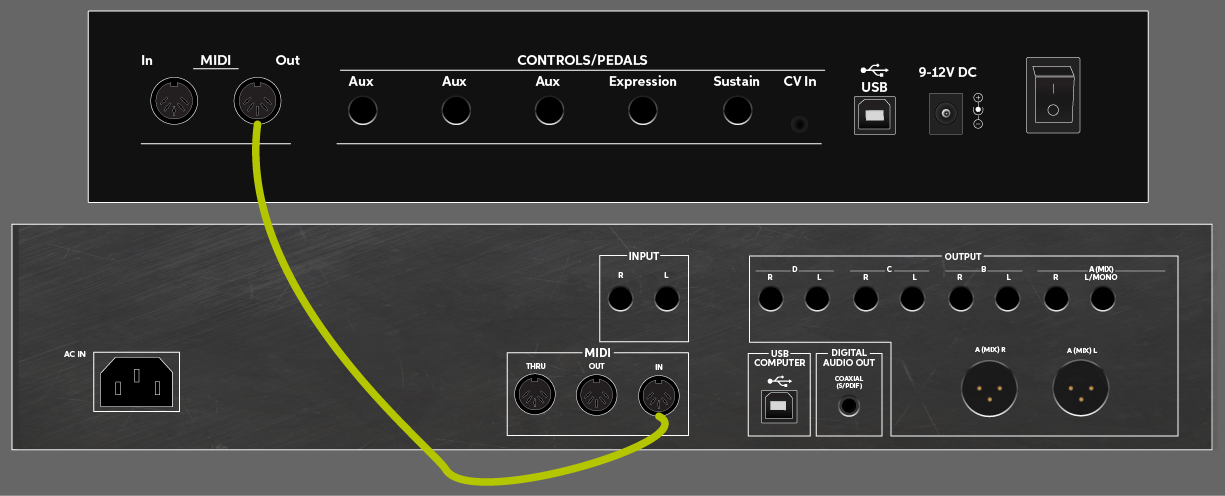
MIDI cables only send data one direction, so make sure to connect the MIDI Output port(s) to the correct MIDI Input port(s), or else MIDI data will not be transferred. If the keyboard doesn’t trigger, visit our resolving MIDI device issues guide to reconnect it.
- Connect a 5-pin MIDI cable from the MIDI OUT port on the keyboard to the MIDI IN port of the external hardware.
- If you’re connecting multiple devices, connect a MIDI cable from the MIDI THRU port on the first device to the MIDI IN port on the next one.
- Connect a MIDI cable from the MIDI OUT port on the last external device to a MIDI IN port to a MIDI interface or audio interface (if applicable).
- Configure the DAW with the MIDI keyboard and make sure to enable the proper MIDI ports on the MIDI or audio interface within the DAW.
After connecting the MIDI controller, continue to the DAW setup guides.
MIDI keyboard DAW setup guides
These setup guides will show you to set up a MIDI keyboard in each DAW. Install the driver and any required software first, then follow your DAW’s configuration instructions below. If for some reason your MIDI device is not detected by your system, follow our MIDI device troubleshooting guide to reconnect it.
- How to set up a MIDI controller in Pro Tools
- How to Set Up a DAW Controller in Cubase
- How to Set Up a DAW Controller in Studio One
- How to Set Up a DAW Controller in Live
- How to Set Up a DAW Controller in FL Studio
- How to Set Up a DAW Controller in Reason
- How to Set Up a DAW Controller in Digital Performer
- How to Set Up a DAW Controller in Bitwig Studio
When you need help, Sweetwater has the answers!
Our knowledge base contains over 28,000 expertly written tech articles that will give you answers and help you get the most out of your gear. Our pro musicians and gear experts update content daily to keep you informed and on your way. Best of all, it’s totally FREE, and it’s just another reason that you get more at Sweetwater.com.

