
Akai MPC Firmware Update Guide
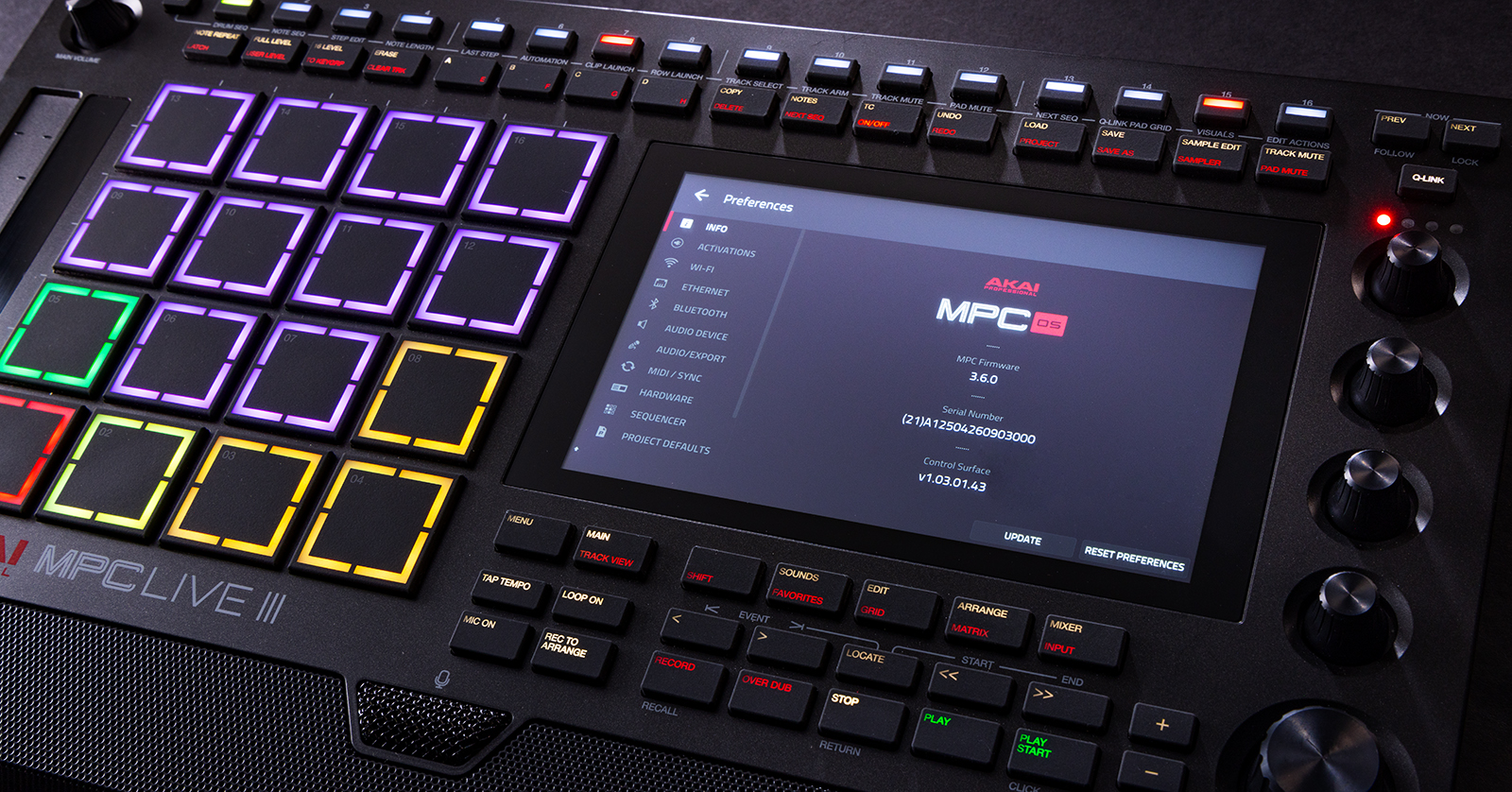
Akai will periodically release firmware updates for the MPC hardware. These updates will often add great new features and address any potential bugs that may be present in the current version. In this guide, we will show you how to update your Akai MPC hardware. Follow the instructions below to get started.
- Check the Firmware Version
- Update Akai MPC Firmware Using a USB Thumb Drive
- Update Akai MPC Firmware Using a Computer
- Update Akai MPC Firmware Using Wi-Fi
Before We Begin
Make sure you register your Akai MPC device before updating your firmware! To do so, create or sign in to your inMusic account, click Register New Product, and follow the on-screen instructions.
Check the Firmware Version
TIP: We recommend checking and updating the firmware when you take your gear out of the box for the first time. This ensures you’re up to date beforehand!
Before updating the firmware on your Akai MPC hardware, you first need to check the current version that’s installed and compare it with the latest version listed on the Akai website.
- On your Akai MPC device, press the MENU button, followed by PREFERENCES, and then press INFO.
- Log in to your inMusic account. Click View Downloads to view the latest firmware. If it matches that of the one displayed on your MPC device, then you’re good to go.
- Alternatively, go to the Akai MPC Software & Firmware Download page, scroll down to find your device, and look at the latest version listed.

Click the image to download the MPC firmware.
Update Akai MPC Firmware Using a USB Thumb Drive
IMPORTANT! The USB thumb drive must be formatted before you update the firmware.
One way to update the firmware of your MPC device is by using a USB thumb drive. The USB thumb drive must be formatted in the exFAT or FAT32 format. If you’re not sure how to format your USB thumb drive, check out our guide to learn more!
- Log in to your inMusic account, locate the registered MPC, and click See Registration Details.
- Click View Downloads, then download the latest firmware.
- Alternatively, go to the Akai MPC Software & Firmware Download page, scroll down and select your device, then click USB to download the .img firmware file.
- Connect the formatted USB thumb drive to your computer, then transfer the .img firmware file from your Downloads folder. Once that’s transferred, safely eject the USB thumb drive.
- Connect the USB thumb drive to your MPC, press MENU, and choose PREFERENCES (gear icon).
- Press UPDATE and select USB Drive Update. You should see the firmware file.
- Press UPDATE again to begin the process.
Update Akai MPC Firmware Using a Computer
Another way to update the MPC firmware is by connecting it to your computer. You can do it by using either the standalone MPC updater or the inMusic Software Center.
- Go to the Akai MPC Software & Firmware Download page, scroll down and select your device, then click PC or Mac to download the Firmware Updater application.
- Connect the MPC to your computer, press MENU, and choose PREFERENCES (gear icon).
- Press UPDATE and select Switch to Update Mode.
- Launch the firmware update software, click Update MPC, and follow the on-screen prompts.

Use the MPC Updater app to update the firmware.
Update Akai MPC Firmware Using Wi-Fi
IMPORTANT! You must have a strong, stable Wi-Fi connection when updating the MPC firmware. If you don’t, the firmware-update process will fail.
The final way you can update your Akai MPC firmware is via Wi-Fi. This is a convenient and easy way to update the firmware, especially if you’re not near your computer. Please note that Wi-Fi updates are not currently available for MPC 3.x.
- If you aren’t connected already, connect to your Wi-Fi network by pressing MENU. Then select PREFERENCES and choose WI-FI. Enter your Wi-Fi network name and password.
- Go back to the Preferences menu. Press INFO, then UPDATE.
- Select Online Update. If there’s new firmware available, it will begin installing.
- Do not disconnect or power off your MPC at any point during the firmware-update process.
- After the firmware-update process is complete, the MPC will restart.
Related Articles
When you need help, Sweetwater has the answers!
Our knowledge base contains over 28,000 expertly written tech articles that will give you answers and help you get the most out of your gear. Our pro musicians and gear experts update content daily to keep you informed and on your way. Best of all, it’s totally FREE, and it’s just another reason that you get more at Sweetwater.com.

