
Getting Started with an M-Audio Keystation
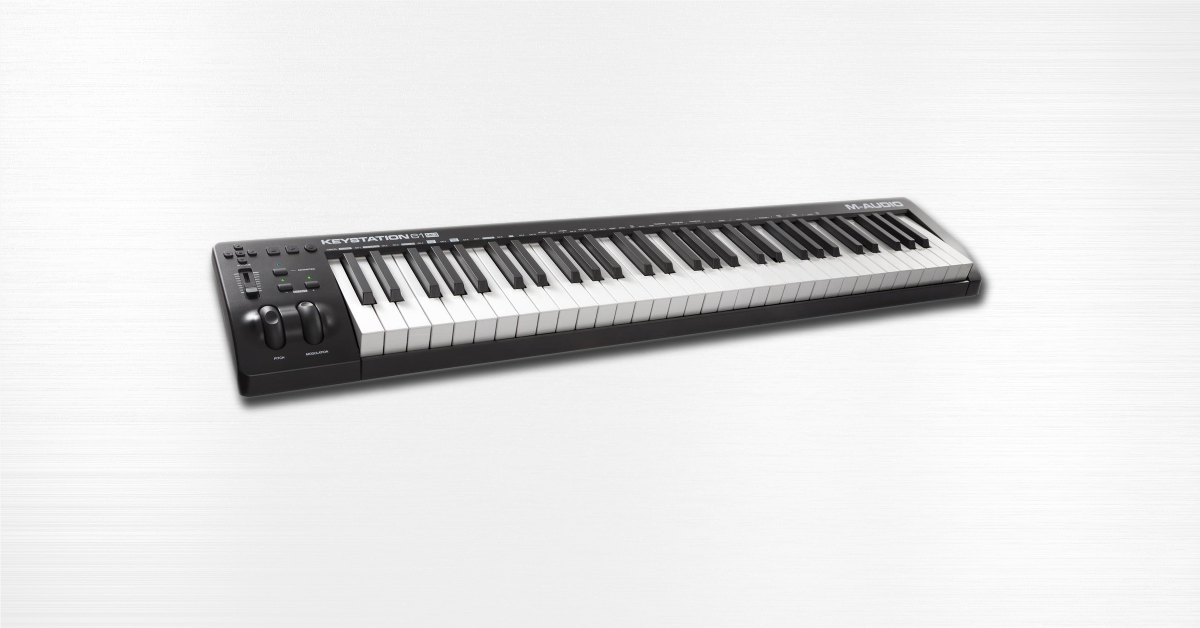
In this guide, we will get you up and running with the M-Audio Keystation. You’ll learn how to register the device, download and install the bundled software, and set it up within a DAW. Follow the sections below to get started.
Register the M-Audio Keystation
Before starting using the M-Audio Keystation, you first need to register it on the M-Audio website. By registering the unit, you can access free bundled software and download codes. Follow the steps below to register the device.
You will receive download links for the Ableton Live Lite DAW and virtual instrument plug-ins from AIR Music Tech once the device is registered.
- Log in to your M-Audio account. If you haven’t created an account yet, do so here.
- Click Register Product on your account page.
- Fill out the registration form, including the serial number located at the back or bottom of the keyboard, then click Register My Product.
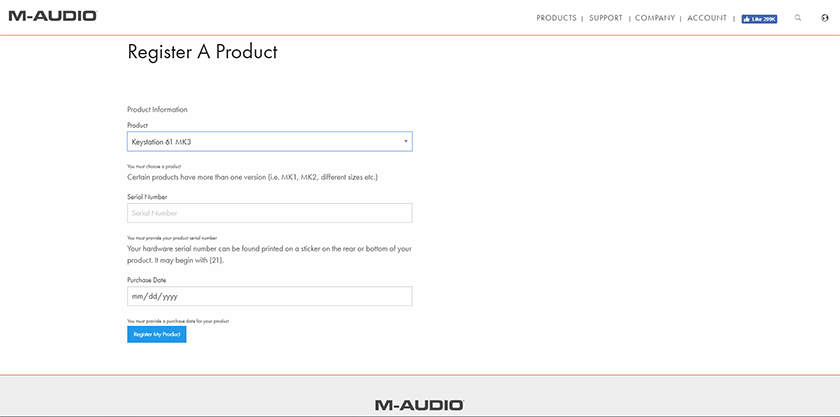
Click the image to register your Keystation.
Connecting the Keystation
Connecting a Keystation is easy. They’re considered class-compliant and do not require any additional driver software to be downloaded. Since Keystations are bus-powered, they are genuinely plug-and-play devices. Either connect it directly to the computer or use a powered USB hub. Passive hubs do not have a dedicated power supply adapter and can only distribute power from the USB port. If the connected device doesn’t receive enough power, it may not operate correctly. Follow these steps to get connected.
- Connect the USB cable to the computer or powered USB hub.
- Navigate to your computer’s device settings to ensure that the device is recognized.
- PC: Go to Device Manager, then click Sound, video and game controllers to verify it’s listed.
- Mac: Click the Apple icon, select About this Mac, then click System Report. The Keystation is listed under Hardware > USB.
Are you connecting to an iOS device?
You can use the Keystation to iOS devices, as well. Be sure to use the Apple Camera Connection kit on earlier generation iOS devices or Apple’s Lightning to USB Camera adapter for more recent devices.
Keystation edit mode
For even deeper control of your Keystation, you can enter Edit Mode to change functions like the MIDI Bank, program, MIDI CC, or transposition. You will also need to enter Edit Mode to configure it as a control surface in your DAW. For a full list of advanced functions, visit Pg. 8 of the user guide. Follow these steps to enter advanced setup.
1. Press the Advanced button to enter Edit Mode.
2. Press the key of the function you wish to change. The functions are the first seven labeled black keys on the keyboard.
3. After you make the change, press the white key that is labeled Enter.
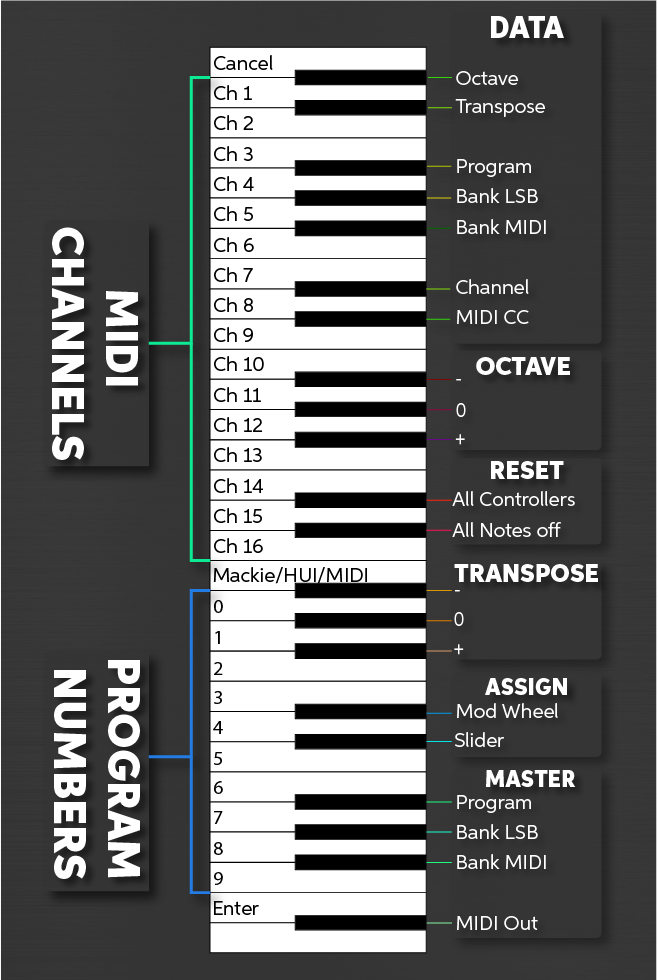
Advanced functions of the M-Audio Keystation. Click to enlarge.
Related Articles
When you need help, Sweetwater has the answers!
Our knowledge base contains over 28,000 expertly written tech articles that will give you answers and help you get the most out of your gear. Our pro musicians and gear experts update content daily to keep you informed and on your way. Best of all, it’s totally FREE, and it’s just another reason that you get more at Sweetwater.com.

