
Two Notes Torpedo Captor Reactive Loadbox Quickstart Guide
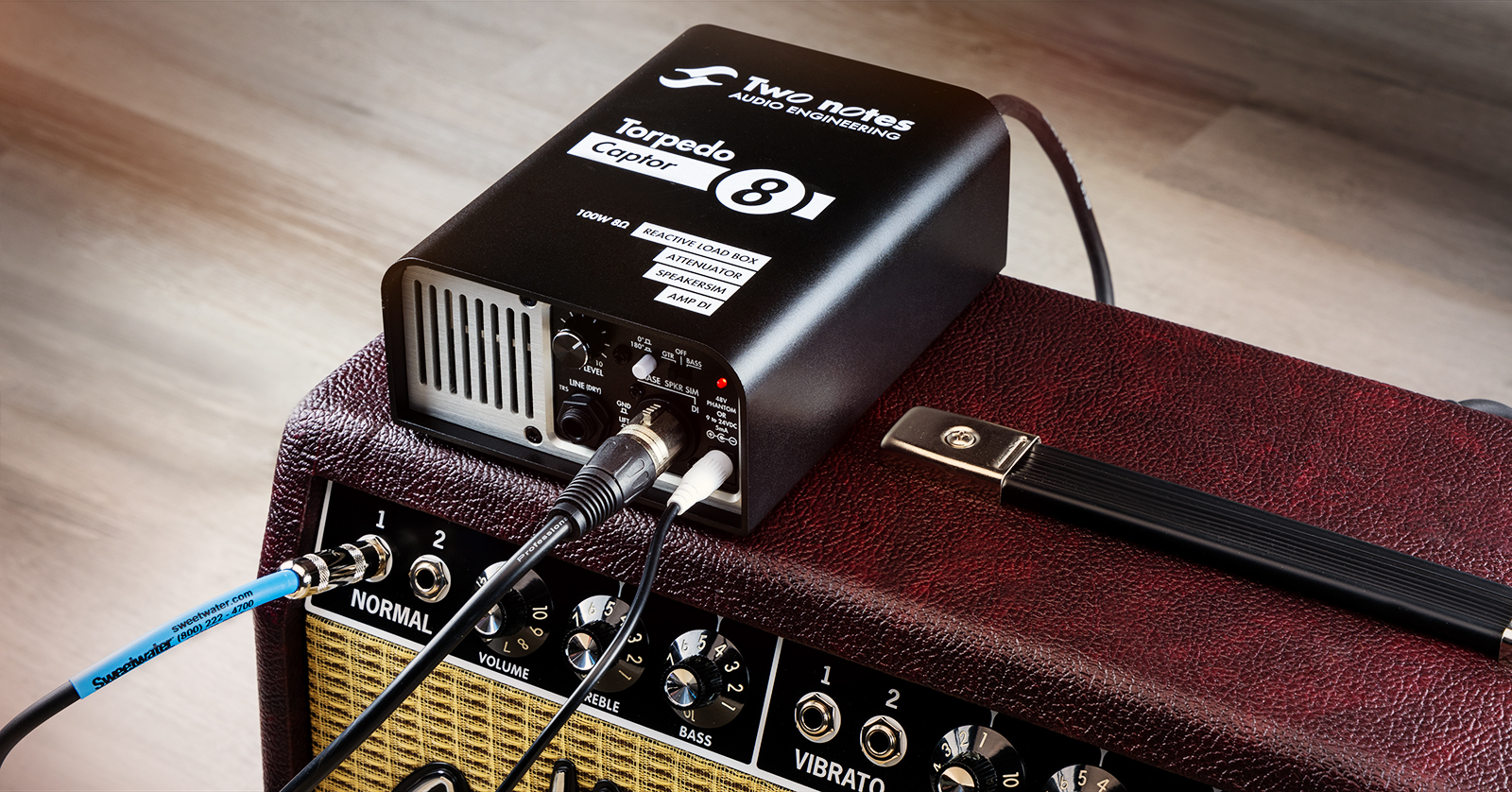
The Two notes Torpedo Captor Reactive Loadbox, DI, and Attenuator is an analog device for working with your tube amplifier. You can buy the Torpedo Captor in three different versions (16-ohm, 8-ohm, and 4-ohm) to match the load of your amp.
The Torpedo Captor comes with a license for the Two notes Torpedo Wall of Sound plug-in and the new Genome plug-in for macOS and Windows PC. By connecting the DI audio output from the Torpedo Captor to your audio interface on your computer and then into your DAW, you can use the Wall of Sound or Genome plug-ins to provide virtual simulations of different speaker cabinets and modeling for different microphones and rooms.
This SweetCare Quickstart Guide will help you get started, but it is not a substitute for reading the Two notes Torpedo Captor User’s Manual.
IMPORTANT! Because you will be using the Torpedo Captor to carry the load of a vacuum-tube guitar amplifier, you need to take care to connect it correctly. Otherwise, you risk damaging your tube amplifier and the Torpedo Captor. Read the instructions thoroughly before powering on your amp with the Torpedo Captor.
- Overview of the Torpedo Captor
- Register Your Purchase with Two notes and Download the Genome Plug-in
- Torpedo Captor Inputs and Outputs
- Using the Torpedo Captor
Overview of the Torpedo Captor
You use the Torpedo Captor by connecting it between your amp and its speaker cabinet using speaker cables. When used as an attenuator, the Torpedo Captor lowers the amp’s output by 20dB and passes it through to your speaker cabinet so you can play at a lower volume. This is a passive function; you don’t have to hook up the Torpedo Captor to power to use it this way.
When used as a reactive loadbox, the unit enables you to play through your amp silently, with no physical speaker hooked up. The Torpedo Captor provides an analog speaker simulator and an active DI output through an XLR connection to send to an audio interface for recording or to your PA system for live performance. This mode requires that you provide 48V phantom power through the XLR output or that you use an external 9V to 24V power supply (not included).
Register Your Purchase with Two notes and Download the Genome Plug-in
Go to two-notes.com. In the upper-right corner of the web page, click on Login/Register. Log in to your existing account or create a new account if you need one.
Follow the instructions to register your purchase with the serial number on the bottom of your unit.
Download and install the new Genome plug-in, which comes with your purchase. Genome provides models and effects than run natively on your computer and which you can use inside your DAW. You can continue to use Two notes’ older Wall of Sound plug-in as well. Activate Genome with your Torpedo Captor’s serial number.
Torpedo Captor Inputs and Outputs
Back Panel Connections
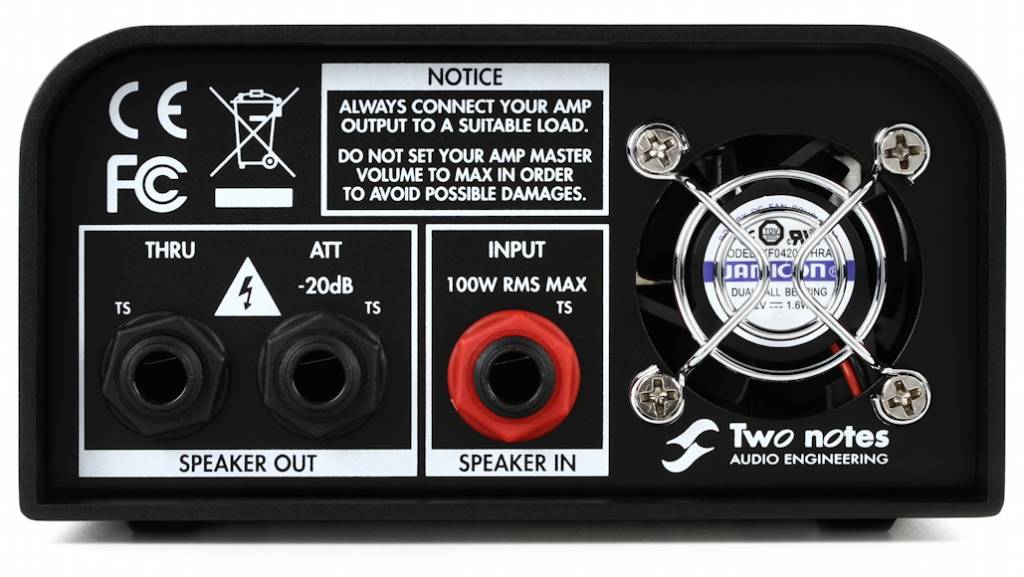
- Speaker In. Connect a 1/4-inch TS speaker cable from your amp’s output to this connection.
- Speaker Out. Connect a 1/4-inch TS speaker cable to the input on your speaker cabinet to obtain the output of your amp at -20dB. If you are using a combo amp, you will need a speaker cable with a female jack to connect to the plug wired to your speaker.
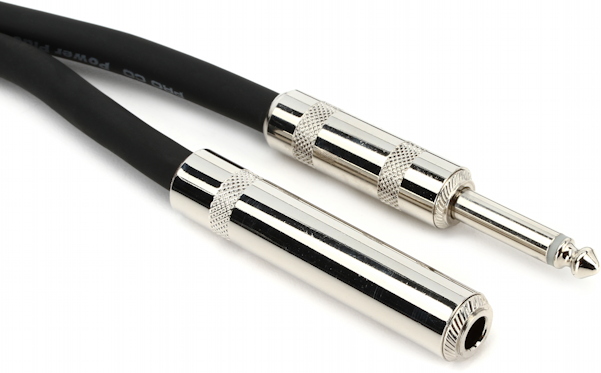
- Thru. Connect a 1/4-inch TS speaker cable to your amp’s speaker cabinet if you wish to output your amp’s sound with no attenuation while you use the DI output. The reactive loadbox is disconnected when you insert a cable into this jack. To learn more, consult the Two notes Torpedo Captor User’s Manual in the section 3. Features > Thru output.
- Fan Exhaust. Keep the space around this clear to allow the fan to pass air through the unit for cooling when the unit is in active mode.
Front Panel Connections
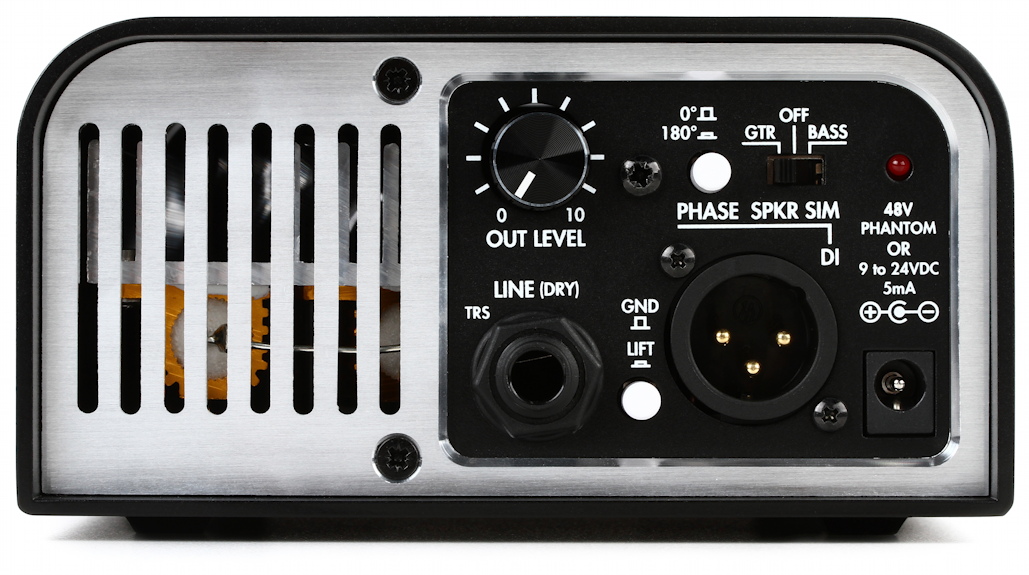
- Out Level knob. Adjust the level of the active DI output.
- Line (Dry). Connect a 1/4-inch balanced TRS cable to output the sound of your amp with no speaker simulation applied.
- Phase (Polarity) switch. Toggle this to reverse the phase of the DI output. The Phase switch does not affect the Line output.
- GND Lift switch. Leave this in the out position. Toggle it to lift the ground if you encounter interference and hum.
- Spkr Sim switch. The analog speaker simulation enables you to choose between two simulations. The Guitar model is based on Two notes’ Brit Vint C 4×12 with a Dyn57 microphone. The Bass model is based on a mix of the Fridge 8×10 and the more modern Alu XL 4×10 with a Cnd87 mic. The speaker simulation can be turned Off to get the uncolored sound of the amplifier at the output if you want to send the DI signal to an audio interface and use the Torpedo Wall of Sound plug-in on your DAW.
- DI. Connect a balanced XLR cable to a mixer or an audio interface to output the unit’s DI audio signal. Apply 48V phantom power to the connection to power the Torpedo Captor; you also have the option of providing power through the Power connection jack.
- Power connection. If you are using the active DI function and are not providing 48V phantom power, you can connect a 9V to 24V DC center-negative power adapter with a suitable connection plug (not included).
- Vent. Make sure this grille is not obstructed so the fan can draw air through the unit to cool it when it is in active mode.
Using the Torpedo Captor
IMPORTANT! Before you proceed, you need to make sure that you have a tube amplifier of 100 watts power or less, whether it is a combo amp or a separate amp head, and a suitable speaker cabinet. You need an amp with either a 16-ohm output, an 8-ohm output, or a 4-ohm output (some models are switchable).
You need to make sure you have the correct version of the Torpedo Captor (16-ohm, 8-ohm, or 4-ohm) to match the load from your amp.
You need speaker cables to connect the output of the amp to the input of the Torpedo Captor and the output from the Torpedo Captor to the input of the speaker cabinet. Make sure you are using speaker cables and not instrument cables. Using instrument cables in place of speaker cables will cause equipment to overheat and may lead to damage.
IMPORTANT! Before you turn on the power to your amp, make sure your amp is properly connected either to a speaker cabinet or to the Torpedo Captor, which will provide the proper load. Your amp may suffer damage if it is powered on but not connected to a load.
Read Two notes’ Recommendations on the proper use of a load box with a tube amplifier. Pay attention to the section Which output volume for my amplifier? to help you find the “sweet spot” for the ideal volume level without putting too much strain on your amp. This enables you to get the best sound and prevent the tubes from wearing out too fast.
Inside the box, you will find two folding cards, one in English and one in French. These show how to hook things up based on three use cases. Here are our notes on using them.
Silent, Direct, Analog
Use the unit as a reactive loadbox on stage connected to a front-of-house mixer. Connect the output of your amp to the Speaker In on the Torpedo Captor. Do not connect a cable to either Speaker Out jack. Use the built-in analog speaker simulation, selecting Guitar or Bass. Take the DI XLR output to a mixer or an audio interface and supply 48V phantom power to the Torpedo Captor.
Your Tone, Quieter
Use the unit as a passive attenuator. Connect the output of your amp to Speaker In. Connect the -20db Speaker Out jack to your speaker cabinet.
Ultimate Direct Solution
Use the unit as a reactive loadbox. Connect the output of your amp to the Speaker In jack. Turn the speaker simulation switch to the Off position. Use the DI XLR output to connect an audio interface to your computer. Enable 48V phantom power. On your computer, in your DAW, use the Wall of Sound plug-in to provide emulation for the speaker, the microphone, and the room.
Alternately, Two notes explains that if you don’t want to go through a computer for recording but need a more detailed emulation for live sound, you can use the Thru output connected to a Two notes Torpedo C.A.B. M+ speaker simulator pedal, sold separately.
Don’t forget to read the entire Two notes Torpedo Captor User’s Manual to make sure you are using the unit in a safe fashion and to learn all the use cases and signal-routing options.
Related Content
When you need help, Sweetwater has the answers!
Our knowledge base contains over 28,000 expertly written tech articles that will give you answers and help you get the most out of your gear. Our pro musicians and gear experts update content daily to keep you informed and on your way. Best of all, it’s totally FREE, and it’s just another reason that you get more at Sweetwater.com.

