
Musician’s Guide To Using SD Cards
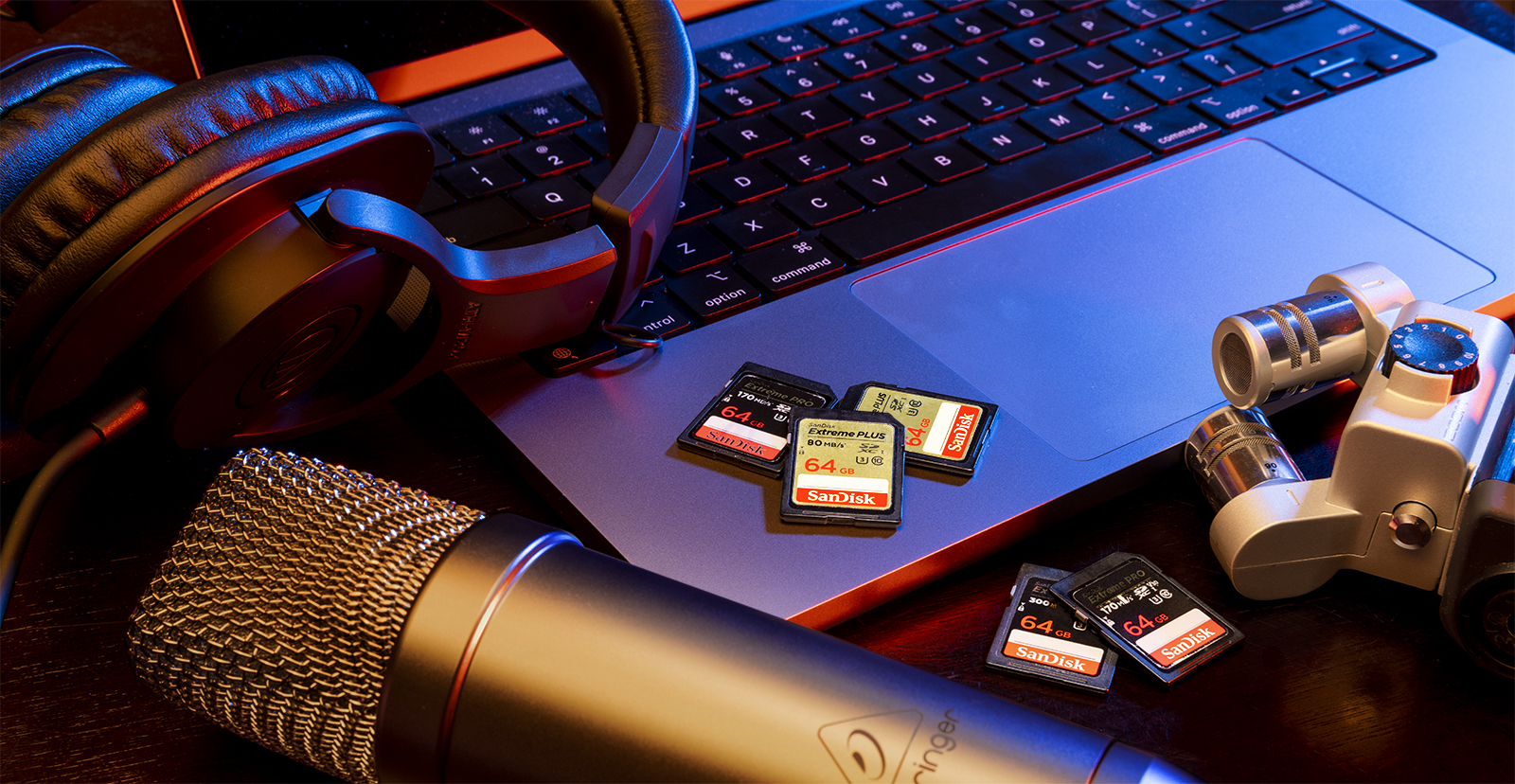
What are SD cards and how do they work? Why should I use an SD card? These are some frequently asked questions, so in this guide, we will talk about what SD cards are, how they work, and also teach you some tips and tricks along the way. Follow the sections below to get started.
- What is an SD card?
- SD card specifications
- Does SD card speed affect audio quality?
- Formatting SD cards
- SD card file management
What is an SD card?
SD (Secure Digital) cards are miniature external hard drives, sometimes called memory cards. They’re used in almost all portable devices, including digital mixers, portable recorders, and video cameras. While SD cards all serve the same purpose, some devices may require a specific type of SD card, meaning SD cards are not universally compatible. There are many different types of SD cards available on the market, so let’s break it down so you know which one is best for your application.
SD card specifications
TIP: There are two sizes of SD cards: Standard and Micro. Many SD-HC and SD-XC cards have a standard-size SD card adapter to allow use of micro SD cards.
Not all SD cards are made the same. Many manufacturers will create lists that often include the different types, classes, and speeds that are entirely, partially, or not compatible with that specific device. Our Sweetwater product pages also list compatible SD cards for your device to ensure you get the right SD card the first time. Here are the types of SD cards you should know beforehand.
SD card type
There are three primary SD card types: SD, SD-HC (High Capacity), and SD-XC. To understand SD card types, let’s use a real-world analogy. The SD card is a car, and the SD card type is the make and model. For example, an SD-HC is a Honda Accord, whereas the SD-XC card is a Chevy Camaro. They’re both cars, but the make and model are different.
SD
IMPORTANT: While you can technically format a 2GB SD card from the FAT16 to FAT32 format, there is no guarantee it will work.
Standard SD cards have a storage capacity ranging from 128MB to 2GB. Standard SD cards use the standard FAT16 format and are compatible with SD, SD-HC, and SD-XC host devices, such as cameras or handheld recorders.
SD-HC
SD-HC (High Capacity) cards have a storage capacity from 4GB to 32GB and run on the FAT32 format. Please note that SD-HC cards are not backward compatible with devices that require standard SD cards. Check out the host device’s owner’s manual for compatibility information.
SD-XC
SD-XC (Extended Capacity) cards have the largest capacity of all SD cards, up to 2TB, and use the exFAT format. Like SD-HC cards, SD-XC cards are not backward compatible with older host devices, which means you cannot use an SD-XC card on SD-HC or SD devices.
SD card class
TIP: While you can technically use a U-class SD card with video recorders, we recommend using a V-class SD card for video recording. Refer to the video recorder’s owner’s manual for full SD card class compatibility information.
You will often see a class symbol on the card or on the package it comes in. The class determines the read and write speed at which the SD card operates.
Each class is identified by a letter with a number inside of it. The letter represents the type of class: C (Speed Class), U (UHS Speed Class), or V (Video Speed Class), and the number represents the minimum write speed in MB per second. Let’s use an example. If you see a C with a 10 inside, it’s a C-class SD card with a minimum write speed of 10 MB/S.
SD and microSD Card Specification Labels Explained
Does SD card speed affect audio quality?
One of the most frequently asked questions is, “Does SD card speed matter for audio? Surely, faster speeds mean higher quality audio.” Well, the answer is not necessarily.
Knowing the write speed is critical because it determines how fast media can be recorded to the card. This is crucial for video, as lower speeds can result in dropped frames and lag, so if you have a lower-class SD card but want to capture a 4K video, it may not be possible to record at such high quality.
With audio, however, the audio settings you select on your audio recorder determine the parameters for what will be recorded. This is because audio data rate requirements are much lower than video data. So, if you have a slower SD card but your audio settings are set to 16-bit 48kHz, the output will still be 16-bit 48kHz.
The only time SD card speed affects audio is when transferring files. Lower-class SD cards result in longer transfer times. The file will be quite large when you record high-quality audio (e.g., 96kHz/32-bit). So, if you’re recording onto an SD card with a lower-class speed, it’ll take longer for the file to be transferred.
Formatting SD cards
IMPORTANT: Formatting an SD card will erase any saved data, so be sure to transfer any data on the card to your computer beforehand!
SD cards are very similar to external hard drives, as you need to format them before use for them to work correctly. Unlike with external hard drives, however, formatting SD cards directly on the audio or video recorder is highly recommended. It will format to the correct type, so you don’t have to worry about figuring out what format type it needs.
Partitioning SD cards
Since SD cards are considered storage devices, you can create partitions on them. Creating partitions is helpful if you want to keep specific forms of media together. For example, if you have recordings and photos on an SD card, you can create two partitions so they don’t get mixed in with each other. Check out our guide on how to create a partition to learn more.
SD card lock position
If you look at an SD card, you will see a slider on the side that locks and unlocks the card. When the lock slider is in the up position, the SD card is unlocked, which means you can edit, add, and remove files. When the SD card’s lock slider is in the down (or locked) position, the SD card is locked and becomes write-protected, meaning that you cannot edit, add, or delete files. So, if you receive an error when recording to an SD card, this may mean the SD card is in the locked (down) position.
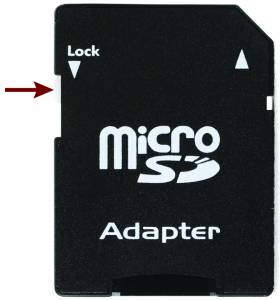
Location of SD card lock switch
SD card file management
TIP: Most handheld recorders allow you to rename files and create and name folders, which helps organize files! Check the recorder’s owner’s manual for more information.
After you have formatted the SD card for the first time, you’ll need to learn how to manage your audio and video files correctly. Just like managing files on your computer, managing files on SD cards is very important.
By default, most file names are in a date format which is typically YEAR MONTH DATE (e.g., 20221407.wav), which can get frustrating! After recording a file, go into the file’s details on your recorder and update the title. The procedure can differ, so check the recording device’s Owner’s Manual to learn more.
Related Articles
When you need help, Sweetwater has the answers!
Our knowledge base contains over 28,000 expertly written tech articles that will give you answers and help you get the most out of your gear. Our pro musicians and gear experts update content daily to keep you informed and on your way. Best of all, it’s totally FREE, and it’s just another reason that you get more at Sweetwater.com.

