
Behringer WING Software and Apps Guide
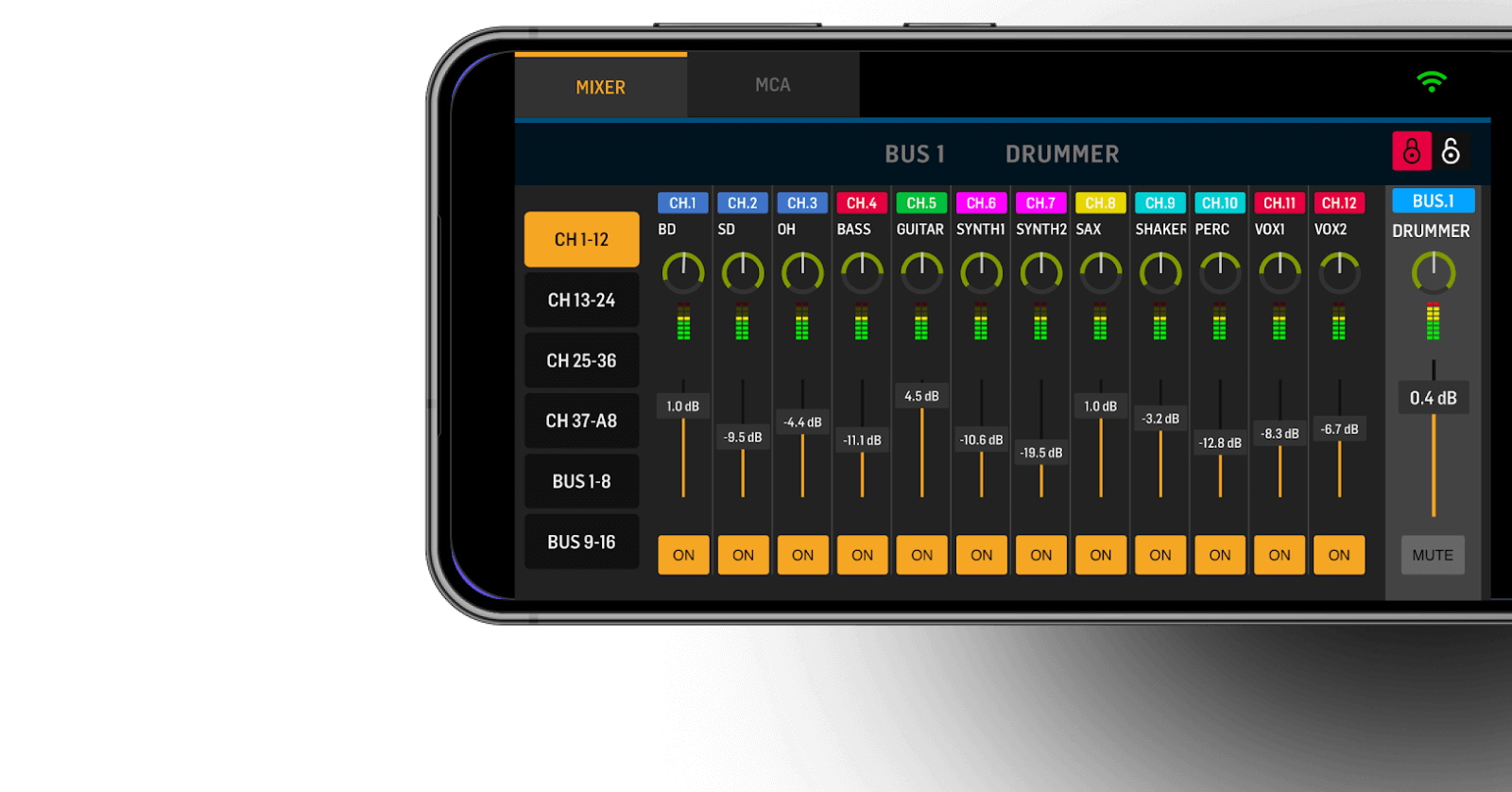
Whether you are working with the original Behringer WING, the WING Black, the WING Compact, or WING Rack mixer, Behringer provides free apps for macOS, Microsoft Windows, Linux, iPad and iPhone, and Android that enable you to easily manage live mixing, monitoring, recording, and more. Let’s have a look at what’s available.
- WING Edit for macOS, Windows, Linux, and Raspberry Pi
- WING CoPilot App for iPad and Android
- WING-Q App for iPhone and Android
- StageConnect Configurator for macOS, Windows, and Linux
- Live Sessions for Mac, Windows, and Linux
WING Edit for macOS, Windows, Linux, and Raspberry Pi

WING Edit for your computer
WING Edit is an online and offline software editor that you can use to control all the main functions of your WING.
WING Edit connects to your WING over Wi-Fi.
To download WING Edit, go to the Behringer WING product page. Click the Download tab, and under “Mac,” “Windows,” and “Linux”, download the newest version of WING Edit for your system.
Here’s Behringer’s walk-through of the features and functions of WING Edit:
Note that the Wi-Fi connection to WING Edit is for controlling the mixer. The WING does not transmit audio from the mixer to your computer over Wi-Fi, and the WING Edit app doesn’t process audio.
Of course, you can also use the WING as an audio interface to your DAW or your streaming platform. You accomplish that using the USB cable connection. Learn more in our SweetCare guide Behringer WING Setup, Routing, and Connections > Connect to a Computer via USB.
WING CoPilot App for iPad and Android
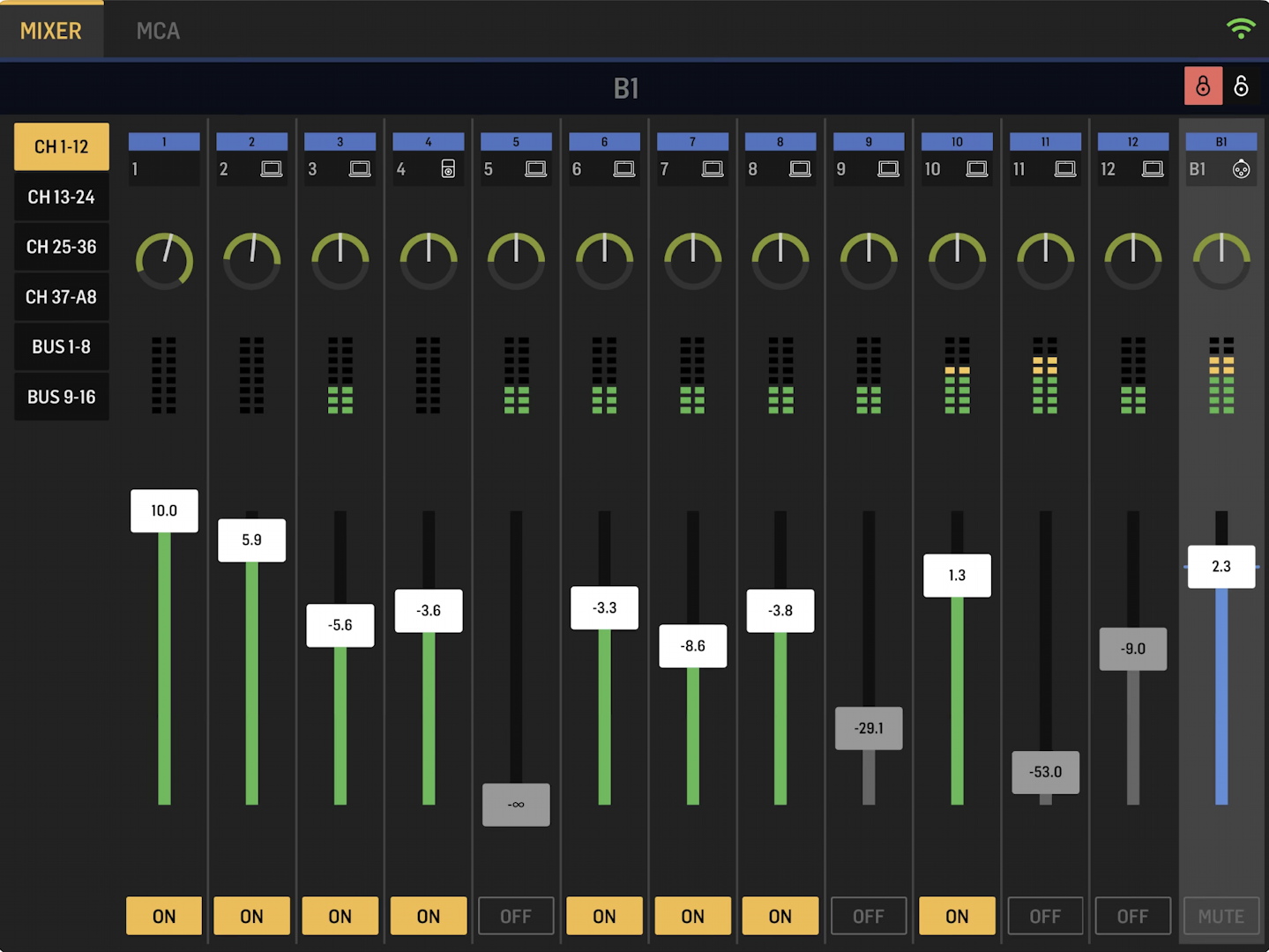
WING CoPilot for tablet devices
CoPilot is an app for tablet devices that you connect to your WING over Wi-Fi. With CoPilot, you can walk around your performance space and mix on your WING remotely while you listen to the sound out in the hall.
On your WING, you have the option of granting permission to musicians to use their own copies of CoPilot on their tablets to set their own monitor mixes.
On your iPad, download CoPilot from the Apple App Store.
On your Android tablet, download CoPilot from Google Play.
Here’s Behringer’s walk-through of CoPilot:
WING-Q App for iPhone and Android

WING-Q for phones
WING-Q for phones is optimized for one person to set their own in-ear monitor mix without affecting the house mix. Again, it works over Wi-Fi.
On your iPhone, download WING-Q from the Apple App Store.
On your Android phone, download WING-Q from Google Play.
Here’s Behringer’s tutorial on WING-Q:
StageConnect Configurator for macOS, Windows, and Linux

StageConnect Configurator for your computer
StageConnect Configurator is the name of the app that Behringer provides for you to plan out how you will configure the WING’s connection and signal routing to Klark Teknik and Midas StageConnect I/O interfaces, also known as stage boxes, and to Behringer P24 personal monitor mixers. These are connected over the WING’s StageConnect port, which provides for transmitting up to 32 channels of digital audio over a DMX cable.
StageConnect Configurator is also called StageConnect Calculator. They refer to the same app.
Use StageConnect Configurator to map out and plan your connections on your computer before you get to the venue and hook up the equipment.
On your computer, go to the Behringer WING product page. Click the Download tab, and under “Mac,” “Windows,” and “Linux,” download the newest version of StageConnect Configurator for your system.
Here’s Behringer’s walk-through for StageConnect Configurator:
Live Sessions for Mac, Windows, and Linux
Live Sessions is Behringer’s app for your computer that lets you extract 32-channel recordings that you have made on the WING’s SD card (or on the Behringer X32) for use in your DAW.
You can also use Live Sessions to do the opposite: to assemble tracks from your DAW into a 32-channel WAV file and transfer the assembled file to an SD card. Then you can insert the SD card into your WING for playback.
On your computer, go to the Behringer WING product page. Click the Download tab, and under “Mac,” “Windows,” and “Linux,” download the version of Live Sessions for your system.
Here’s Behringer’s tutorial for Live Sessions:
Related Articles
When you need help, Sweetwater has the answers!
Our knowledge base contains over 28,000 expertly written tech articles that will give you answers and help you get the most out of your gear. Our pro musicians and gear experts update content daily to keep you informed and on your way. Best of all, it’s totally FREE, and it’s just another reason that you get more at Sweetwater.com.

