

Behringer MX-Mix and MX-Q Mobile Apps Quickstart Guide
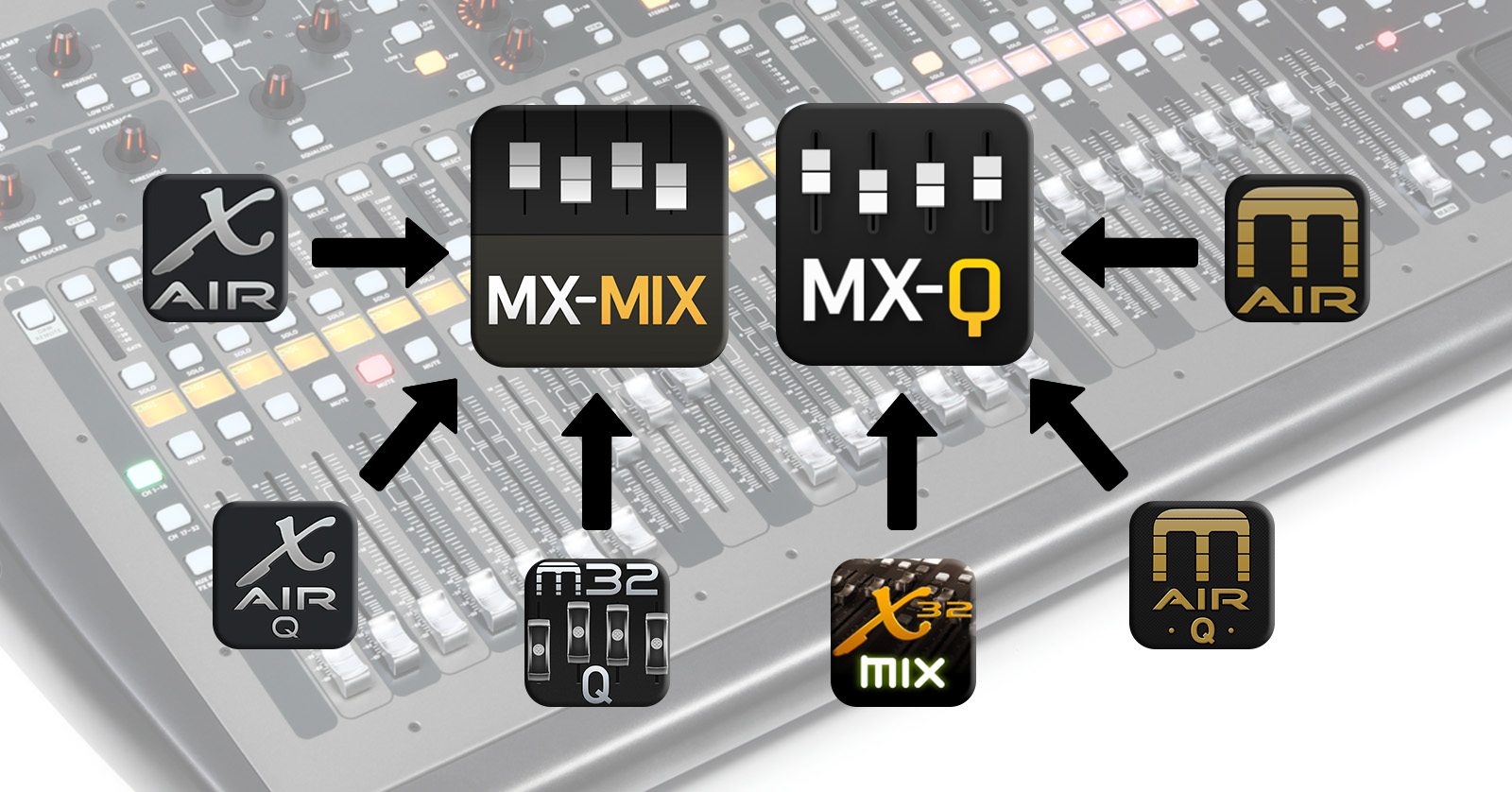
In 2023, Music Tribe released the new MX-Mix mobile app for iPad and Android tablet, for wireless remote control of the main, front-of-house mix on the Behringer X Air series of mixers, the Behringer X32 series, the Midas M Air series and the Midas M32 series.
Likewise, Behringer released the MX-Q app for iPhone and Android phone for each person onstage to set their personal monitor mix.
These two apps replace a series of older Behringer and Midas apps that no longer work on current versions of iOS, iPadOS, and Android. We wrote this guide to explain what you need to know to get the right app to control your mixer.
- Control Your Behringer Mixer from Your iPad or Android Tablet
- Behringer MX-Mix vs. MX-Q
- How to Download MX-Mix & MX-Q
- What Are the Older Apps That No Longer Work?
- How to Use MX-Mix & MX-Q
- Behringer & Midas Desktop Apps for Mac & Windows PC
- Behringer MX-Mix & MX-Q Resources
- The Third-party Option: Mixing Station
- What About MobileApps for the Behringer WING?
Control Your Behringer Mixer from Your iPad or Android Tablet
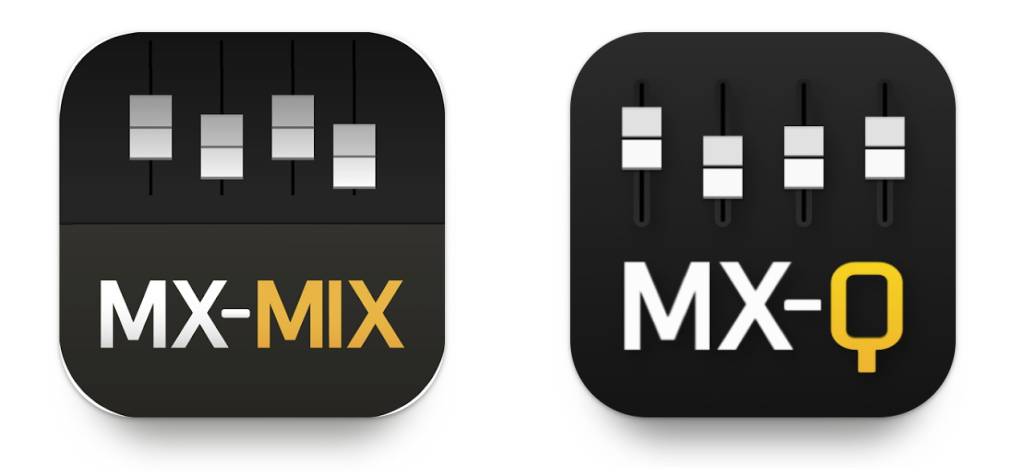
MX-Mix and MX-Q are the apps you need.
With the Behringer X Air, Behringer X32, Midas M Air, or Midas M32-series mixers, you have always been able to control your main mix wirelessly, over Wi-Fi, using an app on your iPad or Android tablet. Individuals onstage can customize their in-ear monitor mix, each with their own phone, running a copy of another app.
The original series of mobile apps that Music Tribe provided for these products ceased being developed around 2022.
In 2023, Music Tribe release a new app platform to work with all of these series of mixers:
- MX-Mix for the main mix on a tablet
- MX-Q for individual monitor mixes on phones
Since 2023, Music Tribe has been actively rolling out updates to MX-Mix and MX-Q, adding and implementing new features to cover all the functions of the earlier series of apps.
Behringer MX-Mix vs. MX-Q
A lot of people want to know how MX-Mix compares to MX-Q. However, there is no “vs.” The two apps are complementary. When a group performs or records, you need both apps.
MX-Mix is what the front-of-house or recording engineer uses to control the main mix.
MX-Q is what any number of individual performers use on their iPhone or Android phone onstage or in the studio to control each person’s personal monitor mix.
How to Download MX-Mix & MX-Q
- On your iPad, download MX-Mix from the Apple App Store.
- On your iPhone, download MX-Q from the Apple App Store.
- On your Android tablet, download MX-Mix from the Google Play Store.
- On your Android phone, download MX-Q from the Google Play Store.
What Are the Older Apps That No Longer Work?
Previously, before 2023, Music Tribe developed and supported these apps for iPad, Android tablets, iPhone, and Android phones:
- X AIR and X AIR Q for the X Air series
- X32-Mix and X32-Q for the X32 series
- XiControl for X32
- M AIR and M AIR Q for the Midas M AIR series
- M32-Mix and M32-Q for the Midas M32 series
You can still download these old apps from the Apple App Store and Google Play Store and install them on any version of Android OS, iPadOS or iOS. However, if your device runs a version of Android OS, iPadOS or iOS released after about 2022, these apps will run on your device, but they will not connect to your mixer and will not enable you to control your mixer.
Music Tribe continues to make these obsolete apps available for users who keep old mobile devices whose operating systems have never been updated.
If you have a recent-model device with the newest OS, then download and use MX-Mix and MX-Q instead.
How to Use MX-Mix & MX-Q
Behringer and Midas owner’s manuals for all these mixers were written years before MX-Mix and MX-Q were released. These owner’s manuals have entire sections about controlling your mixer from your iPad or Android tablet, and they refer to using the old apps listed above that no longer work. For example, the X Air User Manual refers to the X AIR mobile app for iPad and Android.
However, as the new MX-Mix and MX-Q apps have substantially the same functions as the older apps, this isn’t really a problem. You can use MX-Mix and MX-Q and easily figure out how to access the functions ascribed to the old apps in the owner’s manuals.
Furthermore, you’ll find a great deal of online resources created over the years, including numerous tutorial videos, that demonstrate how to control your mixer with the old apps. Don’t worry, as most of that information pertains to working with MX-Mix and MX-Q, as well.
Behringer & Midas Desktop Apps for Mac & Windows PC
Whereas the MX-Mix and MX-Q apps are a new generation for mobile devices, Behringer and Midas still use the original desktop computer apps. These apps are essential for many functions including saving libraries of presets and scenes to the hard drive of your computer and keeping up with and installing firmware updates.
On the Behringer and Midas websites, you’ll go to the product page of a representative mixer in the series, and click Downloads. You will see versions of the computer apps under the headings “Linux,” “Windows” and “Mac.” Locate the newest version of the respective app for your system, download it, and install it.
On your computer:
- On the Behringer XR18 page, download your version of X-AIR Edit.
- On the Behringer X32 page, download your version of X32 Edit.
- On the Midas MR18 page, download your version of M-AIR Edit.
- On the Midas M32 page, download your version of M32 Edit.
If you are on Windows, you must also download and install the newest version of the USB Windows Driver found on the same page.
Behringer MX-Mix & MX-Q Resources
Here’s an overview of MX-Mix and MX-Q from Behringer
Behringer: MX MIX Apps Update – What’s New and What We Have Planned
Get the latest news and join the discussion regarding MX-Mix and MX-Q on the Behringer support discussion forum at ideas.behringer.com.
The Third-party Option: Mixing Station
Mixing Station is a third-party alternative for iPad, iPhone and Android
If MX-Mix and MX-Q don’t meet your needs, then there is a third-party option popular with many users. It’s called Mixing Station by David Schumann.
You can download Mixing Station for free; adding support for various models of mixers requires in-app purchases.
- On your iPad, download Mixing Station from the Apple App Store.
- On your Android device, download Mixing Station from the Google Play Store.
Learn more at the Mixing Station company website.
Note that Music Tribe, Behringer, and Midas don’t provide support for the Mixing Station app.
What About Mobile Apps for the Behringer WING?
The Behringer WING family doesn’t use MX-Mix and MX-Q. The WING family has its own apps, WING CoPilot for the main mix, and WING-Q for your personal monitor mix. For more on that, check out our SweetCare article, Behringer WING Software and Apps Guide.
WING CoPilot and WING-Q Apps for iPad and Android
Related Articles
When you need help, Sweetwater has the answers!
Our knowledge base contains over 28,000 expertly written tech articles that will give you answers and help you get the most out of your gear. Our pro musicians and gear experts update content daily to keep you informed and on your way. Best of all, it’s totally FREE, and it’s just another reason that you get more at Sweetwater.com.

