

Computer networks have been used for decades to interconnect multiple computers and other digital equipment. A network provides an economical and efficient way for devices to share data and for users to communicate and share the same piece of equipment (such as a printer or multiple network-capable storage and backup devices).
In the audio world, as channel counts have grown, digital audio systems have taken the dominant role, and various control and storage possibilities have emerged. Audio networking, also known as “audio over IP,” has become a big deal. Just as the scale of computer networks can range from a laptop computer and TV streaming device connected to the Internet in a home all the way up to massive corporate systems with hundreds of interconnected computers and other devices spread across a “campus” covering several city blocks, audio networking is also scalable and appropriate for scenarios ranging from personal home studios to multi-room post-production facilities, from small churches to large arenas, and from club gigs to major concert productions. In all these cases, audio networking can minimize setup time, reduce the number and size of cables required, provide the means for interconnecting different locations and hardware, and tie together the elements of audio production — recorded or live — in a simple, efficient way.
Let’s take a look at several scenarios, examine how networking can be used in each, identify the components of audio networking, and then discuss the technical aspects of the leading audio networking protocols.
Why Use an Audio Network?
Analog audio distribution and routing is certainly a tried-and-true technological approach. But analog suffers from limitations that can become more apparent as systems are scaled up. These restrictions include signal degradation during transmission (displayed by loss of highs, noise/hum pickup, and signal level drop), distance limitations, and the requirement of a dedicated cable and connection for each channel in each direction of signal flow. However, with a digital audio network, cabling requirements are dramatically reduced, and signal degradation is eliminated. High channel counts are also possible with significantly less cable required, and system configuration is much more flexible. In addition, outputs can be seamlessly routed to multiple destinations without loss, and without a doubt even more benefits accompany a digital network.
Is Audio Networking Complex?
A common concern among musicians and recording or live sound engineers is that they will have to become IT experts to use an audio network. In fact, the technologies are streamlined and ergonomic and do not require specialized knowledge to use. In many cases, assembling a network is nearly plug-and-play simple. There is no more learning curve than when connecting, say, an audio interface, installing drivers, and configuring audio software for recording. In most cases, audio network devices automatically recognize one another and automatically configure clocks and routings for optimal operation. There’s no doubt that what is going on under the hood is complex high technology, but for the user, the experience is familiar and intuitive.
Where Audio Networks Are Used
Home Studios
Once upon a time, it seemed like extravagant overkill to have a computer network in your home. But today, many homes have wireless networks — and many have wired network connections — for computers, handheld devices, video and audio streaming, gaming, and more. It’s my belief that we’ll see a similar progression with audio networks in home studios. 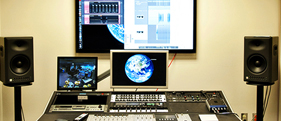 With network connections, it’s super simple to have an audio interface in the control room (the spare bedroom) with a networked interface in the garage for tracking drums, another in the walk-in closet that serves as a vocal booth, and another in the basement where the guitar amps live. All the interfaces and their preamps are controllable from computers on the network from multiple locations. Headphone feeds are simple to manage, and communication and interaction is easy — much easier than running a bulky audio snake and other analog audio connections.
Multi-room Studios
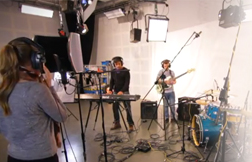
In a multi-room studio facility, whether a recording studio, a post-production facility, a mastering complex, or an audio-for-video facility, audio networking allows for shared resources, easy intercommunication, and simple, efficient production. And it provides this without duplicating gear unnecessarily and with standard, reliable means for integrating the gear and multiple monitoring or recording spaces.
 Schools
School music programs are ideal candidates for audio networks. From a central control room, audio networking makes it a breeze to incorporate multiple spaces — practice rooms, rehearsal/band/choir rooms, concert and recital halls, and faculty offices — into an audio system that presents many of the benefits of the traditional computer network, but from an audio standpoint. Plus, networked devices simplify and increase the efficiency of designing performance spaces for better audio quality and ease of use.
Houses of Worship
Similar to its use in schools, audio networking can serve multiple purposes in worship facilities. It can allow multiple worship and rehearsal spaces to be interconnected and simplify worship and performance space connectivity and design.
 Concert Venues
If for only one reason — the ability to run a single network cable instead of a massive analog audio snake — audio networking devices will likely come to dominate live performance venues regardless of whether the network is installed or transportable. With the new crop of digital mixers, from compact, small-footprint mixers to large-format consoles, audio networking is almost a given for connecting to stage boxes, remote preamps, and monitor rigs. Did I mention that it often requires just a single, thin cable to route audio from stage boxes back to the mixer?
Audio Network Types
Many types of digital audio networking have been developed over the years. A number of these are proprietary to a single manufacturer, such as QSC’s Q-LAN, Aviom’s A-Net, Behringer’s ULTRANET, Harman Pro’s HiQnet, Roland Pro’s REAC, Allen & Heath’s ACE, and more. These can be put to good use when primarily interfacing products from that particular manufacturer. For building a system consisting of gear from several manufacturers or when interfacing with a wider range of spaces and gear is required, protocols such as those listed below are of greater interest. Of these “generic” networking solutions, Dante (including Focusrite’s RedNet) and AVB (Audio Video Bridging) have come to dominate.
CobraNet & EtherSound
CobraNet and EtherSound were early protocols for transmitting digital audio via Ethernet network connections.

CobraNet was developed in 1996. It provides specs such as a minimum latency of 1.33 milliseconds, 64 channels per node, a maximum sampling rate of 96kHz, and maximum resolution of 24 bits. It can operate over standard “Fast Ethernet” (100 Mbits/s). As a condition of use, manufacturers must license the technology. Some CobraNet-based products, such as the Whirlwind ESF digital snake and the Yamaha MY16-CII CobraNet network card for the company’s digital mixers and other devices, are still available.
EtherSound was developed by Digigram and is intended for use over Fast Ethernet (100 Mbit/s) and Gigabit (1000 Mbit/s) Ethernet. Manufacturers must license the technology to use it in their products. Specs include a minimum latency of 125 microseconds, support for up to 512 devices per node, a maximum sampling rate of 96kHz, and a maximum  resolution of 24 bits. Some EtherSound-compatible products are available, primarily from Yamaha, including the SB168-ES EtherSound stage box (a 16-channel digital snake), the NAI48-ES 48-channel network audio interface, and the 16-channel MY16-ES64v network I/O card for EtherSound-compatible digital mixers.
EtherSound and CobraNet remain viable but have largely been supplanted in current technology by Dante and AVB.
Dante
Developed by Audinate, Dante (Digital Audio Network Through Ethernet) is an uncompressed multichannel digital media networking technology that combines software, hardware, and network protocols. It uses standard Ethernet technology to allow for the transfer of large numbers of audio channels among multiple locations, over long distances, and with low latency. Dante’s specs include up to 1,024 channels per network node with no limit on the number of nodes, a minimum latency of 150 microseconds, sample rates up to 192kHz, and resolution up to 32 bits.
Use of Dante requires that manufacturers license the technology from Audinate, and as of early 2016, over 200 companies license and support Dante with their products, including major professional audio companies such as Allen & Heath, Behringer, Midas, Bose, Sound Devices, Audio-Technica, Electro-Voice, Aviom, Focusrite, JoeCo, AKG, Mackie, QSC, Peavey, Shure, Digital Audio Labs, TASCAM, Klark Teknik, Soundcraft, Roland, SSL, Whirlwind, PreSonus, Yamaha, Sennheiser, and many more, with more manufacturers signing on at a steady pace.
Dante networks scale from small home studio systems to massive commercial facility installations. Products from multiple manufacturers can easily integrate and communicate, and the systems are easy to design and implement. Audio can be sent to and from as many devices as needed using a readily available Ethernet switch or multiple switches, and software apps allow for fast, easy system configuration and routing. Because Dante uses standard Ethernet, PCs and Macs can be integrated into a system with no need for additional hardware or adapters.
Dante can be used for a wide variety of applications. A common one is using a digital mixer at the front of house for a school, club, arena, or other venue, with stage boxes onstage for routing microphones, monitors, and PA speakers. A similar network makes it easy to integrate the worship platform, a digital mixer, and a recording/streaming rig in a house of worship or to integrate multiple rooms at a school. But Dante can scale down as well and be used to create a recording system for a home studio consisting of a computer and digital mixer or audio interface, for example.
 Focusrite created their RedNet family of audio products based on the Dante protocol (see below), and for digital mixer use onstage and in the studio, check out the interface cards for Yamaha, Mackie, PreSonus, Allen & Heath, and Behringer. TASCAM, Sound Devices, and JoeCo offer digital recording devices with Dante support, and Aviom personal mixer/monitoring systems can also be integrated into a Dante network.
RedNet
RedNet is a family of audio interfaces developed by Focusrite that connect via Audinate’s Dante digital audio networking protocol. With a single network connection per box, hundreds of channels of 24-bit audio can be easily transmitted among multiple locations and over long distances. Focusrite’s RedNet interfaces allow many different options for interfacing with the audio world, including analog I/O, MADI, AES3, and other formats. RedNet also facilitates interconnection with Mac and PC, compatibility with Avid Pro Tools, and easy interconnection with other Dante-based products.
Focusrite’s RedNet line includes the RedNet AM2 (compact stereo headphone amplifier/studio monitor controller), RedNet 1 (eight analog audio in/out), RedNet 2 (16 analog audio in/out), RedNet 3 (32 digital audio in/out in various formats), RedNet 4 (eight remote-controllable microphone preamps), RedNet 5 (Pro Tools HDX interface), RedNet 6 (64 channels of MADI), and various digital interfaces and computer interfacing solutions. A RedNet system could be as simple as a RedNet 1 connected to a computer in a home studio, or it could scale to a major concert system consisting of hundreds of channels or a multi-room post-production facility with interfaces and networking throughout the building.
AVB
AVB (Audio Video Bridging) is a set of standards developed by the Institute of Electrical and Electronics Engineers and promoted by the AVnu Alliance. AVB is an “open” protocol and does not require manufacturers to license the technology. Manufacturers including PreSonus, MOTU, Avid, and more have developed products compatible with AVB.
AVB works by reserving and dedicating a portion of the Ethernet bandwidth for AVB media use. The benefits are said to be precise synchronization, data management for media streams, “admission controls” (control over transmitters and receivers in the system), and identification of participating devices in the AVB network, which assures the quality of the audio system. All of the “nodes” in the networked system share the same clock, and data is carefully managed to ensure low latency and to prevent “data collisions.” There are no limitations on how small or large an AVB network can be. Minimum latency is 250 microseconds, with sampling rates up to 192kHz and resolution up to 32-bit floating point.
One difference between Dante and AVB is that AVB requires a dedicated AVB network switch; whereas Dante can use any Ethernet-compatible network switch. In practice this isn’t a big deal. For example, a MOTU AVB-compatible audio interface can be directly connected to a modern Mac computer with no need for a network switch at all.
MOTU is a primary supporter of AVB and offers a wide variety of AVB-compatible products aimed at systems from single-user home/project studios with audio interfaces, such as the UltraLite AVB and the 8M, to larger studios and multi-room facilities. The larger systems use devices such as the 24Ao (24-channel analog/ADAT optical output), 24Ai (24-channel analog/ADAT optical input), 16A (32 in/out analog/digital interface), and 112D  (112-channel digital audio), plus hybrid devices designed for both live use and studio applications, such as the Stage-B16 (16 x 8 stage box) and Monitor 8 (24 x 16 x 8 monitor mix, 6-channel headphone amp, and audio interface). All of these can be controlled using a convenient, intuitive web app from MOTU for Mac, PC, and handheld devices. MOTU also makes an affordable AVB switch for interfacing AVB-compatible devices from any manufacturer.
MADI
Is MADI (Multichannel Audio Digital Interface) a digital audio networking protocol? Not in the sense that AVB and Dante function as networks. MADI is more about routing large numbers of channels from point to point. However, the MADI protocol is supported by devices that are compatible with Dante and AVB, so MADI connectivity can easily be integrated into an audio network.
Technically known as the AES10 Audio Engineering Society standard communication protocol, the original MADI specification allowed for transmission of up to 56 channels (later upped to 64 channels) of digital audio over fiber or optical connections at distances up to 3,000 meters and at sampling rates up to 96kHz with a maximum of 24-bit resolution.
MADI is a “unidirectional” protocol, which means that a separate cable and connections are required for input and output signals. It has been widely adopted by an array of manufacturers for carrying large numbers of channels from stage boxes to mixers, between rooms in facilities, and to computers and multitrack digital recorders. MADI may not be a “network” protocol in the sense that Dante and AVB are, but it is tremendously useful for efficiently transmitting many channels of digital audio in large-format stage and studio applications.
Cat 5, Cat 5e, Cat 6
So where do Cat 5, Cat 5e, and Cat 6 fit into all of this? “Cat” (short for “category”) in this case refers to cable standards for carrying digital signals in computer networks, as defined in ANSI (American National Standards Institute) documents. For example, Cat 5 is defined in document TIA/EIA-568-A, with further clarification in document TSB-95. The different categories (“Cat 5,” “Cat 5e,” etc.) indicate different specifications, with varying crosstalk specifications, support for transmission speeds, and so on. All category cables use twisted pairs of wires within the cable; some are shielded, some are not.
In practice, Cat 5 and Cat 5e are very similar, supporting rates up to 100MHz. In fact, many Cat 5 cables meet Cat 5e specs, with Cat 5e boasting somewhat improved specs and support for up to gigabit speeds (1,000BASE-T); whereas Cat 5 supports up to 100BASE-T. Cat 6 supports rates up to 250MHz and improved specs over Cat 5e.
For most audio networking applications, Cat 5e or Cat 6 cabling is recommended. For install purposes, I recommend Cat 6 if it’s in the budget (roughly 30% more than Cat5e), so that the system is more future compatible as new networking standards emerge. For situations where the cabling is not installed (temporary setups or one night performances), Cat 5e cabling is the more affordable solution.
Networks on the Rise
We’re seeing many, many audio networks being installed in facilities of all sizes and integrated into live rigs. You’ll find networks in places ranging from clubs to concert halls, churches to schools, and post-production facilities to home studios. I predict that audio networking will become even more prevalent in the coming years. Ideal for large venues and facilities, networking makes setting up, managing, configuring, and controlling a large system and many digital audio channels a breeze. But it also offers benefits for homes and smaller facilities, including pristine audio quality, flexibility, convenience, configurability, expandability, compatibility, and more.
Whether you’re upgrading your home studio or outfitting your church or live sound rig of any size, check out the advantages made available by using audio networking. You’ll be amazed at how easy it will make your life; plus you’ll never coil up a massive audio snake again!