

How to Redeem and Authorize Propellerheads’ Europa by Reason
Overview
In this article, we will walk you through the steps needed to get your software up and running.
When you buy Europa from Sweetwater, you will receive a voucher code via email from your Sales Engineer. After entering your voucher code at the Propellerhead website, you will receive a license number that will be used to authorize Europa within Reason.
System Requirements
To ensure that Europa works with your current operating system, verify your computer meets the System Requirements for Reason 10.
Create a Propellerheads Account
To register your product, you will need to either create an account or sign in. Do not make another account if you already have one. Be sure to write down your email, username, and password and keep them in a safe place. If you need to, your password can be reset here.
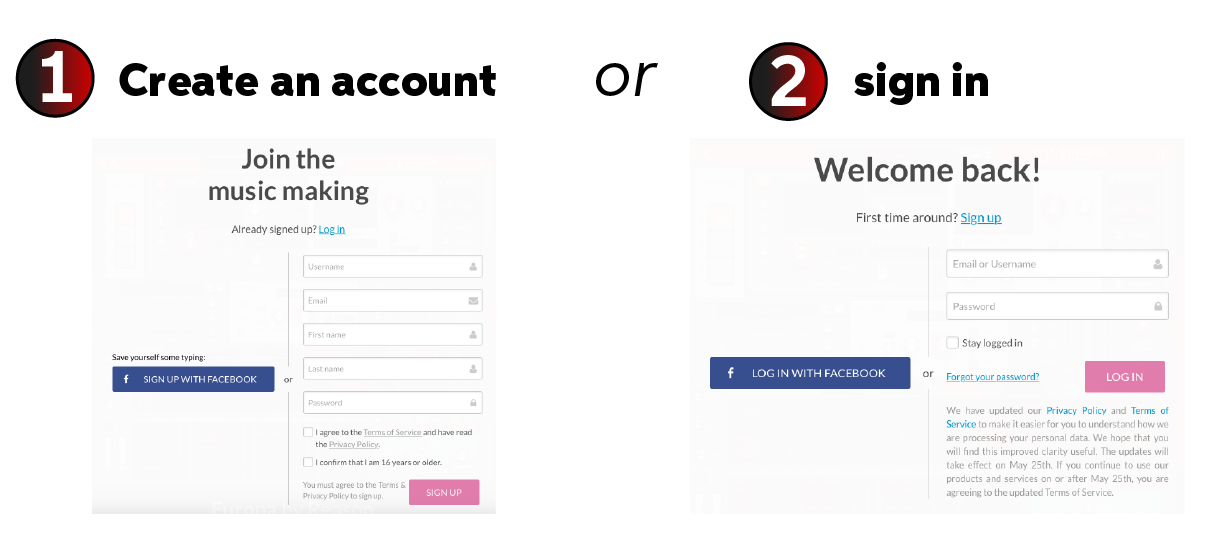
Create a Propellerheads account. If you’ve already made an account, just sign in!
How to Redeem and Download Europa
The first step to getting Europa set up and ready to go is to redeem the code in order to receive the license and access to downloads. Follow the steps below:
Redeem and Download Europa by Reason
1. Log in to your Propellerheads account
2. Visit Propellerhead’s redemption page, enter your voucher code, and click Redeem.
Tip: The voucher code is the code you received in the Software Activation Instructions email from your Sweetwater Sales Engineer.
3. After redeeming your code, confirm your order by clicking Checkout.
4. In the new Download your products window, click Download.
Leave that window open!
Don’t close the Download your products window just yet. The code you need to authorize Europa in Reason is on that page.
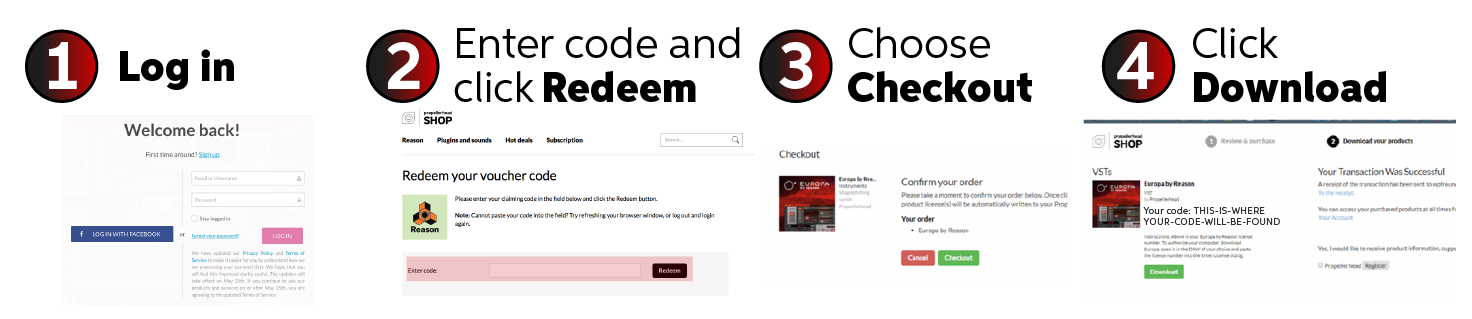
Redeem your voucher code and download Europa by Reason.
How to Authorize Europa in Reason (or other DAW)
After downloading Europa, you need to authorize it in your DAW. To do this, launch your DAW and it will automatically prompt you to enter in the new license code. After entering in the code, press enter on your keyboard. Follow the steps below to authorize Europa in Reason.
Authorize Propellerhead’s Europa in Reason
1. Launch Reason (or other DAW).
2. Enter the code given on the Download your products page in the prompted window.
3. Press Enter on your keyboard.
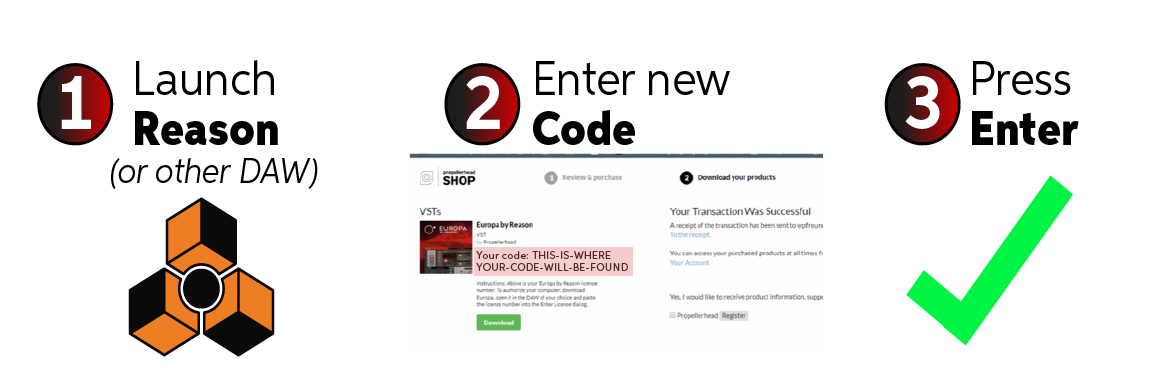
Launch Reason and enter in your new license code in the prompted window.
Helpful Links
How Do I Authorize My Computer with Reason 10?
Propellerhead and macOS High Sierra Compatibility
Sequencing music with Reason 10
Mac Optimization Guide for macOS 10.13 High Sierra
PC Optimization Guide for Windows 10
When you need help, Sweetwater has the answers!
Our knowledge base contains over 28,000 expertly written tech articles that will give you answers and help you get the most out of your gear. Our pro musicians and gear experts update content daily to keep you informed and on your way. Best of all, it’s totally FREE, and it’s just another reason that you get more at Sweetwater.com.

