
Audified Software Activation Instructions

In this guide, we will show you how to register, download, and install your new Audified software. Follow the instructions below to get started.
Create an Audified Account
NOTE: If you already have an Audified account, skip this process and continue to Activate Your License.
To register your plug-in, you must first create an account with Audified.
All you need to do is go to the account registration page, enter your credentials in the Register section, and click Register.

Activate Your License
Once you’ve logged into your Audified account, the next step is to register the plug-in.
- On your account homepage, click Your Plugins, then select Licenses.
- Copy and paste the registration code you received from your Sweetwater Sales Engineer, then click Add.
- Refresh the webpage. Your license will now appear under Licenses, and a unique License Key will appear.
Migrate iLok Licenses
NOTE: RZ062, Uz7b, U78, GK Amplification 3 Pro, and MixChecker Pro are currently the only products sold that use the new licensing process.
If you have an Audified plug-in that uses an iLok license, it is recommended that you migrate it over to Audified’s new licensing system if your product is updated.
- On your account homepage, click Your Plug-ins, then choose Migrate.
- Click Check.
- Any product with an iLok license will then be migrated to the new licensing system, and the latest versions of your plug-in will be available to download.

Download and Activate
IMPORTANT! The License Key is separate from the serial number you received from your Sweetwater Sales Engineer!
Once you’ve registered the plug-in to your Audified account, the final step is downloading and activating it. Keep your product’s License Key handy, as you’ll need it to activate the plug-in. The License Key is located on your Audified account homepage.
- On your account homepage, click Your Plug-ins, then select Downloads.
- Select your plug-in from the Plugin dropdown box, select your OS from the Platform dropdown box, and click Find Versions.
- Click the Download icon located next to the latest version of the plug-in.
- Once it is downloaded, navigate to your Downloads folder, locate and launch the installer, and follow the on-screen instructions.
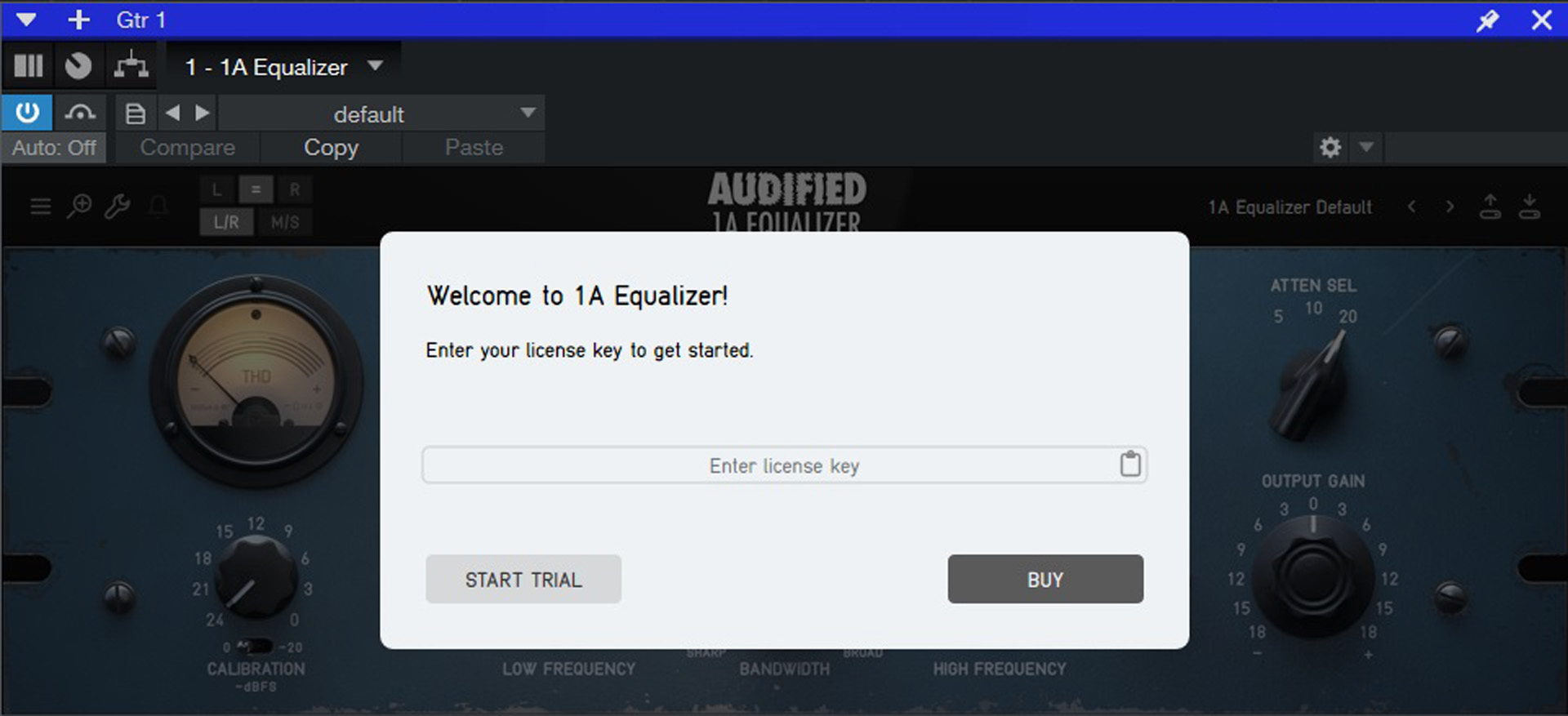
- Launch your DAW. Add your Audified plug-in to an audio track.
- Copy the License Key (listed on your account homepage) in the Enter License Key field. Click Submit.
When you need help, Sweetwater has the answers!
Our knowledge base contains over 28,000 expertly written tech articles that will give you answers and help you get the most out of your gear. Our pro musicians and gear experts update content daily to keep you informed and on your way. Best of all, it’s totally FREE, and it’s just another reason that you get more at Sweetwater.com.

