
Reason Studios Software Activation Instructions

In this guide, we will show you how to register, download, and install your new Reason software. You will also learn how to authorize your computer online and offline. Follow the sections below to get started.
- Register the License Number and Registration Code
- Download and Install Reason
- Authorize Your Computer
- Reason ReCycle Activation
Register the License Number and Registration Code
The first step in the process is to register the license number and registration code you received from your Sweetwater Sales Engineer. To register your product, you must create an account with Reason Studios.
- Log in to your Reason Studios account. If you don’t have one yet, you can create one here.
- Go to the Reason registration page, and enter the License Number and Registration Code in the software activation instructions email you received from your Sweetwater Sales Engineer.
- You can also access the registration page by clicking REGISTER NEW PRODUCT on your account home page.
- You can also access the registration page by clicking REGISTER NEW PRODUCT on your account home page.
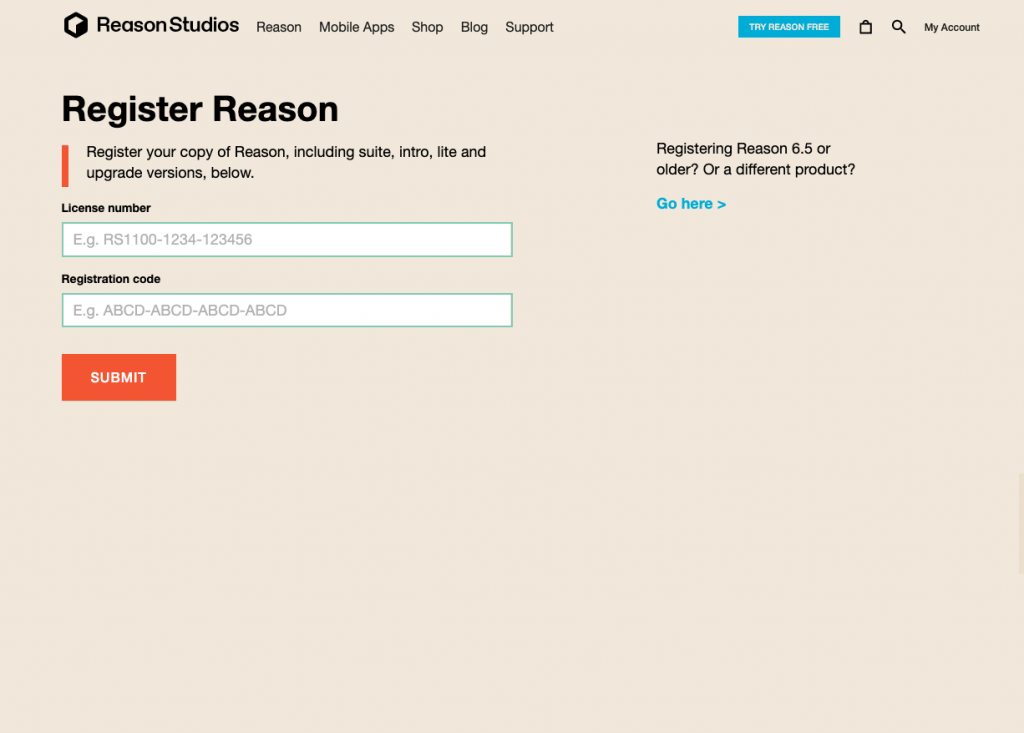
Click the image to register your Reason software
Download and Install Reason
The next step in the process is to download and install Reason. Follow these steps to download and install the software.
- Navigate to the My Products section on your account page, and click Download.
- Once complete, navigate to your Downloads folder, run the installer, and follow the on-screen instructions.
- PC: Right-click the .zip file, select Extract all…, and then click Extract. Double-click the .exe file and follow the on-screen instructions.
- Mac: Double-click the installer file, then drag the Reason folder to your Applications folder.
Where are the soundbanks located?
If you purchased the full version of Reason, you will be prompted to set the location of the soundbanks during the installation process. By default, the soundbank folder location is:
- PC: C:\ProgramData\Propellerhead Software\Soundbanks\Reason Suite
- Mac: Library/Application Support/Reason Studios Software/Soundbanks/Reason Suite
Authorize Your Computer
NOTE: As of Reason 12.6, your computer will be automatically authorized when you launch the software for the first time.
The final step in the process is to authorize your computer. Upon launching the software, you will need to log in to your Reason account to complete the authorization process. You can authorize up to three computers, so if you want to authorize a new computer, you must deauthorize another beforehand.
- Check out Reason Studios’ support page to learn more about deauthorizing computers.
Authorizing Your Computer Offline
IMPORTANT: If you have a Reason+ subscription and authorize it offline, the authorization will end at your subscription end date.
If you’re a traveling musician or don’t have access to the Internet, you can authorize your computer offline. If you authorize your computer offline, you can run the software for one year before needing to authorize it online (except for Reason+ subscription users, as the offline authorization will end at your subscription end date.)
The offline authorization process is slightly different if you authorize a Reason Rack plug-in, so follow these instructions.
Authorizing Reason Offline
- Launch Reason and navigate to Preferences.
- Click Settings, then under Account and Authorization, select Add long-term authorization.
Authorizing Reason Rack Plug-ins offline
- Load the Reason Rack plug-in.
- Click Settings, then under Account and Authorization, select Add long-term authorization.
Reason ReCycle Activation
Reason’s ReCycle software activation is slightly different, but still straightforward.
- Log into your Reason Studios account as outlined above.
- After you’ve logged into your account and go to the Reason Product Registration Page.
- Use the dropdown box to select ReCycle and click Submit.
- On the next page, use the dropdown box to select the latest version of ReCycle, then click Continue.
- Copy the ID and Registration code in the appropriate field and click Send registration.
- You will be redirected to your Reason Studios account page, where you will be able to download ReCycle.
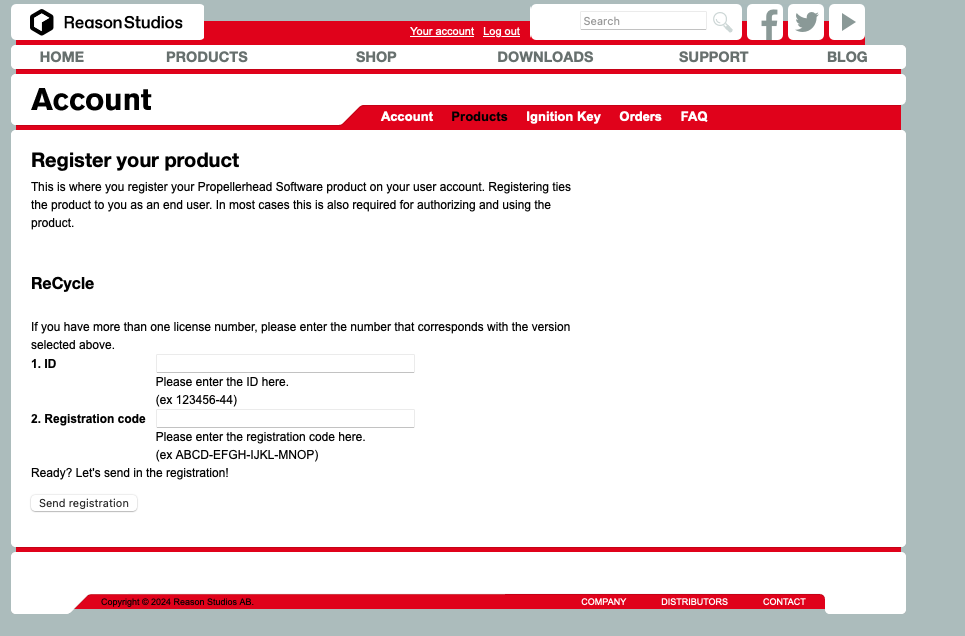
Click the image to register ReCycle
Related Articles
When you need help, Sweetwater has the answers!
Our knowledge base contains over 28,000 expertly written tech articles that will give you answers and help you get the most out of your gear. Our pro musicians and gear experts update content daily to keep you informed and on your way. Best of all, it’s totally FREE, and it’s just another reason that you get more at Sweetwater.com.

