
Korg minilogue Quickstart Guide
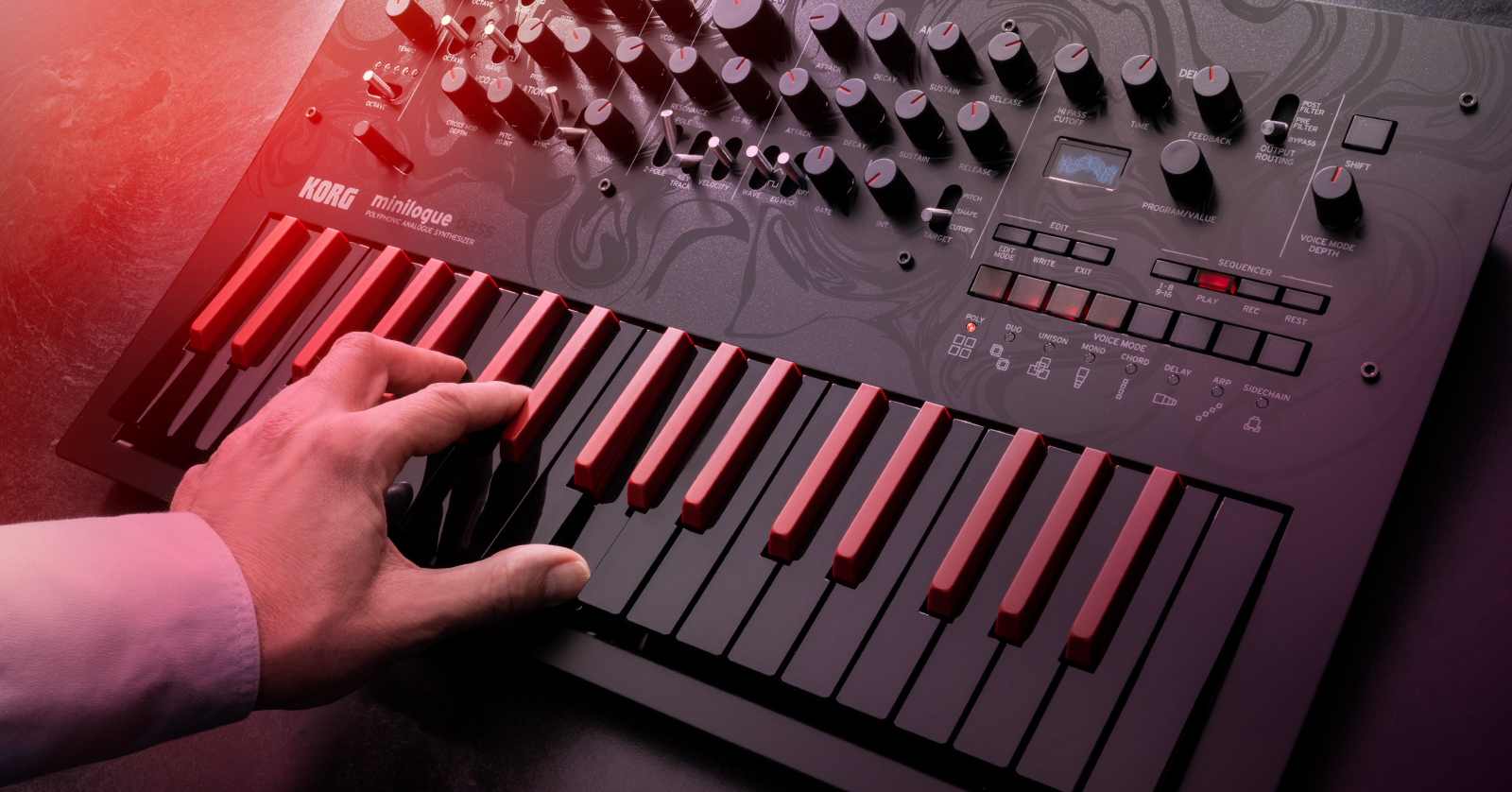
The Korg minilogue is a four-voice polyphonic instrument providing classic analog subtractive synthesis. With dedicated knobs and switches for hands-on control, multiple voice modes, a polyphonic sequencer, and onboard delay, the minilogue is as easy to use as it is powerful.
All of the information in this guide applies to the minilogue and its limited-edition sibling, the minilogue bass. The minilogue bass is identical in function but provides a new bank of bass presets.
- Korg minilogue Connections
- Powering Up Your Korg minilogue
- Navigating the Korg minilogue
- Updating the minilogue Firmware
- The minilogue Sound Librarian App
- New to Synthesis?
Korg minilogue Connections
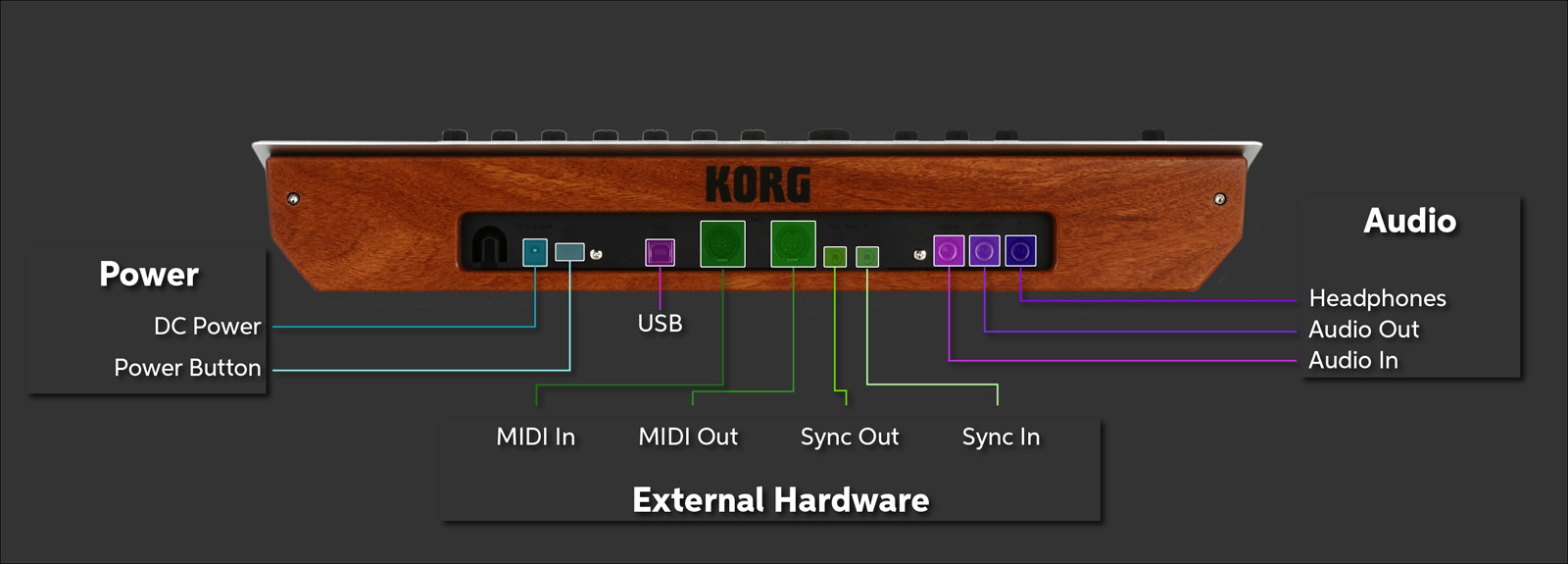
Output
Connect a 1/4-inch TS cable to your speaker, mixer, or audio interface.
Headphones
The Master knob on the front panel controls both the Audio Out and the Headphones level.
USB
Connect a USB cable to your Mac or Windows PC to send and receive MIDI data to your DAW, load and save banks of presets with the minilogue Sound Librarian app, and update the firmware. This connection does not transmit audio.
MIDI In and MIDI Out
Connect traditional 5-pin DIN MIDI cables to transmit and receive MIDI data or to use an external keyboard controller.
Sync In and Sync Out
Use 1/8-inch cables to connect and synchronize with Korg Volca products.
Audio In
Accepts a 1/4-inch TS jack to input an audio signal from another instrument to be processed through the minilogue’s filters. This is an advanced feature.
Powering Up Your Korg minilogue
Connect the power supply to an outlet.
Before you turn the power on, connect the Output to your mixer, speakers, or audio interface. Connect your headphones if you need them.
Make sure the Master knob on the front panel is turned all the way down.
Tap the Power button. The unit will take a few seconds to boot up. It will display a message that says “Tuning.”
Now you can gradually turn up the Master knob and play some keys.
To turn the unit off, turn the volume all the way down and hold the power switch in until the display turns off.
Navigating the Korg minilogue
minilogue Program Architecture
The minilogue stores 100 factory Presets and 100 user Programs. Each Program stores settings from the Synthesizer section plus the Sequencer and Effects.
TIP: Be sure to save a Program and any data you have edited before you turn the minilogue’s power off, or your changes will be lost. See Saving a Program in the Owner’s Manual.
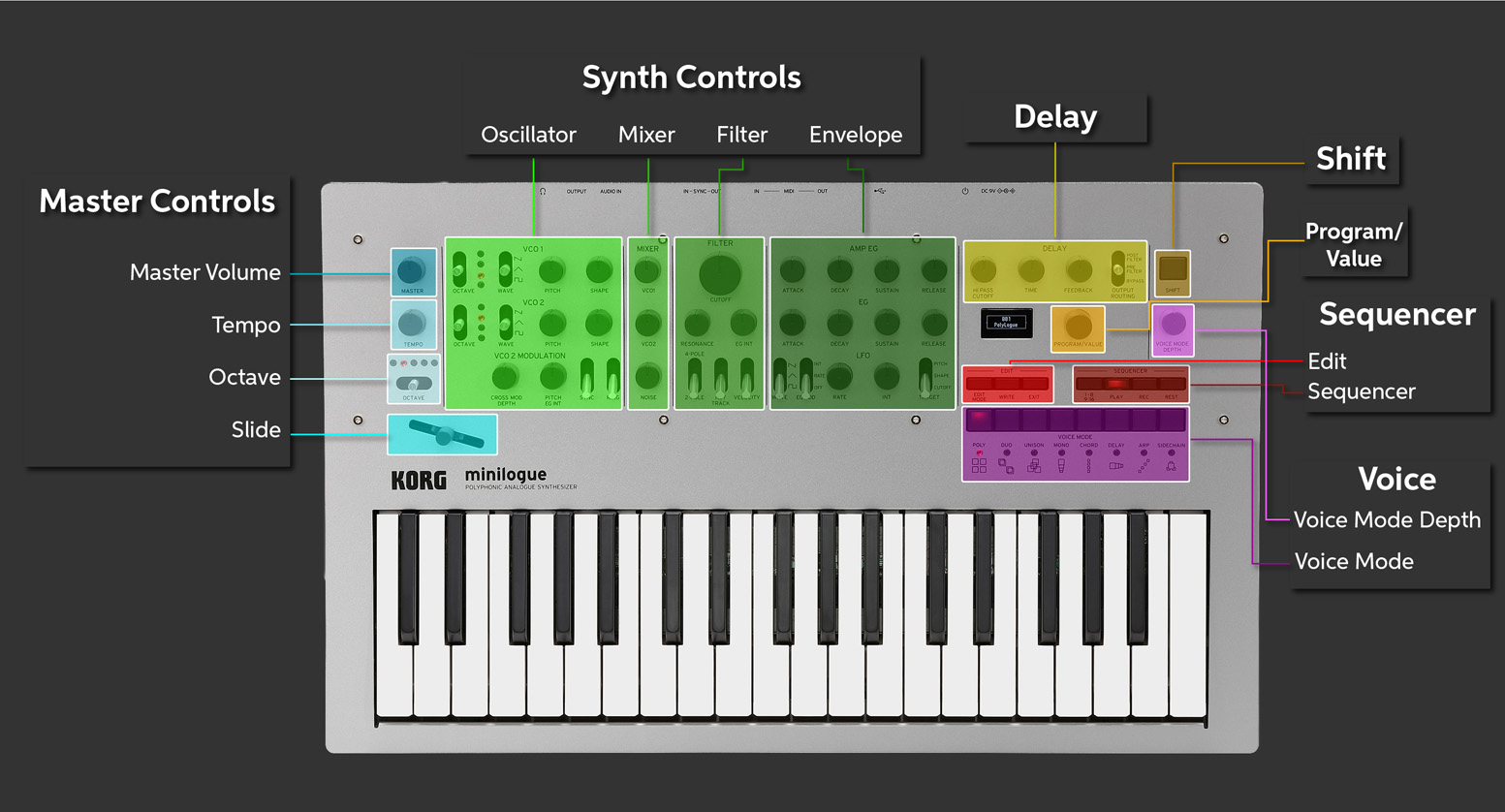
Master Controls
This is where you control the Master volume, the Tempo of sequencer playback, and the Octave.
The Slide enables you to manipulate pitch bend or modulation depending on how the preset is programmed.
Program/Value knob
In Play mode, turn this knob to select different Presets and Programs. In Edit mode, enter values for certain parameters and global settings.
Synth Controls
The minilogue utilizes analog subtractive synthesis, where one of two Oscillators can modulate the other. The signal goes to a Mixer and is then modified by the Filter section. Notes are modulated in time through the AMP EG (Amplitude Envelope Generator) and the EG (Filter Envelope Generator). The LFO (Low-frequency Oscillator) adds further animation by providing vibrato to the Pitch andtonal changes to the oscillators (SHAPE) or by modulating the filter Cutoff.
Voice Controls
The minilogue architecture provides eight modes. The Voice Mode Depth knob modifies the sound according to the mode selected. The eight modes are:
- Poly: 4-voice polyphony
- Duo: Two pairs of two voices in unison
- Unison: Four voices stacked together to create a mono synth
- Mono: One voice in true monophonic mode with a sub-oscillator
- Chord: Play one key, and the four voices play a pre-programmed triad or seventh chord
- Delay: After voice 1 plays, voices 2, 3, and 4 play in sequence according to the delay setting
- Arp: Arpeggiator
- Side Chain: Lowers the volume of the previously played voice when a new voice is played
Edit Controls
Used to edit and save parameters in Programs.In the Owner’s Manual, see Edit Mode and Saving a Program.
Sequencer
Real-time recording, 16-step polyphonic Sequencer, and Motion Sequence allow you to record real-time manipulation of knobs and switches over a sequence and play them back.
Delay
Delay effect with highpass filter.
Shift Button
Used to access alternate functions using the panel controls. Consult the Owner’s Manual under Shortcuts using the SHIFT button.
Display
The minilogue’s small Display screen, below the Delay controls, shows parameter information when you are programming a Preset, a Program, or a Sequence. When you play the instrument, the display becomes a digital oscilloscope, representing the waveforms generated in real time.
Updating the minilogue Firmware
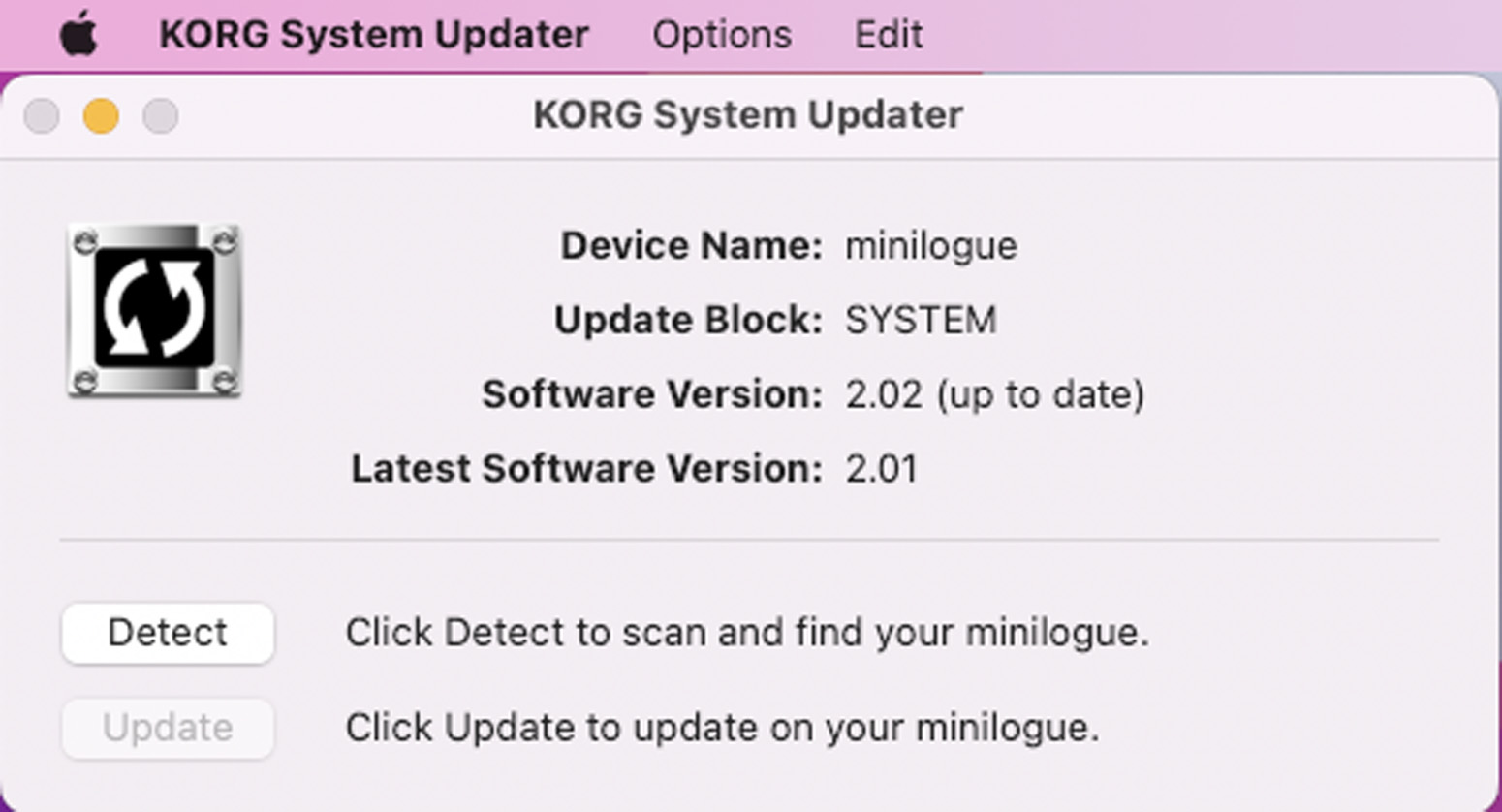
Check if there is a newer firmware version and install it if so. Do this by connecting your minilogue to your Mac or Windows PC with a USB cable and installing and running the Korg System Updater app.
If you are on Windows, download the Korg System Updater for Windows and the minilogue/Korg USB-MIDI driver for Windows from the Korg support website. Follow the instructions. You must install the Windows driver before the System Updater can recognize the minilogue.
If you are on Mac, download the Korg System Updater for Mac. Take note of what version of macOS you are running. Korg provides a USB-MIDI driver for older versions of macOS, up to 10.14 Mojave, which came out in 2018. However, if you are running a newer version of macOS, do not install the Korg driver; your Mac will automatically recognize the minilogue’s USB connection.
Before you run the System Updater, you need to start up your minilogue in Update Mode. With the power turned off, hold down the buttons numbered 6 and 8 in the Voice Mode section on the front panel. Now turn on the power and release the buttons.
Read the instructions that come with the System Updater before you proceed. Run the System Updater and follow the instructions.
The minilogue Sound Librarian App
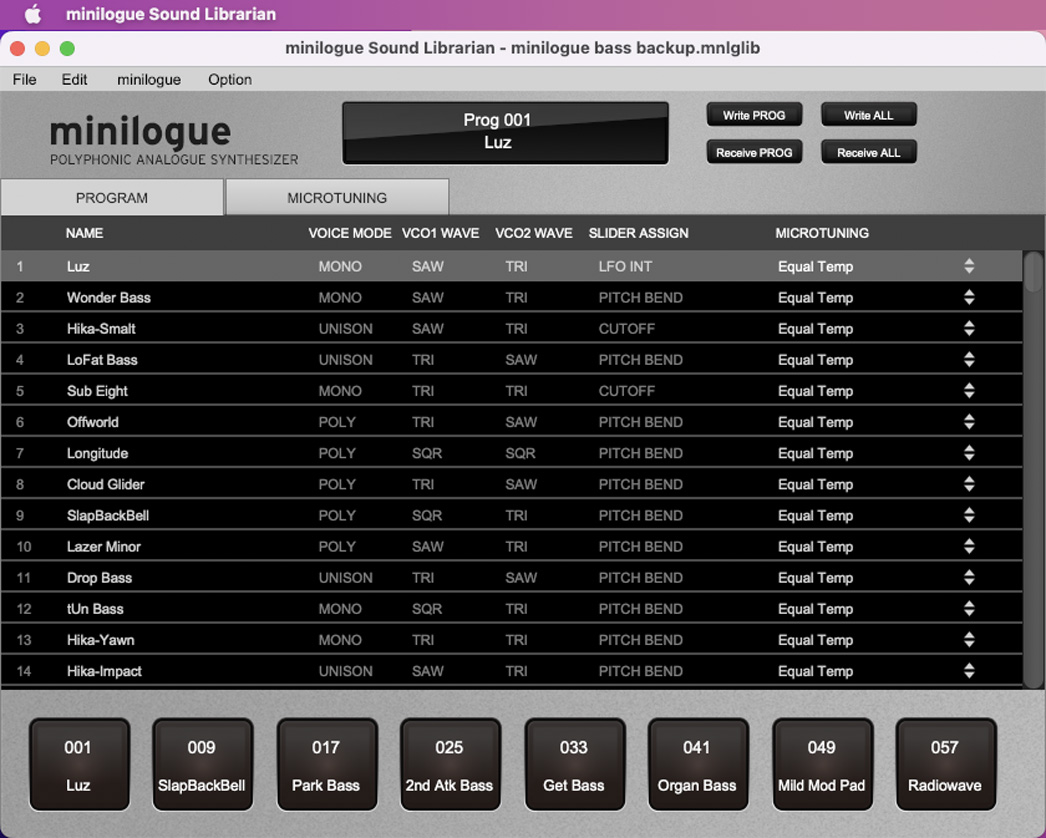
Korg provides a librarian app for Mac and Windows PC. When you start it up, it will download all the Presets and Programs from the minilogue. You can save banks of programs to your computer and load them into the minilogue’s memory.
As an advanced feature, the app also provides for programming custom microtonal scales (Microtuning).
Download the minilogue Sound Librarian for Mac or Windows from the Korg support website, taking note of our above instructions regarding MIDI drivers.
Follow the instructions in the minilogue Sound Librarian Owner’s Manual.
New to Synthesis?
If you are new to synthesis, you’ve got a great learning platform in the classic subtractive synth architecture of the Korg minilogue. Sweetwater has you covered with our Synthesizer Fundamentals and Synth Clips video series. Check them out.
Related Content
When you need help, Sweetwater has the answers!
Our knowledge base contains over 28,000 expertly written tech articles that will give you answers and help you get the most out of your gear. Our pro musicians and gear experts update content daily to keep you informed and on your way. Best of all, it’s totally FREE, and it’s just another reason that you get more at Sweetwater.com.

