

How do I control the transport functions in my DAW using my Avid S3 control surface?
On the Avid S3, the transport controls are provided on the four touch strip zones located on the bottom right of the S3.
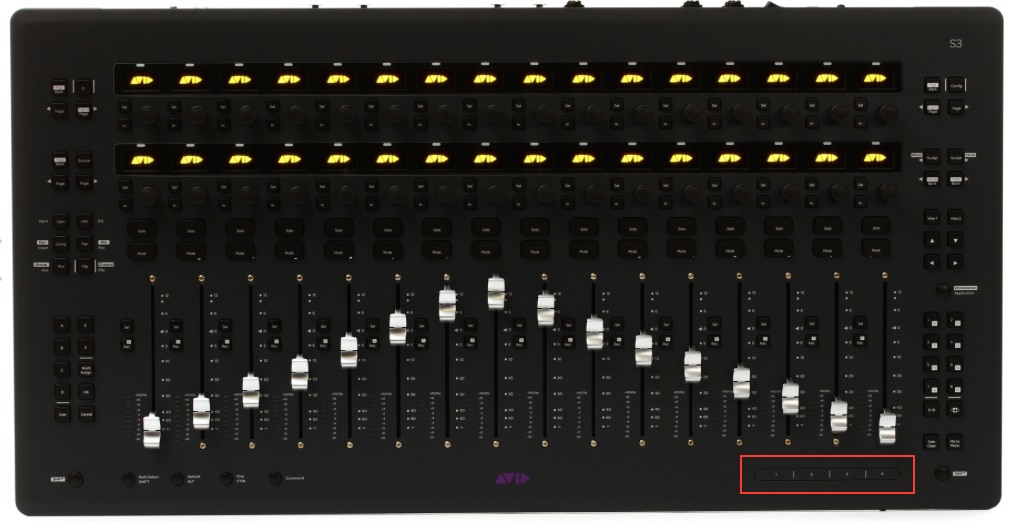
Here’s how they work:
- Press and hold the Surface SHIFT button
- Press the following numbered zones for transport functions:
- Rewind (rewinds until released)
- Fast Forward (fast forwards until released)
- Play/Stop
- Record Arm
When you need help, Sweetwater has the answers!
Our knowledge base contains over 28,000 expertly written tech articles that will give you answers and help you get the most out of your gear. Our pro musicians and gear experts update content daily to keep you informed and on your way. Best of all, it’s totally FREE, and it’s just another reason that you get more at Sweetwater.com.

