
Fender Mustang Micro Setup Guide
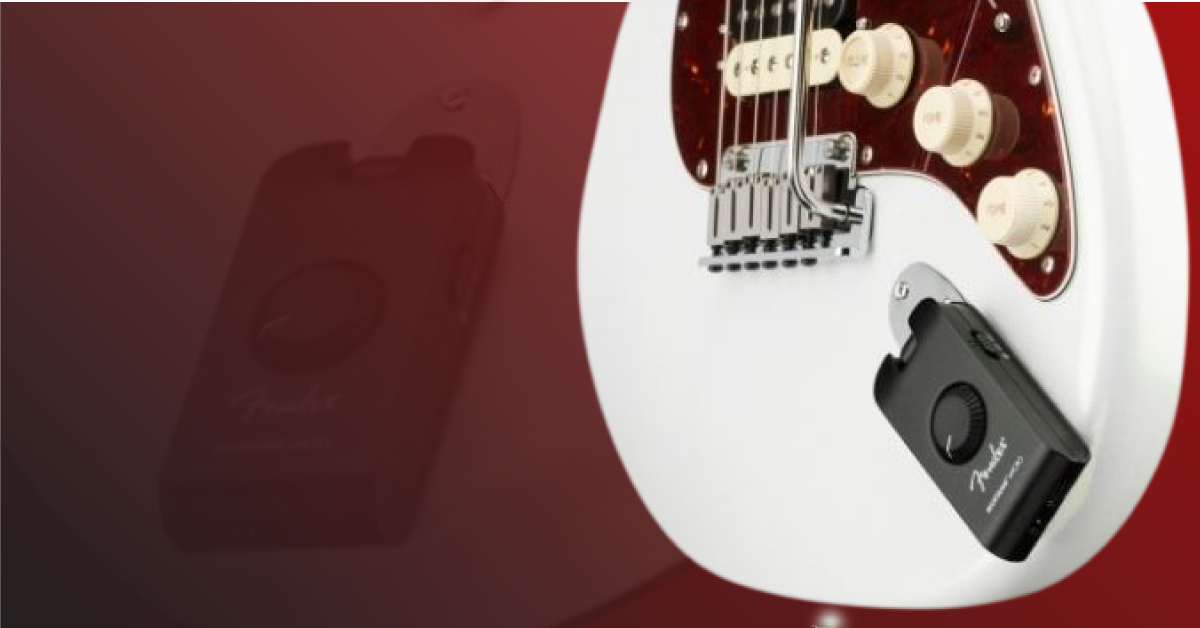
In this guide, we will show you how to set up, connect, and use the Fender Mustang Micro headphone amp for the first time. Follow the sections below to get started.
Mustang Micro firmware update
MAKE SURE IT’S CHARGED! Before you start using your Mustang Micro, the first thing you’ll want to do is update the firmware. Depending on when you received the amp, a new firmware may have been released, which often adds new features and bug fixes to the device’s internal software.
- With your Mustang Micro powered off, connect it to your computer.
- Go to the firmware download page and download the latest firmware for your OS.
- Navigate to your Downloads folder, then extract and launch the installer.
- Press and hold the AMP – button and turn the unit on. Let go of the button once the power switch LED illuminates white. Once it begins flashing, the firmware update will begin.
- After the power LED illuminates green, the firmware update is complete.
- If it illuminates red, that means the update has failed, and you will need to start over.
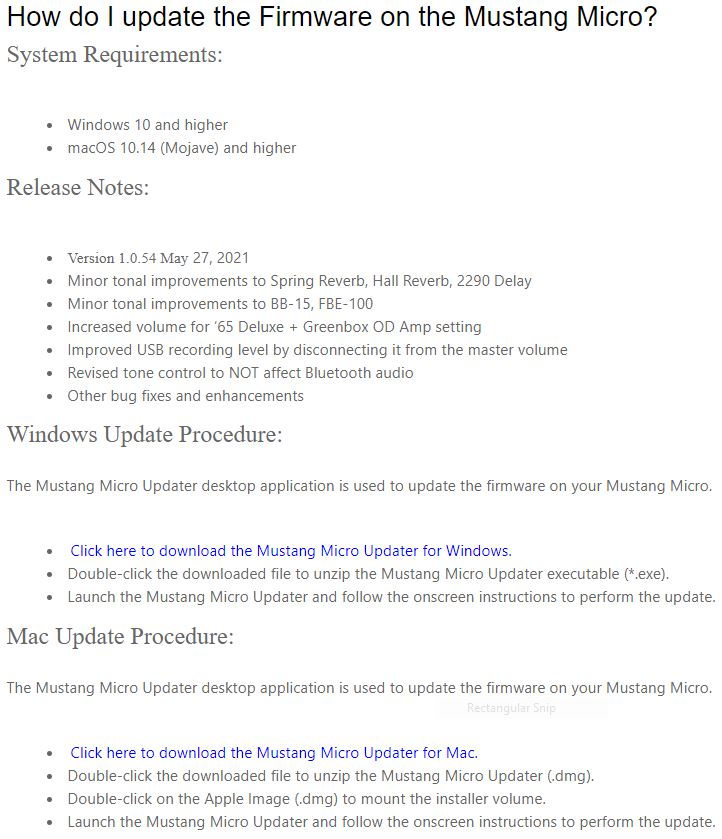
Click the image to download the Fender Mustang Micro firmware.
Connections and operation
The best thing about the Fender Mustang Micro headphone amp is its ease of use. There isn’t any menu diving or a complicated app to navigate. All you need to do is plug it in, turn it on, and start playing!
Selecting and modifying settings
- Select your amp of choice using the AMP + and – buttons. There are a total of 12 different amps to choose from, all of which model clean, crunch, and high-gain settings.
- Use the EFFECTS + and – buttons to choose between 12 different effects (which also include combined effects). You can then modify them further using the MODIFY buttons.
- Use the EQ buttons to change the tone of your sound. The more you press the – button, the darker the tone will be; the more you press the + button, the brighter your tone will be.
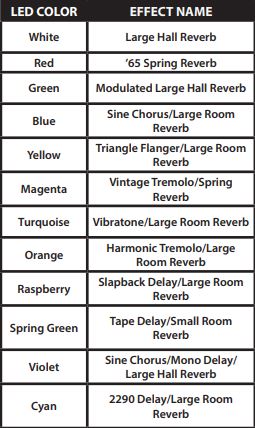
Effects selection
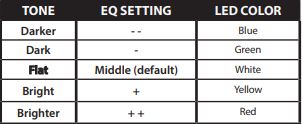
EQ selection
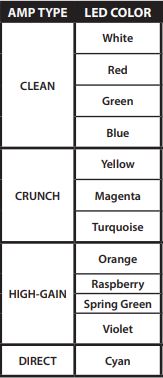
Amp selection
Bluetooth connections
You have the ability to jam along with your favorite songs and videos by pairing the Mustang Micro with any device that has Bluetooth capability. All you need to do is hold the BLUETOOTH button in the ON position for a few seconds. The blue LED will flash until a connection has been made. Once fully connected, the LED will become solid blue for a couple more seconds, then will go out.
If you aren’t sure about setting up Bluetooth on your mobile device, then check out our guide about how to set it up on both Android and iOS devices.
TWO COLUMN C2A:
Learn more about how to get up and running with audio recording on Android devices!
Learn More
Learn more about how to get up and running with audio recording on iOS devices!
Learn MoreHow to record yourself inside a DAW
A very unique feature of the Mustang Micro is its ability to double as an audio interface. You can either record the “wet” signal, meaning the amp model, effect, and EQ, or you can record “direct,” which means it will bypass everything and only record the clean signal.
This is particularly useful if you plan on using amp modeling software plug-ins or if you want to record a bass or acoustic guitar. All you do is use the AMP + button until the LED is cyan in color to bypass everything.
AUDIO DRIVERS: If you’re a Windows user, then you’ll need to download the ASIO4ALL audio driver for it to operate correctly inside your DAW. It’s class-compliant on Mac, so no additional audio driver software is necessary.
- Connect your Mustang Micro to your computer via USB.
- Launch your DAW and update the audio settings. For Windows users, you will need to select ASIO4All as your driver.
- Create a monoaudio track, press record, and start rocking!
C2A:
Learn more about how to install and use ASIO4ALL on Windows PC’s!
Learn More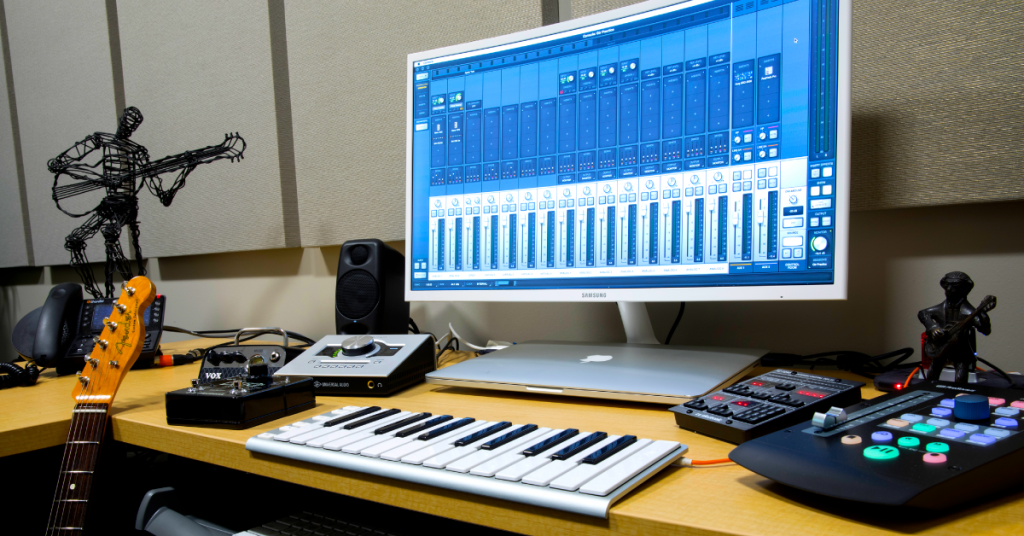
Learn more about the basics of computer audio for your home studio!
Learn MoreAdditional resources
Exploring the Mustang Micro Headphone Amplifier
When you need help, Sweetwater has the answers!
Our knowledge base contains over 28,000 expertly written tech articles that will give you answers and help you get the most out of your gear. Our pro musicians and gear experts update content daily to keep you informed and on your way. Best of all, it’s totally FREE, and it’s just another reason that you get more at Sweetwater.com.

