

When I launch Pro Tools, I get a message that says “The selected audio device could not be initialized, please choose another device.”
If you are running into this error but find it difficult to actually choose another device, try the following:
- When launching Pro Tools, hold the ‘N’ key on your keyboard as soon as you see the splash screen. This will force the Playback Engine dialogue to open, allowing you to choose another interface.
-
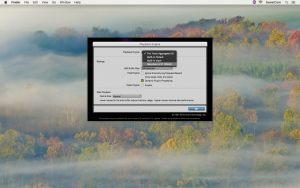
- Hold ‘N’ while launching Pro Tools, click to enlarge.
- If you are using a class-compliant interface on Windows, it may prove beneficial to download and install ASIO4all. This is a driver wrapper that works much better than the stock Windows drivers. You can download it here.
- If the above does not work, click here to trash your Pro Tools preferences.
Helpful Links
Pro Tools Troubleshooting Guide
How do I trash my Pro Tools preferences?
Tech Tip: How to set your Pro Tools Playback Engine
Pro Tools tells me that “The current playback engine does not support a sample rate of…”
Pro Tools 12 System Requirements
When you need help, Sweetwater has the answers!
Our knowledge base contains over 28,000 expertly written tech articles that will give you answers and help you get the most out of your gear. Our pro musicians and gear experts update content daily to keep you informed and on your way. Best of all, it’s totally FREE, and it’s just another reason that you get more at Sweetwater.com.

