
Solving DPC Latency Issues
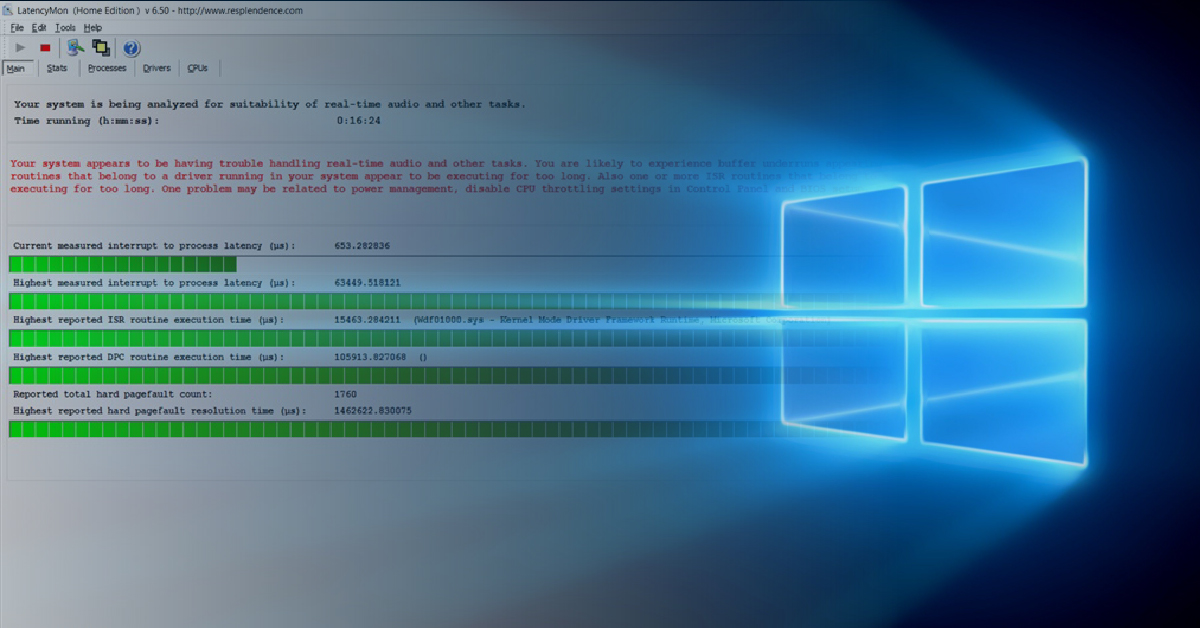
In this article, we’ll discuss what DPC latency is, some of the common symptoms, and how to troubleshoot any issues you may encounter. Follow the sections below to get started.
What is DPC latency?
Many audio problems on a computer can be caused by high DPC latency. But what is DPC latency? DPC stands for Deferred Procedure Call. In its purest form, it is the part of your Windows system that handles driver efficiency. If a driver takes longer than usual to process, it may prevent other drivers from being processed in time (latency). If you’ve tried uninstalling and reinstalling drivers, tried different ports and cables, and you’re still having issues, checking the DPC latency can help narrow down the core issue. Some common symptoms of high DPC latency on your Windows PC can be stuttering video playback or inconsistent performance with your peripherals (mouse, keyboard). However, the most common symptoms are audio dropouts, clicks, and popping.
When you have
high DPC latency on Windows, your computer’s audio drivers (either built-in
system soundcards or external audio interfaces) won’t respond in time. This
causes clicks, pops, distortion, and dropouts. In some cases, DPC latency can
also cause a BSOD (Blue Screen of Death).
How to check DPC latency on Windows
Depending on what version of Windows you’re currently using, there are a few programs that can help show you how to check and diagnose DPC latency. If you are running Windows 7 or higher, then we recommend using LatencyMon by Resplendence. This latency monitoring software will tell you if there is a DPC latency issue, and it will also tell you which driver or drivers are causing the latency.
The only option for checking DPC latency issues on Windows XP or Vista systems is the DPC Latency Checker by SysCon. This utility will only tell you if you have a DPC latency issue; it will not tell you what is causing it.
How to use LatencyMon
LatencyMon will show the status of the latency issues in the Report Area. Once the bars at the bottom start to increase, you’ll receive a message in the Report Area (top part of the window)that turns red once there are problems. The lower section of the LatencyMon window will show you the problematic drivers. This makes it very easy to narrow down what the problematic driver is. Let’s discuss how to use LatencyMon.
Some of the most common errors we see when running LatencyMon are with USBPORT.sys, NDIS.sys, or TCP/IP.sys, and depending on your graphics card, nvlddmkm.sys. You’ll likely receive the following error message and possible solutions to remedy the issue:
“Your system appears to be having trouble handling real-time audio and other tasks. You are likely to experience buffer underruns appearing as dropouts, clicks, or pops. One problem may be related to power management, disable CPU throttling settings in Control Panel and BIOS setup. Check for BIOS updates.”
- Press the Play button to begin monitoring your computer.
- We recommend letting the monitor run for at least a few minutes or so for a more detailed performance scan.
- If the bars in the “Highest reported ISR routine execution time” and/or “Highest reported DPC routine execution time” sections begin to turn orange or red, take note of what’s listed in the brackets, e.g., [USBPORT.sys].
- Click the Drivers tab, which displays the driver file that’s currently running on your Windows PC (including background services).
- Click DPC Count to sort the DPC from highest to lowest, and take note of that driver.
- If it’s a driver you recognize, such as your audio interface’s driver, and has the highest DPC/ISR count, then uninstall that driver and rerun the test.
- If it’s a driver that mentions Microsoft, Windows, or anything you’re not familiar with, copy and paste the name into a search engine to learn more about it first. Uninstalling a driver you aren’t familiar with may cause system instability.
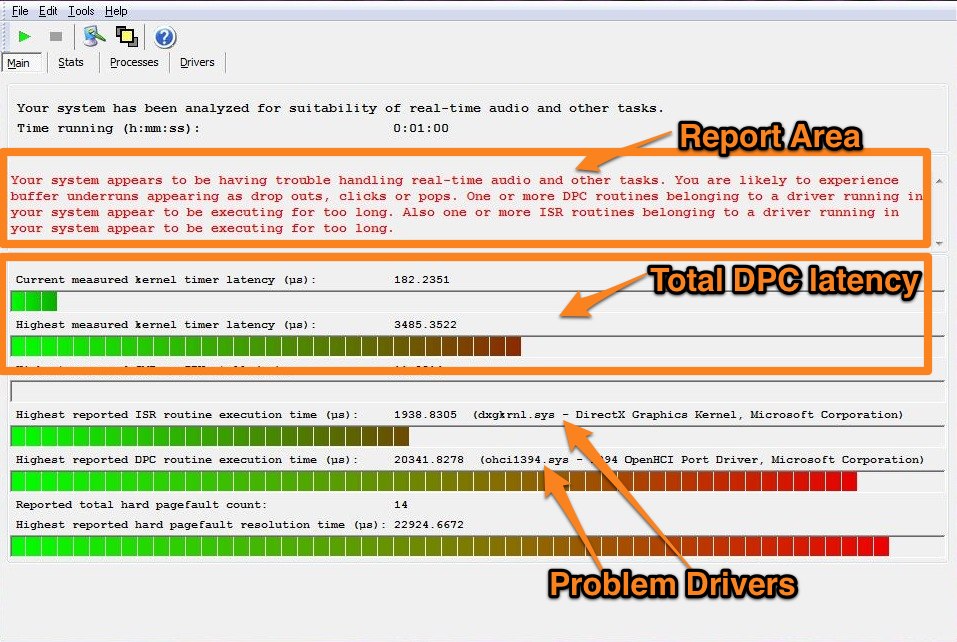
Example of DPC latency in LatencyMon.
Related Articles
When you need help, Sweetwater has the answers!
Our knowledge base contains over 28,000 expertly written tech articles that will give you answers and help you get the most out of your gear. Our pro musicians and gear experts update content daily to keep you informed and on your way. Best of all, it’s totally FREE, and it’s just another reason that you get more at Sweetwater.com.

