
Getting Started with Dante

Dante is a comprehensive system for routing multiple channels of digital audio or video between devices by using standard Ethernet computer-networking equipment. Thousands of devices from over 600 manufacturers incorporate Dante, and they are all interoperable. Dante can scale from a small, dedicated recording studio to a live concert setup to installations that share streams of audio and video across many spaces. Dante has applications in houses of worship, conference centers, broadcast facilities, and even stadiums and vast entertainment complexes. We wrote this guide to help you get oriented.
- What is Dante?
- What Does a Dante Network Consist Of?
- Download Dante Controller
- What Kind of Network Switch Do I Need to Use with Dante?
- How Do I Connect Dante Audio to My Computer?
- How Can I Learn to Use Dante? Dante Certification
- The Sweetwater Difference
What is Dante?
Dante is a proprietary protocol for AVoIP (Audio and Video over Internet Protocol) from the Audinate company. While Audinate manufactures a few end-user devices, it’s likely that you’ve bought gear from one of the more than 600 manufacturers that license the Dante software and hardware from Audinate.
Regarding audio, there are models of mixers, stage boxes, power amplifiers, speakers, audio recorders, intercoms, and more that feature Dante. Through Dante, you can route these signals to your computer and its DAW for recording, editing, and streaming.
With traditional audio and video equipment, you wire things together with point-to-point physical connections requiring all sorts of analog and digital cables.
In contrast, Dante streamlines all this by replacing almost all those connections with Ethernet ports and Ethernet cables (either CAT5e or CAT6 specification) and moving all your audio or video over a LAN (Local Area Network). Dante does not transmit audio or video over Wi-Fi.
The audio or video channels from each of your devices are interconnected through the Dante protocol using common, industry-standard computer-networking equipment. Dante functions according to the same principles you are familiar with if you’ve set up a router in your home to connect your computers and devices to the internet.
What Does a Dante Network Consist Of?
While it’s possible to “daisy-chain” a small number of certain Dante-equipped devices using Ethernet cables, practically speaking, you’ll need a central Ethernet network switch to which all your devices are connected. In this configuration, all Dante streams of audio or video go through the switch.
At its most basic, a Dante network consists of:
- One or more Dante-equipped devices
- An Ethernet network switch to which each Dante device is connected via an Ethernet cable
- A Mac or a Windows PC, also connected to the network switch, to control everything
There are three categories of control software apps that you’ll run on your computer:
- Dante Controller, provided free by Audinate
- Control apps for each Dante-equipped device, provided by the manufacturer of that device
- Network switch control software, provided by the manufacturer of the network switch. This could be an app or, more commonly, a management interface running on the switch hardware that you connect to using your web browser.
For example, if you have a Universal Audio Apollo x16D signal processor connected to a Cisco managed network switch, on your computer you will run the Dante Controller app, the Universal Audio UAD Console app (to configure the audio plug-ins running on the x16D), and your web browser (to log in to the management interface on the Cisco switch).
Download Dante Controller
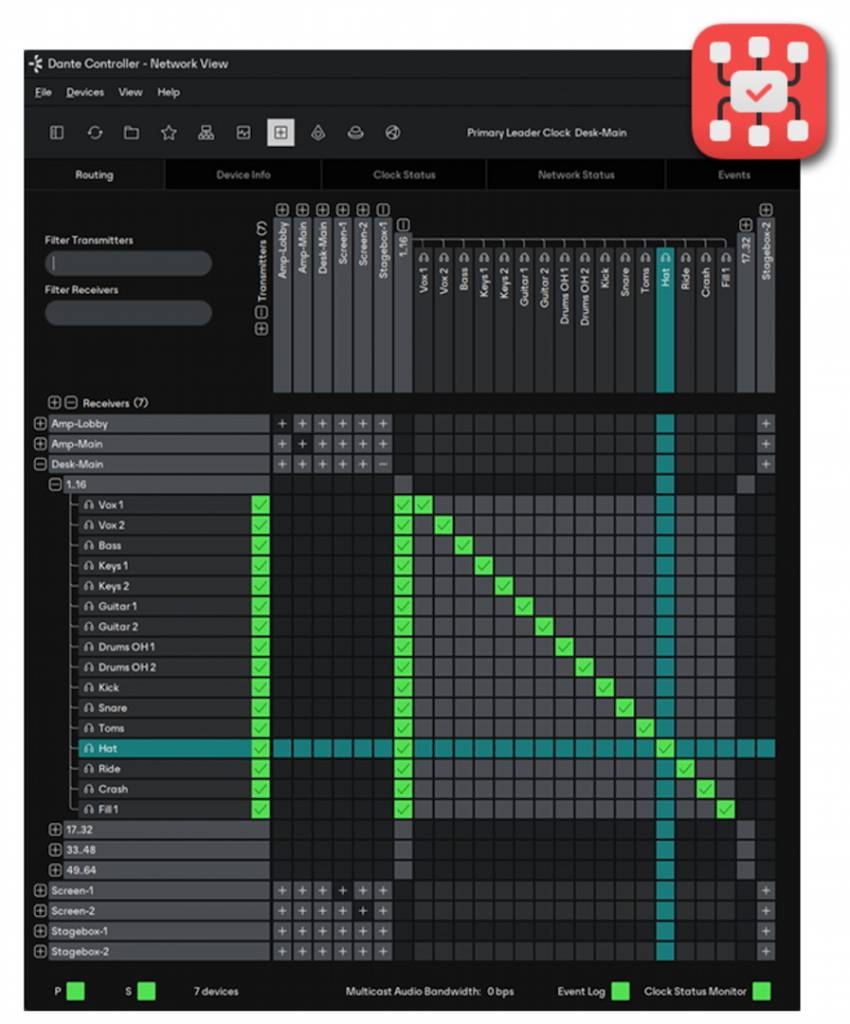
Dante Controller’s network view
No matter what piece of Dante-enabled gear you buy from any manufacturer, you’ll need the free Dante Controller app from Audinate.
Dante Controller is the app you use to give a name to each device in your system and to set up routing assignments (called subscriptions) between the inputs and outputs of each device.
Dante Controller is also a dashboard that provides status information for each device, real-time network monitoring for bandwidth usage and latency, the ability to set sample rates and clock settings, and more. It’s also where you can identify which devices have firmware updates available and then install them.
It’s important to understand that the Dante Controller app doesn’t receive or transmit audio or video to your computer. Dante Controller only sends control instructions to your Dante-equipped devices to route signals between them.
Create a free Dante account and download Dante Controller here.
Here’s Audinate’s short tutorial on Dante Controller.
Getting Started with Dante Controller
Learn more on the Audinate website in the Dante Controller User Guide.
What Kind of Network Switch Do I Need to Use with Dante?
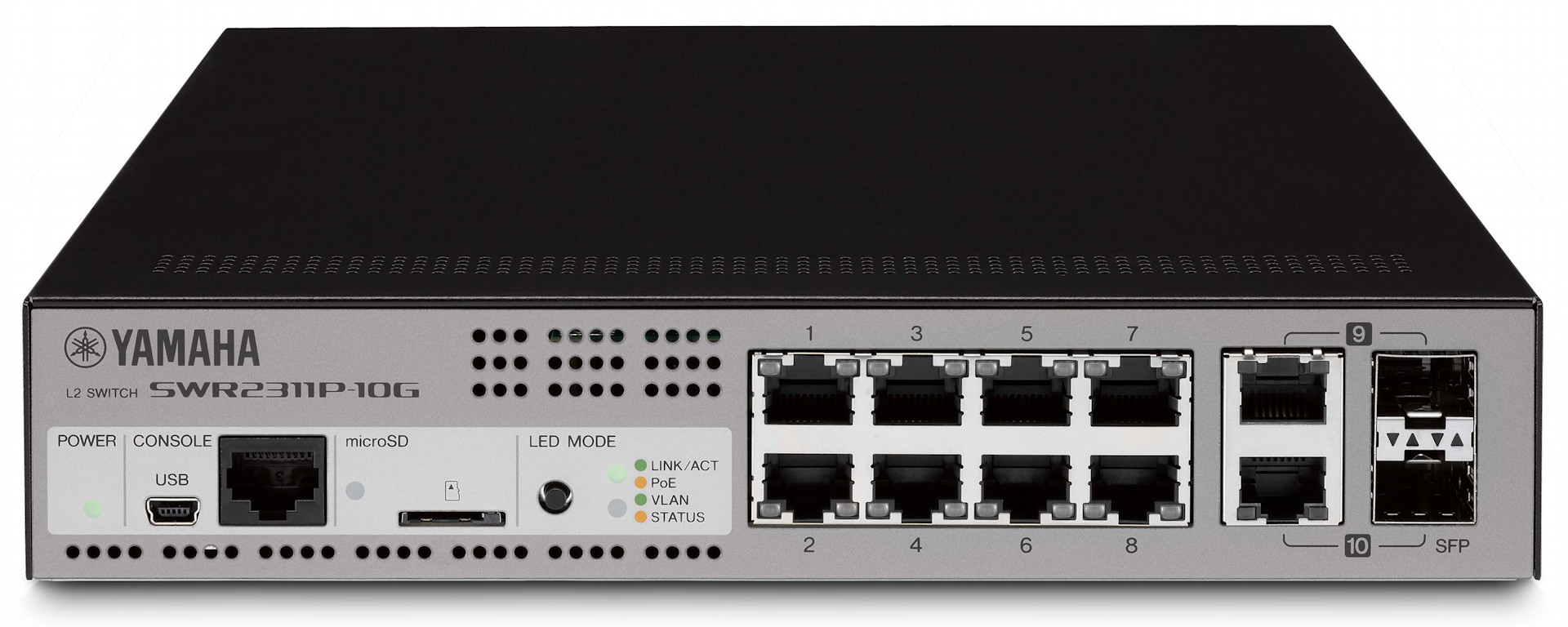
A Yamaha gigabit Ethernet switch designed for Dante
Audinate strongly recommends that any switches you use be rated at gigabit speed.
In addition, as many devices with Dante can be powered over the Ethernet cable, consider a switch that provides Power over Ethernet (PoE).
Beyond that, there are numerous considerations you need to take into account.
For simple Dante systems with a small number of devices and only a few audio or video channels, you may be able to connect all your gear to a simple Ethernet hub.
The next step up is to use an unmanaged Ethernet switch with a DHCP (Dynamic Host Configuration Protocol) server, which automatically assigns a unique network address to each device.
At the other end of the spectrum, you may be working within a large and complex integrated system, such as a live performance complex or a broadcast studio. Those facilities will have a network infrastructure managed by an IT department. Your Dante equipment will be connected to the enterprise’s LAN (local area network) or WAN (wide area network), which will also be used for other network traffic in addition to Dante.
When you reach that degree of complexity, you will need a managed Ethernet switch, which you can configure to send signals across routers to connect with other switches on other segments of a network. With the support of your IT administrators, you will use the switch’s control software to segment and prioritize the network traffic. Dante audio and video streams need to be given the highest priority for data transfer by using the switch’s QoS (Quality of Service) settings. Other kinds of traffic (for example, computers in the office that are sending email and surfing the Internet) are given a lower priority.
To help you decide what kind of switch you need, here are some resources.
Several audio and video companies that sell Dante-enabled equipment have guides with recommendations for helping you select a network switch. These include:
- Shure > Selecting a Network Switch for Dante
- Yamaha > Network Design Guide > Selecting Network Switches
- Focusrite > Configuring a Switch for Dante > What To Look For In A Switch
- Universal Audio > Using Dante with a Network Switch
While most of the advice in the sources above applies to working with any brand of device equipped with Dante, each manufacturer may have recommendations particular to working with its own hardware. For each piece of Dante-equipped gear you use, consult that company’s support website for information.
How Do I Connect Dante Audio to My Computer?
When you record or stream audio to your computer and your DAW, you need a means to route multichannel audio from your Dante system to your computer. There are several ways to do this.
Audinate Dante Software Connections
Dante Virtual Soundcard
Virtual Soundcard and Virtual Soundcard Pro are Audinate apps which you run on macOS or Windows to receive and transmit multiple channels of audio over your computer’s Ethernet connection to your Dante network. This cost-effective solution adds some latency and places a processing burden on your computer’s resources, but it’s a good place to start. You can purchase Virtual Soundcard through Sweetwater.
Dante Via
Dante Via is an app for macOS or Windows that, using your computer’s Ethernet interface, connects the audio from any brand of USB audio interface you have connected to your computer to your Dante network. Purchase it from the Audinate website.
Dante Hardware Connections
Many different manufacturers provide hardware devices that connect to your Dante system while also connecting directly to your computer and your DAW. These are low-latency devices and don’t strain your computer’s resources.
Mixers and Audio Interfaces with Dante

A Behringer-brand Dante expansion card for the Behringer WING mixer
Many brands and models of mixers and audio interfaces that connect to your computer over USB or Thunderbolt also have Dante capability. These devices can provide the connection directly, without the need for Dante Virtual Soundcard or Dante Via. Some of these Dante-capable devices have Dante built in, while others provide an expansion slot into which you can install their brand of Dante-equipped interface card.
PCIeR cards
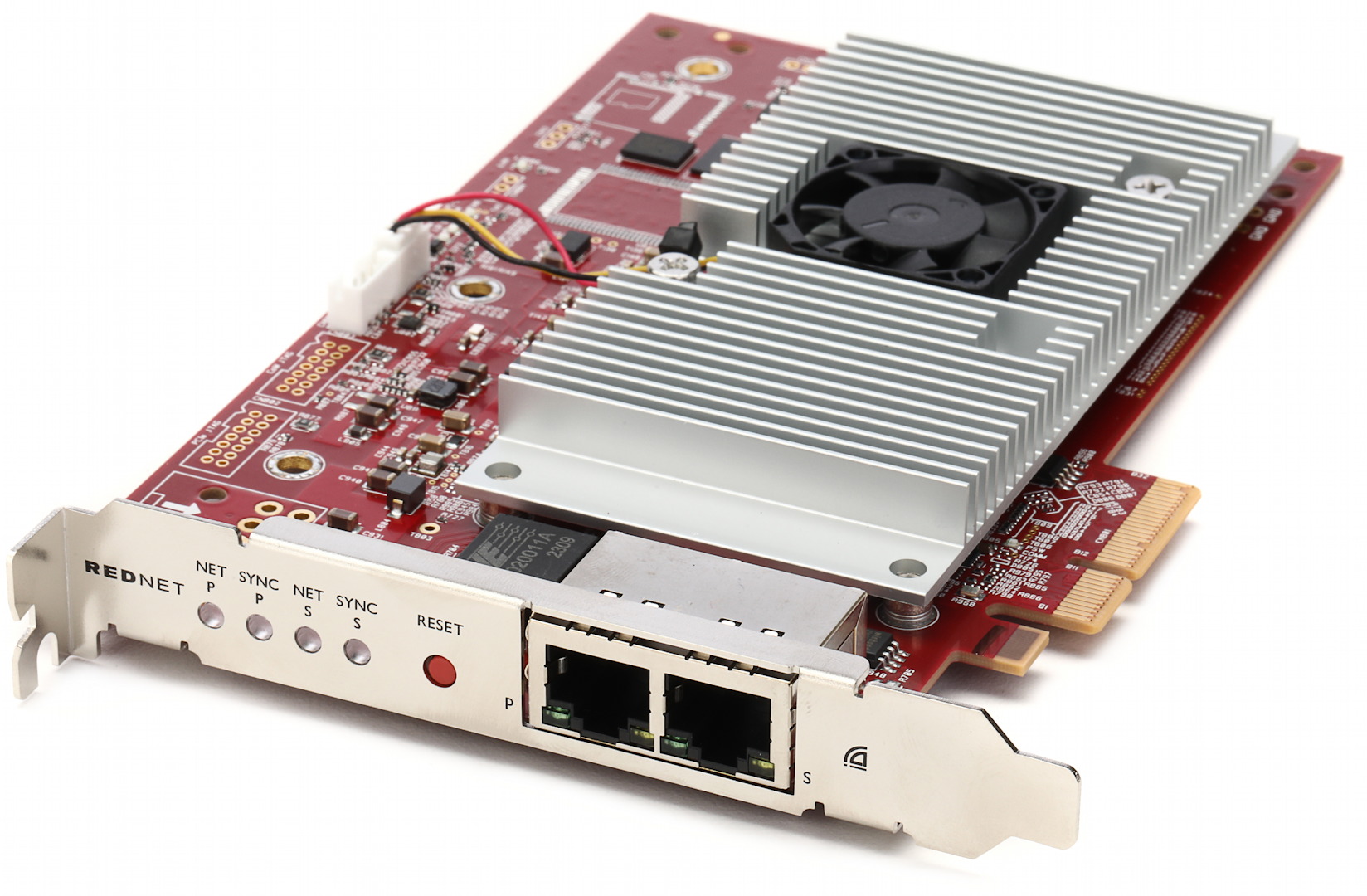
A Focusrite RedNet PCIeR Dante audio interface card
Several manufacturers provide a Dante-equipped PCIe expansion card that you can install in an expansion slot in Windows PCs and certain models of Mac. These cards provide a pair of Ethernet ports and an Audinate Dante circuit board that transmits multichannel audio from your Dante system directly to your computer and your DAW.
How Can I Learn to Use Dante? Dante Certification

Dante Certification 3rd Edition emblem
Basic Networking Concepts and Training
There’s no getting around it: working with Dante requires some study. You can hire a Dante-certified audio-visual networking professional, but you can also learn the basics and get up and running by yourself.
Audinate provides its free Dante Certification 3rd Edition Program that includes a series of video tutorials and study materials that you can do at home at your own pace.
At the start, you’ll learn concepts specific to digital audio and video and how they apply to Dante.
Then you’ll learn how to build and organize a Dante system. Even though Dante Controller gives you a visual way to organize your devices and lets you call devices by names that you assign, you will still need to apply the underlying concepts of computer networking. You’ll need to understand hubs, switches, and routers. You’ll learn how Dante uses basic concepts like MAC addresses, IPv4 network addressing and subnet masks, DHCP, DNS and gateways, VLANs, unicast, multicast and broadcast, TCP and UDP, IGMP snooping, prioritizing traffic through QoS, redundant network topology, and more.
Dante Certification Program
Sign up for a free account and start your training at the Dante Certification Program site.
Here’s an overview of Audinate’s tutorials.
Dante Certification Level 1
Introduction to the fundamentals of digital audio, video, and networking, demonstrated with Dante Controller. Learn how to set up your first network using Dante Controller in daisy-chain mode or on a single network switch.
Dante Certification Level 2
Learn concepts for larger managed networks, optimized performance, and troubleshooting. These include Internet Protocol networking (IP), Quality of Service (QoS), Virtual Local Area Networks (VLANs), IGMP (Internet Group Management Protocol), and redundancy. Learn to deploy and manage Dante in enterprise audio-visual environments.
Dante Certification Level 3
This course is for AV and IT professionals mananging enterprise-scale Dante systems, which bridge data across different networks. This course introduces the Dante Domain Manager app, synchronizing your network with Precision Time Protocol (PTP), and automation with the Dante API.
Dante Domain Manager Administrator Certification
Dante Domain Manager is the interface that a system administrator uses to handle multiple Dante LANs that are each managed by people using the Dante Controller app. This course explains how to deploy and configure Dante Domain Manager.
Additional Resources
Audinate provides additional resources on the Dante training site. There’s also more information about video over Dante.
The Sweetwater Difference
When you need help deciding what kind of Dante-enabled equipment you need, it’s good to know that every Sweetwater Sales Engineer is certified at Dante Level 2. Call your Sales Engineer at (800) 222-4700 for advice.
Related Articles
When you need help, Sweetwater has the answers!
Our knowledge base contains over 28,000 expertly written tech articles that will give you answers and help you get the most out of your gear. Our pro musicians and gear experts update content daily to keep you informed and on your way. Best of all, it’s totally FREE, and it’s just another reason that you get more at Sweetwater.com.

