

In an analog world, moving audio around from one place to another is easy — as long as you’re using short cable runs and don’t have multiple channels of audio. But if you’re running audio from Studio A to Studio B, from one end of a large facility to another, or from the basement where you record drums to the control room upstairs, then you’re asking for trouble. Analog signal quality deteriorates over long distances, and the process becomes exponentially more complicated if you need to distribute audio to multiple places. And let’s not even consider the nightmares involved in sending multiple independent audio channels over thick, expensive, multi-conductor wire snakes.
Buying Networked Audio at Sweetwater is Better!
With an incredible selection of the best networked audio gear at any price point, FREE expert guidance from your Dante-certified Sales Engineer, and valuable extras like our 2-year Total Confidence Coverage Warranty, Sweetwater gives music makers more than any other retailer. For friendly, expert guidance, call a Sales Engineer now at (800) 222-4700!
Digital to the Rescue
You’re already familiar with home networks, where devices like smartphones, laptops, TVs, and more talk to each other through Wi-Fi or Ethernet. Instead of a bulky snake, a Dante network moves digital audio over hundreds of feet (and more) using svelte Cat 5e cables or fiber-optic cables. If there’s already a Fast or Gigabit Ethernet IT infrastructure in place, then Dante can run over that. And, because the data is digital, there’s no deterioration as it moves around the network. Dante is used in live sound, houses of worship, education, commercial sound installations (like airports and stadiums), and for broadcast. However, it also has several aspects that make it uniquely useful to recording studios and post production.
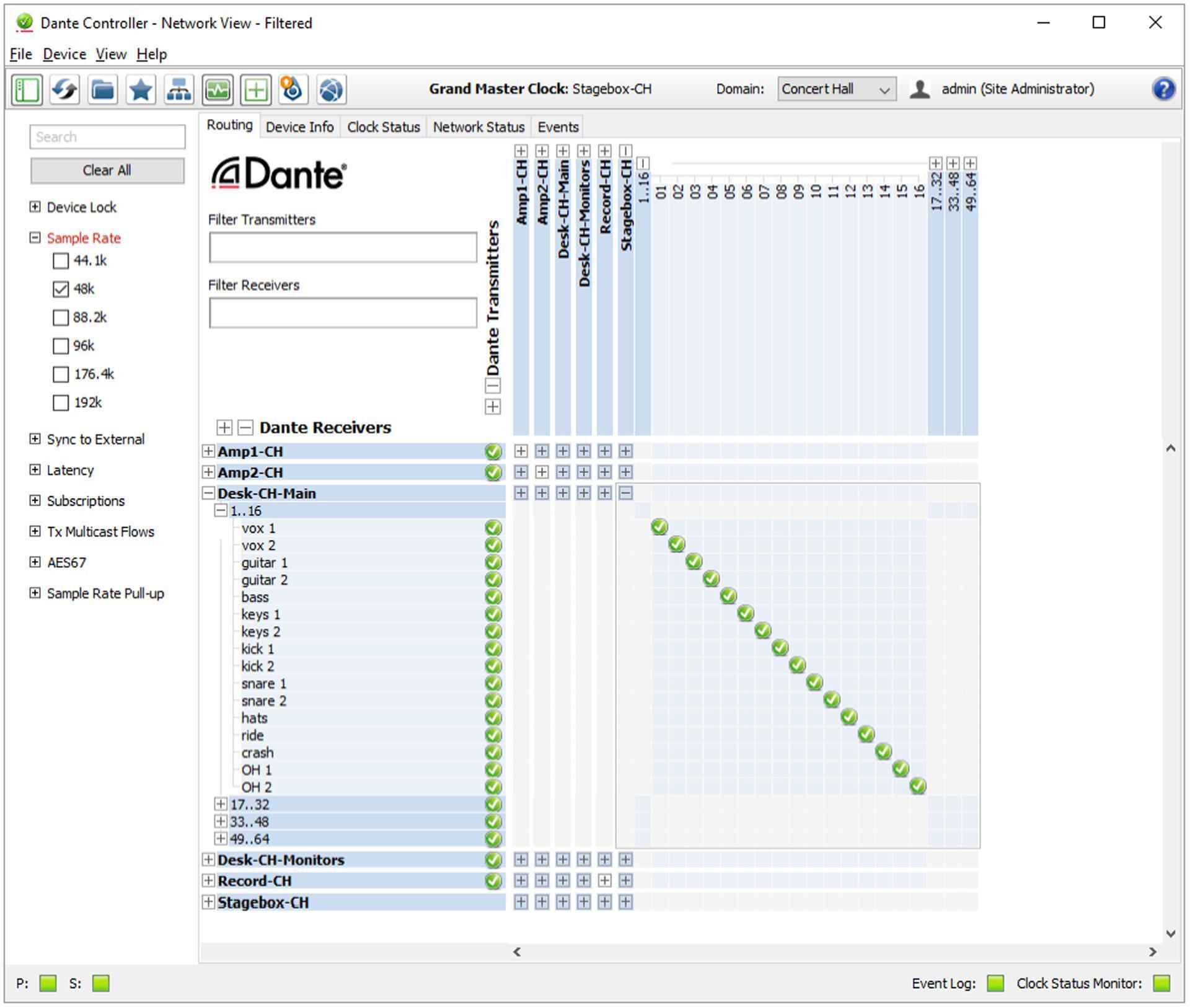
Setting up a Dante network is not much different from setting up a home-based network. In a typical system, devices plug into an Ethernet switch (similar to your Wi-Fi’s router), and your Windows or MacOS computer connects to the network. You’ll usually want a PCIeR card for your computer to turn it into a device capable of managing a Dante system (although you can also treat a computer as a peripheral that connects to the network via USB or audio). Audinate’s cross-platform, free Dante Controller application (fig. 1) manages the system, routes audio among devices, checks network status and bandwidth usage, and keeps track of firmware updates from Dante product manufacturers (not just Audinate). This makes it easy to keep the system hardware up to date.
A Dante network requires Dante-compatible devices that can connect to the network. This can be something as simple as a headphone amp that hooks into the network for remote monitoring or as involved as a full-blown audio interface or stage box that routes mic- and line-level signals from a stage performance to the network. The networked audio can then go simultaneously to multiple places: the front of house for mixing, remote speakers in a lobby, the green room, a Dante audio recorder for archiving, and to the technical director in the video control center. All Dante devices discover each other automatically; and, because Dante is a standardized specification, Dante devices are truly plug-and-play once the system is set up. You don’t have any “gotchas” — the only way devices won’t talk to each other is if you don’t connect them.
Getting Started with Dante
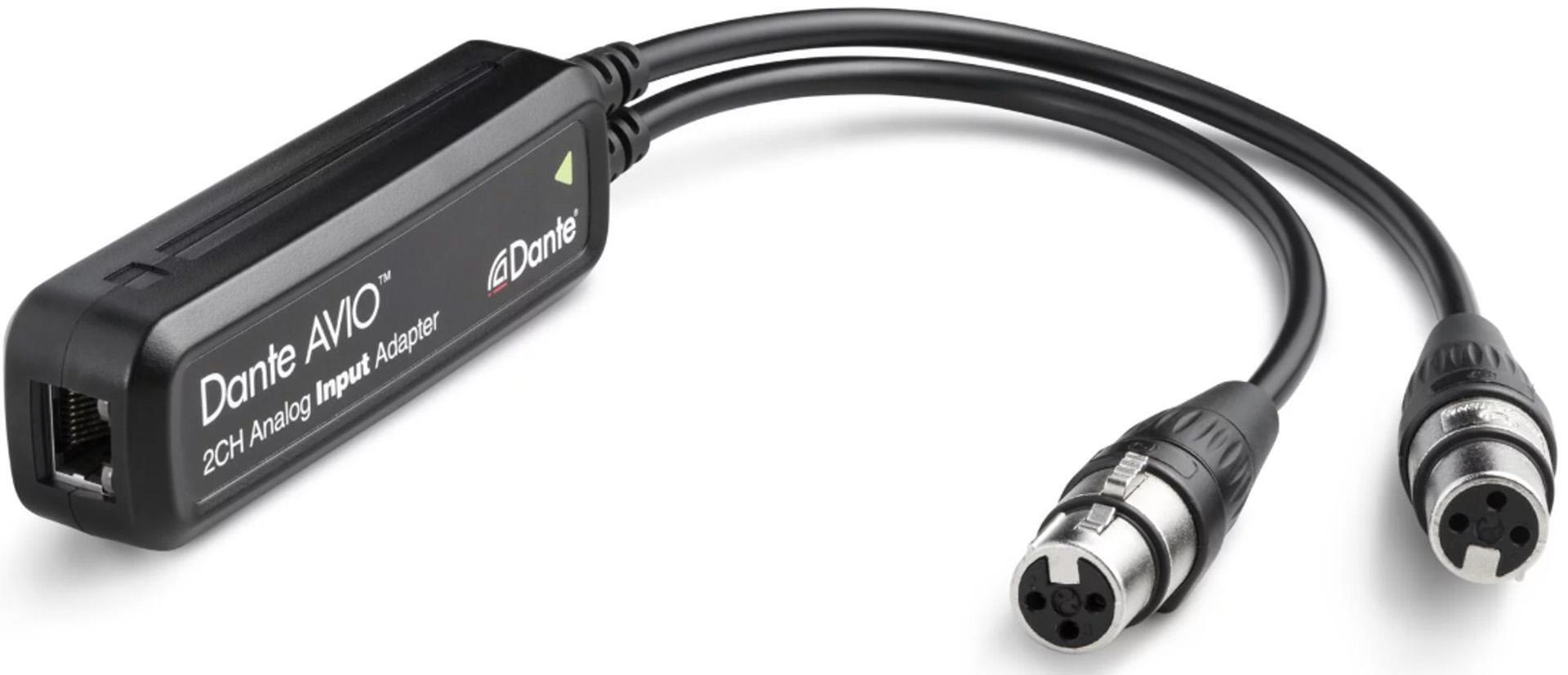
You can use Dante networking with gear that was never designed for Dante because Audinate’s AVIO adapters provide Dante compatibility for legacy devices (these adapters don’t even need a power supply if your Ethernet switcher provides Power over Ethernet, or PoE). For example, one AVIO adapter has line-level XLR inputs (fig. 2) that are suitable for connecting mixers, keyboards, mic preamps, direct boxes, analog signal processors, and more to a Dante network. Another one has line-level XLR outputs for driving analog gear from a Dante network. Although these AVIO adapters are easy to use and relatively inexpensive, they still provide all the Dante-network advantages of sample-accurate system synchronization, super-low latency, and — of course — the bit-accurate fidelity of uncompressed digital audio. There’s a similar adapter for AES3 digital audio.
SIDEBAR: Read more about connecting your analog gear via Dante here: https://www.sweetwater.com/insync/bring-analog-gear-21st-century-dante/
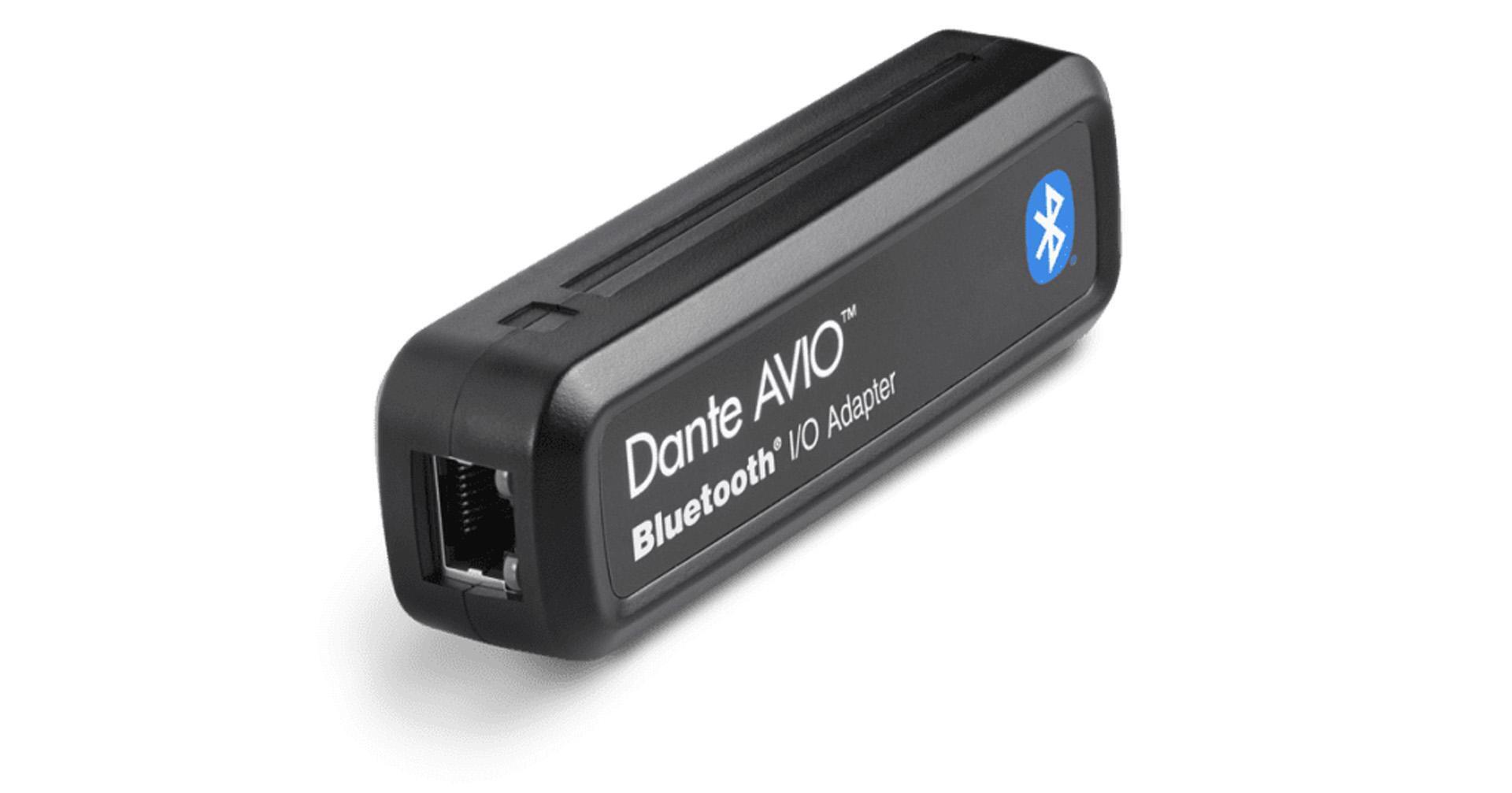
A USB adapter (USB-C coming soon) connects directly to computers with no drivers or software required and supports 2×2 channels of bidirectional audio. It’s ideal for distributing audio being generated within the computer or for recording into the computer from somewhere else on the network. There’s even a Bluetooth AVIO adapter — yes, play back your smartphone’s playlist over a Dante network. Just be careful about taking phone calls if you’re hooked into a football stadium’s PA system…
Regarding resolution, the analog and digital audio adapters can run at 44.1kHz/48kHz/96kHz, with 16-, 24-, or 32-bit resolution. They have a dynamic range that exceeds 100dB and total harmonic distortion under 0.01% at +4dBu; and the frequency response is ±0.5dB from 20Hz to 20kHz. The USB and Bluetooth versions do 48kHz with 24-bit resolution.
Making these connections isn’t difficult: plug the device output (line level, digital audio, USB) into the adapter and patch the adapter to an Ethernet switch that connects to the network. Done.
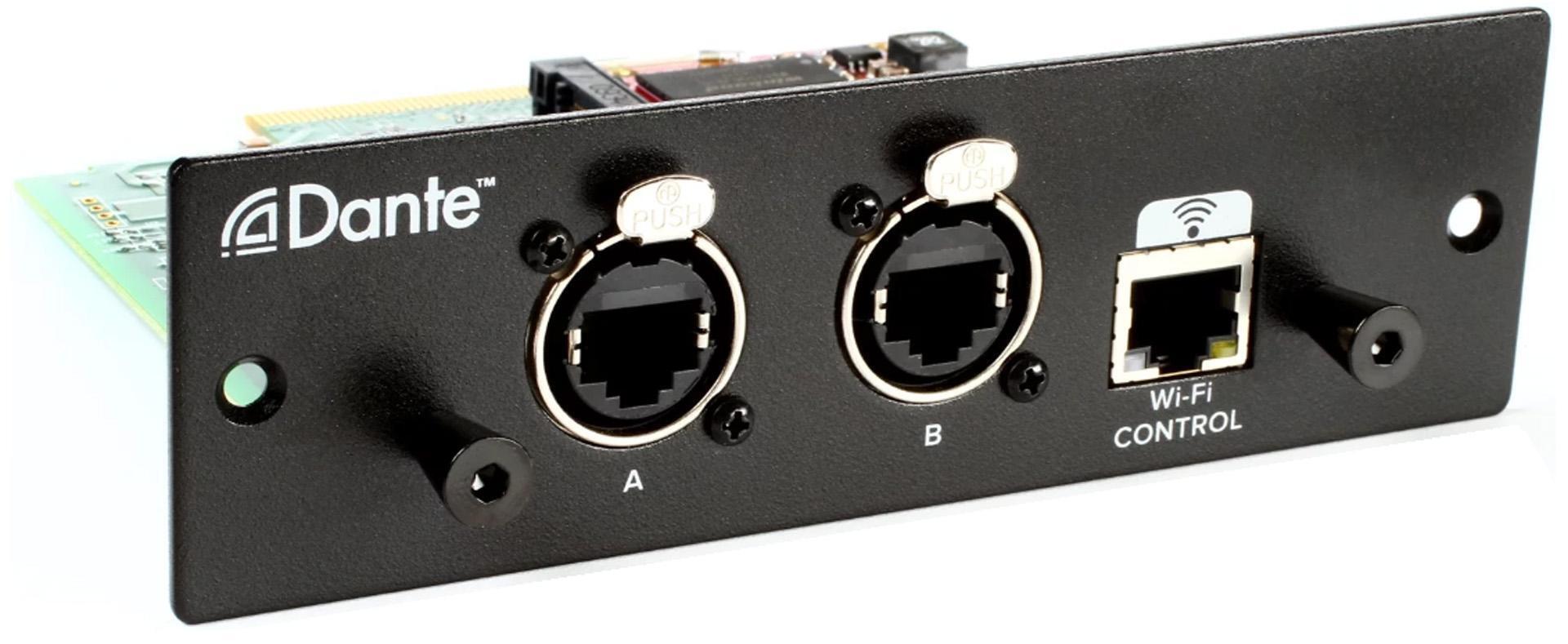
Figure 3: Many companies make Dante adapters for their digital mixers, like this one from Mackie for their DL32R mixer.
There are also adapters for popular digital mixers, like the Mackie DL32R (fig. 3), to give them Dante capabilities. Other adapters are available for Allen & Heath’s SQ series mixers, Yamaha’s TF series consoles, Behringer’s X32 and Midas M32 consoles, Soundcraft Si series mixers, the TASCAM DA-6400 multitrack recorder, and many more.
How Dante Via Software Connects Studio Applications
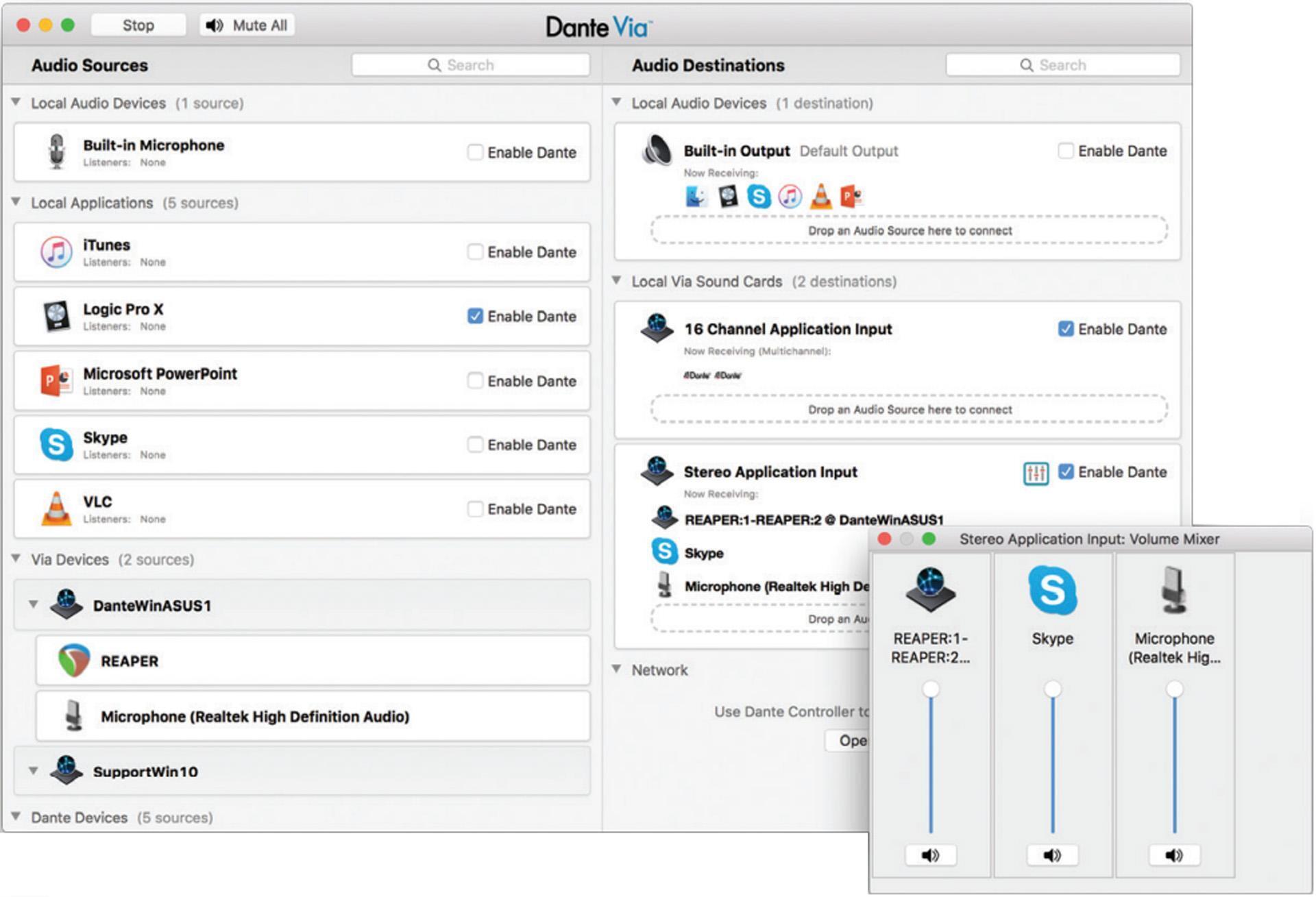
Dante Via software (fig. 4) is designed with studios in mind because it brings Dante connectivity to any USB or FireWire audio device. For example, suppose there are three collaborators on a project: one using Pro Tools on a Mac mini with Core Audio, another running Studio One Professional on a Windows Creation Station with ASIO, and another person running Magix Vegas on Windows using WDM. By enabling these applications in the Dante Via user interface, they are now part of the network and have a multichannel audio connection with up to 48×48 channels of total I/O (up to 16×16 channels per application, and up to 32×32 channels from connected audio hardware devices). Resolution is fixed at a 48kHz sample rate and 24-bit bit depth.
“Dante Spoken Here”
Dante isn’t the only digital audio networking solution, but it enjoys a massive level of support — at the last NAMM show, it seemed any booth with a pro-audio orientation had a “Dante Spoken Here” sign. Currently, hundreds of manufacturers — including well-known names like Allen & Heath, AMS Neve, Antelope Audio, Apogee, Audix, Avid, Denon, Digigram, Eventide, Focusrite, Fostex, Genelec, LA Audio, Lynx, PreSonus, Prism Sound, RME, Rupert Neve Designs, Waves, Yamaha, and many others — are shipping Dante or Dante-enabled products.
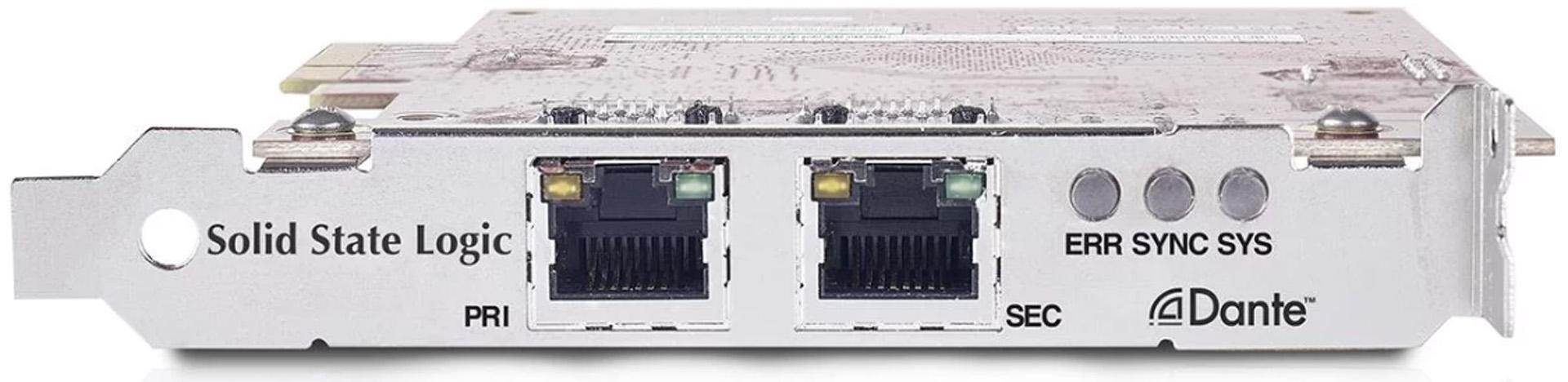
The current roster of Dante products includes just about everything — industrial-strength digital mixers, multichannel analog-to-Dante converters, line array speakers, audio recorders, power amplifiers, PCIeR interface cards (fig. 5), microphone preamps, stage boxes, and much more.
Focusrite is one of the most prolific producers of Dante-compatible gear. Their RedNet series has devices that are as simple as a stereo monitoring unit with a headphone amp and XLR line outputs, all the way up to audio interfaces like the 16-in/16-out RedNet A16R and the Red 8Pre (fig. 6) — a 64×64 Thunderbolt 2 interface with both DigiLink and Dante networking connectivity.

You Can Speak Dante, Too
Perhaps Dante’s best feature is that you don’t need to be an IT professional to set it up and have devices talk to each other. A lot of effort has gone into ensuring the kind of compatibility that improves productivity rather than slowing you down. When you consider what had to be done a couple decades ago to move audio around and compare that with Dante’s universality and ease of use, it’s clear we’ve come a long way… and now your audio can travel a long way, too.
Why Sweetwater?
Sweetwater is your one-stop shop for in-depth information and expert system design. Our Sales Engineers (nearly 500 now) are ALL Dante Level 2 certified. This means that each and every SE not only understands Dante audio networking concepts, how to build a Dante network, and how to use Dante Controller and Dante Virtual Soundcard software, but they’re also experts in advanced concepts such as Dante redundancy, clocking, latency, and multicast. Our Sales Engineers have personally built hundreds of Dante systems for studios, houses of worship, and concert venues all across the globe. So, what are you waiting for? Give them a call at (800) 222-4700, and we’ll explore what Dante can do for you.