

Dante Firmware Update Guide
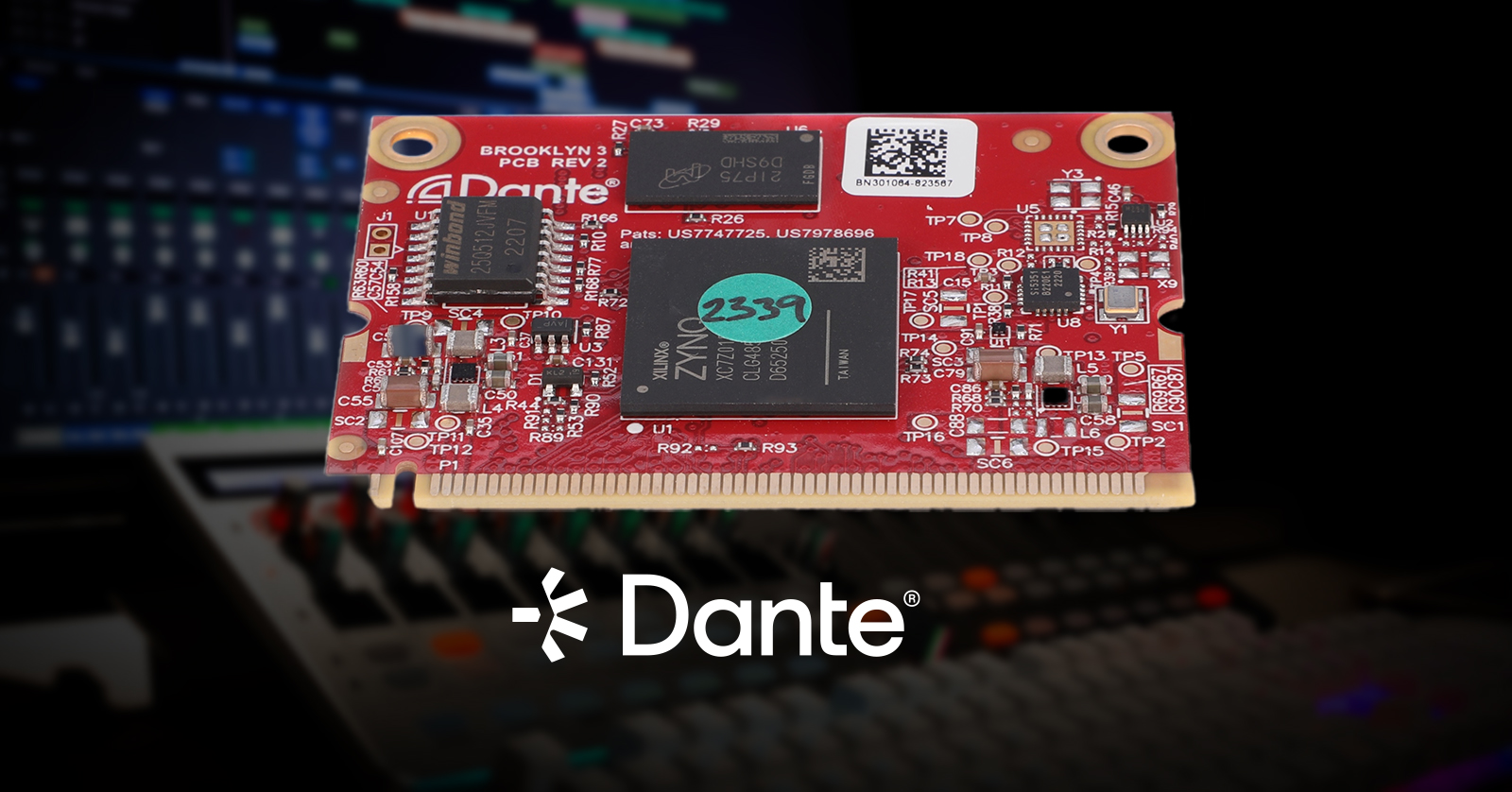
Thousands of devices from over 600 manufacturers incorporate Dante’s digital audio and video networking system. Updating the firmware on these devices requires special considerations that depend on how each piece of gear is designed. The required procedure will be different for each kind of device; we wrote this guide to give you an overview. Let’s explain.
Overview
As you know, updating the firmware on your audio and video gear fixes bugs, improves performance, and may provide new features. When you learn that there’s a new firmware update provided by the manufacturer, you should consider installing it.
However, many devices incorporating Dante have two pieces of firmware that need to be updated in separate procedures.
Dante is a proprietary network digital audio and video protocol provided by the Audinate company, which licenses its software and hardware to be incorporated into devices made by other manufacturers. You may be working with Dante-equipped devices from Behringer, Yamaha, Allen & Heath, Focusrite, or one of many other companies.
Types of Devices
Devices that incorporate Dante fall into three categories:
- A device that has Dante software integrated directly into its processing circuitry
- A “host device” that has both its own main processing circuitry and a separate Audinate Dante circuit board built in
- A “host device” that has its own main processing circuitry plus an expansion card slot into which you install the manufacturer’s branded Dante interface card. The Dante card contains an Audinate Dante circuit board and a network connection.
In category number one, the device has one “brain” which runs one operating system. Thus, the manufacturer will provide a single firmware update that will cover all the functions of the unit, including the Dante functions.
In categories two and three, however, the host device essentially has two “brains.” For example, a mixer from Soundcraft has its own processing circuitry for mixing audio, and then it passes the audio signals to the Audinate Dante card to be converted into the Dante network format.
In categories two and three, therefore, there will be two different pieces of firmware, and you will need to update each one separately. One firmware will be provided by the device’s manufacturer and will be installed on the device’s main processing circuitry. The other firmware will be provided by Audinate and will be installed on the Dante circuit board within the larger device.
Methods of Updating the Firmware
To install the host’s firmware, you will usually use the manufacturer’s firmware-update app and installation method. This will involve running an app on your computer that uploads the new firmware to your device over USB or Thunderbolt. Some manufacturers have a method in which you download a firmware-update package to your computer, copy the files to a USB flash drive, and connect the flash drive to your device to run the update procedure from there.
With regard to devices with a Dante circuit board installed, the Dante firmware is updated using the Dante Controller app, which runs on your computer and communicates with your device over the Dante network using an Ethernet cable connection.
With some manufacturers and devices, the Dante Controller app can update both the host device’s firmware and the Dante firmware over Ethernet.
Further Considerations
IMPORTANT: Before you update a device with Dante, consult the manufacturer’s documentation or contact its support team to make sure you know how the process of dealing with the two pieces of firmware will operate. Some manufacturers will specify a particular version of the Dante firmware to go along with a particular version of the host device’s firmware.
Regarding the host firmware (not the Dante firmware), a manufacturer may require matching firmware versions on related products, such as its mixer paired with its stage box. In that case, you’ll want to plan on updating the firmware on those devices at the same time.
For a device with a Dante board installed, if you update the firmware for the host and then discover that it’s no longer transmitting through the Dante connection, that’s probably temporary. As soon as you follow through on the next step and update the Dante firmware, everything should function correctly.
Using the Dante Controller App to Update Firmware

The Dante Updater home view showing devices on a Dante system
If you’ve got your Dante system up and running, you’re already using the Dante Controller app on your Mac or your Windows PC to configure and manage all the devices.
If your Dante network is connected to the internet, one of Dante Controller’s functions is to alert you when there are firmware updates available for each of your devices. Dante Controller does this by polling your devices and comparing the firmware versions to Audinate’s manufacturer firmware database online.
To find out what firmware versions you have in each device on your Dante system, use Dante Controller’s Device View tab. For supported devices, you’ll see separate listings for host firmware and Dante firmware. For each device, there’s a Device View Status tab that provides more detailed information.
When you are ready to update the firmware on one or more devices, you’ll use Dante Controller to launch a companion app, Dante Updater.
In Dante Updater, you can select which devices you wish to update. Dante Updater will download the necessary firmware files, upload them to the relevant devices over the Ethernet connection, and initiate the updates. The devices will reboot and reconnect to the Dante network. You can then use Dante Controller’s Device View to display the firmware version numbers, confirming that the new firmware has been successfully installed.
Audinate provides further instructions in two support documents:
Once again, we suggest that you contact the support team of your device’s manufacturer if you have any questions about firmware updates and the relationship between a device’s host firmware and Dante firmware.
Related Articles
When you need help, Sweetwater has the answers!
Our knowledge base contains over 28,000 expertly written tech articles that will give you answers and help you get the most out of your gear. Our pro musicians and gear experts update content daily to keep you informed and on your way. Best of all, it’s totally FREE, and it’s just another reason that you get more at Sweetwater.com.


Offer applies only to single-receipt qualifying purchases. Select manufacturers may require that only the manufacturer’s products qualify towards the minimum purchase amount needed to be eligible for promotional financing. Otherwise, an invoice that meets the minimum purchase amount and contains at least one qualifying manufacturer product is eligible for promotional financing. No interest will be charged on promo purchase balance, and equal monthly payments are required on promo purchase until it is paid in full. The payments equal the amount financed divided by the number of months in the promo period, rounded up to the next whole dollar. These payments may be higher than the payments that would be required if this purchase was a non-promo purchase. During the last month(s) of the promo period the required monthly payment may be reduced due to the prior months’ rounding. Regular account terms apply to non-promo purchases. New Accounts as of 07/31/2025: Purchase APR is 34.99%. Penalty APR is 39.99%. Min Interest Charge is $2. Existing cardholders: See your credit card agreement terms. Subject to credit approval.
Offer applies only to single-receipt qualifying purchases. No interest will be charged on the promo balance if you pay it off, in full, within the promo period. If you do not, interest will be charged on the promo balance from the purchase date. The required minimum monthly payments may or may not pay off the promo balance before the end of the promo period, depending on purchase amount, promo length and payment allocation. Regular account terms apply to non-promo purchases and, after promo period ends, to the promo balance. New Accounts as of 07/31/2025: Purchase APR is 34.99%. Penalty APR is 39.99%. Min Interest Charge is $2. Existing cardholders: See your credit card agreement terms. Subject to credit approval.
The estimated required monthly payment shown which excludes taxes and delivery equals the amount financed divided by the number of months in the promo period, rounded up to the next cent. During the last month(s) of the promo period the required monthly payment may be reduced due to this rounding. These payments apply only with the financing offer shown. If you make these payments by the due date each month, you should pay off this amount financed within the promo period, if it is the only balance you are paying off. If you have other balances on your account, this payment will be added to any other minimum monthly payments.
Applies only to select items from this manufacturer. Ask your Sweetwater Sales Engineer for more details.