

Black Spirit 200 Floorboard Sounds and Presets
In this guide, we will show you how to get started making tones and presets with the Black Spirit 200 Floorboard Amplifier. The Preset, Stompbox, and Direct 7 modes are useful for different situations, so learn about each of them to find what works great for your setup. If you haven’t yet, follow our setup and connections guide to get set up and come back when you’re finished. Follow each of the sections below to get started.
Sounds and the Spirit Tone Generator
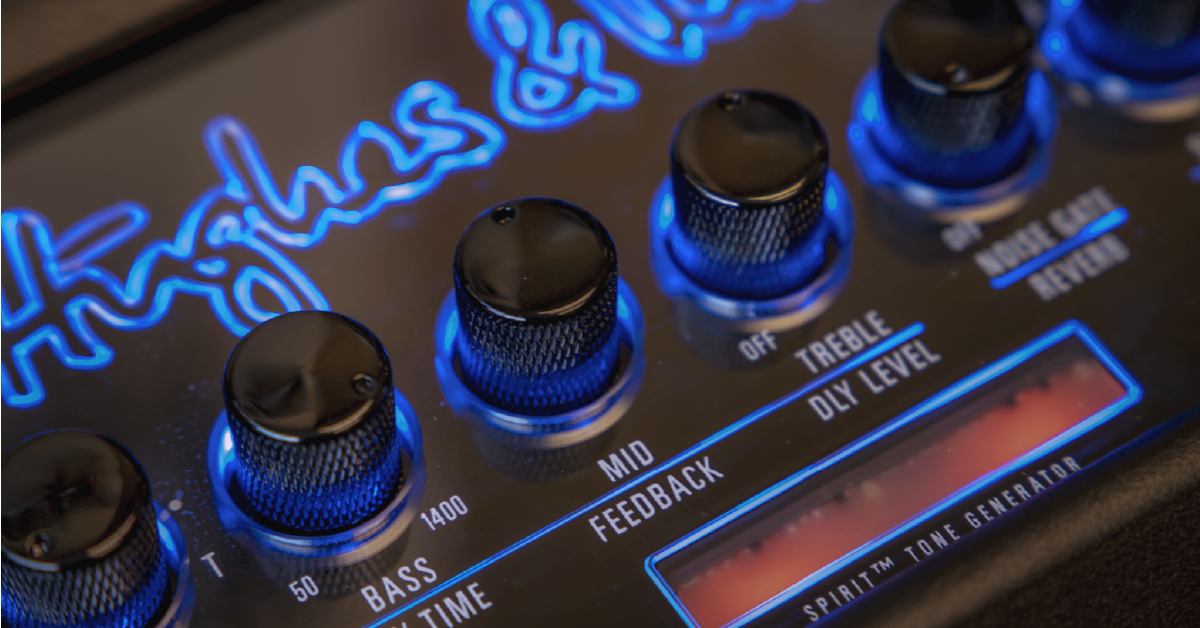
While they are all analog amplifiers with digital effects, the Black Spirit amplifiers feature the Spirit Tone Generator which replicates tube amp circuitry and response. That means it makes a solid-state amp feel and sound like a tube amp. You’ll find the Black Spirit feels dynamic and integrates well with your favorite effects pedals.
The Black Spirit 200 Floorboard Amplifier can be configured to accommodate the most demanding guitarist, but we loved how easy it is to get started finding tones. There are three modes you can use, and each serves a different purpose. Familiarize yourself with each of the modes before deciding on a permanent setup.
Store sounds and presets
Saving presets is done with the floorboard or through the remote control app. Hold the Store button to save the current settings to the relevant preset/footswitch.
Preset mode
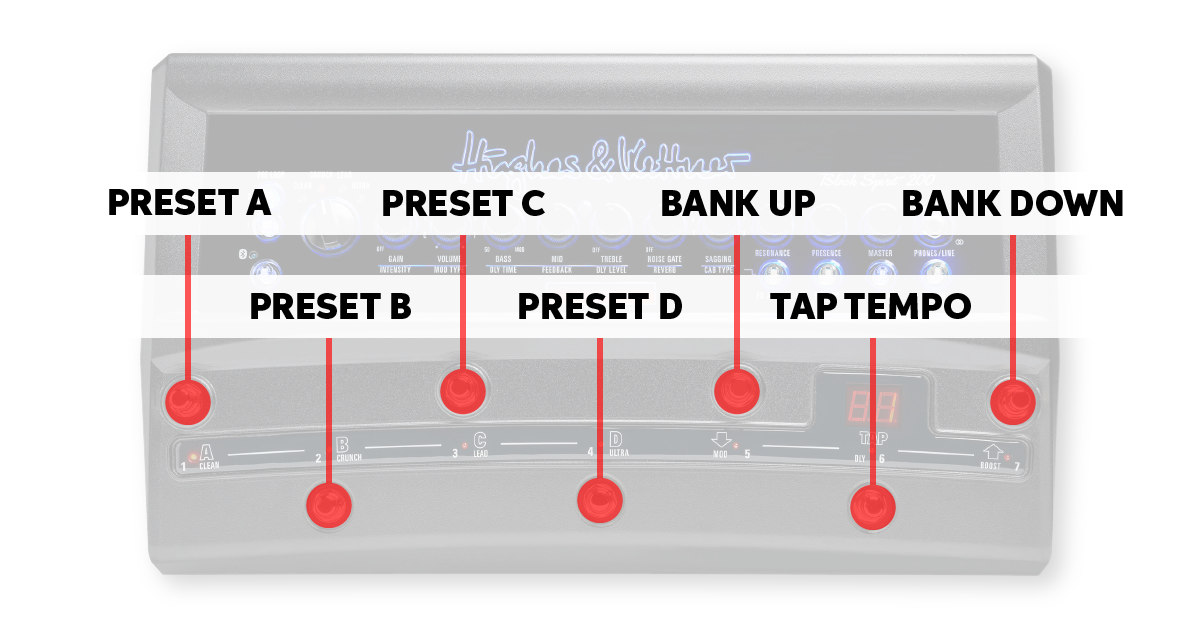
The Preset mode is the default operation mode for the Black Spirit 200 Floorboard Amplifier. When set to Preset mode, the A, B, C, and D footswitches recall the four presets available in each bank. There are 128 presets available at a time, which means 32 banks with 4 channels each. Footswitches 5 (bank down) and 7 (bank up) change banks while footswitch 6 functions as a tap tempo for presets with delay. Once you’ve familiarized yourself with the preset sounds, try modifying and storing them. You can always back up your user settings with the remote control app and restore the factory presets.
- A: Current bank, preset A
- B: Current bank, preset B
- C: Current bank, preset C
- D: Current bank, preset D
- ⬇︎: Move down one bank
- TAP: Tap to set delay tempo
- ⬆︎: Move up one bank
Stompbox mode
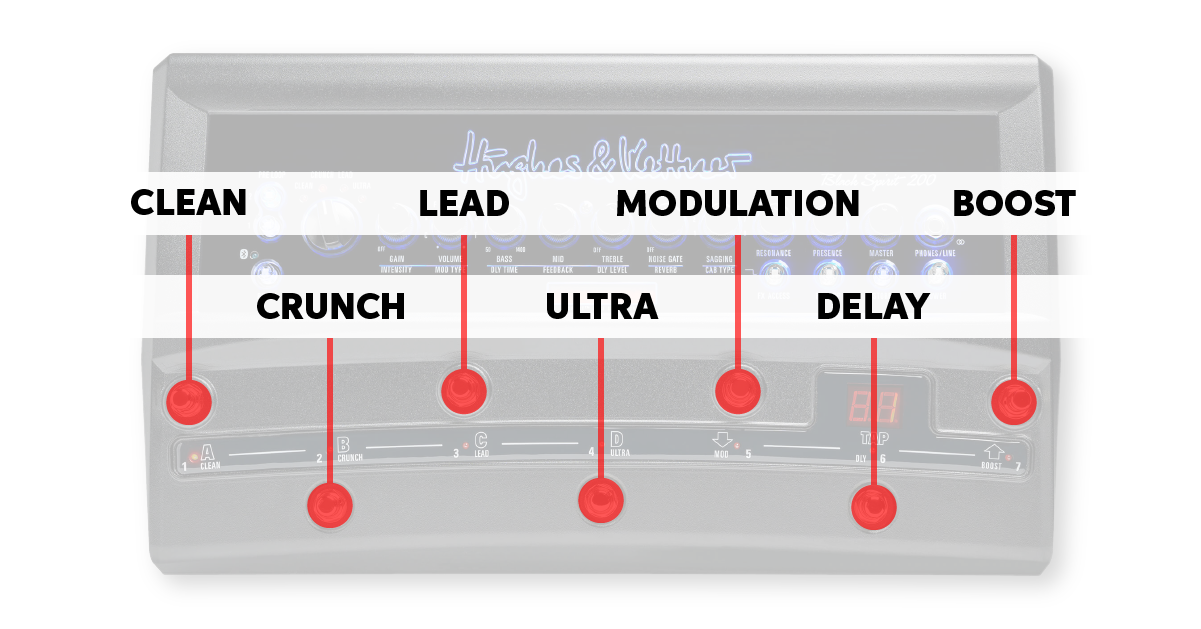
Using Stompbox mode with your Black Spirit 200 Floorboard Amplifier lets you select one preset and then control all of its parameters with the footswitches. That means footswitches one through four control the channel selector, and the last three engage the built-in modulation, delay, and boost effects. Use Stompbox mode when you want to use the floorboard like a traditional multi-channel amplifier. No changing presets, just channel switching and built-in effects on/off.
- 1: Switch to Clean channel
- 2: Switch to Crunch channel
- 3: Switch to Lead channel
- 4: Switch to Ultra channel
- MOD: Engage/disengage Modulation
- DLY: Engage/disengage Delay
- BOOST: Engage/disengage Boost
Direct 7 mode
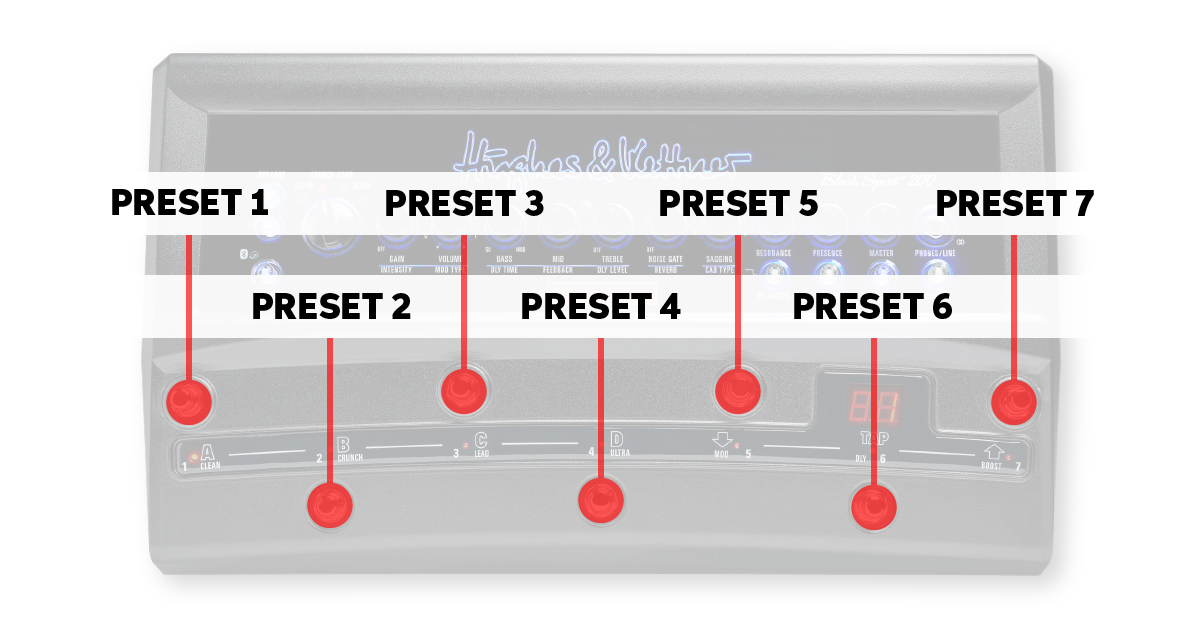
The Direct 7 mode makes each of the footswitches recall a saved preset. This is useful when you only need up to seven different sounds for an entire performance. You can still connect external effects pedals to the Pre and FX Loops and then assign them to certain footswitches. Use Direct 7 mode when you need each switch to recall a pre-configured custom preset.
- 1: Custom preset 1
- 2: Custom preset 2
- 3: Custom preset 3
- 4: Custom preset 4
- 5: Custom preset 5
- 6: Custom preset 6
- 7: Custom preset 7
Related content
- Black Spirit 200 Floorboard Setup and Connections
- Black Spirit 200 Floorboard Factory Reset
- Black Spirit 200 Floorboard Firmware Update
When you need help, Sweetwater has the answers!
Our knowledge base contains over 28,000 expertly written tech articles that will give you answers and help you get the most out of your gear. Our pro musicians and gear experts update content daily to keep you informed and on your way. Best of all, it’s totally FREE, and it’s just another reason that you get more at Sweetwater.com.

