
Behringer RD-8 Factory Reset
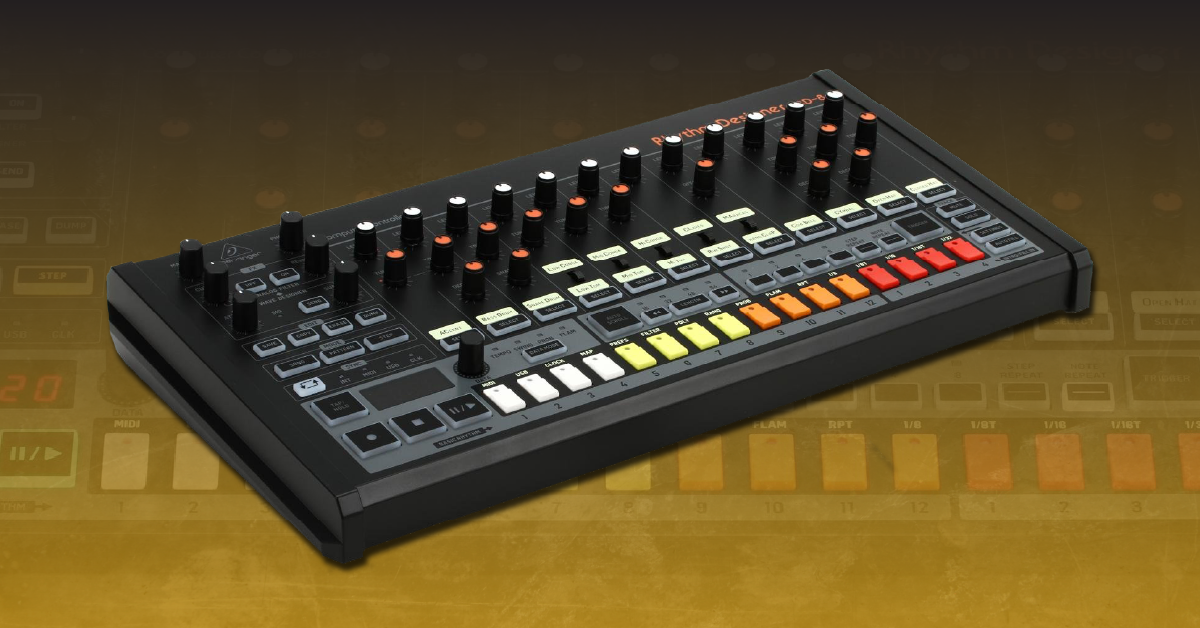
Overview
In this guide we will show you how to restore the Behringer RD-8 to its factory default settings. Follow the instructions below to get started.
Back up data
The RD-8 uses SysEx messages to send and receive data to and from your computer. It requires the use of third-party software such as SysEx Librarian on Mac or MIDI-OX on PC. To back up your patterns, songs, and settings, you need to send a manual dump of the data. It works similarly to the Save operation on the RD-8, but instead, it will send the selected data as a SysEx message.
- Connect your RD-8 to your computer and launch the MIDI utility app for your OS. (SysEx Librarian on Mac, MIDI-OX on PC).
- Press the DUMP button and then press the TAP/HOLD button to switch to USB.
- If your device is connected to a MIDI interface, leave it set to MIDI.
- Select the data you wish to back up (song, pattern, settings) and press the DUMP button to send the SysEx message. Repeat the same procedure for each piece of data.
- Use your MIDI utility software to save the data as a .syx file.
Perform a factory reset
Resetting your Behringer RD-8 will permanently delete all user presets and restore the factory default settings. The procedure takes approximately 30 seconds. Be sure not to turn the unit off during the reset, as this may result in corrupting internal data. Follow these steps to perform a factory reset.
- Press the Settings button.
- Hold Tap/Hold and press step key 16. The display will read Wait.
- When the display reads Done, power cycle the RD-8 to complete the procedure.
Related Articles
When you need help, Sweetwater has the answers!
Our knowledge base contains over 28,000 expertly written tech articles that will give you answers and help you get the most out of your gear. Our pro musicians and gear experts update content daily to keep you informed and on your way. Best of all, it’s totally FREE, and it’s just another reason that you get more at Sweetwater.com.

