Whether you use it to create club-ready pumping effects, to rein in a spotty vocal track, or to bring extra clarity to your mixes, sidechain compression is a vital component of every well-rounded audio engineer’s repertoire. In this article, we’ll dive into sidechain compression, explain how it works, and provide examples of how and when to deploy it.
What Is a Compressor?
Before we dive into the specifics of sidechain compression, we should review what a compressor is. In a nutshell, a compressor reduces the dynamic range of whatever signal exceeds the threshold that you determine. This is called gain reduction. Gain modification (either reduction or expansion) is achieved in one of two ways. Downward compression, which reduces the volume, is the most common of the two, attenuating a signal when it exceeds a threshold you determine while leaving quieter sounds (those below the threshold) unaffected. Upward compression, typically called expansion, is less common and increases the level of a signal that falls below the threshold while leaving louder sounds (above the threshold) unaffected. Contrary to popular belief, most compressors don’t employ downward and upward compression simultaneously.
The amount of gain reduction that occurs depends on the compressor’s ratio setting. For example, say you’re running a signal through a standard downward-style compressor. A 4:1 ratio signifies that, for every four decibels that an input signal exceeds the compressor’s threshold, its output is reduced to one decibel above the threshold. If you’re using an upward-style compressor, then a 4:1 ratio signifies that, for every four decibels that an input signal falls below its threshold, its output is increased by one decibel below the threshold. For the purpose of this article, we’re going to concentrate on downward compression since it’s the most common.
Some compressors also include adjustable attack and release settings, soft and hard knee settings, and peak and RMS detection settings. Many compressors also include a makeup gain control to compensate for the volume reduction that occurs as the dynamics are reduced.
- Check out Sweetwater’s “A Beginner’s Guide to Audio Compression” if you need a primer to get up to speed.
What Is Sidechain Compression?
Generally, a compressor is triggered by the audio signal that passes through it. That said, advanced audio engineers often use a technique called sidechain compression, which employs a secondary source to trigger the process. In this type of scenario, when the secondary audio signal (often called the key signal) exceeds the compressor’s specified threshold, the compressor will apply gain reduction to the main signal.
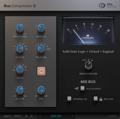
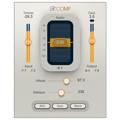
To deploy this technique, route your secondary signal (the trigger) into the dedicated input on your hardware compressor (typically labeled “sidechain,” “key input,” or “detector input”). Many popular compressor plug-ins such as the FabFilter Pro-C 2, Waves Renaissance Compressor, and iZotope Neutron 3 also include a virtual sidechain input.
5 Uses for Sidechain Compression
So — you may ask yourself — why would I want to use sidechain compression? And when do I use it? Here are some common examples:
Ducking
Ducking is an oft-used technique for recording voice-overs. It is applied by running your background music bed through a compressor, which is set so that it is not affecting the input signal (meaning it never crosses above the threshold). Split the voice-over announcer’s mic signal so that it feeds your mixer’s or audio interface’s input along with the compressor’s sidechain input. Now, when the announcer speaks, adjust the compressor’s threshold so that their voice will cross the threshold and trigger the compressor, which will turn down the background music. When they finish speaking, the music will return to its original level (quickly if the release is set fast or slowly if the release is set slow).
Bass Ducking
Sometimes, even with careful EQing, it’s difficult to keep your mix’s bass guitar from overwhelming the kick drum. Sidechain compression to the rescue! By using a variation of the aforementioned ducking technique, you can put a compressor on your bass guitar then feed the kick into its sidechain. This way, whenever a kick sounds, the compressor will automatically lower the volume of the bass. Provided that you use conservative levels of compression (2dB–4dB of gain reduction is a suitable starting point) and that you pay close attention to your attack and release settings, you won’t even hear the compressor being triggered — just a clean-sounding kick. This technique works well for other competing elements, as well, such as snares buried under high-gain guitars.
EDM-Style Pumping
Ever wondered how EDM producers create their trademark pumping effects? Yup, you guessed it — with sidechain compression! Achieving this sound is similar to the bass-ducking technique we discussed above but with extreme settings. Place a compressor on your bass then feed your kick into the compressor’s sidechain input. This way, every time the kick hits, the bass will duck and swell rhythmically with the rest of the track. This technique is sometimes applied to full mixes, as well, rather than just to the bass. We discuss this technique in more detail in our article, “How to Rhythmically Trigger a Compressor.”
Frequency-Dependent Compression
Inserting an EQed signal into a sidechain will make a compressor more or less sensitive to certain frequencies or ranges of frequencies depending on if you boost or cut those frequencies, respectively. You deploy this technique by splitting your stereo mix so that it’s feeding your main output along with an equalizer that’s connected to your compressor’s sidechain input. Then use the EQ to filter out any overbearing frequencies. For example, if your mix’s kick and bass are triggering the compressor, then cutting selective low frequencies or employing a 150–200Hz highpass filter to the sidechain trigger signal will calm it down. This is an effective way to add enough compression to glue your mix together without introducing obvious audible artifacts. Some compressors such as the Solid State Logic G Comp (and its plug-in counterpart) have this functionality built in — no extra routing needed!
De-essing
De-essing is a specialized type of frequency-dependent compression that’s used to suppress the obnoxious and intrusive sibilance that occurs when vocalists sing words with s, z, sh, and other sounds that contain lots of high frequencies. To achieve this, split your vocal so that it’s routed to your main output as well as to an equalizer that’s connected to your compressor’s sidechain input. You’ll want to set the EQ so that the compressor triggers whenever an offending frequency exceeds a certain threshold. Placing a highpass filter somewhere between 4kHz–10kHz will often produce the desired result. If that doesn’t get the job done, try creating an exaggerated boost around 7.5kHz. A word of caution — don’t get overzealous. A couple of dB of gain reduction will probably suffice. In fact, if you take it too far, your vocalist will sound like they have a speech impediment!
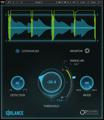
While you can achieve de-essing using the method we described, dedicated standalone units are also available, as are high-quality software plug-ins, such as FabFilter Pro-DS and Waves Sibilance.
Sidechaining Is an Audio Engineer’s Secret Weapon
If you apply sidechain compression properly, it’s guaranteed to improve your mixes. But this article merely scratches the surface. For some advanced sidechain techniques, check out Craig Anderton’s “Sidechaining: How It Works, Why It’s Cool.” And, as always, if you have questions about recording techniques and the gear you need to deploy them, then give your Sales Engineer a call at (800) 222-4700. They’re always happy to help you out!