The lowly direct box. In terms of status in pro audio, its profile ranks right above power cables. Most direct boxes are qualified by one criteria — whether they pass signal or not. Direct boxes (or DIs) are tossed in drawers or on shelves as soon as the gig is over and never discussed unless they break.
A direct box (commonly referred to as a DI, which stands for Direct Input) serves one fundamental purpose — allowing a musical instrument with a 1/4″ output to plug into the XLR input of the sound console. But there’s more to a DI than just a 1/4″ in, an XLR out, and a rugged chassis. What’s that, you ask? The sound. I can sense your skepticism already. “How much difference is there between the sound of different direct boxes? Do you think anyone can hear a difference?” Both good questions. And ones we decided to put to the test.
The Goal
The goal was to see if we could actually hear a difference between direct boxes. When I mentioned this comparison to my coworkers, some of them said, “I’ve never done any A/B listening of DIs,” even though they had compared lots of other components in their recording or live signal chains. It’s interesting how even industry professionals often overlook DIs. Given the wide range of prices among direct boxes, we wanted to figure out if we could “hear the money.” Plus we wanted to give you the chance to hear the differences for yourself.
The Process
Here’s a list of questions that came up when we first started discussing this comparison.
What instrument should we use?
We considered bass or guitar — instruments that routinely use DIs. Ultimately, we decided on bass guitar because bass players live and die by the sound of their DIs, unlike guitarists who’d rather run through an amp for their sound.
What bass should we use?
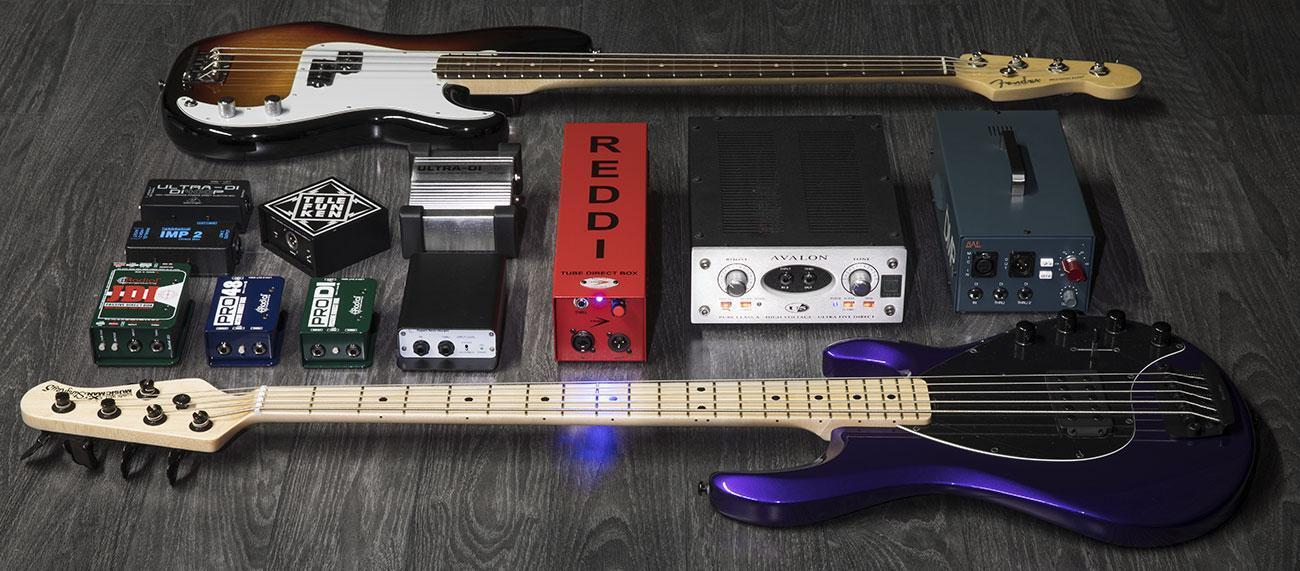
That answer was easy. We went with the standard for electric basses — the Fender Precision. We chose a Fender American Professional Precision Bass with passive pickups and roundwound strings. To hear how each DI would handle the hotter output of active pickups, we chose the Ernie Ball Music Man StingRay 5 H, which not only sounds great but is also very purple. And then Dave Martin, our resident studio bassist who performed on these tracks, wanted to hear how his vintage P Bass with flatwounds would sound. How could I say no? So we included that too.
Should we audition them soloed or in a track?
Listening to the bass soloed would be incredibly informative, but how many people listen to a bass all by itself? (Insert your favorite bass solo joke here.) In a track would be much more real world. So we decided to use Don Carr’s track titled Centipede Burst that was recorded here at Sweetwater Studios by engineer Nathan Heironimus featuring Don on guitar, Phil Naish on keyboards, and Nick D’Virgilio on drums.
Should we re-amp the signal so that all the performances are exactly the same?
While some suggested a re-amped bass signal for repeatability, that would undermine what we wanted to hear — that critical interaction of the output of the bass and the input of the DI. I felt strongly that removing the coupling of “bass output to DI” by using a re-amp box would be less meaningful. So I decided to use a separate performance played live for each pass. Since our bass-playing robot was on vacation, we had to settle for using a human bass player.
How should we set up and calibrate all the DIs?
Once we decided which DIs to include, we needed to make sure the levels of each performance were matched. We used a 1kHz calibration tone sourced from Pro Tools HDX through a Radial X-Amp re-amp box patched to a 1/4″ cable as our source. The output from each DI was patched into a Millennia HV-35 preamp, and I adjusted the gain to yield -17.9dBFS in Pro Tools going through the Focusrite RedNet interface using an Antelope Audio Isochrone Trinity word clock. We also checked the polarity of each DI with the Galaxy Audio Cricket to make sure that the tip of the 1/4″ cable was connected to Pin 2 on the output XLR. (Not all were.) Thanks to Shawn Dealey for help in setting up our testing procedure.
Does polarity matter on a DI?
Anyone who knows me knows that I’m a real stickler about checking polarity when I do comparisons, for two reasons.
- I want to make sure the comparisons are fair, and all the DIs (or other gear) need to have uniform polarity from the input to the output.
- Polarity on a direct box can be critically important, especially when it comes to low frequencies.
For instance, say you have a bass player onstage with his bass amp, and you want to also run the bass through the house PA for control. So you add a DI. But if the polarity of the amp’s speakers and the signal coming from the house PA speakers is opposite, then the bass amp speaker may be pushing (forward excursion) while the house system speakers are pulling (rear excursion). The net result is that certain low frequencies will cancel out. And that’s not good. The solution is reversing the polarity of the DI output or flipping the bass polarity at the console.
What about the DIs that have gain and don’t need a preamp?
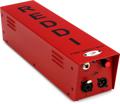
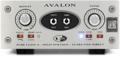
In this shootout, I included three DIs that include preamps, so they didn’t need an external preamp — the A-Designs REDDI, the Avalon Design U5, and the BAE 1073DMP. Not allowing them to use their own gain stage seemed an unfair representation of their sound, so those three bypassed the Millennia preamp and went directly into Pro Tools.
The Direct Boxes
- Behringer Ultra-DI DI400P 1-channel Passive Instrument Direct Box
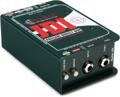
- Radial JDI – Jensen Equipped 1-channel Passive Instrument Direct Box
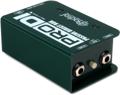
- Radial ProDI 1-channel Passive Instrument Direct Box
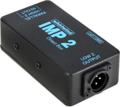
- Whirlwind IMP 2 1-channel Passive Instrument Direct Box
- A Designs REDDI 1-channel Tube Direct Box
- Avalon U5 Class A Active Instrument DI and Preamp
- BAE 1073DMP Desktop Microphone Preamp
- Behringer Ultra-DI DI100 1-channel Active Microphone / Instrument Direct Box
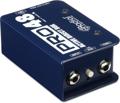
- Radial Pro48 1-channel Active 48v Direct Box
- Rupert Neve Designs RNDI 1-channel Active Instrument Direct Box
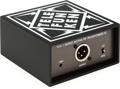
- Telefunken TDA-1 1-channel Active Instrument Direct Box
What to Listen For
I would encourage you to listen through headphones or on the best speakers you have. Since the bass guitar has fundamentals that most laptop speakers and smart devices won’t reproduce, the differences you hear on those will obviously be compromised.
As you listen to the clips, pay attention to these aspects of the bass sound.
- Articulation
- Evenness of tone across the low to high ranges
- Fullness of the extreme low end
- The way the bass sits with the drums and guitars
I would strongly encourage you to download the original recordings so you have the ability to solo bass tracks or listen to just the drums and bass together (using the Drum Stem and Music Stem tracks). Download the 24/96 WAV files, either as a Pro Tools session or as audio clips only, by clicking on the links below.
Click here to download the 24/96 sound files in a Pro Tools session
Click here to download the 24/96 sound files for users without Pro Tools

Let’s Listen
Here are the sound clips as 320k MP3s presented as bass tracks with music and then bass tracks without music. The first four are the passive DIs, and the next seven are the active DIs, each grouped in alphabetical order.
Bass Tracks with Music
P Bass Roundwound
P Bass Flatwound
StingRay

Bass Tracks Without Music
P Bass Roundwound
P Bass Flatwound
StingRay
What We Heard
Lynn Fuston:
“The differences I heard between the DIs were not subtle. Without sounding too artsy, some felt more real than others. There were several that seemed shallower as the notes went lower. One felt scooped with lots of clarity and top end with very authoritative lows but lost something in the midrange power. Some sounded cleaner than others. One or two seemed to growl more than the rest. I could hear those differences whether listening in the track or soloed.
“Listen not just to the sound of the bass but also to how the bass integrates with the other instruments. As I swapped the bass tracks, sometimes it felt like the kick drum level increased or the snare was more pronounced. Yet I know that’s not possible, because the drum tracks and the musical tracks were premixed stereo stems. So the only difference between the mixes was the bass. Fascinating. One of the things I learned early on in my recording career is that “everything affects everything else.” This was particularly true in this listening test.”
Mitch Gallagher:
“I was blown away when I listened to these tracks. I had expectations of some differences among the various DIs, but not the dramatic tonal and dynamic differences that were immediately apparent, even over a less-than-stellar listening system! The differences were clearly audible when the bass tracks were soloed, but equally audible when just listening to drums and bass. The sound and response of the DI had a major impact on the “mixed” sound of the bass and the kick drum in particular. I’m a big fan of capturing tracks with the right sound at the source, with little or no EQ required during mixing. I now see the importance of choosing the right DI — and of having an assortment of different DIs available — when tracking bass and other instruments.”
Shawn Dealey:
“I was surprised that the direct box makes such a big difference — knowing the sound of different DI’s is a huge part of the tone quest!”
I hope by listening that you learned how great an impact a direct box can have on your sound. And if you need a new or better direct box, we can definitely help you out. Call your Sweetwater Sales Engineer at (800) 222-4700 to find the right DI for you.
Note about level matching: Because of the drastic differences in the tone of the bass through this assortment of DIs, it was extremely challenging to match the levels of the bass performances. Even after matching the levels through the DIs with a sine wave tone, the apparent levels were very different. After recording, I tried all my regular techniques (peak matching, RMS matching, SPL matching) only to be frustrated in the end. Ultimately, the matching was done by ear with several engineers sitting in a room and adjusting them in tenths of a dB to even out the apparent levels. Even after that, some level differences were noticeable depending on the size and brand of speaker and the playback volume.