
Windows 11 Compatibility Guide
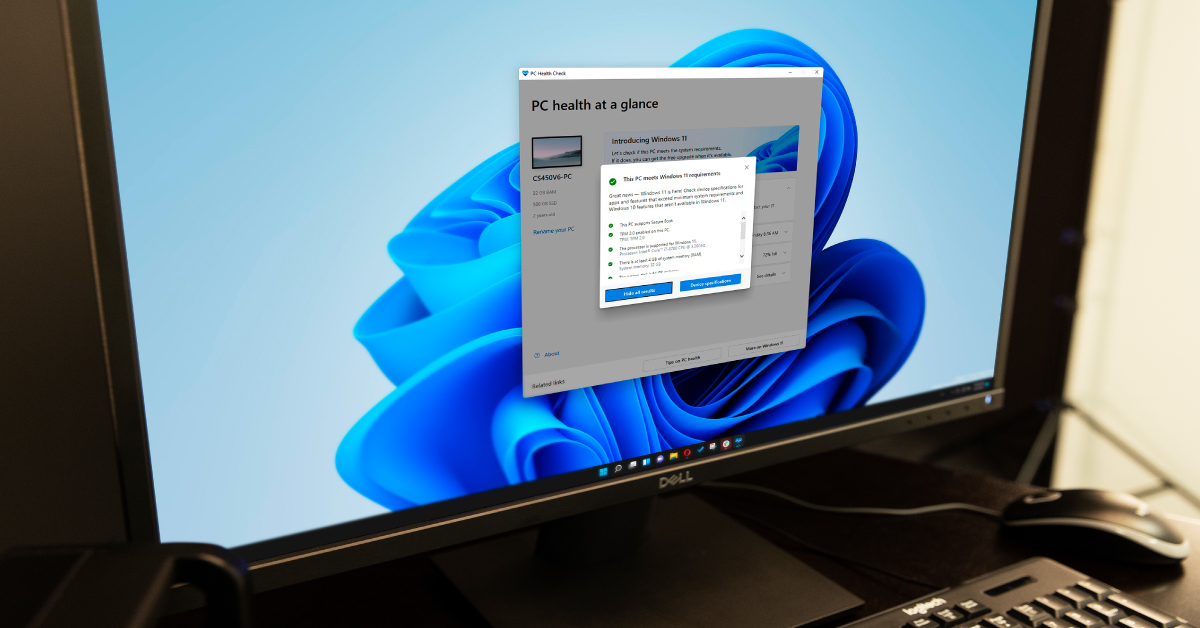
Microsoft released the Windows 11 operating system on October 5, 2021. It is their first major release since Windows 10 in 2015. As technology advances, hardware and software compatibility changes, as well. So, in this guide, we’ll provide you with the latest Windows 11 compatibility information as well as guidance on whether or not you should upgrade.
NOTE: This article covers AMD and Intel processor compatibility. If you have a Windows on Arm or Copilot+ PC, please visit our Windows on Arm Compatibility Guide.
- Should I upgrade to Windows 11?
- Windows 11 minimum system requirements
- Windows 11 PC hardware compatibility
- Windows 11 software manufacturer compatibility list
Should I upgrade to Windows 11?
If you are using your first Windows PC or you haven’t upgraded your OS in a while, you should review every step before deciding whether or not to upgrade. If any part of your system is incompatible, then you won’t be able to install Windows 11. However, Microsoft will be supporting Windows 10 until October 14, 2025, so there isn’t any immediate need to upgrade your software or hardware.
Windows 11 minimum system requirements
Just like every other piece of PC software, your Windows computer must meet the minimum requirements. Unlike Windows 10 and below, Windows 11 is more specific. Here are the minimum system requirements for Windows 11. Once you review them, continue to Windows 11 PC hardware compatibility for more details.
- 1GHz processor with two or more cores on a compatible processor or system on a chip (SoC)
- 4GB of RAM
- 64GB+ of hard drive space for installation. Microsoft recommends more space for future updates and specific features
- UEFI, Secure Boot compatible
- TPM version 2.0
- 720p display with a monitor greater than 9″
- Internet connection — this is necessary, as you must create a Microsoft account to complete the OS setup on your PC
64-bit processors only
Windows 11 will only be released for 64-bit systems, so computers with a 32-bit processor will not be able to upgrade. However, 32-bit programs can still be used in the 64-bit environment.
Windows 11 PC hardware compatibility
Microsoft has updated hardware requirements to make PCs more secure on Windows 11. Because of this, minimum hardware specs are stricter. So, before you install Windows 11, you’ll first need to check to see if your PC’s motherboard and processor are compatible with the new OS.
If you have a computer built within the past two years (2018 or later), then Windows 11 will more than likely work fine. Custom-built PCs are harder to predict simply because there can be so many different variations of motherboards, processors, and GPUs. So, before you try to upgrade to Windows 11, use the free Microsoft PC Health Check app to see whether or not your PC is compatible. Once you’ve confirmed that your machine is fully compatible, please continue to our Windows 11 Download and Install Guide.
Microsoft’s PC Health Check app will tell you whether or not your computer is compatible but may not provide detailed information as to why. The WhyNotWin11 application will provide more detail regarding your hardware compatibility to help narrow things down a bit more.
- Download the PC Health Check app from Microsoft.
- Navigate to your Downloads folder and launch the installer. If prompted, allow the program to run.
- When the PC Health Check app is launched, click Check now.
- A pop-up window will appear that will tell you whether or not your computer is compatible.
- Click See all results for more detailed information on what components are and are not compatible.
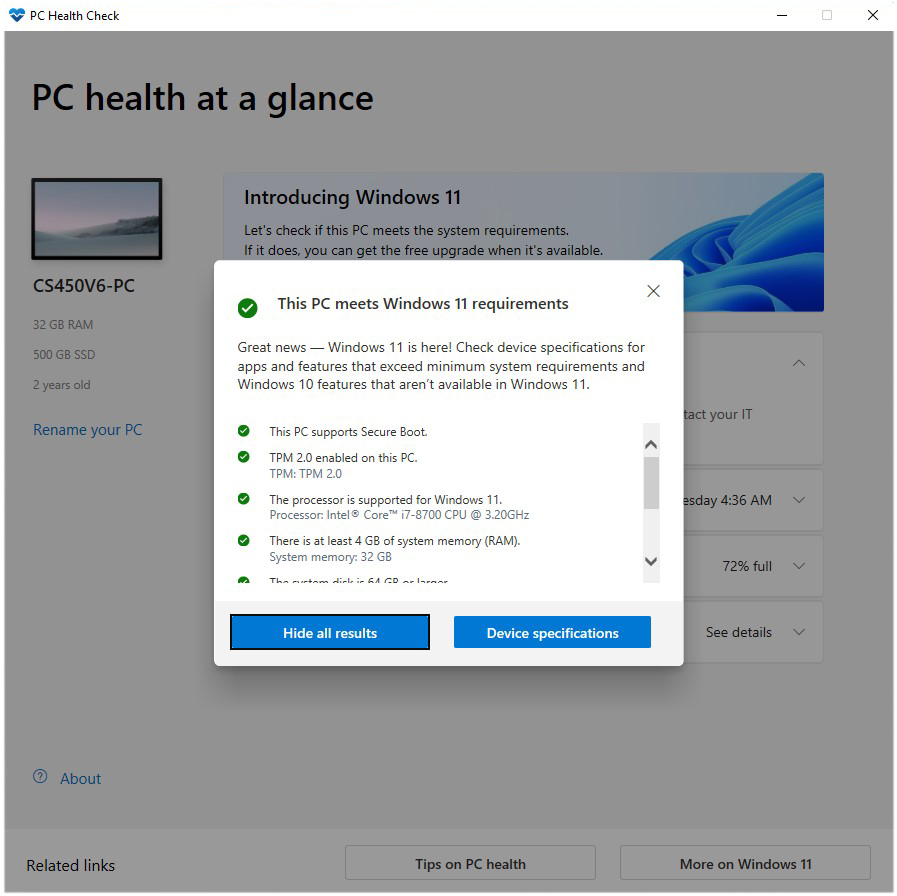
Click the image to download the PC Health Check application from Microsoft.
Windows 11 software manufacturer compatibility list
IMPORTANT
Windows 11 was released on October 5th, 2021, and manufacturers are working hard to make sure their software and hardware are compatible. Please check back often for the most up-to-date Windows 11 compatibility and support information.
Windows Compatibility with Live
Contact Acon Digital tech support at this link.
Windows 7 SP1, 8, 10 or 11 (64 or 32-bit)
8 GB RAM
1.8 GHz Dual Core CPU (Quad Core or higher recommended)
Sound card, USB, or Firewire sound device
Mixcraft 9 Pro Studio requires Internet access for Voltage Modular Ignite and Melodyne activation.
Voltage Modular Ignite (included in Mixcraft Pro Studio) requires 64-bit Windows and 64-bit Mixcraft.
Akai Pro | Windows 11 Compatibility
Alesis | Windows 11 Compatibility
AAS Windows 11 Compatibility
Audified Downloads
Avid Pro Tools Operating System Compatibility Chart
Avid Sibelius version 2022.3 and higher is compatible with Windows 11.
Avid Sibelius Operating System Compatibility Chart
For Avid Media Composer compatibility information, please follow this link.
Avid Media Composer System Requirements
Download the latest driver from Behringer’s UMC product pages.
For the latest Best Service product updates, please follow this link.
The Big Fish Momentum plugin is available in AAX and VST formats, but Big Fish does not provide official support for Windows 11.
Big Fish Momentum
System requirements
CPU: Dual Core AMD or Intel CPU or faster with SSE4.1 Support
Display: Min 1280 x 768 pixel screen resolution
RAM: Min 4GB RAM
Disk Space: Min 12GB free disk space (for full content installation).
Internet Connection: Decent connection to download bundled content (not included with installer).
Make sure your DAW is compatible with Windows 11.
MacOS 12 Monterey and Windows 11 Support
Boss Compatibility With Windows 11
Celemony Melodyne System Requirements: Technical Matters
Cinesamples Product Compatibility & Version Chart
– D16 Full Compatibility Chart
Denon DJ | Windows 11 Compatibility
Download the latest updated plugins at this link
Windows 10 / 11 – 64bit only
Focusrite product compatibility with Windows 11
Fore a full list of system requirements for notation products, please **click here.**
GetGood Drums’ drum libraries run inside Native Instruments Kontakt and should be compatible when used with a version of Kontakt which is Windows 11-compatible.
What Operating Systems do iConnectivity interfaces work with?
– ILIO Product Frequently Asked Questions
Image Line Knowledge Base: FL Studio compatibility with Windows 11
The only products that aren’t currently compatible are Stutter Edit, Iris 2, Vinyl, and Trash.
USB Audio Driver must be installed (restart is suggested) before using editor on Windows 11.
Download the latest versions at this link.
From operation tests and feedback thus far: Kurzweil 3000 v16/v20 and Kurzweil 1000 v14 will install and register without issue and the general functions operate as expected. See below for the current known issues.
Known issues:
Windows 11 does not have the “Toolbars” feature, as such the Kurzweil Taskbar will not operate.
32-bit versions are no longer compatible.
Plugins that have been tested with Windows 11 are Helix Native, Amp Farm, Echo Farm 3 and Pod Farm 2 when used with Cubase, Pro Tools, Ableton, Studio One and Reaper.
However, Variax hardware will not connect to Workbench via the Variax USB interface under Windows 11.
Lynx | Support | Downloads
M-Audio Windows 11 Compatibility
Read more at MAGIX’s website
McDSP Plug-in Support
Modartt FAQ
In some cases, MOTU software updates may be available soon to achieve 100% compatibility. Check motu.com frequently for further announcements in the near future.
MOTU and Windows 11
Native Instruments Windows 11 Compatibility News
– Nord Windows Driver
Novation product compatibility with Windows 11
Numark | Windows 11 Compatibility
Output Windows 11 Compatibility
– System requirements for Band-in-a-Box
Positive Grid Windows 11 & macOS 12 Update
This new OS update may cause compatibility issues with older PreSonus hardware, please read the information in our Knowledge Base for more information.
**Using Presonus devices with Android Devices**
– Pyware 3D System Requirements
Reason 12.2.5 and later
Reason Rack Plugin VST3 (12.2.5 and later)
Reason+ Companion 1.9.4 and later
Authorizer 2.12 and later
CodeMeter 7.10 and later
The following products have not been tested with Windows 11. Once these products have been tested, we will update this compatibility statement:
ReFill Packer 10
ReCycle 2.2.4
The following products are NOT compatible with Windows 11:
Reason Rack Plugin AAX (since Pro Tools isn’t officially compatible with Windows 11)
Ignition Key
System Requirements:
Windows 7 – Windows 11 (32 / 64-bit)
Modern Intel or AMD processors required
VST, AAX
Roland Compatibility with Windows 11
Windows 11 – now supported (Serato software status)
Slate Digital Windows 11 Compatibility
Slate Media Technology Support Page
Softube Support System Requirements
SoundID Listen and Reference 4 are not supported.
SoundID ReferenceReference 4SoundID Listen
Check this link for the latest updates.
Sonnox Windows 11 compatibility
Soundtoys 5 Compatibility
– Spectrasonics Windows Compatibility
Windows 11 product compatibility
System Requirements & Supported Digital Audio Workstations
For specific questions, we encourage you to contact Steven Slate Drums support at this link.
Strymon Downloads
Synthogy PC/Win
Tascam Information about Windows 11
Other products aren’t officially supported, so connectivity and operation cannot be guaranteed.
Is Toontrack Software Supported on Windows 11?
Each product page lists detailed minimum requirements. Please check these before purchase.
– u-he | Which operating systems do u-he products support?
UAD Software Compatibility with Windows 11
– Drumagog System Requirements
What are the system requirements for XLN Audio products?
Yamaha Windows 11 Compatibility information
Zoom Compatibility & Optimization
Zynaptiq News
Related Articles
When you need help, Sweetwater has the answers!
Our knowledge base contains over 28,000 expertly written tech articles that will give you answers and help you get the most out of your gear. Our pro musicians and gear experts update content daily to keep you informed and on your way. Best of all, it’s totally FREE, and it’s just another reason that you get more at Sweetwater.com.

