

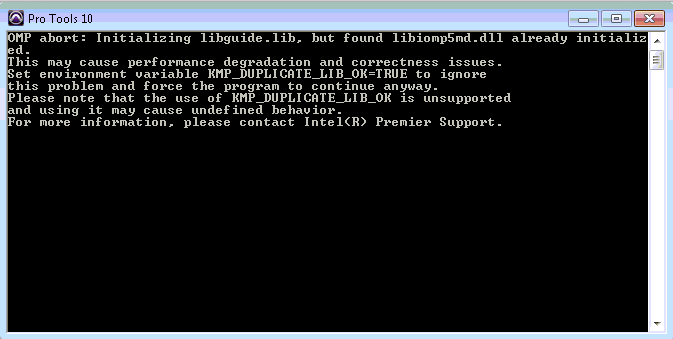
When I bounce to .mp3 in Pro Tools, I get an error message that says: OMP abort: Initializing libguide.lib
If you receive the error in the picture below, follow along with the video or follow the instructions below:
In your Windows Start menu click on “control panel”. In the top right side of control panel there is a search box. In the search box type system. In the results, the first option should be “edit the system environment variables”. Click on that.
The system properties Window opens. Click on the “environment variables” button at the bottom of that window.
In the lower box for “system variables” click the NEW button. In the Variable name section type
KMP_DUPLICATE_LIB_OK
Make sure its all caps and has the underscore. Also be sure that there isn’t any spaces before or after.
In the Variable value section type TRUE, also in all caps, then press OK. Press OK on the environment variables window, and press OK on the system properties Window. Open Pro Tools and the MP3 option should now work.
When you need help, Sweetwater has the answers!
Our knowledge base contains over 28,000 expertly written tech articles that will give you answers and help you get the most out of your gear. Our pro musicians and gear experts update content daily to keep you informed and on your way. Best of all, it’s totally FREE, and it’s just another reason that you get more at Sweetwater.com.

