
macOS 11 Big Sur: Compatibility Guide

Apple released macOS 11 Big Sur on November 12th, 2020. While the operating system upgrade is currently available, do not upgrade unless all of your music production devices and software are officially deemed compatible by their respective manufacturers. Check the Manufacturer Compatibility List below as more information becomes available.
Check Your Manufacturer’s Compatibility
In this guide, we will show you how to safely upgrade to macOS 11 Big Sur, Apple’s latest Mac operating system. You absolutely should not upgrade without first verifying compatibility for both your software (DAWs, plug-ins, apps, etc.) and hardware (audio interfaces, MIDI controllers, device drivers, etc.). Follow each of the sections below to learn more about upgrading to macOS 11 Big Sur and check out our manufacturer compatibility list for the latest up-to-date macOS 11 Big Sur compatibility information.
Big Sur Table of Contents
Should I Upgrade to macOS 11 Big Sur?
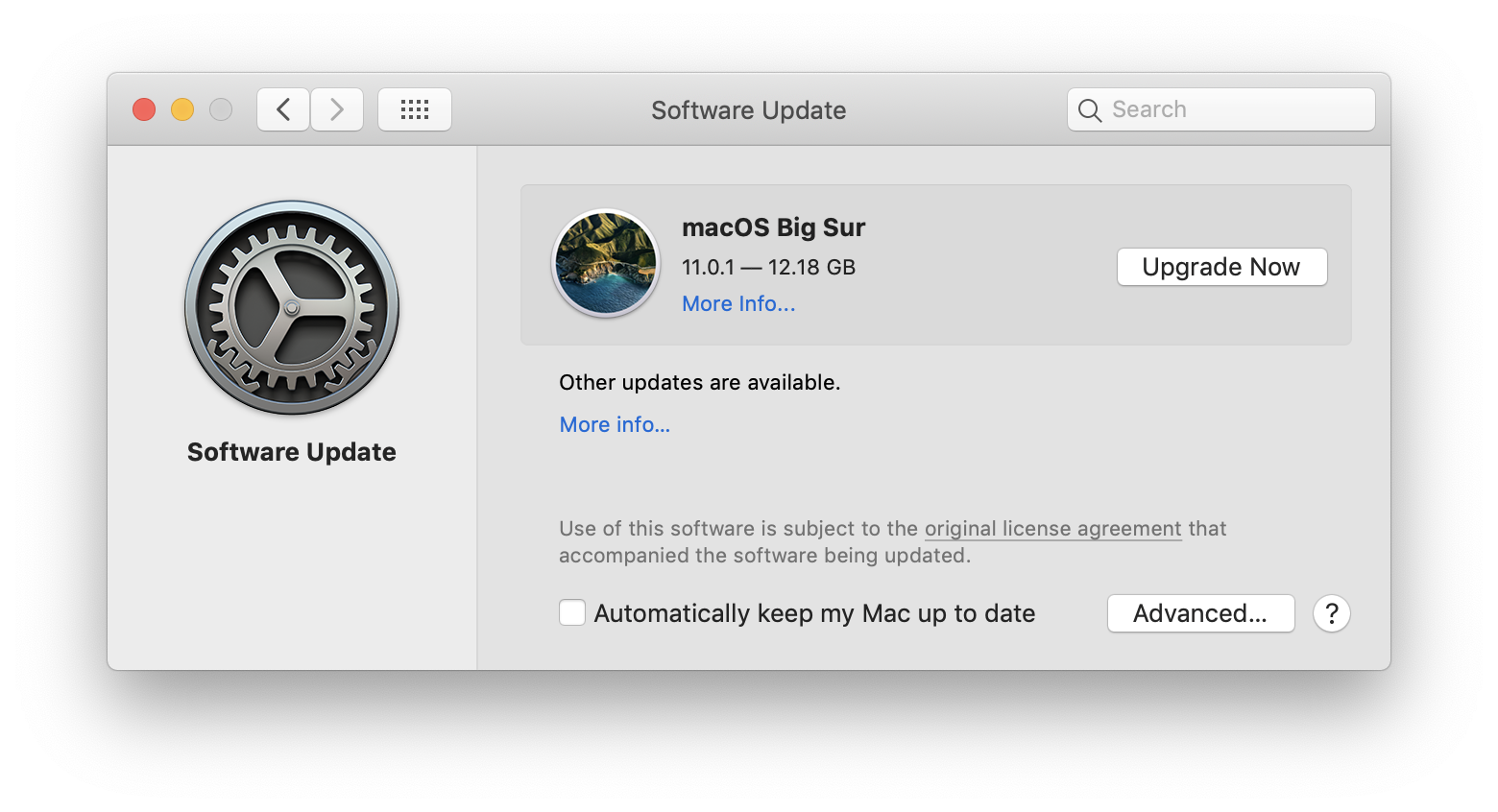
If you’re a first time Mac user or haven’t upgraded your Mac’s operating system (macOS), you’ll want to review all the steps required before upgrading (or rather not upgrading!). Incompatible hardware and software often won’t work correctly and can shut down your entire recording system. macOS 11 Big Sur has been officially released, so there’s no better time to learn about managing your macOS system. Check out our macOS resources below and learn more about whether you should upgrade to Big Sur.
macOS 10.15 Catalina: Time Machine Backup Guide
Creating a Time Machine backup is essential before upgrading your Mac’s operating system. Data backups are great for protecting your data in case of an accident, but they’re also excellent for restoring your Mac. Learn more in our macOS 10.15 Catalina: Time Machine Backup Guide.
Learn More About TIme Machine
macOS 11 Big Sur: Download and Install Guide
You must download and install the required updates to upgrade your Mac’s operating system to macOS 11 Big Sur. Learn more on our macOS 11 Big Sur: Download and Install Guide.
Learn How to Download Big Sur
macOS 11 Big Sur: Recording Optimization Guide
Your Mac’s System Preference settings can be optimized for audio recording. Learn more in our macOS 11 Big Sur: Recording Optimization Guide.
Learn How to Optimize Big Sur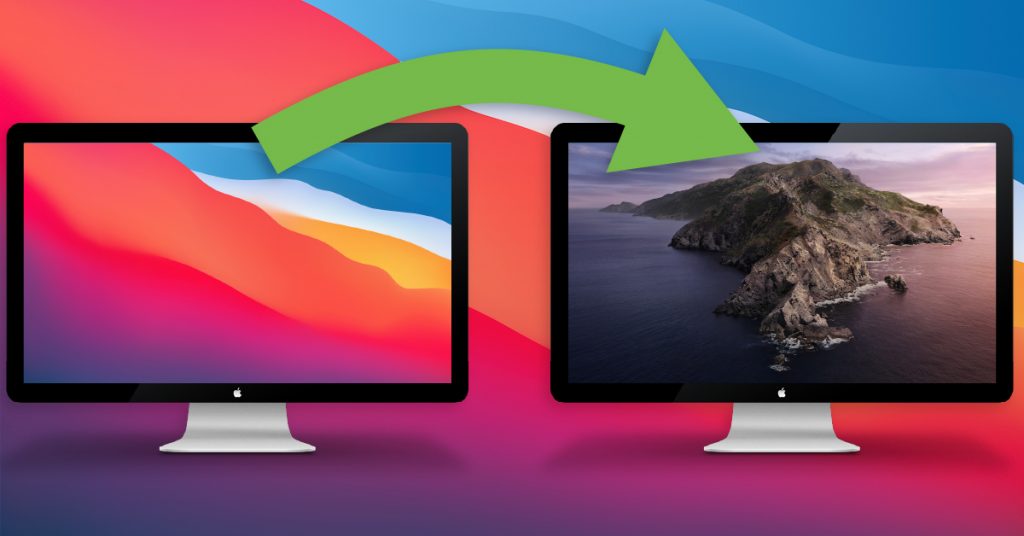
macOS 11 Big Sur: Operating System Downgrade Guide
If you’ve recently upgraded your Mac’s operating system to macOS 11 Big Sur and need to go back, this is the guide for you. Learn more on our macOS 11 Big Sur: Operating System Downgrade Guide.
Learn How to Downgrade Your MacMacs Compatible with Big Sur
Most recent generations of Macs are compatible with macOS 11 Big Sur. Some past generations of Macs are not able to use Big Sur and are limited to their latest compatible version of macOS. Even if your Mac is compatible, that does not necessarily mean the other software or hardware you use is also compatible. Check for compatibility first and view our macOS Big Sur Compatibility List for the last compatibility announcements.
- MacBook 2015 and later
- MacBook Air 2013 and later
- MacBook Pro Late 2013 and later
- Mac mini 2014 and later
- iMac 2014 and later
- iMac Pro 2017 and later (all models)
- Mac Pro 2013 and later
Audio and MIDI device drivers
Do not upgrade to macOS Big Sur until you’ve confirmed compatibility for your hardware and software. That usually means a driver update or a new software version. For example, if you have a DAW (Pro Tools, Studio One, Live, Cubase, etc.) or unique audio/MIDI device that requires driver installation, then you need to wait until the manufacturer makes a compatibility announcement.
Music technology manufacturers prefer to test on the final version of macOS released to the public and announce their findings afterword. If your audio or MIDI devices require their own driver from the manufacturer, then you should wait to upgrade macOS until the manufacturer confirms compatibility or releases an updated driver.
Apple DAW software along with class compliant audio/MIDI devices are general exceptions and expected to be supported without compatibility issues. Devices that do not have their own driver software are considered class compliant and use the native macOS drivers. Issues with class compliant drivers are rare if ever, but consider waiting if the upgrading macOS has a chance of interrupting your work.
Only upgrade to Big Sur when your software and hardware are compatible:
- Make sure your hardware devices are compatible or have updated drivers:
- Audio Interfaces
- MIDI Controllers or Devices
- Check that both your apps and plug-ins are compatible with Big Sur:
- DAW applications
- Plug-ins or Virtual Instrument software
Create a Time Machine backup before upgrading macOS:
- Create a Time Machine backup before upgrading to Big Sur.
- Back up your entire Mac with a Time Machine backup.
- Use a current Time Machine drive or format a new one.
- Back up projects to an external drive.
- Copy project folders to another backup external hard drive.
- Use a different drive for archiving or backing up projects.
32-bit Software is Not Compatible
Starting with macOS 10.15 Catalina, 32-bit software is not compatible and will not be supported on future versions of macOS, including Big Sur. Check with your software manufacturer for a 64-bit version before upgrading so that your software remains compatible. While the 64-bit version is often available for free, updates are just as often introduced with new releases and may require additional purchase.
If your software is not available in 64-bit or you do not wish to upgrade macOS, your Mac will run best on a compatible version of macOS 10.14 Mojave or below, so long as you continue to meet all of your software and hardware system requirements.
macOS 11 Big Sur Compatibility List
macOS 11 Big Sur has been released and is now available to the gerneral public. Most developers wait to test on the final version and doing so helps ensure accurate testing so that software and hardware will connect, install, and operate correctly. While we don’t advise updating yet, we will share our music technology friends’ Big Sur compatibility information as it becomes available. Bookmark this page and check back later for the latest Big Sur compatibility and support information.
Manufacturer Compatibility List
4ms
Wait to upgrade, check back later.
1010music
Wait to upgrade, check back later.
Ableton
Fully compatible, read more.
- MacOS Compatibility with Live
- Live 10 Minimum System Requirements
- Live 1-9 Minimum System Requirements and Compatibility
Access
Wait to upgrade, check back later.
Accusonus
Limited compatibility, read more.
Acon Digital
Wait to upgrade, check back later.
ADJ
Wait to upgrade, check back later.
AIR
Wait to upgrade, check back later.
- macOS 11 Big Sur Compatibility
- macOS 10.15 Catalina Support for AIR Software
- macOS Mojave 10.14 Support for AIR Products
- macOS High Sierra 10.13 Support for AIR Products
AKAI Professional
Wait to upgrade, check back later.
- macOS 11 Big Sur and iOS14 Compatibility for Akai Pro
- macOS 10.15 Catalina and iOS 13 Support for Akai Pro
- macOS Mojave 10.14 and iOS 12 Support for Akai Pro Products
- macOS High Sierra 10.13 and iOS11 Support for Akai Pro Products
- macOS Sierra 10.12 and iOS 10 Support For Akai Pro Products
Alesis
Wait to upgrade, check back later.
- macOS 11 Big Sur and iOS14 Compatibility
- macOS 10.15 Catalina Support for Alesis
- macOS Mojave 10.14 and iOS 12 Support for Alesis Products
- macOS High Sierra 10.13 and iOS 11 Support for Alesis Products
- macOS Sierra 10.12 and iOS 10 Support For Alesis Products
Allen & Heath
Wait to upgrade, check back later.
Antares
Wait to upgrade, check back later.
- Compatibility with macOS 11 Big Sur
- Compatibility with macOS 10.15 Catalina
- OS COMPATIBILITY
- DAW COMPATIBILITY
Apogee
Limited compatibility, read more.
- macOS Big Sur and Apple Silicon Compatibility Information
- macOS Catalina and iOS 13 Compatibility Info
- macOS Mojave and iOS 12 Compatibility Info
- macOS High Sierra and iOS 11 Compatibility Info
- macOS Sierra and iOS 10 Compatibility Info
- Mac OS X El Capitan Compatibility Info
Applied Acoustics System
Limited compatibility, read more.
Arobas Music
Wait to upgrade, check back later.
ARP
Wait to upgrade, check back later.
ART
Wait to upgrade, check back later.
Arturia
Limited compatibility, read more.
- Compatibility with macOS Big Sur and M1 Silicon Processors
- Compatibility with macOS Catalina
- Compatibility with macOS 10.14 Mojave
- Compatibility with macOS 10.13 High Sierra
ASM
Wait to upgrade, check back later.
Aspen Pittman Designs
Wait to upgrade, check back later.
Audient
Limited compatibility, read more.
Audified
Wait to upgrade, check back later.
Audio Ease
Wait to upgrade, check back later.
Audio Modeling
Wait to upgrade, check back later.
Audionamix
Wait to upgrade, check back later.
AVID
Full and limited compatibility varies, read more.
- Pro Tools Operating System Compatibility Chart
- macOS 11 (Big Sur) and M1 Support for Avid Products
- macOS 11 (Big Sur) Support for Avid Products
- macOS Catalina (10.15) Compatibility
- macOS Mojave (10.14) Compatibility
- macOS High Sierra (10.13) Compatibility
- macOS Sierra (10.12) Compatibility
Behringer
Wait to upgrade, check back later.
Best Service
Limited compatibility, read more.
Big Fish
Wait to upgrade, check back later.
Bitwig
Wait to upgrade, check back later.
Black Lion Audio
Wait to upgrade, check back later.
Blue Cat Audio
Limited compatibility, read more.
Boss
Wait to upgrade, check back later.
- COMPATIBILITY WITH MACOS BIG SUR (MACOS 11) (INTEL-BASED)
- COMPATILIBITY WITH MAC COMPUTERS USING THE APPLE M1 CHIP
Casio
Wait to upgrade, check back later.
Celemony
Wait to upgrade, check back later.
Cinesamples
Wait to upgrade, check back later.
Sound libraries that use Kontakt software are typically considered compatible once Native Instruments announces compatibility. Go to their macOS 11 (Big Sur) Compatibility News page for more information.
CME
Wait to upgrade, check back later.
Crane Song
Wait to upgrade, check back later.
Craneborne
Wait to upgrade, check back later.
Cre8audio
Wait to upgrade, check back later.
Crumar
Wait to upgrade, check back later.
Cycling 74′
Wait to upgrade, check back later.
Cymatic Audio
Wait to upgrade, check back later.
D16 Group
Wait to upgrade, check back later.
Dave Hill Designs
Wait to upgrade, check back later.
Dave Smith Instruments
Wait to upgrade, check back later.
Decksaver
Wait to upgrade, check back later.
Denon DJ
Limited compatibility, read more.
Deskew Technologies
Wait to upgrade, check back later.
Dexibell
Wait to upgrade, check back later.
Doepfer
Wait to upgrade, check back later.
DPA
Wait to upgrade, check back later.
Dreadbox
Wait to upgrade, check back later.
EastWest
Wait to upgrade, check back later.
Eiosis
Wait to upgrade, check back later.
Elektron
Wait to upgrade, check back later.
eMedia
Wait to upgrade, check back later.
Empirical Labs
Wait to upgrade, check back later.
Erica Synths
Wait to upgrade, check back later.
Eventide
Wait to upgrade, check back later.
FabFilter
Fully compatible, read more.
Fable Sounds
Wait to upgrade, check back later.
Focusrite
Limited compatibility, read more.
- Focusrite product compatibility with macOS 11 “Big Sur” on Intel-based systems
- Focusrite product compatibility with macOS 11 “Big Sur” on Apple Silicon-based systems
- Focusrite Mac Resources
Focusrite Pro
- Focusrite Pro product compatibility information with macOS 11 “Big Sur” on Intel-based systems
- Focusrite Pro product compatibility with macOS 11 “Big Sur” on Apple Silicon-based systems
FXPansion
Wait to upgrade, check back later.
Gamechanger Audio
Wait to upgrade, check back later.
Garritan
Wait to upgrade, check back later.
GetGood Drums
Wait to upgrade, check back later.
Sound libraries that use Kontakt software are typically considered compatible once Native Instruments announces compatibility. Go to their macOS 11 (Big Sur) Compatibility News page for more information.
GForce
Limited compatibility, read more.
Grace Design
Wait to upgrade, check back later.
Hammond
Wait to upgrade, check back later.
Heavyocity
Wait to upgrade, check back later.
Sound libraries that use Kontakt software are typically considered compatible once Native Instruments announces compatibility. Go to their macOS 11 (Big Sur) Compatibility News page for more information.
Hercules Stands
Wait to upgrade, check back later.
Hohner
Wait to upgrade, check back later.
iConnectivity
Wait to upgrade, check back later.
IK Multimedia
Wait to upgrade, check back later.
Ilio
Wait to upgrade, check back later.
Image Line
Wait to upgrade, check back later.
Intellijel
Wait to upgrade, check back later.
iZotope
Wait to upgrade, check back later.
JoeCo
Wait to upgrade, check back later.
Kawai
Wait to upgrade, check back later.
Keith McMillen Instruments
Wait to upgrade, check back later.
From the Keith McMillen website: “We recommend waiting to upgrade to macOS Big Sur until full compatibility testing has been confirmed.”
Korg
Wait to upgrade, check back later.
Kurzweil
Wait to upgrade, check back later.
Kush Audio
Wait to upgrade, check back later.
KV331 Audio
Wait to upgrade, check back later.
Leslie
Wait to upgrade, check back later.
Lexicon
Wait to upgrade, check back later.
Line 6
Wait to upgrade, check back later.
Lynx
Limited compatibility, read more.
M-Audio
Wait to upgrade, check back later.
Mackie
Wait to upgrade, check back later.
MakeMusic
Wait to upgrade, check back later.
McDSP
Limited compatibility, read more.
Minnetonka
Wait to upgrade, check back later.
Modal Electronics
Wait to upgrade, check back later.
MODARTT
Wait to upgrade, check back later.
Moog
Wait to upgrade, check back later.
Motion Sound
Wait to upgrade, check back later.
MOTU
Limited compatibility, read more.
MusicLab
Wait to upgrade, check back later.
Native Instruments
Limited compatibility, read more.
Sound libraries that use Kontakt software are typically considered compatible once Native Instruments announces compatibility. Go to their macOS 11 (Big Sur) Compatibility News page for more information.
- macOS 11 (Big Sur) Compatibility News
- Apple Silicon Compatibility News
- Service Center and Legacy Products End of Life
- macOS 10.15 (Catalina) – Compatibility with Native Instruments Products
- macOS 10.14 (Mojave) Compatibility Statement
- macOS Sierra / High Sierra / Mojave Compatibility of Native Instruments Hardware
Nektar
Wait to upgrade, check back later.
Neuratron
Wait to upgrade, check back later.
- Novation product compatibility with macOS Big Sur (11) on Intel-based systems
- Novation product compatibility with Big Sur on Apple Silicon
- Novation macOS Resources
Neyrinck
Wait to upgrade, check back later.
Nord
Wait to upgrade, check back later.
Novation
Wait to upgrade, check back later.
Nugen Audio
Wait to upgrade, check back later.
Numark
Wait to upgrade, check back later.
On-Stage Stands
Wait to upgrade, check back later.
Orange
Wait to upgrade, check back later.
Output
Wait to upgrade, check back later.
Sound libraries that use Kontakt software are typically considered compatible once Native Instruments announces compatibility. Go to their macOS 11 (Big Sur) Compatibility News page for more information.
Overloud
Wait to upgrade, check back later.
Peterson
Wait to upgrade, check back later.
PG Music
Fully compatible, Band-in-a-Box 2021 is compatible with the most recent version of macOS, read more.
Pioneer DJ
Wait to upgrade, check back later.
Pittsburgh Modular
Wait to upgrade, check back later.
Polyend
Wait to upgrade, check back later.
Polyverse
Fully compatible, read more.
Positive Grid
Wait to upgrade, check back later.
PreSonus
Limited compatibility, read more.
- Mac OS X 11.0 / macOS 11.0 – Big Sur Compatibility
- Apple Silicon Computer Compatibility
- Series III AVB Ecosystem With MacOS Big Sur
- Apple macOS X 10.15 Compatibility Statement
Pyware
Wait to upgrade, check back later.
Radial
Wait to upgrade, check back later.
Reason Studios
Limited compatibility, read more.
- macOS Big Sur compatibility statement
- Apple M1 chip compatibility statement
- MacOS Catalina compatibility statement
Relab Development
Wait to upgrade, check back later.
Reveal Sound
Fully compatible, read more.
Reverb Foundry
Wait to upgrade, check back later.
RME
RME drivers are officially updated and verified to work with Big Sur on both Intel and M1.
Rob Papen
Wait to upgrade, check back later.
Rode
Wait to upgrade, check back later.
Roger Linn-Design
Wait to upgrade, check back later.
Roland
Wait to upgrade, check back later.
- COMPATIBILITY WITH MACOS BIG SUR (MACOS 11) (INTEL-BASED)
- COMPATILIBITY WITH MAC COMPUTERS USING THE APPLE M1 CHIP
Roland PRO A/V
- COMPATIBILITY WITH MACOS BIG SUR (MACOS 11) (INTEL-BASED)
- COMPATILIBITY WITH MAC COMPUTERS USING THE APPLE M1 CHIP
ROLI
Limited compatibility, read more.
- macOS 11 Big Sur compatibility
- macOS 10.15 Catalina compatibility
- macOS Mojave (10.14) & iOS 12 Update Statement
Rossum Electro-Music
Wait to upgrade, check back later.
Sample Logic
Wait to upgrade, check back later.
Saramonic
Wait to upgrade, check back later.
sE Electronics
Wait to upgrade, check back later.
Sensory Percussion
Wait to upgrade, check back later.
Sequential
Wait to upgrade, check back later.
Sequenz
Wait to upgrade, check back later.
Serato
Wait to upgrade, check back later.
- macOS 11 Big Sur – not yet supported with Serato DJ Pro or Serato DJ Lite
- Mac computers with ARM-based M1 CPU’s are currently not supported with Serato software
Shure
Wait to upgrade, check back later.
Slate Digital
Wait to upgrade, check back later.
Slate Media Technology
Wait to upgrade, check back later.
Softube
Wait to upgrade, check back later.
Solid State Logic
Wait to upgrade, check back later.
Sonarworks
Wait to upgrade, check back later.
Sonic Reality
Wait to upgrade, check back later.
Sonnox
Wait to upgrade, check back later.
Sonoma Wire Works
Wait to upgrade, check back later.
Sonuscore
Wait to upgrade, check back later.
Sound Devices
Wait to upgrade, check back later.
Compatibility with MacOS Big Sur
Sound Radix
Wait to upgrade, check back later.
Soundbrenner
Wait to upgrade, check back later.
Soundtoys
Wait to upgrade, check back later.
Spectrasonics
Limited compatibility, read more.
SPL
Wait to upgrade, check back later.
Standtastic
Wait to upgrade, check back later.
Steinberg
Wait to upgrade, check back later.
- macOS Big Sur and Apple Silicon product compatibility
- Compatibility Regarding Big Sur and Apple Silicon-Powered Mac Computers
Steven Slate Drums
Wait to upgrade, check back later.
Strymon
Wait to upgrade, check back later.
Studiologic
Wait to upgrade, check back later.
Sugar Bytes
Wait to upgrade, check back later.
Synchro Arts
Wait to upgrade, check back later.
Synthogy
Wait to upgrade, check back later.
Tascam
Wait to upgrade, check back later.
TC Electronic
Wait to upgrade, check back later.
TC-Helicon
Wait to upgrade, check back later.
Tiptop Audio
Wait to upgrade, check back later.
Toontrack
Wait to upgrade, check back later.
Tracktion
Wait to upgrade, check back later.
u-he
Wait to upgrade, check back later.
Universal Audio
Limited compatibility, read more.
URS
Wait to upgrade, check back later.
UVI
Wait to upgrade, check back later.
Vengeance-Sound
Wait to upgrade, check back later.
Vienna Symphonic Library
Wait to upgrade, check back later.
Vir2
Wait to upgrade, check back later.
Vox
Wait to upgrade, check back later.
Waldorf
Wait to upgrade, check back later.
WaveArts
Fully compatible, read more.
WaveMachine Labs
Wait to upgrade, check back later.
Waves
Limited compatibility, read more.
XILS-lab
Wait to upgrade, check back later.
XLN Audio
Wait to upgrade, check back later.
Yamaha
Wait to upgrade, check back later.
Zoom
Wait to upgrade, check back later.
ZPlane
Wait to upgrade, check back later.
Zynaptiq
Wait to upgrade, check back later.
Learn more about updating to Big Sur
When you need help, Sweetwater has the answers!
Our knowledge base contains over 28,000 expertly written tech articles that will give you answers and help you get the most out of your gear. Our pro musicians and gear experts update content daily to keep you informed and on your way. Best of all, it’s totally FREE, and it’s just another reason that you get more at Sweetwater.com.

