

How do I authorize Toontrack EZDrummer 2 on an offline computer?
Follow these instructions to get your copy of EZDrummer 2 authorized on your offline computer:
- If your computer is not connected to the internet, please launch EZdrummer 2 and then click the Authorize Offline button.
- Next copy the computer ID that appears in EZdrummer 2 by clicking the copy button. You can then save this to a text file and place it on a thumb drive to transfer to an online computer. Alternatively, you can write down the computer ID and manually type it in later.
- Access a different computer that is connected to the internet and open a web browser, go to Toontrack.com and login to your Toontrack account.
- Click “My Account,” then click “My Products,” then select EZdrummer 2 and click “Add Computer”
- Paste or type in the computer ID that you copied in step 1, then enter a computer description (this can be any name that you choose).
- Click Authorize Product.
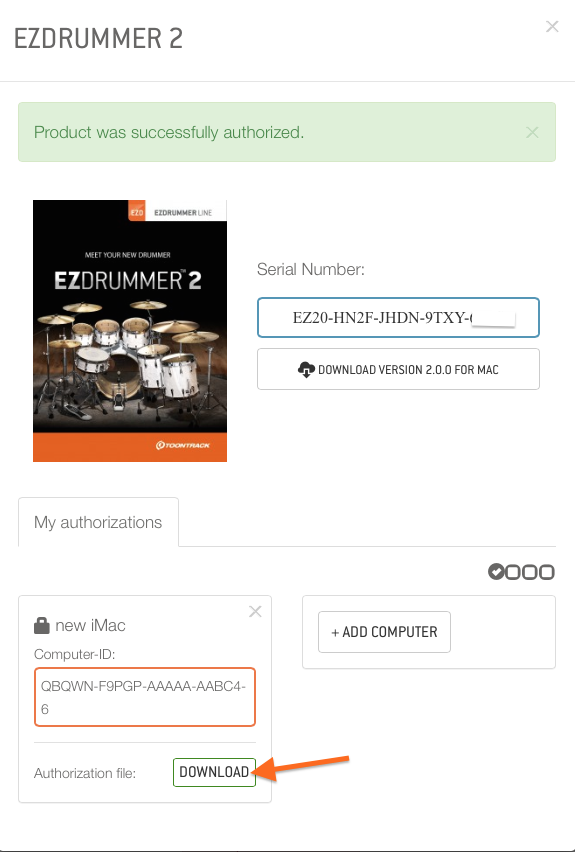
- An authorization will then appear. Click the download button at the bottom to download the authorization file.
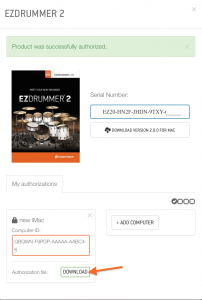
- Save the authorization file to a thumb drive
- Plug the thumb drive into your offline computer.
- Launch EZDrummer 2, click the Authorize Offline button, and click the Select button to navigate to the thumb drive where your authorization file is.
EZDrummer 2 should now be authorized. You can safely delete the authorization file as it is no longer needed. Please note that each authorization file is unique and will not allow you authorize EZDrummer 2 on any other computer.
Helpful Links
How do I install and authorize Toontrack EZDrummer 2 on Windows?
How do I install and authorize Toontrack EZDrummer 2 on a Mac?
How do I register and install my EZdrummer 2 upgrade?
How do I add instrument plug-ins (such as EZDrummer) in the new GarageBand X?
EZDrummer cannot find the sound files!
When you need help, Sweetwater has the answers!
Our knowledge base contains over 28,000 expertly written tech articles that will give you answers and help you get the most out of your gear. Our pro musicians and gear experts update content daily to keep you informed and on your way. Best of all, it’s totally FREE, and it’s just another reason that you get more at Sweetwater.com.

