

Elektron Digitakt Quickstart Guide
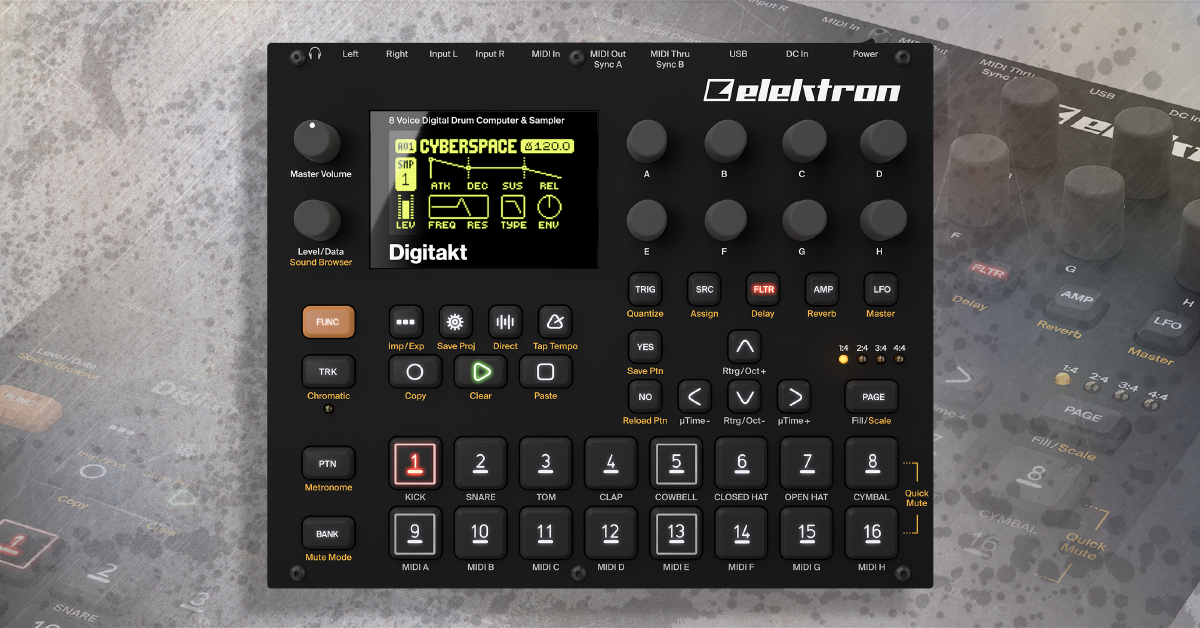
If you’re anything like us, you want to start making music with your new Digitakt by Elektron ASAP! In this guide we’ll show you how to play a sequence, browse pattern banks, change sounds, and modify rhythms. The owner’s manual and Elektron’s tutorial video will show you some of the power-user tricks, but in this article, we’ll show you everything you’ll need to get started with the Elektron Digitakt FAST!
Setting up the Digitakt:
One of the first things we noticed about the Digitakt was how incredibly easy Elektron has made it to setup the Digitakt and play some sounds. Basically, all you have to do is plug in some headphones or powered speakers, turn it on, and hit play.
Step 1: Plug it In:
- Connect the included power supply and headphones or powered speakers to your Digitakt.
Step 2: Power it On:
- Flip the Power switch on the back.
Step 3: Press Play:
- Press
 to start the Digitakt’s sequencer.
Browse Banks & Patterns:
To browse the various banks and patterns on your Digitakt:
- Hold
 and press Triggers 9-16 to change between Banks A – H.
 - Hold
 and press Triggers 1-8 to change between Patterns 1-8.
Change the Sound:
In two quick steps you could change from a cowbell to a shaker, keys, or anything else. The Digitakt makes changing sounds so fast that it’s easily something you could do during a live performance.
Step 1: Select Trigger
- Hold
 and select one of the Triggers 1-8 you want to change.
Step 2: Select Sound
- Press
 then use encoder D to browse available sounds.
 - Select the sound by pressing
 .
.
Change the Rhythm:
The also Digitakt offers two modes for changing rhythms: Grid and Live. Keep reading to learn how to program your music in the step-sequencer styled Grid Mode and check out Live Mode in our other article Elektron Digitakt Essentials.
Step 1: Enter Mode
- Press
 to enter Grid Recording Mode.
Step 2: Select Trigger
- Hold and select one of the Triggers 1-8 you wish to modify.
Step 3: Edit Rhythm
- Press each of the Triggers 1-16 to apply the sample at the respective step sequencer location.
Digitakt Tutorial by Elektron
Helpful Links
How do I reset my Elektron Digitakt?
Elektron Resources for Digitakt
When you need help, Sweetwater has the answers!
Our knowledge base contains over 28,000 expertly written tech articles that will give you answers and help you get the most out of your gear. Our pro musicians and gear experts update content daily to keep you informed and on your way. Best of all, it’s totally FREE, and it’s just another reason that you get more at Sweetwater.com.

