
Fishman Loudbox Quickstart Guide
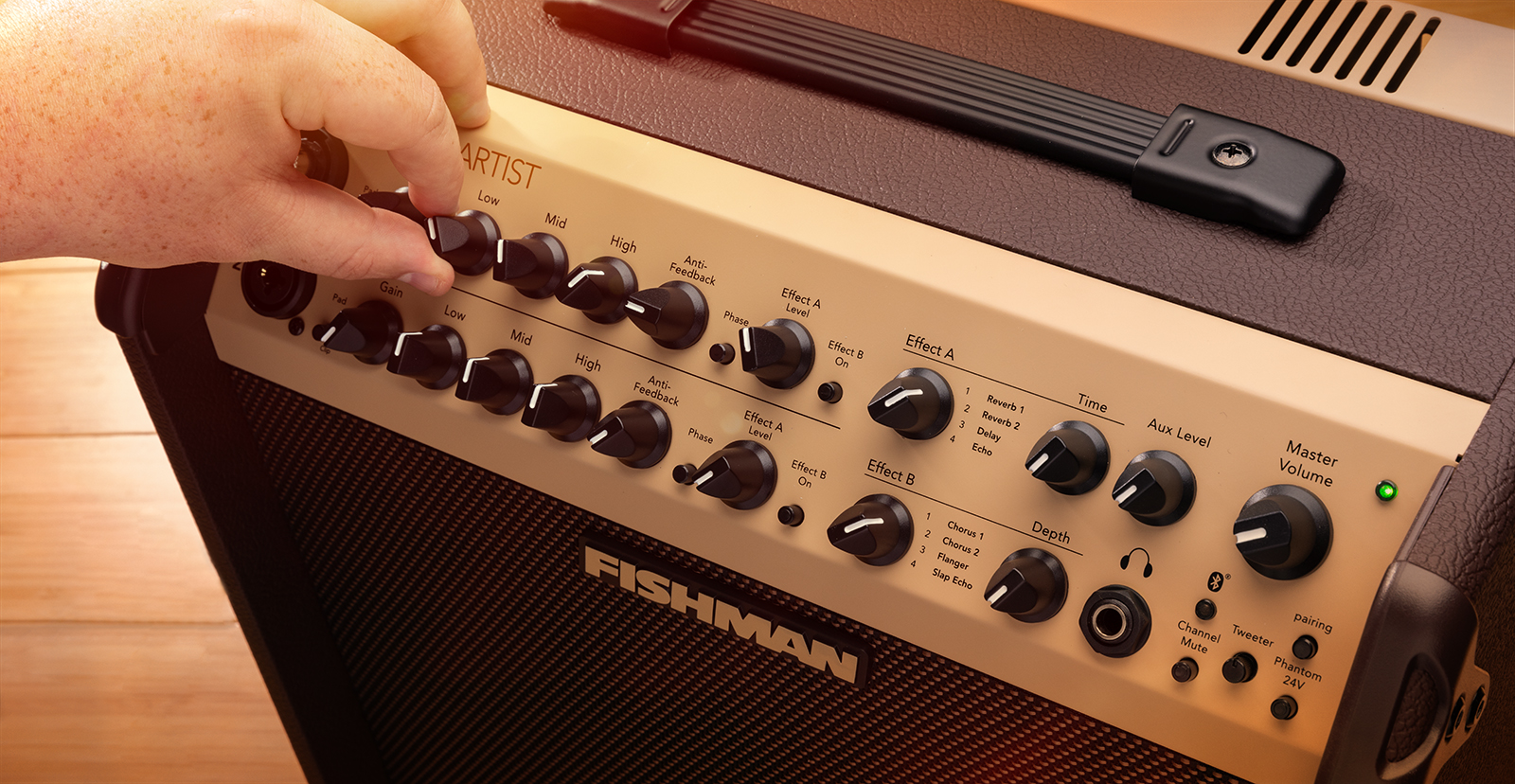
Whether you’re playing in coffee shops or on stage, the Fishman Loudbox is great to use, so this guide will show you how to set up and connect the Loudbox amp for the first time. Follow the sections below to get started.
Loudbox Setup and Connections
IMPORTANT: Some of the features below are not available on the Loudbox Mini. Refer to the Loudbox Mini User Guide for more information.
Fishman Loudbox amps are similar to others, but they also have some features that set them apart from the rest. Most settings are straightforward, but let’s go over some unique features, so you have more time playing and less time setting up.
Top Panel
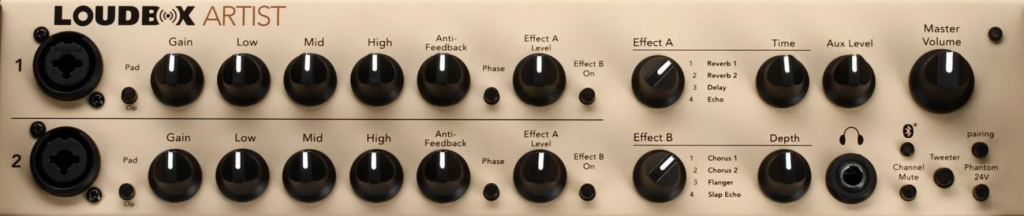
Pad
Some guitars have high-output pickups, which send a hotter signal to a guitar amp than others. So, if your guitar has high-output pickups or the Clip LED illuminates even at low-input gain levels, push the Pad button, which will cut the signal by 10dB. This should help with any clipping issues.
Phantom power
IMPORTANT: Phantom power may cause damage to some unbalanced mics, preamps, or stompboxes that you have modified for balanced XLR use. Please refer to the manufacturer’s manual before connecting your device.
- Please note that standard Phantom Power is 48v, but in the case of Fishman Loudbox amps, they provide high current 24v. Check out Fishman’s FAQ and User Guide for more information.
Besides the Loudbox Mini, Fishman Loudbox amps offer you high-current 24v of Phantom Power, so you can connect some preamps and many condenser and dynamic microphones to one of the inputs. This gives you complete control of the mic and eliminates the need to use additional channels on a mixer. Remember to connect your mic before turning on Phantom Power! If it is turned on before connecting your mic, it can result in a loud pop and may damage your mic or speaker.
Anti-Feedback
There may be a time when you experience feedback, particularly with lower frequencies. On acoustic guitars, this often occurs between the first and fourth frets on the low-E (sixth) string. The Anti-Feedback knob acts like a notch filter, which will cut frequencies at around 100Hz. If you have feedback issues, Fishman recommends setting the knob to the seven-o’clock position then adjusting as necessary.
Phase
Similar to Anti-Feedback, the Phase feature addresses feedback issues. However, instead of low-end frequencies (low-E string between frets one and four), it handles higher frequencies (low-E string from frets five and above). So, if you adjust Anti-Feedback, consider pressing the Phase button as well to get a more balanced tone.
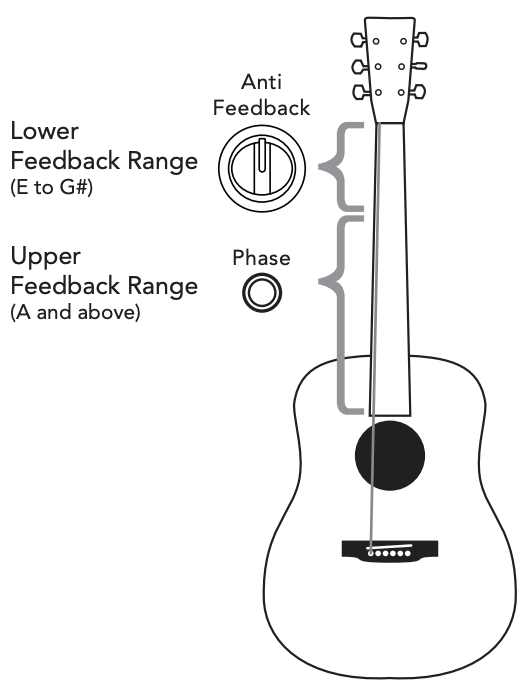
Anti Feedback and Phase controls. Click the image to learn more.
Channel Mute
Another unique feature of the Fishman Loudbox amps is Channel Mute. Turning Channel Mute on will mute the input signal from inputs 1 and 2 to the speaker and any XLR outputs. However, any signal from Bluetooth or the Aux input will still pass through. This is especially useful in smaller venues that don’t have a PA system and you want background music playing through the amp while you’re off taking a break from your set.
Rear panel

Now that you have learned about the features of the front panel, let’s cover the rear of the amp. Since the connections are straightforward, here are some tips for connecting your amp.
- The Fishman Dual Foot Switch is the only compatible footswitch for the Loudbox.
- Use the Mix D.I. Out if you want to send both channels to a mixer or a secondary amp. This includes any EQ and Effects settings on the Loudbox.
- The Mix D.I. Out is ground isolated, which helps prevent ground loop hum.
- Use the Channel D.I. Outs if you want to send pre-EQ signals to a mixer or a secondary amp.
- If you utilize external effects, use the Effects Loop (serial) if possible. Check out our guide about Effects Loops to learn more!
Loudbox Bluetooth Connectivity
Another great feature of the Fishman Loudbox amps is the ability to pair your mobile device via Bluetooth. So, if you don’t have any aux cables around, enable Bluetooth on your device, turn on Bluetooth on the amp, and you’re all set! Fishman has made the process very simple, too. If you’re new to Bluetooth, then be sure to check out our Android and iPad Recording guides to learn more!
- Enable Bluetooth on your mobile device.
- Press and hold the Bluetooth button on the amp for 10 seconds or until the LED quickly flashes.
- When pairing a new device, you may hear a tone when holding the button, but don’t let go! This will NOT enter pairing mode.
- When prompted, complete the pairing process on your mobile device.
- Android users: If prompted, be sure to allow Location Access! If you don’t, the Loudbox won’t pair.
- Once you initially pair the device, you can connect to it anytime by pressing the Bluetooth button. The LED should flash slowly.
Related Articles
When you need help, Sweetwater has the answers!
Our knowledge base contains over 28,000 expertly written tech articles that will give you answers and help you get the most out of your gear. Our pro musicians and gear experts update content daily to keep you informed and on your way. Best of all, it’s totally FREE, and it’s just another reason that you get more at Sweetwater.com.

