¡Obtenga asesoría en español!  Llámenos hoy a (800) 222-4701
(800) 222-4700 Talk to an expert!
Loading Cart
Your Cart Is Empty

See what's new at Sweetwater.

My Cart this.cartQty
Recording Guitar Bass Keyboard Drums Live Sound DJ Band & Orchestra Content Creators Worship

FabFilter Updates Pro Plug-ins

FabFilter Updates Pro Plug-ins

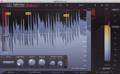
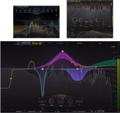
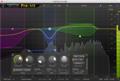
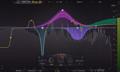
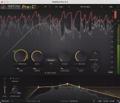
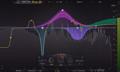
FabFilter has released updates to their Pro line of plug-ins, presenting new features and bug fixes. The latest version of FabFilter Pro-Q 2 offers a number of new features:

  • Pro-Q 2’s EQ Match feature has been improved so you can save the input spectrum as a reference spectrum. When opening EQ Match, you now have various choices to use as the reference: a previously saved reference spectrum, the main plug-in input, or the side chain input. This makes it much easier to set up and use EQ Match.
  • Another new feature is the Permanent Spectrum Grab mode: click and hold in the spectrum area until the spectrum freezes and turns blue. You can now grab multiple peaks in the frozen spectrum, unlike the regular Spectrum Grab mode, which only allows you to grab and adjust a single peak. Just click once on the background to exit Permanent Spectrum Grab mode.
  • Finally, the frequency scale at the bottom of the interface now displays the frequency under the mouse cursor if you hover over the display or move the mouse slowly. If the piano display is enabled, the key under the mouse cursor is highlighted and its note number is shown. You can turn this on or off by clicking Show Frequency On Hover in the Help menu.

In addition, the Pro-series plug-ins feature the following:

  • Pro-Q2, Pro-R: Added a workaround for a bug in Ableton Live on Mac that could cause the Q parameter for a band to be reset to its minimum value when dragging it around in the AU plug-in version of Pro-Q 2.
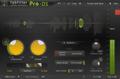
  • Pro-C 2, Pro-DS, Pro-G, Pro-MB, Pro-Q 2: Added a workaround for a bug in Ableton Live that caused latency compensation to work incorrectly when loading a session that sets the parameters such that the plug-in doesn’t have latency, in combination with a default preset that does introduce latency. This only occurred with the VST plug-in format and caused Live to use the latency from the default preset.
  • Pro-C 2, Pro-DS, Pro-G, Pro-L: Fixed a bug that caused the plug-in interface to use more memory than needed if the display was not enabled.
  • Pro-C 2: Updated the AAX plug-in to enable the dynamics display on the Avid S6 console.
  • Improved Avid S6 page tables mappings in the AAX plug-ins, now more closely following Avid’s conventions for a better workflow.

The updates are free to all registered users.
FabFilter Best Sellers

Shop Sweetwater

Offer applies only to single-receipt qualifying purchases. Select manufacturers may require that only the manufacturer’s products qualify towards the minimum purchase amount needed to be eligible for promotional financing. Otherwise, an invoice that meets the minimum purchase amount and contains at least one qualifying manufacturer product is eligible for promotional financing. No interest will be charged on promo purchase balance, and equal monthly payments are required on promo purchase until it is paid in full. The payments equal the amount financed divided by the number of months in the promo period, rounded up to the next whole dollar. These payments may be higher than the payments that would be required if this purchase was a non-promo purchase. During the last month(s) of the promo period the required monthly payment may be reduced due to the prior months’ rounding. Regular account terms apply to non-promo purchases. New Accounts as of 07/31/2025: Purchase APR is 34.99%. Penalty APR is 39.99%. Min Interest Charge is $2. Existing cardholders: See your credit card agreement terms. Subject to credit approval.

Offer applies only to single-receipt qualifying purchases. No interest will be charged on the promo balance if you pay it off, in full, within the promo period. If you do not, interest will be charged on the promo balance from the purchase date. The required minimum monthly payments may or may not pay off the promo balance before the end of the promo period, depending on purchase amount, promo length and payment allocation. Regular account terms apply to non-promo purchases and, after promo period ends, to the promo balance. New Accounts as of 07/31/2025: Purchase APR is 34.99%. Penalty APR is 39.99%. Min Interest Charge is $2. Existing cardholders: See your credit card agreement terms. Subject to credit approval.

The estimated required monthly payment shown which excludes taxes and delivery equals the amount financed divided by the number of months in the promo period, rounded up to the next cent. During the last month(s) of the promo period the required monthly payment may be reduced due to this rounding. These payments apply only with the financing offer shown. If you make these payments by the due date each month, you should pay off this amount financed within the promo period, if it is the only balance you are paying off. If you have other balances on your account, this payment will be added to any other minimum monthly payments.

Applies only to select items from this manufacturer. Ask your Sweetwater Sales Engineer for more details.