Earlier this year, I took a trip back to the golden age of hip-hop to highlight boom bap, the East Coast hip-hop subgenre populated by legends such as the Notorious B.I.G., Wu-Tang Clan, and Nas. Now, I’m traveling to the West Coast to explore the style and sound of G-funk. While, in the last article, the focus was primarily on drum programming and mixing techniques, in this article, I’ll dig into the production choices that distinguished West Coast hip-hop beat makers from their East Coast contemporaries.
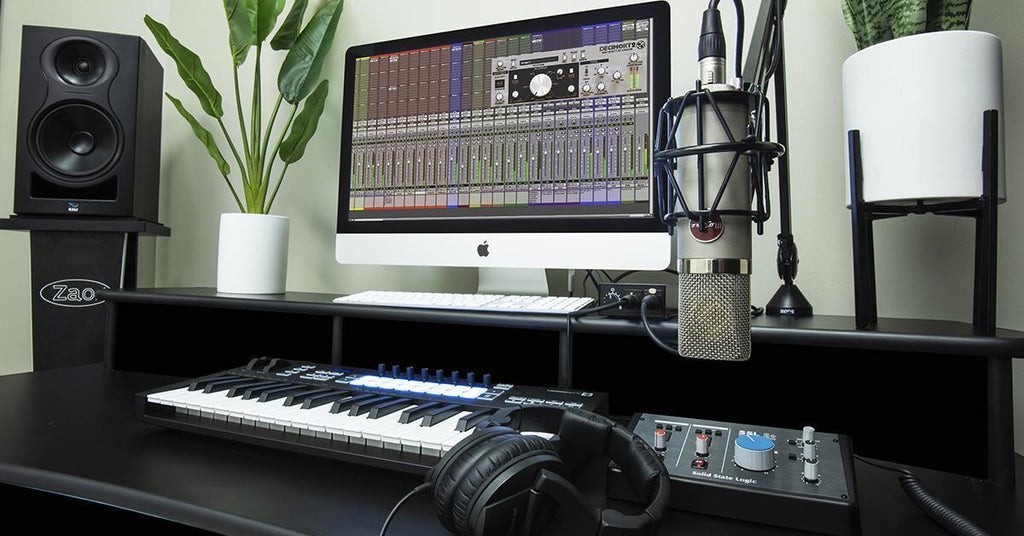
West Coast hip-hop in the 1990s was highly experimental. It retained the fundamental loop- and sample-based methodology of the 1980s but expanded the repertoire with the inclusion of layered synths, unexpected percussion elements, and a liberal use of stereo effects. No producer typified the West Coast aesthetic as much as Andre Young — better known by his nom de guerre, Dr. Dre. During his time with N.W.A., Dr. Dre established himself as a prodigious producer. But, when he released his 1992 solo record, The Chronic, Dr. Dre changed hip-hop forever. When The Chronic dropped, it was arguably as revolutionary and game-changing as Pet Sounds or Abbey Road, and it continues to inspire modern beat makers. Using Dr. Dre’s work on The Chronic as a model, I’ll attempt to re-create the sound and feel of 1990s West Coast hip-hop in my home studio! Let’s dive in!
Crate Digging for Inspiration
Loops and samples were integral to hip-hop production both on the East and West Coasts in the 1990s. Back in the day, the process of finding the perfect sample to build a beat around was referred to as “crate digging,” which involved scouring through stacks of discarded records at thrift stores, flea markets, and used record shops and then listening to hours of music to identify the tastiest loops, breakbeats, and one-shots. Today, the Internet affords producers the ability to digitally crate dig when they’re searching for inspiration.
To find a song to sample, I headed to Tracklib, a subscription service with hundreds of songs available across numerous genres. Tracklib is easy to use and includes filters for narrowing the selection of tracks by genre, subgenre, year, and beats per minute. And, if you want to use a track commercially, they have a tiered payment system for licensing the track.
Knowing I wanted to use a funk loop as my jumping-off point, I set up the search parameters to only search funk songs from the late ’60s to the late ’70s with a tempo between 80 and 100 bpm. My target tempo for my beat was around 85–95 bpm, so that range would give me the flexibility to stretch or condense a track with minimal artifacts.
After about an hour of saving songs to my “favorites” folder, I chose “Funkrund” by English television and film music composer Trevor Duncan. I cut a two-bar sample from the song. The tempo felt good, so I tapped it into Pro Tools by selecting the tempo-setting dialog box and using the “T” hot key to manually set the rhythm. Then, with elastic audio, I snapped the loop tight to the grid.
To prepare the track for layering additional elements on top of it, I performed some light processing — cutting out the low end of the busy kick pattern with the FabFilter Pro-Q 3 EQ and filter plug-in, gently squeezing the track with the Waves Renaissance compressor, and saturating the high frequencies with Pro Tools’ stock Lo-Fi plug-in.
Here is the two-bar loop unprocessed and processed:
Unprocessed two-bar loop from the song “Funkrund” by Trevor Duncan.
Processed two-bar loop with EQ, compression, and saturation applied

Setting a Low-end Foundation
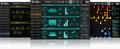
Next up, I wanted to define the low-end foundation of the track. The first step was to double the bass line from the sample since, to me, it’s the highlight of the track. A heavy dose of synths is one of the defining features of West Coast hip-hop, prompting me to choose a synth bass texture for the double. Instead of creating a synth patch, I loaded a sample of a synth formant bass into UVI Falcon (included with Avid Pro Tools | Ultimate), mapped it across a two-octave range, and played along to the sample in real time.
Synth formant-bass instrument made from a one-shot sample in UVI Falcon.

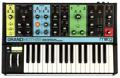
In keeping with the trunk-rattling aesthetic of ’90s West Coast hip-hop, I knew I needed a super-fat sub-bass. For this, I fired up my Moog Grandmother semi-modular analog synthesizer. After all, nothing says ’90s hip-hop vis-à-vis ’70s funk like a Moog. The patch design is straightforward. Both oscillators were set to output square waves with oscillator one’s range at 32′, oscillator two’s range at 16′, and a very fine amount of detuning for character. Then, I added just a touch of glide and lopped off the high frequencies with the filter cutoff. The most important part of getting that West Coast feel is bending into notes with the pitch wheel. Let’s check it out!
A simple sub-bass patch on the Moog Grandmother analog synthesizer is ideal for trunk-rattling low end.
Creating a Whistle Synth Patch
Dr. Dre’s signature whistle synth sound is one of the more instantly recognizable hallmarks of ’90s West Coast hip-hop. To re-create this iconic sound, I once again turned to the Grandmother. Like the previous sub-bass patch, the whistle synth patch is incredibly simple to program on any subtractive hardware or software synth.
First, I set both oscillators to output sawtooth waves (you could also choose triangle waves for a cleaner sound) and adjusted oscillator one’s range to 4′ and oscillator two’s range to 2′. Using the Grandmother’s function buttons, I shifted the keyboard to play the highest notes in the synth’s range and cranked up the glide control for the patch’s distinctive portamento. I could have stopped there, but I wanted to add some subtle, fast vibrato, which I dialed in with the LFO-rate and pitch-amount control knobs on the Grandmother’s modulation panel. The point being you can tailor the character of the whistle synth patch to taste. As with the sub-bass, I used the pitch wheel for some note transitions when I wanted to vary the glide time from the patch settings during the performance.

Another important aspect of ’90s West Coast hip-hop production is the use of musical call-and-response, and the whistle synth provided a great opportunity to explore that technique. I recorded two passes of the whistle synth, which I panned hard left and hard right with their reverb sends panned to the opposite sides for extra depth. The right-channel whistle synth makes the call, and the left-channel whistle synth issues the response in a higher range.
A whistle synth patch created on the Moog Grandmother plays a call-and-response melody line.
Adding Supporting Elements
One of the major differences between East Coast and West Coast hip-hop in the 1990s is that the former has sparser arrangements than the latter, relying mostly on the primary loop augmented by supplementary percussion. West Coast production, especially as typified by Dr. Dre, is a lot busier with numerous stacked melodic and percussive elements and a lot of fun ear candy. To find some cool supporting elements that fit the style of the production, I turned to Splice — an online resource loaded with interesting samples.
Just like the digital crate diving used to select the bedrock track for this ’90s West Coast–inspired beat, hunting down appropriate samples on Splice is an adventure. I knew I wanted to add some wah guitar, and, using Splice’s filters and search function, it was easy to locate some samples that would work. I filled up a folder with options and auditioned them in the session, eventually opting to stack four different guitar samples, which I pitched and time corrected to fit the song.
Three stacked guitar samples curated from Splice.
Guitar samples processed with Valhalla DSP’s Valhalla Delay and AudioThing’s Outer Space plug-ins.
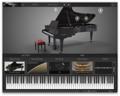
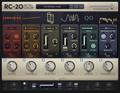
Additionally, I knew I needed to add something dramatic, so I turned to another of Dr. Dre’s go-to techniques — a huge-sounding piano playing the fundamental note of the loop in octaves. Of course, I don’t have a grand piano crammed into my 140-square-foot home studio, so I went with the next best thing: Arturia’s Piano V virtual acoustic piano plug-in. There wasn’t a lot of tweaking involved here. I opened the default setting, smashed out the part on my MIDI controller, and added some grit and character with the XLN Audio RC-20 Retro Color plug-in. But it makes a huge difference in the track.
A huge piano strike playing low octaves of the track’s fundamental note adds a lot of drama.

One final, nonpercussive supporting element is a spoken-word sample, a frequent feature of the genre during this period. To make it more interesting, I added a slapback delay with the Waves H-Delay hybrid delay plug-in. Plus, I set up a vocal throw to a pitch-down delay, courtesy of Valhalla Delay, on the last word of the phrase. If you’ve never set up a vocal throw before, it’s very simple to do. On your vocal channel, create a send to your delay of choice. Then, draw in automation to mute everything except the word or words you want to feed into the delay. Alternatively, you can use volume automation if you need to make a smoother transition. Of course, you can use any effect with a vocal throw, not just delay!
Take a listen to the spoken-word sample pre- and post-processing.
Spoken-word vocal samples were often used in ’90s West Coast hip-hop.
Adding slapback delay and a vocal throw to a pitch-down delay makes the sample more exciting and interesting.
Layering Kick and Snare Samples for Impact
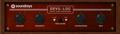
One of the not-so-secret secrets of professional hip-hop producers from the ’90s and today is to layer kick and snares to create unique, impactful drumbeats. For this track, I doubled up a simple kick and snare rhythm pattern with sampled electronic and acoustic drums. The electronic combo delivers the attack and punch, while the acoustic combo contributes texture and realism. However, to kick things up a notch, I crushed the acoustic combo with the Soundtoys Devil-Loc Deluxe extreme compressor plug-in, which both made the sound more aggressive and lengthened the decay on the kick and snare.
Here are the two sets of isolated kick and snare loops.
An electronic kick and snare combo were chosen for clarity and punch.
Acoustic kick and snare samples contribute texture and realism to the loop.
When combining the drum loops, the electronic samples are dominant, while the acoustic samples enhance the character of the kit.
By layering drum samples, you can create unique loops that stand out in your productions.

Spicing Up the Beat with Auxiliary Percussion
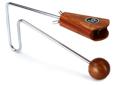
Another important trait of ’90s West Coast hip-hop production is the extensive use of auxiliary percussion. Producers pulled from a variety of sources to create rhythmic interest, including samples, live percussion instruments, electronic drum machines, and record scratching. For period accuracy, I programmed an 808 cymbal and clap using UVI’s BeatBox Anthology 2 classic drum-machine library. Additionally, I included a vibraslap sample (which is a surprisingly common sound in ’90s hip-hop) and some record scratches comped together from a few samples pulled off of Splice. There was no need to include hi-hats since they’re present on the loop and have an incredible bounce already. Let’s hear how the auxiliary percussion fleshes out the beat.
The inclusion of auxiliary percussion, including electronic and acoustic elements, is vital to nailing the ’90s West Coast hip-hop sound.

Putting It All Together
Now that all the elements were assembled, it was just a matter of getting a nice balance on the mix. Additionally, I threw together a quick, one-bar intro made from the existing material; and, for an outro, I grabbed another section from “Funkrund” and stripped back the additional parts. Here’s where I ended up:
Re-creating ’90s hip-hop is all about capturing the flavor and vibe of the style by honoring certain touchstone elements such as funk samples, analog synths, and colorful percussion.
Sure, it’s no Dr. Dre, but I think you’ll agree it’s checking a lot of boxes for G-funk era hip-hop! While simply replicating this style for a modern track would get you knocked for being too derivative, applying some of the era’s signature sounds is a great way to put a fresh spin on your productions! Are you interested in learning more about how to re-create iconic sounds in your home studio? Please contact your Sweetwater Sales Engineer at (800) 222-4700 and let us know which genre or style we should highlight next!