

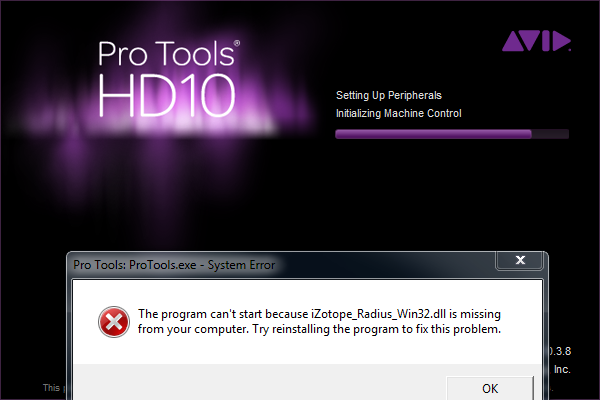
When trying to launch Pro Tools 10, I get an error stating “The program can’t start because iZotope_Radius_Win32.dll is missing from your computer. Try reinstalling the program to fix this problem.”
- Article #1722548
- Published on Feb 20, 2014 at 7:25 PM
If you’re receiving the error pictured below, follow these simple steps to get your Pro Tools system back online.
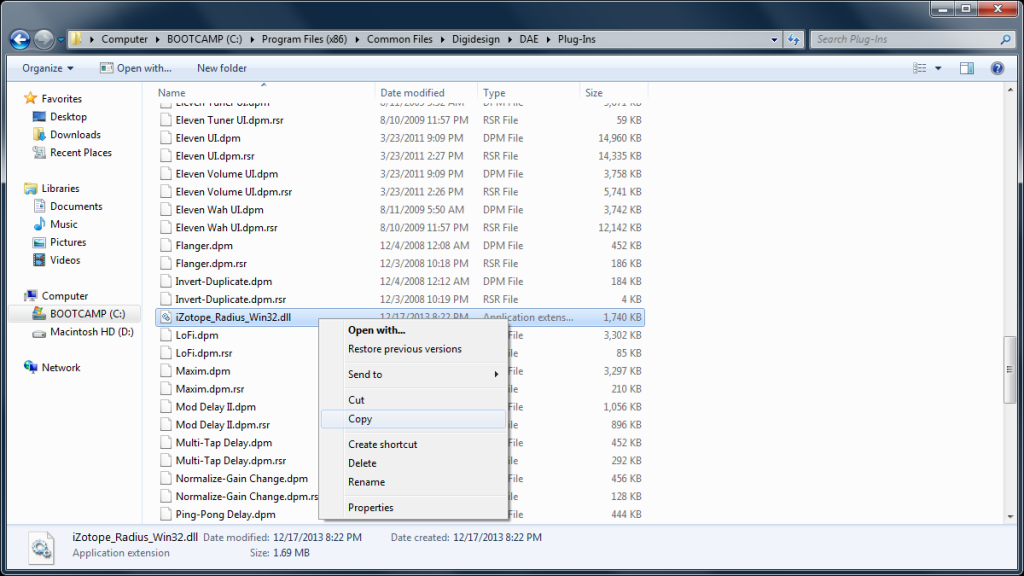
- Go to the following location on your computer: C:\Program Files (x86)\Common Files\Digidesign\DAE \Plug-Ins
-
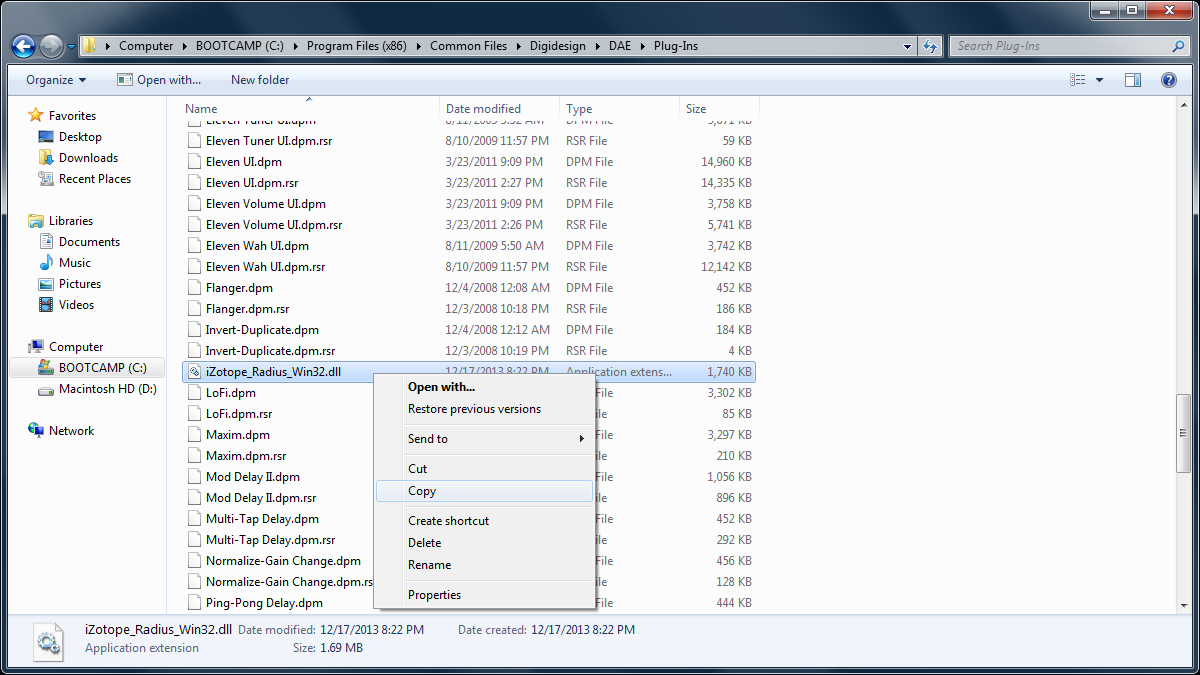
Find the file iZotope_Radius_Win32.dll and copy it by right-clicking and choosing copy (or ctrl + c). Do NOT delete or remove this file.
-
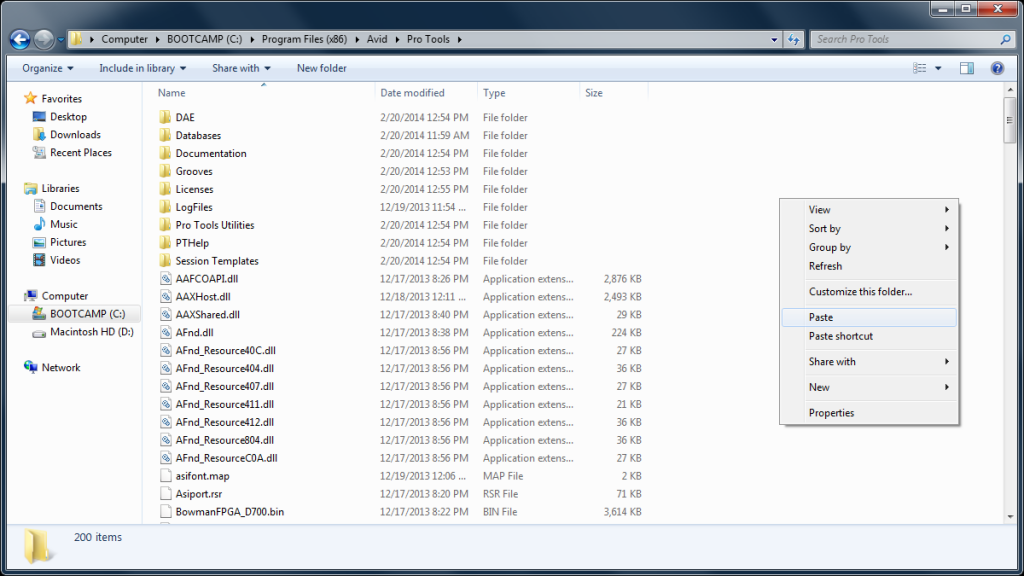
Go to C:\Program Files(x86)\Avid\Pro Tools and paste the file by right clicking in a blank space and choosing paste (or ctrl + v).
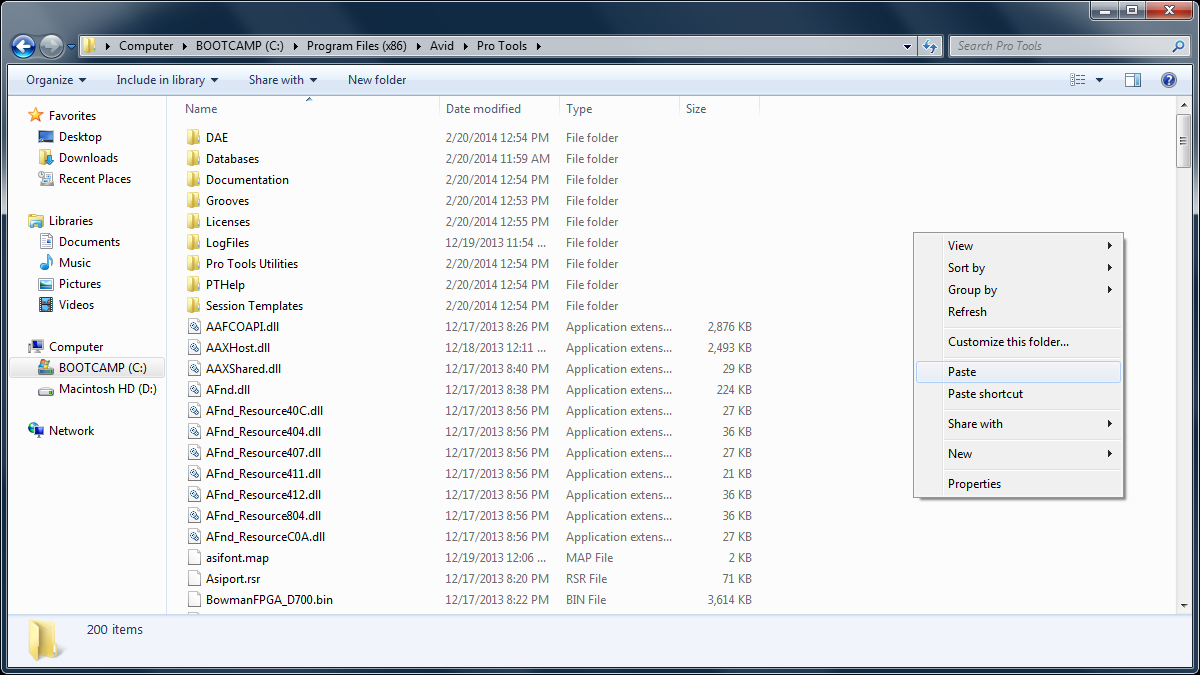
That’s it! Pro Tools should now launch successfully.
When you need help, Sweetwater has the answers!
Our knowledge base contains over 28,000 expertly written tech articles that will give you answers and help you get the most out of your gear. Our pro musicians and gear experts update content daily to keep you informed and on your way. Best of all, it’s totally FREE, and it’s just another reason that you get more at Sweetwater.com.
 Knowledge Base

Customers Also Viewed
- Yamaha CC1 Quickstart Guide
- macOS Tahoe 26 Compatibility Guide
- Heavyocity iLok Activation Instructions
- Windows on Arm Compatibility Guide
- How to Tell if I have an x86 or Arm Processor in Windows
- How to Disable Password Protection on Windows
- Resolving Audio Interface Issues on Windows 11
- How to Update Audio Drivers on Windows