
Universal Audio Software Activation Instructions
In this guide, we will show you how to activate, download, and install your brand-new Universal Audio plug-in. Follow the sections below to get started.
- Create an iLok Account
- Redeem Your Plug-in
- Download and Install UA Connect
- Link iLok Account
- Authorize DSP Plug-ins
Create an iLok Account
Universal Audio software is licensed with iLok. If you don’t already have an iLok account, you’ll need to create one and install the iLok License Manager app. Follow the steps below to get started.
If you already have an account, skip these steps and continue to the Redeem Your Plug-in section. Learn more about iLok licensing on our iLok Setup Guide.
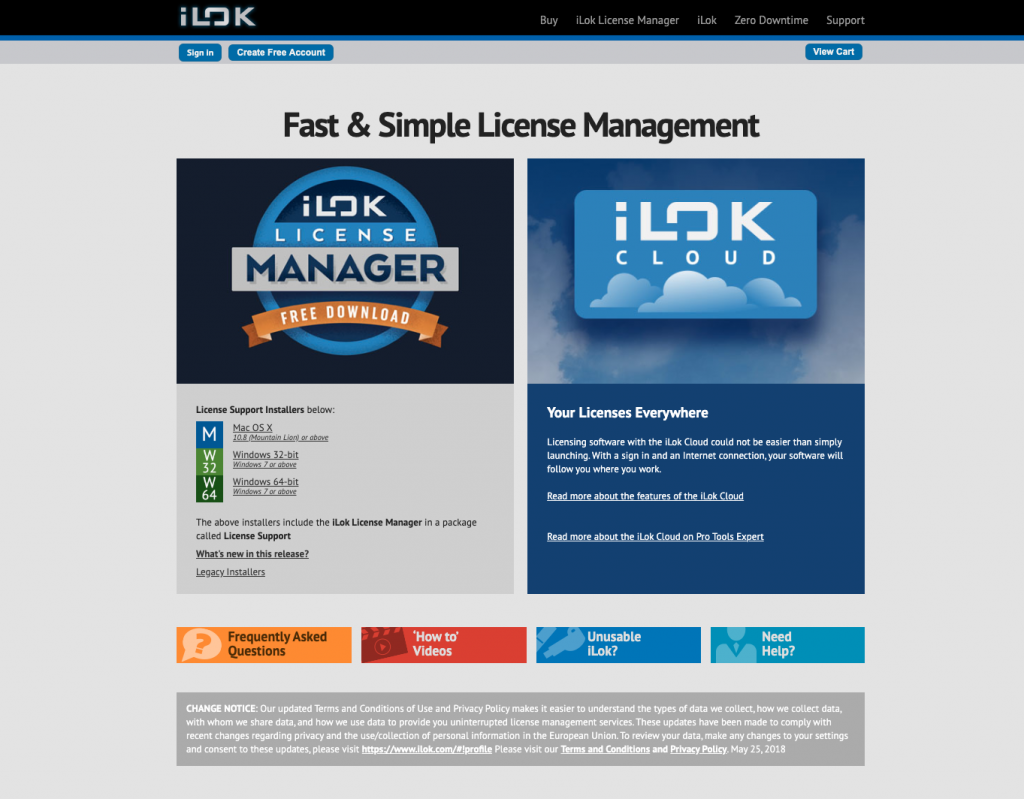
- Visit iLok’s registration page and complete the registration form.
- Please take note of your User ID and password, as they are case-sensitive.
- Open the iLok Account Activation email and click on the verification link.
- Download and install the iLok License Manager.
- Launch the iLok License Manager app and sign in to your account.
- (Optional) If you have an iLok USB dongle, connect it to your computer and click Yes to register the dongle to your account when prompted.
Redeem Your Plug-in
Before downloading and installing the software, you must redeem it using the Redemption Code you received from your Sweetwater Sales Engineer.
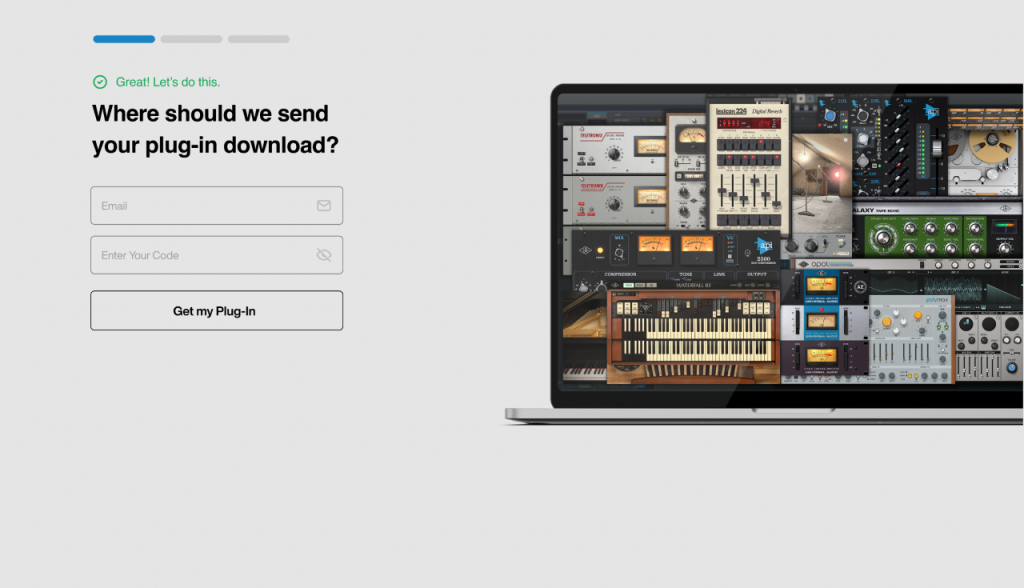
- Go to the Universal Audio software redemption page, enter your email address, then copy and paste the redemption code you received from your Sweetwater Sales Engineer.
- Click Get My Plug-In. Universal Audio will then send you a confirmation email.
Download and Install UA Connect
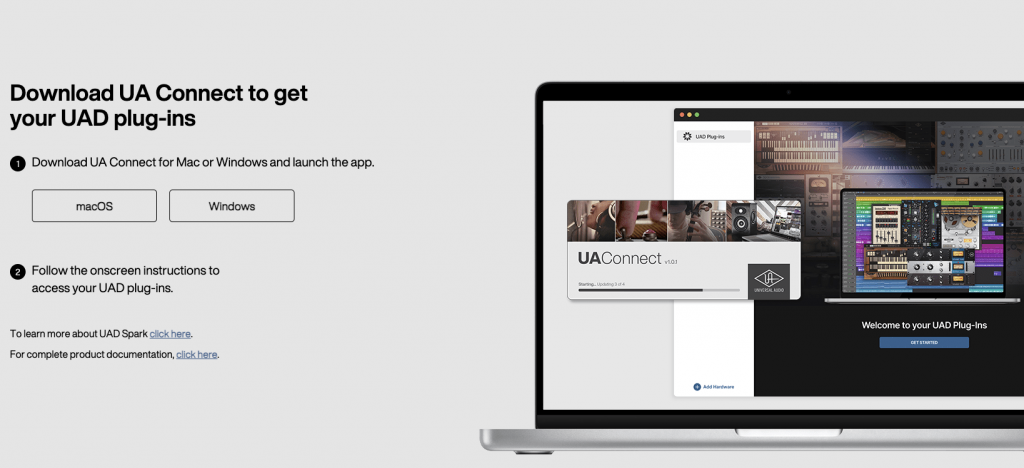
UA Connect is the standalone software where you will download and manage all your software licenses, so once you’ve redeemed your plug-in, the next step is to create an account (or log in) and download UA Connect.
- After you have clicked Get My Plug-In, you will be prompted to create an account. If you already have an account, click Log In Here.
- On the next page, click on the download button for your OS.
- You can also download UA Connect from the UA Connect download page.
- Navigate to your Downloads folder, then locate and launch the installer.
Link iLok Account
The final step is to sync your iLok with UA Connect. Once complete, you can access your new Universal Audio plug-ins.
- Launch UA Connect, then navigate to Settings.
- You can also change the default installation location from the Settings page.
- Click Manage beneath License Location, select the location where you want your plug-ins to be authorized, then click Select.
- Locate your plug-in in UA Connect and click Download.
- Enjoy your new plug-in!
Authorize UAD DSP Plug-ins
UAD DSP plug-ins also require authorization with the UAD Meter & Control Panel app.
- Open the UAD Meter & Control Panel app.
- Click the blue UAD-2 button.
- Click the Authorize Plug-Ins button.
When you need help, Sweetwater has the answers!
Our knowledge base contains over 28,000 expertly written tech articles that will give you answers and help you get the most out of your gear. Our pro musicians and gear experts update content daily to keep you informed and on your way. Best of all, it’s totally FREE, and it’s just another reason that you get more at Sweetwater.com.

