
How do I uninstall Waves plugins on a Mac?
Need to uninstall your Waves plug-ins? Below we have detailed how to uninstall Waves plug-ins manually and via the Waves Central application.
Waves Central:
Step 1: Quit all applications.
Step 2: Run Waves Central.
Step 3: Click the Settings menu icon.
Step 4: Select the plug-in version you wish to remove and click Uninstall.
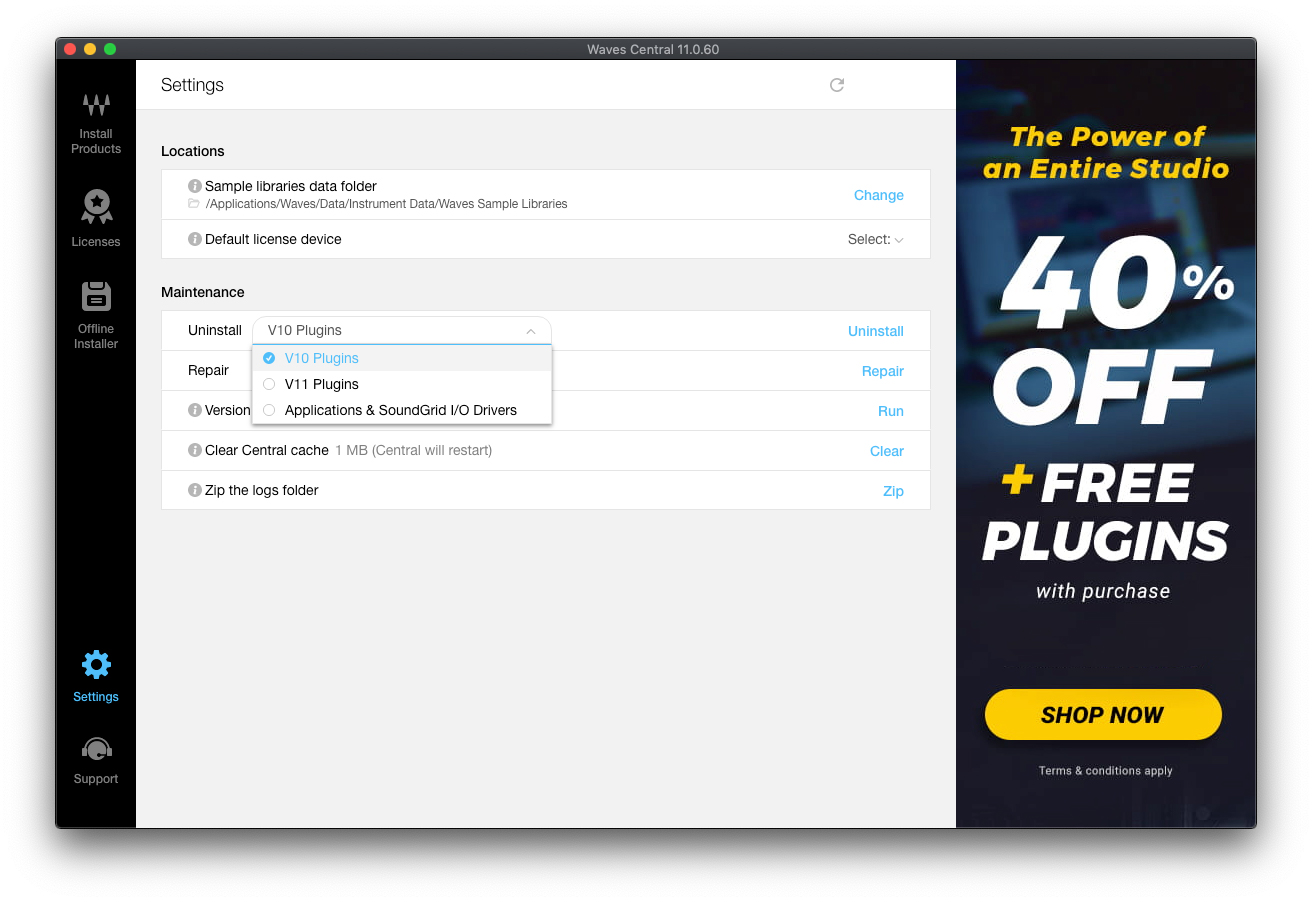
Manual uninstall:
If you wish to uninstall manually, follow the instructions below.
1. Delete the Waves folder located at Macintosh HD > Applications.
2. Delete the Waves Preferences folder located at Macintosh HD > Users > Your User > Library > Preferences.
3. Delete any Waveshells from the following locations:
- Macintosh HD > Library > Application Support > Digidesign > Plug-Ins
- Macintosh HD > Library > Audio > Plug-Ins > Components
- Macintosh HD > Library > Audio > Plug-Ins > MAS
- Macintosh HD > Library > Audio > Plug-Ins > VST
4. Empty Trash.
Helpful Links
When I try to download my Waves Plugins I get an error on Windows
How do I authorize my Waves software on a USB flash drive?
Am I eligible for the free Waves AAX Native updates?
Where do I get the impulse response library for my Waves IR-series reverb plug-in?
When you need help, Sweetwater has the answers!
Our knowledge base contains over 28,000 expertly written tech articles that will give you answers and help you get the most out of your gear. Our pro musicians and gear experts update content daily to keep you informed and on your way. Best of all, it’s totally FREE, and it’s just another reason that you get more at Sweetwater.com.

