
Pro Tools 2018 System Requirements
Overview
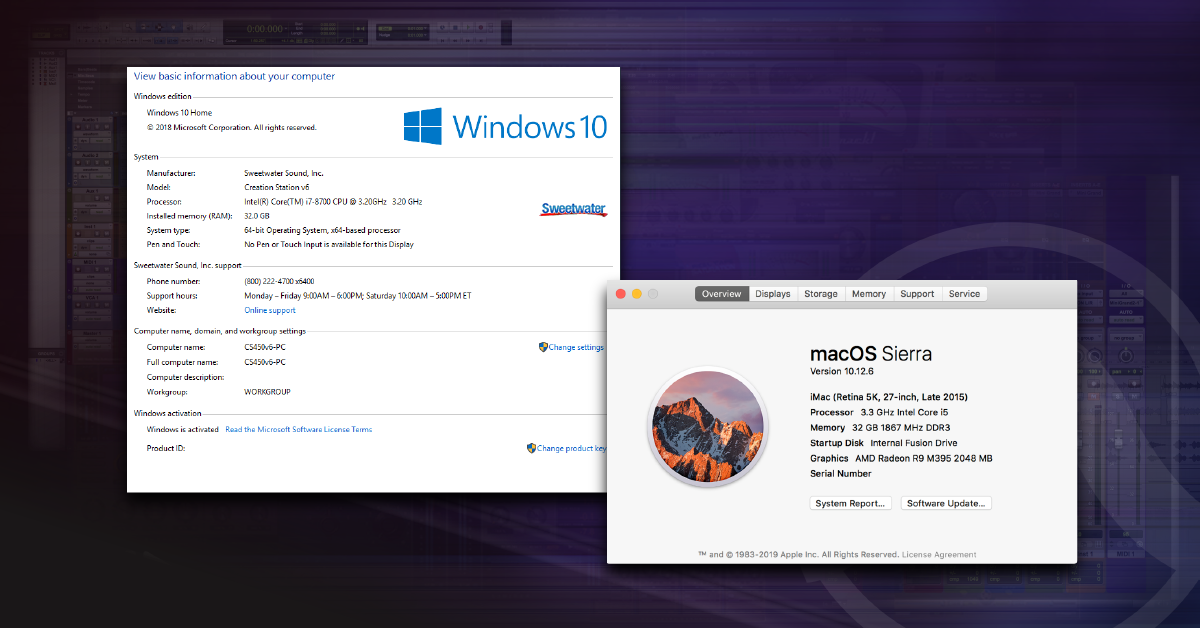
Before you install or upgrade your version of Pro Tools, make sure your computer meets the desired version’s minimum system requirements. Pro Tools will not run as well (or at all) on computers that do not meet or exceed the requirements. Follow the steps below to see if your computer meets the requirements to run current versions of Pro Tools 2018 (Ultimate, Standard, and First).
Check your Specs
1. Find your computer’s specifications.
2. Compare your computer’s specs to the minimum requirements below.
3. Visit Avid’s Operating System Compatibility chart to view which specific versions of Pro Tools are compatible to with your operating system version.
PRO TOOLS 2018
Standard & Ultimate
Mac
- Intel Mac with OS X 10.11.6 (El Capitan) or higher.
Note: OS X 10.9 is not tested or supported and there are known issues with OS X 10.10. - Intel Core i5 processor (Pro Tools Standard); Intel Core i7 processor (Pro Tools Ultimate)
- 16GB of RAM; 32GB or more is recommended
- Internet connection for installation
- At least 15GB of hard drive space for installation
- USB port for iLok license authorization (iLok 2 or iLok 3 dongle required)
- USB, FireWire or Thunderbolt port for CoreAudio-supported audio interface, PCIe slot for HDX or HD Native card (including one power connection on motherboard), or Thunderbolt-port for supported PCIe-chassis.
- 64-bit AAX plug-in support
Windows
- Intel PC running Windows 8.1 64-bit or higher.
Note: Windows 7 is not tested or supported with Pro Tools 2018. - Intel Core i5 processor (Pro Tools Standard); Intel Xeon processor (Pro Tools Ultimate)
- 16GB of RAM; 32GB or more is recommended
- Internet connection for installation
- At least 15GB of hard drive space for installation
- USB port for iLok license authorization (iLok 2 or iLok 3 dongle required)
- USB-port, FireWire-port for ASIO-supported audio interface or PCIe slot for HDX or HD Native card (including one power connection on motherboard).
- 64-bit AAX plug-in support
PRO TOOLS | FIRST
Mac
- Intel Mac running OS X 10.11.6 (El Capitan) or higher.
Note: OS X 10.9 is not tested or supported and there are known issues with OS X 10.10. - Intel i5 processor
- 4GB of RAM; 8GB or more is recommended
- A computer monitor which supports a resolution of at least 1280 x 1024.
- Internet connection for installation
- At least 15GB of hard drive space for installation
- USB, FireWire, or Thunderbolt port for CoreAudio supported audio interface.
- iLok hard disk authorization (iLok dongle NOT required)
- Avid Marketplace AAX plug-in support
Note: Any plug-in purchased outside of the Avid Marketplace will not run.
Windows
- Intel PC running Windows 8.1 64-bit or higher.
Note: Windows 7 is not tested or supported. - Intel i5 processor
- 4GB of RAM; 8GB or more is recommended.
- A computer monitor which supports a resolution of at least 1280 x 1024.
- Internet connection for installation.
- At least 15GB of hard drive space for installation.
- USB or FireWire port for ASIO supported audio interface.
- iLok hard disk authorization (iLok dongle NOT required)
- Avid Marketplace AAX plug-in support
Note: Any plug-in purchased outside of the Avid Marketplace will not run.
Helpful Links
Pro Tools 12 System Requirements
How to Activate & Authorize Avid’s Pro Tools 12 & 2018
How to Download and Install Avid’s Pro Tools 12 & 2018
How to Configure Pro Tools 12 & 2018 Audio & MIDI Settings
How do I trash my Pro Tools preferences?
When you need help, Sweetwater has the answers!
Our knowledge base contains over 28,000 expertly written tech articles that will give you answers and help you get the most out of your gear. Our pro musicians and gear experts update content daily to keep you informed and on your way. Best of all, it’s totally FREE, and it’s just another reason that you get more at Sweetwater.com.

