
PC Processors Explained
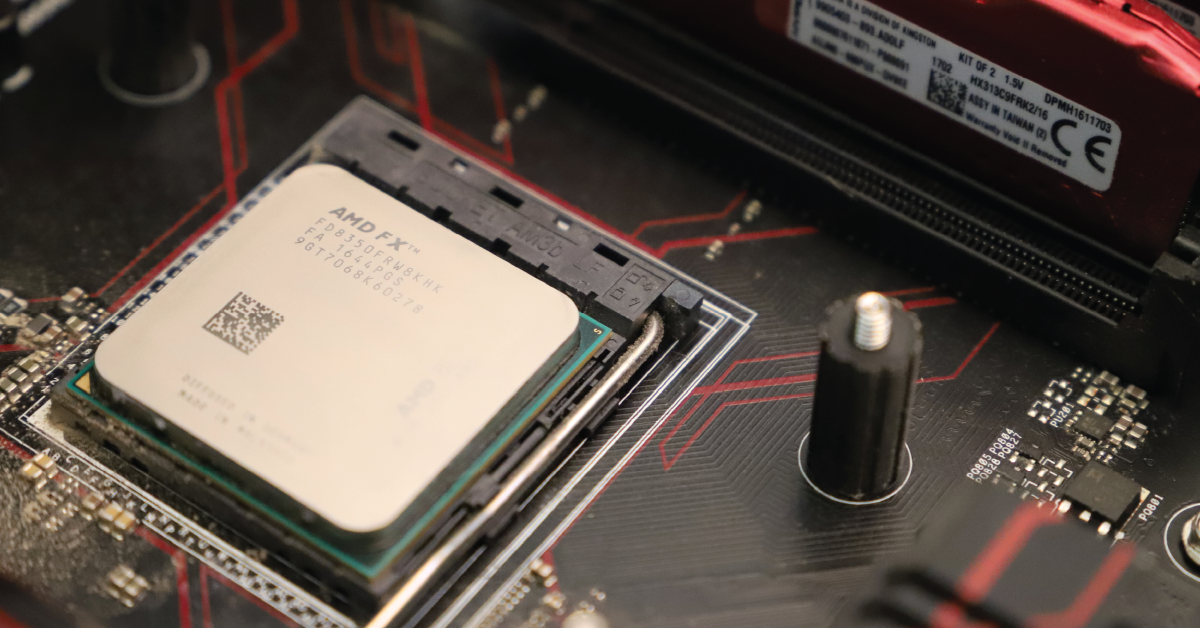
In this guide, we’ll cover Windows PC processors, their differences, and also their compatibility with different versions of Windows. Follow the sections below to get started.
What does a processor do?
Processors are essentially the brains of your computer. At its core, it processes all of the calculations and functions that it’s told to do. For example, when you move your mouse or press a key, those actions are sent to the processor. The processor receives that action command (also referred to as an instruction), then decodes it. Once decoded, it will then carry out that function.
Restaurant analogy
All of this may sound a bit technical, so let’s use a restaurant analogy to learn how everything works.
- Customer: You
- Recipe: The software/operation (e.g., opening a folder, loading a song)
- Ingredients: Data
- Chef: Processor
- Core: The faster the chef (and the number of chefs), the quicker the meal will be completed
- Countertop: RAM — the bigger the countertop, the more you can prep quickly and efficiently
- Refrigerator: Storage — the more disorganized the fridge, the harder it is to find the ingredients
- You, the customer, place an order for a specific meal.
- The ticket is delivered to the kitchen for it to be cooked.
- The chef grabs the ingredients from the refrigerator, places them on the countertop, then begins cooking the meal.
- Remember, if the countertop is too small and you have too many chefs or ingredients, the more crowded and stressed it will be.
- Once prepped, the meal is cooked, then served.
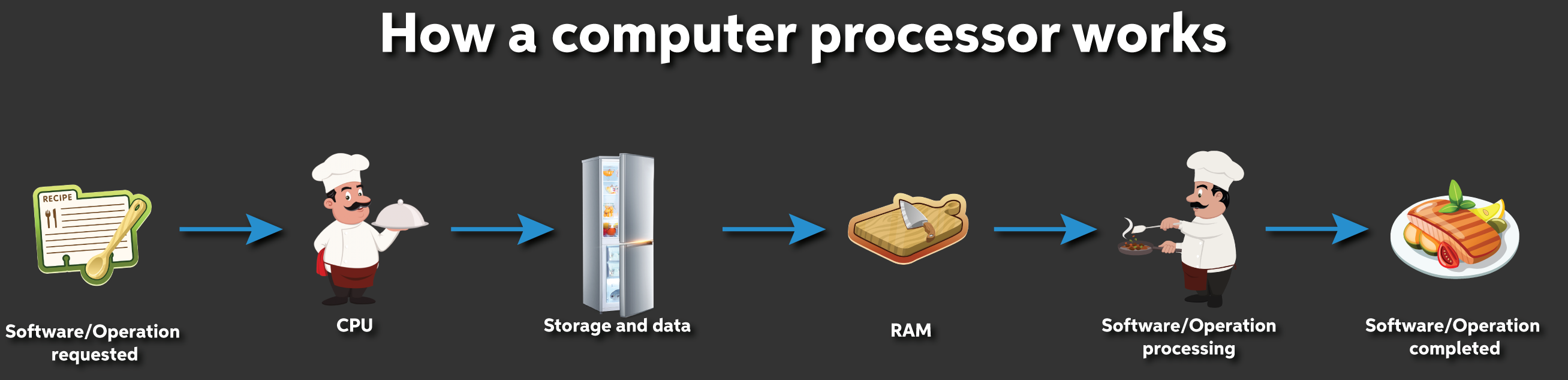
How a computer processor works. Click to enlarge.
Cores and threads
Cores and threads are terms you typically see on a PC processor’s specification page. Both of these have a significant impact on your computer’s performance. A core is a physical component that makes up the processor as a whole. For example, with a quad-core processor, the entire processor is made up of four cores.
A thread is the “software” component, and it’s a series of tasks your computer needs to execute to complete the action. One core can process two threads. So, if you have a six-core, 12-thread processor, that means six cores will be able to perform 12 tasks at once. Knowing all of this, you can see that a processor with a higher core and thread count means that this, along with amount of RAM, equates to faster performance.
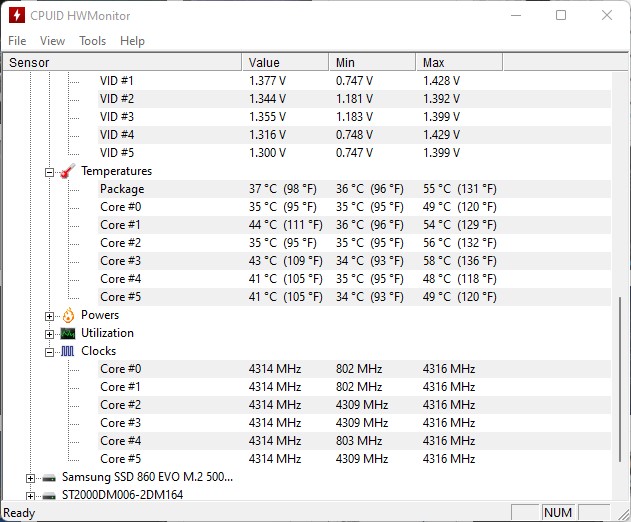
Viewing your processor’s cores in computer monitoring software
Types of PC processors
The age-old question among Windows PC users is, “What’s the difference between Intel and AMD?” The answer is that the pinouts are entirely different between Intel and AMD processors and motherboards. It’s all about personal preference.
Many manufacturers recommend Intel processors to run their software. For example, Steinberg’s Cubase DAW has a minimum Intel Core i series or AMD Ryzen multi-core requirement. However, their recommended processor is an Intel i5 or higher. And while manufacturers don’t typically officially announce AMD compatibility, they always work to make sure their hardware and drivers work on all systems — both Intel and AMD.
What is an ARM processor?
Besides the processors you see in desktop PCs, you may also hear about ARM processors. ARM processors are most commonly found in many Android and iOS devices, as well as in “microcomputers” like a Raspberry Pi. Unlike their desktop counterparts, however, ARM processors rely heavily on the software rather than the hardware. That is, until 2020. While Windows-based PCs still use the x86 Intel and AMD architecture, Apple has created the pre-installed M1 chip, which is ARM-based.
What do processors mean for Windows 11?
Now that you know how processors work and their differences, we’ll discuss what it means for your current PC. Microsoft has changed its minimum AMD and Intel processor requirements for Windows 11. This means that if you don’t have a compatible processor, then your PC can’t run the new OS. Microsoft is still testing many processors, but currently, your PC must have at least an eighth-generation Intel or second-generation AMD Ryzen. For more details, check out Microsoft’s page for a detailed list of confirmed compatible AMD and Intel processors for Windows 11.
For detailed information on Intel and AMD integration with Windows 11, check out their respective websites:
- Windows 11 and AMD Processors
- Intel Core Processors and Intel Bridge Technology Unleash Windows 11 Experience
How to check what processor you have
If you aren’t sure what processor you have, you can check by going to About This PC. There are a few ways to check.
- Right-click the Windows icon on the taskbar, then select System.
- Press the Windows key on your keyboard, then type and click About your PC.
- Your processor, as well as other system information, will be listed under the Device Specifications section of the window.
64-bit processors only
Windows 11 will only be released for 64-bit systems, so computers with a 32-bit processor will not be able to upgrade. However, 32-bit programs can still be used in the 64-bit environment.
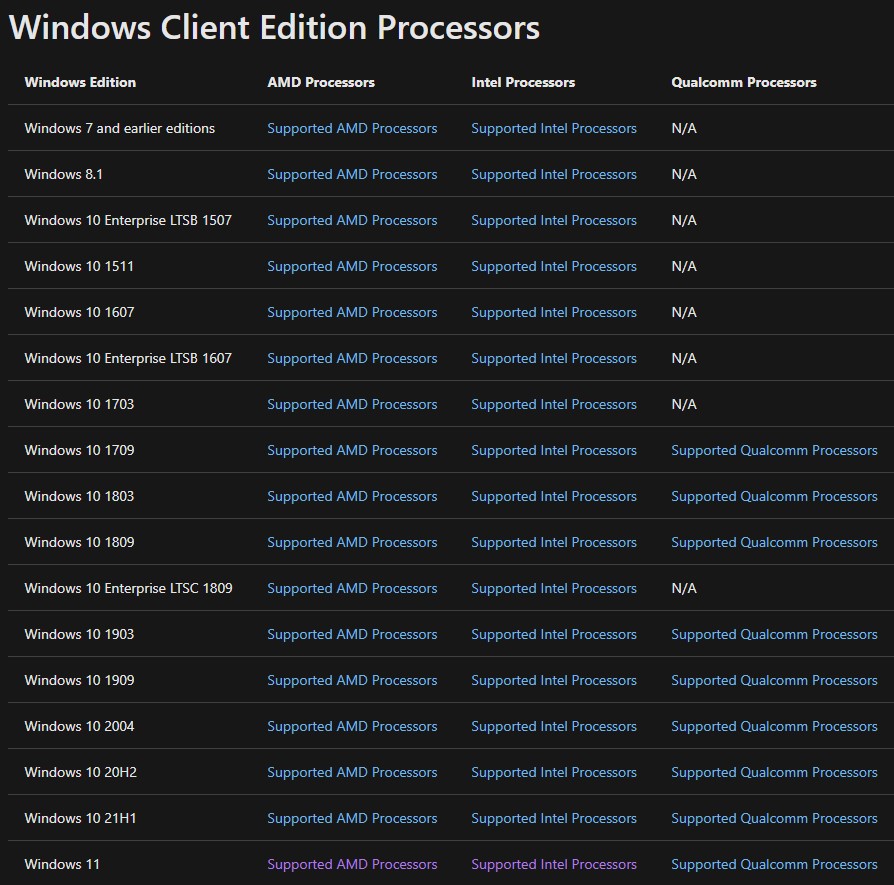
Click the image to check out the Windows 11 processor compatibility chart
Related Articles
When you need help, Sweetwater has the answers!
Our knowledge base contains over 28,000 expertly written tech articles that will give you answers and help you get the most out of your gear. Our pro musicians and gear experts update content daily to keep you informed and on your way. Best of all, it’s totally FREE, and it’s just another reason that you get more at Sweetwater.com.

