

How to resolve a continuous VST scan loop in Sonar X3.
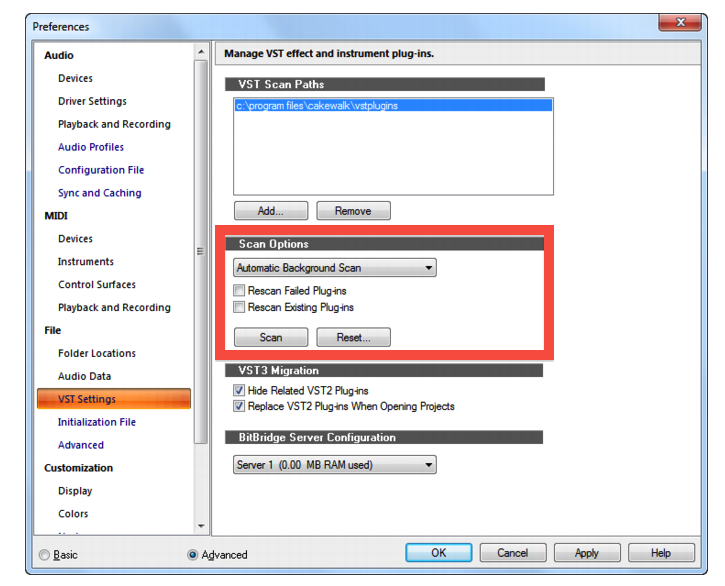
With the new Automatic Background scanning feature in Sonar X3 for detecting newly added VST plug-ins, a continuous VST scan loop may occur if you have Automatic Background Scan, Rescan Failed Plug-ins, and Rescan Existing Plug-ins all enabled at the same time. This would cause the background scanner to repeatedly detect changes cause the scanner to continually repeat.
If you have upgraded from a previous version of Sonar, the migration wizard may have enabled all of these features for you automatically. In order to stop the loop, turn off Rescan Existing Plug-ins and Rescan Failed Plug-ins from the VST Settings in Sonar preferences.
When you need help, Sweetwater has the answers!
Our knowledge base contains over 28,000 expertly written tech articles that will give you answers and help you get the most out of your gear. Our pro musicians and gear experts update content daily to keep you informed and on your way. Best of all, it’s totally FREE, and it’s just another reason that you get more at Sweetwater.com.

