

How do I reinstate my Pro Tools HD Support Plan?
If your Pro Tools HD support plan has expired then you will need to purchase a Reinstatement. The steps below will walk you through the process of reinstating a Pro Tools HD Support Plan. If you’re not sure if you have an active Support Plan, click here.
Step 1: Log in
Log into your My Avid account by clicking here. If you have forgotten your password, click Forgot Password? in blue letters.
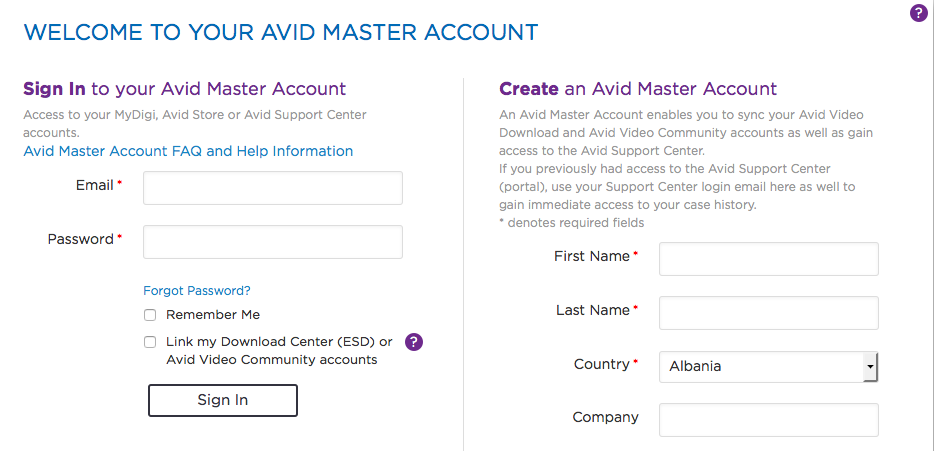
Step 2: My Products and Subscriptions
Once you’re logged in, click on My products and Subscriptions. 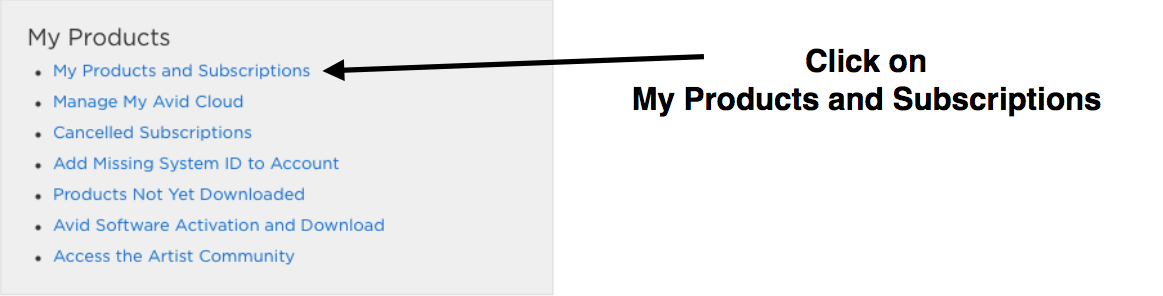
Step 3: Select the Support Plan
Click on the purple bar for the Support Plan you wish to reinstate. 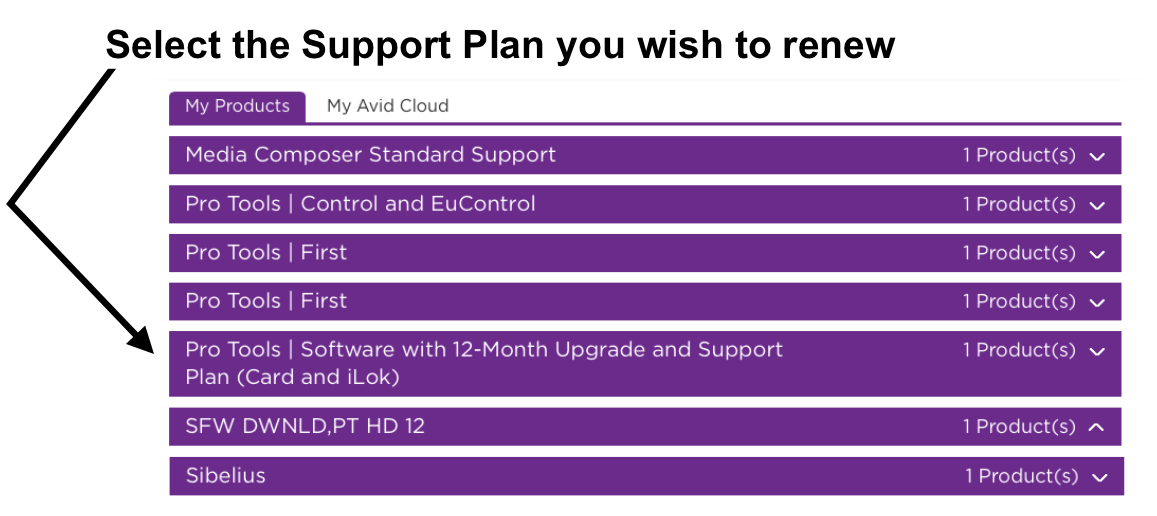
Step 4: Click “Renew Support”
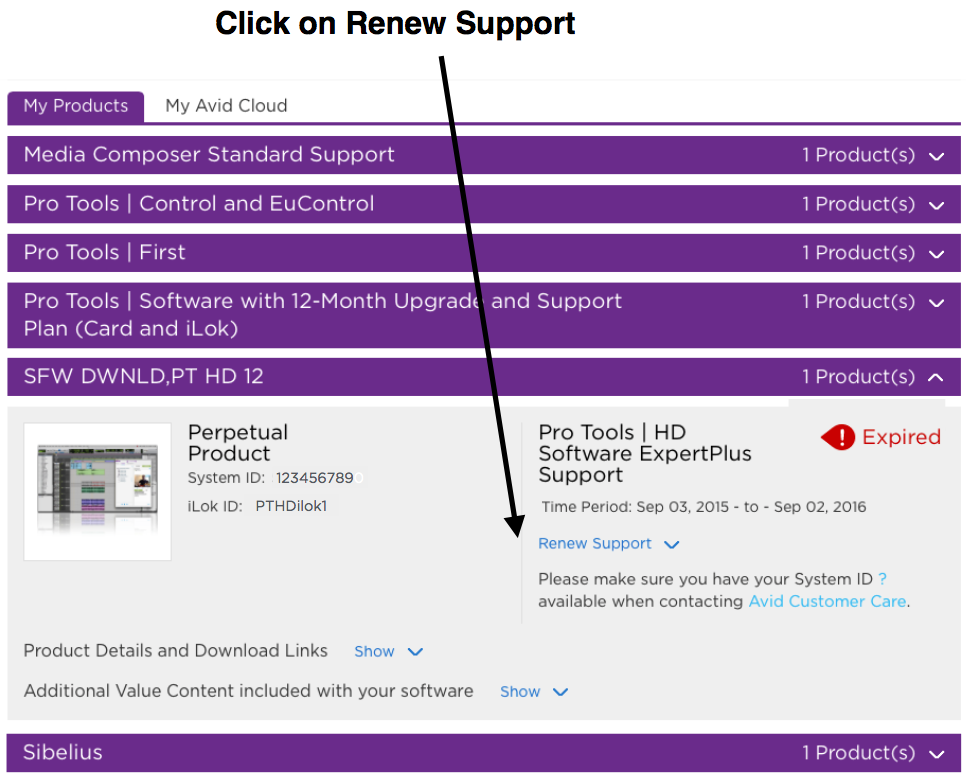
Step 5: Copy/Paste your activation code
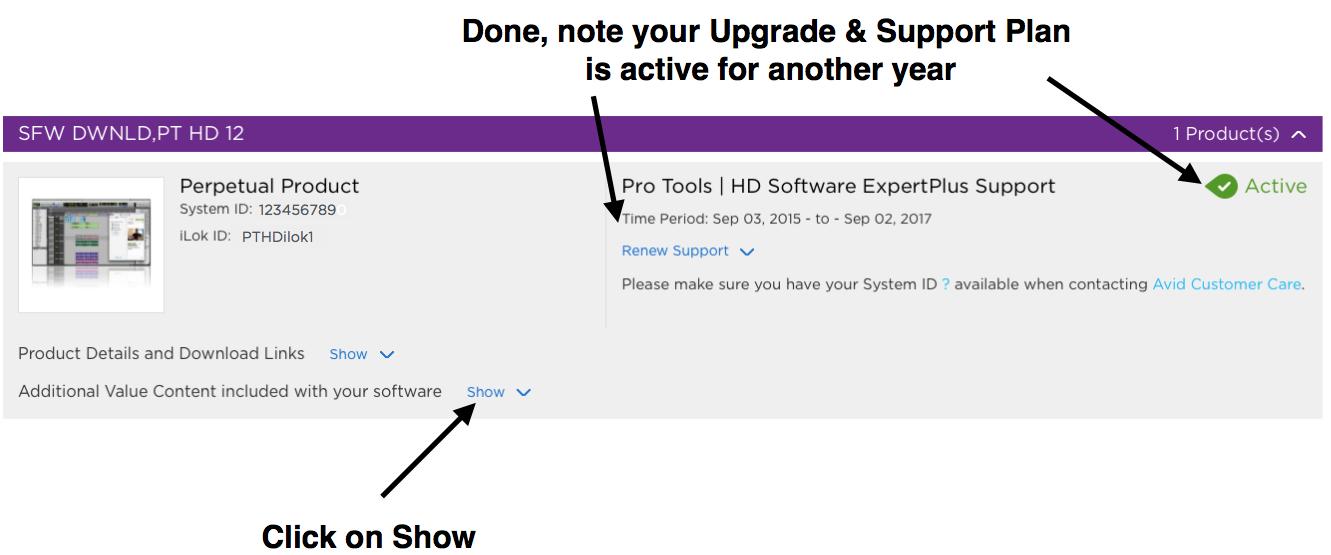
In the box that appears, copy/paste the activation code you received in an email from your Sweetwater Sales Engineer and click submit to complete the Reinstatement process.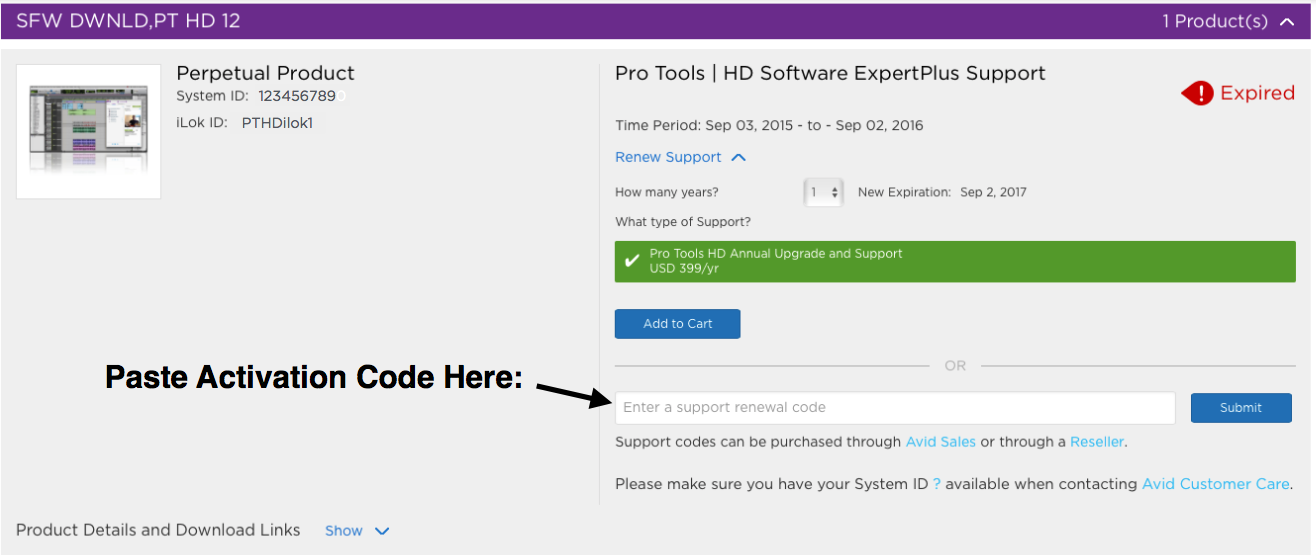
When you need help, Sweetwater has the answers!
Our knowledge base contains over 28,000 expertly written tech articles that will give you answers and help you get the most out of your gear. Our pro musicians and gear experts update content daily to keep you informed and on your way. Best of all, it’s totally FREE, and it’s just another reason that you get more at Sweetwater.com.

