

How do I power up my Roland A49 MIDI controller with a USB power supply (without a computer)?
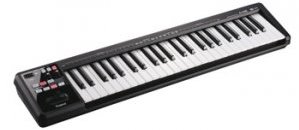
Roland A-49, click here to view!
Hold the Function, Assign, and Pitch buttons while plugging the unit in to the power supply to enable the controller to receive power in standalone mode. Once you’ve done this, each subsequent boot should work normally with the power adapter without having to press that combination of buttons.
Helpful Links
How do I use my Roland A49 keyboard with an iPad?
My Roland A49 won’t connect to my computer.
My Roland A49 controller will not power on via USB bus power.
How do I record the audio from my Roland TR-8 over USB?
Roland D-50 Initializing the D-50 – Restoring the Factory Settings
When you need help, Sweetwater has the answers!
Our knowledge base contains over 28,000 expertly written tech articles that will give you answers and help you get the most out of your gear. Our pro musicians and gear experts update content daily to keep you informed and on your way. Best of all, it’s totally FREE, and it’s just another reason that you get more at Sweetwater.com.

