

How do I use my Roland A49 keyboard with an iPad?
In order to use your A49 with an iPad, you will need the following items:
- iPad
 Apple iPad Camera Connection Kit
- Powered USB hub
- Two USB cables
Now, just follow this quick and easy guide:
- Power up the USB hub, then connect the iPad to the hub via the iPad Camera Connection Kit
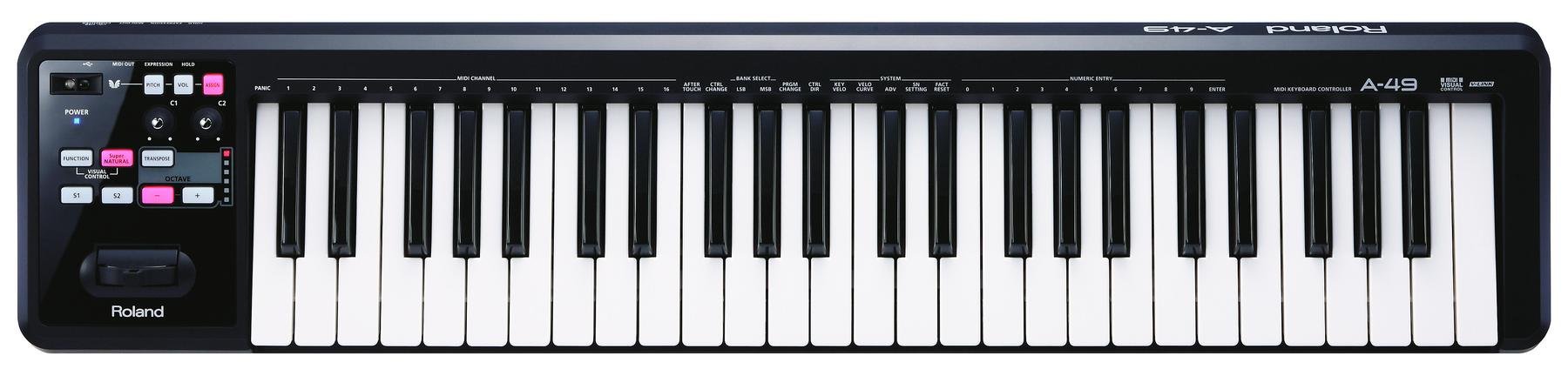
- On the A49, hold down the S1 and S2 button while plugging in the USB cable from the hub to the keyboard. Once the unit has turned on, you can let go.
- Press the following buttons in the order they are listed to change the driver to iPad mode:
- Function -> ADV -> [-]
- Disconnect the USB cable, then plug it back in to save this process for quicker connection the next time you use your iPad with your A49
Note: If you have trouble connecting your A49 with your computer after using it with your iPad, see this article.
When you need help, Sweetwater has the answers!
Our knowledge base contains over 28,000 expertly written tech articles that will give you answers and help you get the most out of your gear. Our pro musicians and gear experts update content daily to keep you informed and on your way. Best of all, it’s totally FREE, and it’s just another reason that you get more at Sweetwater.com.

