

Behringer Neutron: How to Output Sound
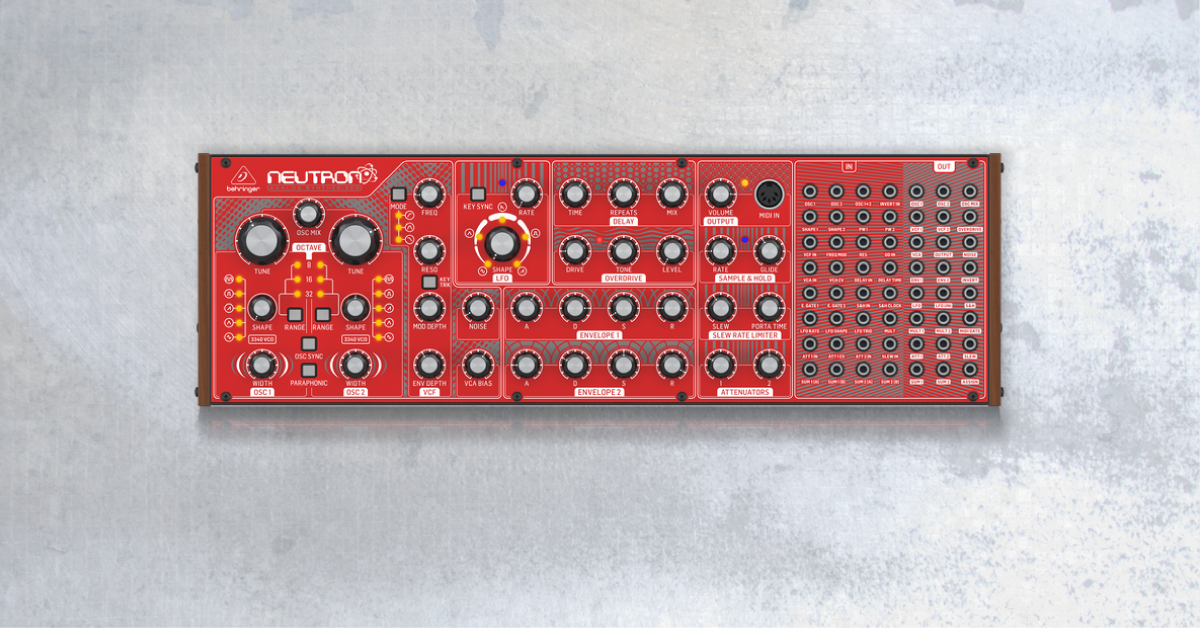
In this article, we will show you how to get sound out of the Behringer Neutron synthesizer. If you are new to the Behringer Neutron or aren’t sure how to get sound out, follow the steps below to get started.
- Get sound from your Behringer Neutron
- Reset the Behringer Neutron settings
- Update Behringer Neutron firmware
- Behringer Neutron manual
Get sound from your Behringer Neutron
There is a “normalized” audio path inside the Behringer Neutron, which means the signal path is designed to pass to the outputs without any patching. The block diagram below demonstrates the signal flow order. If you’re not getting sound from your Behringer Neutron, you should follow the instructions for resetting the settings. If your Behringer Neutron is new, its firmware might need to be updated on Behringer’s latest available version.
Warm up analog synths
If your Behringer Neutron sounds a little out of tune after turning it on, it’s likely normal. Analog synthesizers need a little time to warm up. So, if you don’t notice a change, leave your Behringer Neutron on for twenty minutes and restart it.
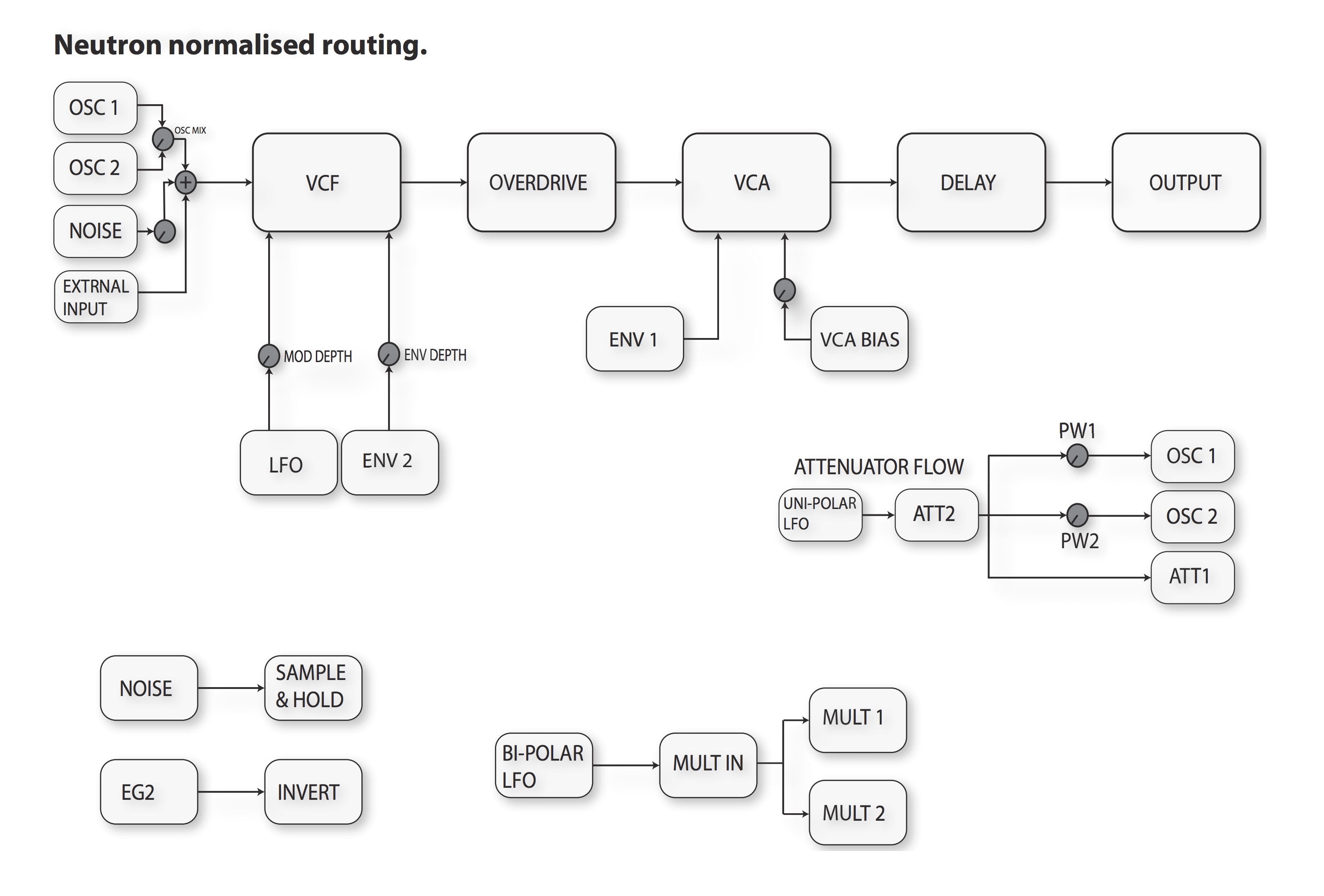
Behringer Neutron normalized patch routing
Reset the Behringer Neutron settings
All patching must be removed to use the normalized audio patch. Make sure to avoid loud pops by turning down your master volume or speaker volume on the Behringer Neutron. Once the cables are removed, set the knobs as follows and turn the volume back up. Follow the steps below.
- Disconnect all patch cables from your Behringer Neutron.
- Set the Neutron’s knobs, as indicated in the diagram below. If you are using a MIDI input source, keep the VCA Bias knob turned all the way down.
- Play the Neutron and get sound.
No Behringer Neutron audio output or rhythmic clicking sound
Set the Behringer Neutron to the normalized diagram above and turn up the two oscillator TUNE knobs. The clicking happens because the oscillator isn’t oscillating fast enough, thus a ‘click’ noise.
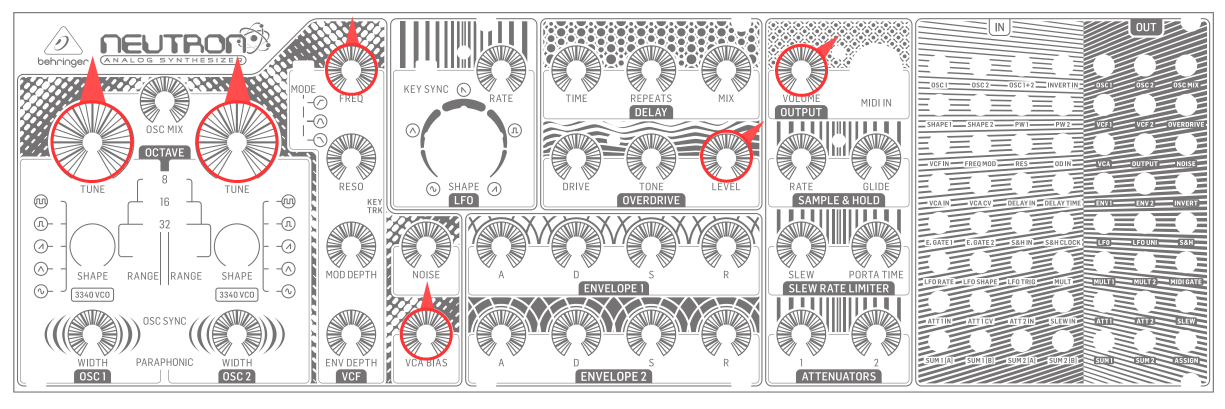
Behringer Neutron reset settings.
Update Behringer Neutron firmware
If your Neutron is new out of the box, there is likely a new firmware available from Behringer. Updating your Behringer Neutron firmware will ensure your Neutron is operating at the latest manufacturer’s specs and must be done on a Windows PC. The Behringer Neutron is class-compliant, which means no additional driver software is necessary to function correctly on your computer. Follow these steps to update your Behringer Neutron synthesizer.
- Download the firmware updater from Behringer. Uncompress the .zip file and double-click the .exe installer file from the uncompressed folder.
- Hold down the boot button (back of Neutron) while powering it on. The Neutron won’t be recognized by the updater unless powered in this way.
- Wait for the updater to recognize the device.
- Click Update.
Is something not working on the Neutron?
If something seems off with your Behringer Neutron, such as lights that won’t light up, reload the firmware with the instructions above.
Behringer Neutron manual
If you’re running into any issues or if you’d like to learn how to use all the features available, be sure to check out the Behringer Neutron owner’s manual!
When you need help, Sweetwater has the answers!
Our knowledge base contains over 28,000 expertly written tech articles that will give you answers and help you get the most out of your gear. Our pro musicians and gear experts update content daily to keep you informed and on your way. Best of all, it’s totally FREE, and it’s just another reason that you get more at Sweetwater.com.

