
BBE Sound Software Activation Instructions
In this guide, we will show you how to redeem, download, and activate your new BBE Sound software for the first time. Follow the sections below to get started.
Redeem the software
The first step in the process is to redeem your plugin with BBE using the software activation code you received from your Sweetwater Sales Engineer.
- Go to the Plugivery redemption page, then click Next Step.
- Fill out the necessary information to complete the redemption process.
- Check your email for a message from Plugivery. If you don’t see it within 10 minutes after redemption, check your spam folder!

Click the image to redeem your software
Download and install
The next step is to download and install the plug-in. After downloading it, you’ll then need to install it on your computer.
- Go to the software download page, choose your OS (tab located at the top left of the page), then click the green Download button to download the plug-in.
- Please take note of the Format you will be downloading. For example, AAX is only compatible with Pro Tools. Check out our plug-in compatibility guide for more information!
- Navigate to your Downloads folder, then extract and run the installer.
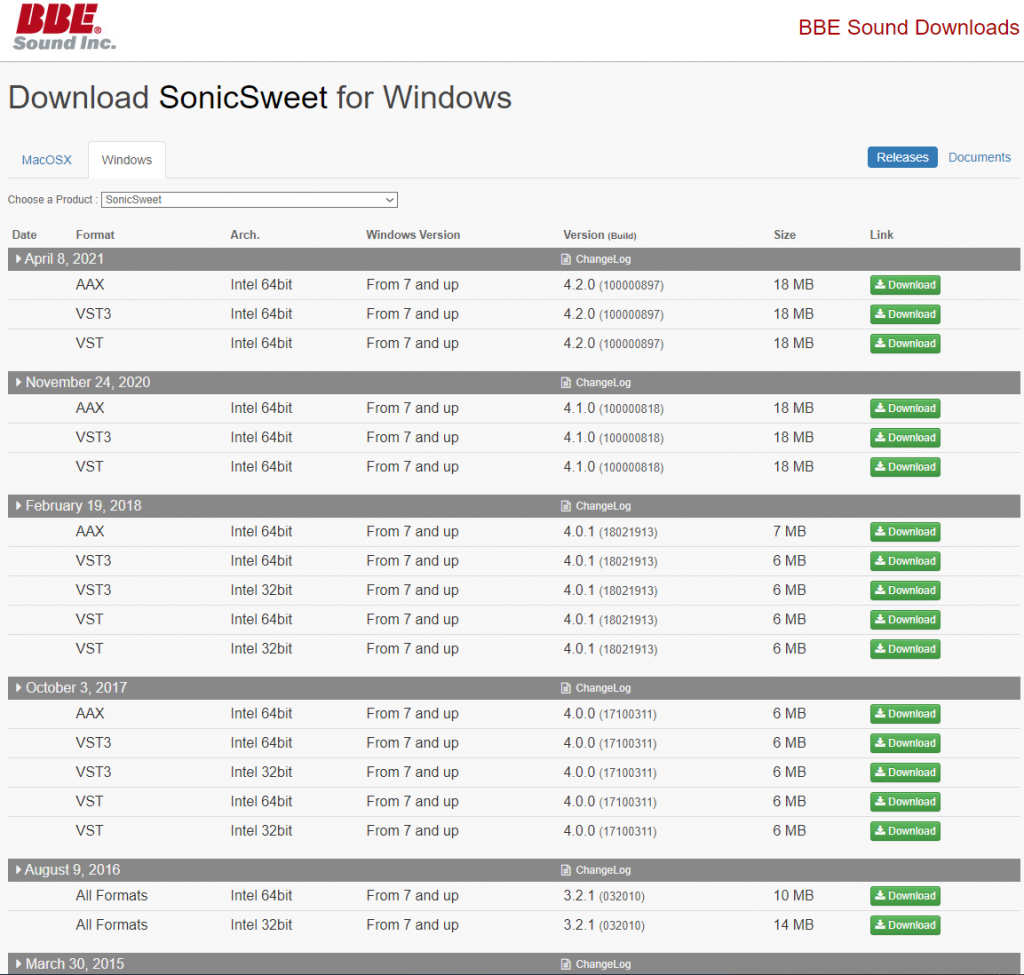
Click the image to download your software
Authorize the plug-in
The final step in the process is to authorize the plug-in inside your DAW.
- Launch your DAW, create an audio track and insert the plug-in.
- When the plug-in window appears, select Authorize.
- Copy and paste the code you received in the email sent after redemption, then click Authorize.
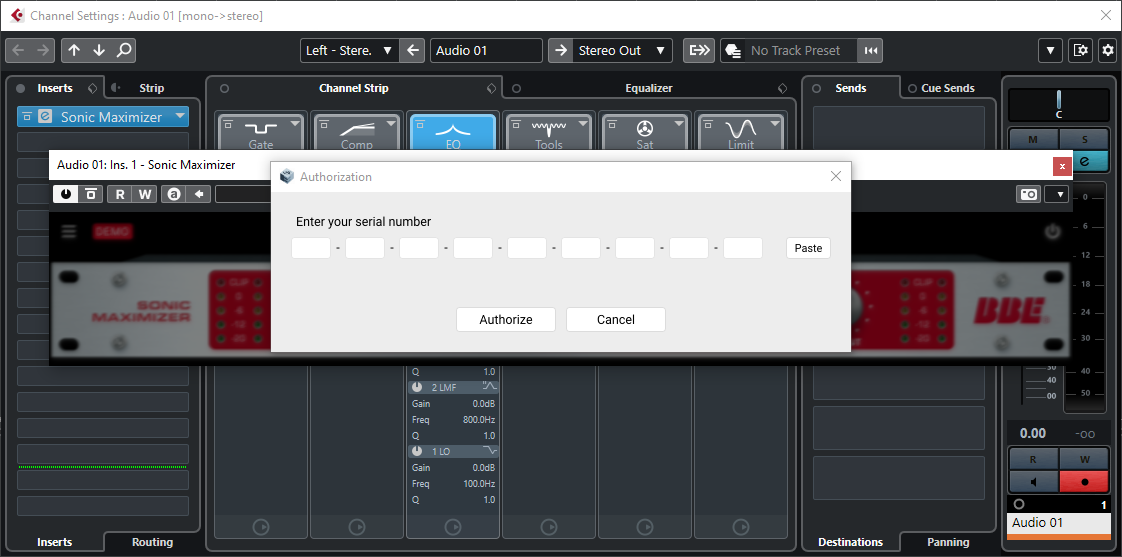
Authorizing BBE Sound plug-ins
When you need help, Sweetwater has the answers!
Our knowledge base contains over 28,000 expertly written tech articles that will give you answers and help you get the most out of your gear. Our pro musicians and gear experts update content daily to keep you informed and on your way. Best of all, it’s totally FREE, and it’s just another reason that you get more at Sweetwater.com.

