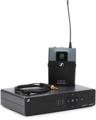
Wireless mics and in-ear monitor (IEM) systems elevate the worship experience at many houses of worship. Leaders, musicians, and singers love the freedom of movement these systems provide, plus it’s a great way to create a clean, distraction-free platform. But if you’re a worship leader, audio engineer, or music director who’s new to wireless or if wireless issues have gotten you down, then know this. Solutions are at hand! Read on for pro tips on getting strong signal integrity for your place of worship in order to vanquish dropouts and maintain interference-free audio quality. Whatever wireless system you’re using, apply these considerations to make your wireless work well.
- Start with a Great Source
- Testing Transmitters & Receivers
- Friendly Frequencies
- Antennas, Antennas, Antennas
- Nondisruptive Environment
- Selecting the Right Wireless System
Start with a Great Source
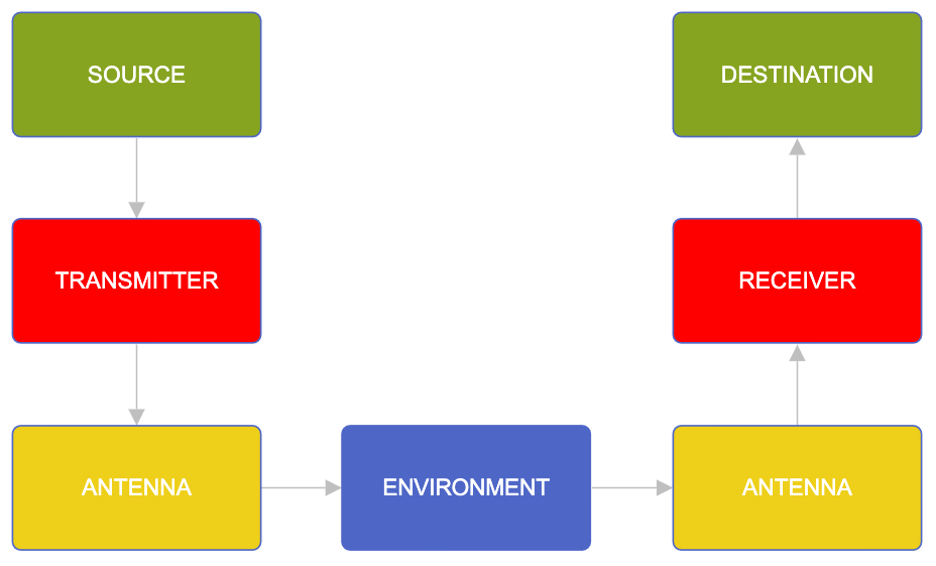
A good wireless system will only sound as good as the source it is provided. It goes without saying that using the right mic for the right application will provide the best sound. Make sure any mics, instruments, or cabling is in good condition before handing the signal to a wireless transmitter.
Testing Transmitters & Receivers
A wireless microphone transmitter and receiver work by being tuned to the same frequency. Double-check to ensure that your transmitters and receivers are in range and that nothing is interfering with the signal path. (Think line of sight.) If you’re pushing the range to its limit, then even factors such as having the IEM receiver behind the user’s body, concealing a headset mic transmitter in a pocket, or covering the wireless microphone with a hand can cause issues. Diversity antennas can reduce these problems by smoothly swapping to the strongest signal to avoid dropouts. Additionally, you may need to investigate the impact of confidence monitor screens, other wireless systems, Bluetooth devices, LED walls, Wi-Fi networks, digital equipment, or other electronic devices.
Pro Tip: As part of the soundcheck before any live event, check your batteries and confirm stable transmission/reception.
Here’s a primer on common wireless systems:
RF 101 – The Basics of Wireless Mics and In-ear Systems
Practical Considerations
Keep both the transmitter and the receiver turned on from the beginning of their use until the event ends. Otherwise, while your unit is turned off, another system may be turned on and may identify your frequency as available. You may end up with interference or — worse yet — crosstalk. Instead, use the standby switch available on most transmitters to retain frequency control and still reduce battery consumption while the transmitter isn’t being used.
Consider the gain structure on both the transmitter and the receiver. If set incorrectly, then you can introduce noise and distortion. A receiver may have a line/instrument level switch, and a transmitter often has a gain control.
Pro Tip: If a wireless microphone is shared by different people, then adjust the gain for the loudest voice to avoid distortion. Teach everyone who uses a mic to position it correctly for a strong, consistent level.
Analog vs. Digital Wireless Systems
Wireless systems use either analog or digital technology. Analog systems primarily transmit by using frequency modulation (FM). Their lower cost is offset by their susceptibility to interference, noise, and signal degradation, especially over long distances, plus it has the advantage of incremental loss of signal as it moves out of range. Digital systems convert audio into a stabler digital signal before transmission. They are known for the ability to detect clear frequencies, better sound quality, and encryption capabilities. Digital systems incorporate error correction to reduce interference issues that may degrade the signal quality in an analog system. But a digital wireless system will work great until it stops working when the system is out of usable range.
Friendly Frequencies
One of the most common wireless issues happens when multiple devices compete for the same RF bands. Gremlins may include Wi-Fi networks, Bluetooth devices, radio and television stations, and other wireless systems. Even though this problem is even more common in urban areas, I’ve seen it be an issue in a small, rural church surrounded mostly by cornfields.
In that situation, the issue was that the children’s department was using a wireless mic system similar to the one in the auditorium. Whenever the children’s leader turned on the wireless mic in the children’s wing, all kinds of problems occurred in the adult service. The auditorium’s audio technician was unaware that there was another wireless system being used in the building, making troubleshooting even more difficult. Besides, whenever the technician went to investigate the issue after the service or before the weekday rehearsal, the children’s classes were not meeting, so there was no interference to be found. Tricky!
Here are a couple of things to know about the different frequency bands.
- The Very High Frequency (VHF) band includes frequencies from 30MHz to 300MHz. This range is less crowded and has a longer but slower wavelength. It is prone to interference from TV broadcasts and electronic devices.
- The Ultra High Frequency (UHF) band includes frequencies from 300MHz to 3GHz. Compared to VHF, this range offers wider bandwidth, better signal stability, and professional-grade performance. The popularity of frequencies in the 2.4GHz range (including cell phones), however, creates potential congestion.
- The Super High Frequency (SHF) band includes some frequencies in the 5.8GHz band. This allows for high bandwidth and data rates, including digital transmission with encryption; however, it may not have as high penetration capability or range as UHF depending on the application.
Typically, analog wireless devices use VHF and the lower UHF frequencies. Most digital devices use 2.4GHz (UHF) and 5.8GHz (SHF) bands.
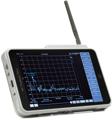
Online frequency coordination tools can scan for available frequencies and reveal potential issues caused by powerful nearby television and radio antennas. These tools are usually database driven and may not reflect the actual, up-to-this-moment usage in your location; however, they can provide a good overall starting guide. Some users rely on RF spectrum analyzers to accurately track and troubleshoot issues at their campus.
For another look at RF conditions affecting church wireless systems, check out this article:
Is Your Church’s Wireless System Ready?
Additionally, in the United States, your system must operate within legal frequency bands to avoid FCC fines and interference issues; the rules in other countries may differ. (For example, you may not be able to operate your US wireless unit in Germany.) Systems from before 2022 may use frequencies that the FCC has since assigned for other uses, such as emergency services. All systems currently sold by Sweetwater operate in legal frequency bands.
Your Sweetwater Sales Engineer can help you identify the optimal frequency combinations for your location.
Antennas, Antennas, Antennas
Wireless systems use antennas for both their transmitter and receiver. A wide range of antenna types are available to meet your specific needs. Using the proper antenna(s) can help avoid dropouts and interference. However, too many antennas can cause additional issues.
Multiple radio signals can mix and create “antenna intermodulation” — new unwanted signals that interfere with the original signals. This is a huge cause of dropouts and an increased noise floor.
It may seem like common sense that adding more antennas will solve signal issues, but it doesn’t work that way. Every additional wireless mic and IEM antenna increases intermodulation, even if the individual channels are not tightly packed together on the frequency spectrum. Typically, fewer antennas are better, so don’t use more than you need to accomplish the task. For example, a device may work perfectly when other devices are turned off. However, problems can occur when multiple antennas are operating simultaneously, especially if they are located too close to one another. (That’s why airlines request that you power down your cell phones during flight — all those cell-phone antennas increase intermodulation and interfere with the plane’s internal systems!)
You can often solve the “antenna farm” problem by using an antenna combiner, splitter, or distro. Options depend on your transmitter/receiver frequency range, channel count, and need for expansion. Some frequency diversity systems automatically switch among multiple frequencies to avoid interference. Call your Sweetwater Sales Engineer at (800) 222-4700 to identify the best solution for your system.
Likewise, consider your antenna placement. Each antenna type has a range limit and a projection pattern that greatly affect signal strength. Keep antennas at least three feet from metal surfaces. Elevated antennas are less likely to be blocked by physical obstructions than antennas located near the ground. Directional antennas help deliver a strong signal over longer distances and reduce unwanted signals; omnidirectional antennas receive signals from all directions, which is fine for a limited-ranged single-mic setup. Reducing your total number of antennas with an antenna distribution system improves signal reception by decreasing intermodulation — plus, they reduce clutter in your workspace. Some antennas can be painted to match your decor.
For a deeper dive, check out these Sweetwater articles:
How to Improve Wireless Performance Using Antennas
RF 201 – Antennas, Distro, and More!
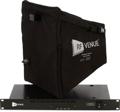
Top-rated RF Venue antennas:
Technological advancements allow you to reduce your channels without the need for a distro. For example, the Shure SLXD4Q+ receiver combines four channels to two antennas and takes only one rack space. It additionally allows you to cascade to a second SLXD4Q+ so you can send a total of eight channels through a single pair of antennas without a distro. It’s also available in a Dante-enabled model.
Nondisruptive Environment
A wireless system does not operate in a bubble. As your transmitted frequencies pass through the atmosphere, they join a cacophony of other transmissions, including other wireless and broadcast signals, cell phone signals, and so on. Likewise, external factors can impede the signal or decrease how far it can travel before falling into the noise floor. Consider nearby electronic equipment such as television screens and confidence monitors as well as physical barriers, including walls, human bodies (hands covering a wireless antenna), and even clothing (an IEM receiver in a pocket).
Selecting the Right Wireless System
By choosing the proper frequency, optimizing antenna placement, managing RF interference, and conducting regular system monitoring, your place of worship can achieve reliable, high-quality wireless audio. These are the kinds of considerations you may want to discuss with your Sweetwater Sales Engineer:
- Application: Explain your primary use — singing, instrument, speaking, etc.
- Number of channels: Ensure the system can support the number of simultaneous wireless channels needed throughout the facility now and in the future.
- Available frequencies: Ensure that there are enough available frequency channels in your specific locale.
- Frequency agility: Systems with automatic frequency selection can help avoid interference.
- Battery life: Consider systems with rechargeable options or long battery life for extended use.
- Budget: Balance features and quality with your budget constraints.
Typically, as units increase in price, you get more available frequencies, improved signal quality, professional features, and a higher number of systems that can operate simultaneously on the same frequency band. It’s a matter of balancing your budget with the features, reliability, and quality you need.
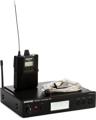
Shure wireless systems with top ratings by Sweetwater customers:
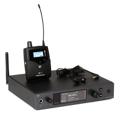
Sennheiser wireless systems with top ratings by Sweetwater customers:
Whether you are expanding your current system or just cutting the cord on wired systems, check out these Sweetwater articles for helpful considerations.
Wireless Microphone Compatibility Guide: What to Consider When You Build or Expand Your Wireless Rig
Buying a Wireless Mic? Here’s Everything You Need to Know
Guide to Shure Wireless Systems
By leveraging today’s advancing technology and the techniques we’ve discussed, you can improve your noise floor and gain all the benefits that wireless systems can bring to your house of worship. Your worship leader can make full use of the platform without signal dropouts. Your singers and musicians can be free of distraction to engage the congregation to dig deep as they praise. You can approach the service with confidence. Call your Sweetwater Sales Engineer at (800) 222-4700 to identify the best solution for your house of worship and clear the air of your wireless woes.