It’s that time of year when technical teams kick into high gear to get ready for the holidays — Advent, Christmas, New Year, and more.
Key steps for your message to be heard:
- Understand your church’s spectrum conditions (wireless-signal competition)
- Check your antennas and distribution equipment
- Coordinate frequencies and “war game” your system
Since holiday services tend to have the highest attendance levels and the most complicated productions, this can be a nerve-wracking time of year for even the most experienced audio-video system operators.
In particular, when a service adds more people to the worship team for services, this can mean more microphones, more console inputs, and more mixing challenges for technical directors and volunteers. Among the more difficult parts of an audio-video system to scale up for the season are wireless microphones and in-ear monitors (IEMs). As wireless systems increase in size, they become more difficult to operate with signal dropouts and interference problems threatening to ruin even the most carefully produced service — both in person and online.
As you prepare your wireless-microphone and IEM systems, here are three things to keep in mind.
Understand Your Church’s RF Spectrum Conditions
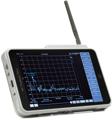
You don’t need to become an RF engineer to understand what local sources of RF interference to avoid. Since the RF spectrum is always changing, you may see very different results in an empty room when all lighting, video, and audio systems are offline. Use your wireless microphone’s network-connected software or a spectrum analyzer to perform a scan, ideally, during a full service. This will help establish your RF noise floor, which includes stray RF energy from LED video walls or lighting and local TV stations, which should also be avoided.

Local TV stations, LED lighting, video walls, and new 5G cellular service are common sources of interference for wireless mics and IEMs.
Check Antenna Distribution and Antennas
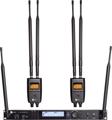
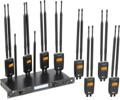
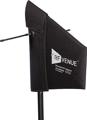
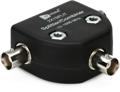
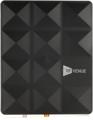
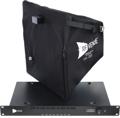
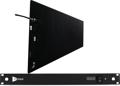
If you look in the back of your wireless-system rack and see multiple antennas stacked on top of each other, then you need to get proper antenna distribution and remote antennas configured, or you could run into an RF nightmare. Fewer antennas with distribution will work better than multiple antennas buried in the back of your wireless rack. In general, having the right accessories for your wireless system helps lower the noise floor and reduce the risk of dropouts and interference dramatically.

The difference between antenna distribution systems for wireless microphones and IEM combiners is commonly confused.
Next, with your microphones and in-ear monitors turned on, check signal levels at the receivers and in your system’s software. If you do not have adequate signal, then resist the temptation to increase the transmitter power level and instead move your antennas to experiment with different positions. In general, moving antennas closer to mic transmitters or IEM bodypack receivers will increase the quality of the signal. And, with more wireless systems in use during a major holiday service, every decibel of signal level helps!
Run a Frequency Coordination and “War Game” the System
Now that you have your RF spectrum scanned and your distribution and antennas configured correctly, it’s time to run a frequency coordination using your wireless system’s software. This process may vary from one manufacturer to another, but the concept is the same. With good coordination, we can generate a list of frequencies that are calculated by the software to be free from interference and intermodulation (your transmitters interfering with one another).
Once this frequency list is complete, you will want to turn on all your wireless mic receivers and each transmitter one by one, ensuring that, when a transmitter is off, that there is no RF signal present on the RF meters on the front of the receivers. If there is RF signal at the receiver when a transmitter is off, then you will need to choose another frequency from your coordination list and start the process over again from the first microphone.


With wireless microphone transmitters turned off, check the front of that microphone’s receiver to make sure there is no RF signal present. If there is noise, then choose a new frequency and check other microphones one by one until all are clear.
Now that your antennas and accessories systems are optimized and your frequencies are clean and clear, your church’s wireless system is ready for prime time. If you’re ready to configure antennas, distribution, and cabling for your system, then you can use Sweetwater’s Wireless Accessory Configuration Tool here.