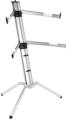
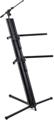
I’ve been playing keyboards since 1967, first a Magnus Chord Organ and then various Lowrey and Hammond organs until I bought my prized possession, a Gibson Holiday portable organ, in the mid-’70s. But it wasn’t until the mid-’80s that I played more than one keyboard at the same time. In my case, they were a Sequential Circuits Pro-One and a Korg Polysix. Later they were a Yamaha DX7 and a Korg Poly-800. For the first time, I had to figure out a way to have both keyboards onstage and playable at once. I chose a tall Universal Support A-frame stand and eventually added a third tier to it for the future. But I was never fully happy with the arrangement. If I put one keyboard at exactly the right height, then the other keyboard had to be placed higher or lower than the first keyboard. It wasn’t until the next century that I tried setting up two keyboards on two stands in an L shape. The benefits were immediate, and ever since, I have staged my keyboards this way unless something prevents me from doing so. These are my best practices for using multitier keyboard stands or two stands in an L configuration.
Multitier Keyboard Stands
When you use a multitier keyboard stand, you only have to buy, pack, and transport one stand. As a rule, I’m a huge fan of reducing the amount of gear you need to carry to a gig, so this would initially seem the ideal solution. Additionally, your rig will occupy a smaller portion of the floor, which can be a big deal when playing on tiny stages or even in the corner of a bar (right next to the pool tables). Plus, it will be easy to set up a microphone and aim the stage lights as you’ll always be facing the same direction.
For these advantages, there are also caveats. The main concern is performance: namely, the second keyboard must be higher or lower than your primary keyboard. A keyboard that’s not at your optimum height is much more difficult to play without errors. Yes, you can tilt the keys of the higher keyboard downward toward you, but this makes accurate playing even more difficult and potentially damaging to your tendons. With one keyboard on top of another, you can also be forced to play with both arms in front of you like a Tyrannosaurus Rex. It can get crazy if you need your right hand to play a low key on one keyboard while your left hand plays a high note on the other. It turns into a musical game of Twister.
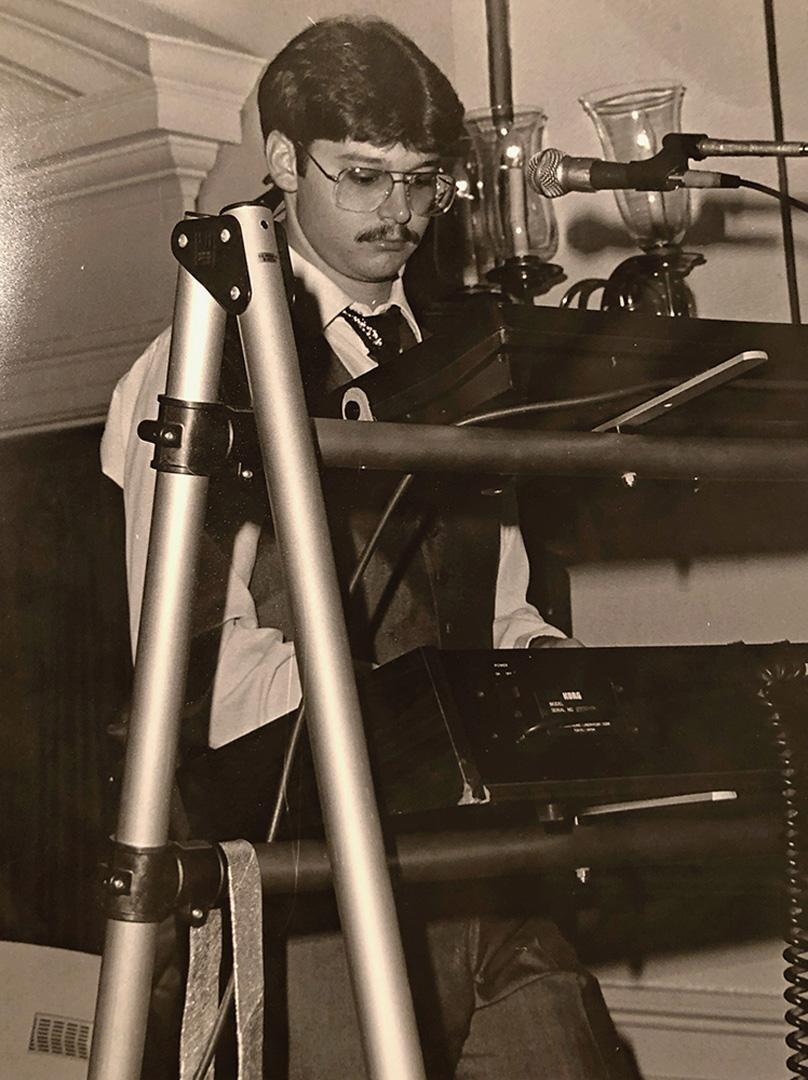
Another potential concern, the top keyboard typically will obscure much of the front panel of the bottom keyboard. This isn’t a problem if you use the same sound all night. If you change presets on both keyboards, need to see both keyboards’ screens, and (in my case) need to be able to tinker with any knob, button, or slider on the front panels, then stacking can be a real problem.
One final consideration is showmanship. A multitier keyboard stand is a major visual obstruction. If you play facing the audience, then they’ll have to look through your rig to see you. They won’t see your hands playing, and they may not even be able to see your glorious “solo face” depending on where they’re seated. You can face your rig toward the rest of the band and play to the left or right side of the stage, but though the audience can finally see you, you’ll now have a much harder time making crucial eye contact with your band members.
All things considered, you’ll need to weigh the amount of gear you need to bring to a gig against playability and the level of showmanship you want to infuse into your performance if you think a multitier keyboard stand may be a good fit for you.
Two Keyboard Stands in an L Configuration
Alternatively, by using two keyboard stands arranged in an L shape, both keyboards can be positioned exactly at a comfortable height that’s both easy to play accurately and good for your arms and wrists, and each keyboard can be angled perfectly for you. The most fun part of configuring your keyboards in an L shape is the resulting mobility (yes, a strange perk for keyboardists). But your body is now free to move and sway in all directions, and since the keyboards will be apart from each other, you won’t have to worry about crossing your arms to play them simultaneously. You can dramatically open your arms when playing both keyboards, and performance tricks such as glissandi will make you move in ways that fit with the songs.
Visibility is another plus to this arrangement. It’s easy to see the screens and tweak the knobs, buttons, ribbons, and sliders, so you’ll always know what presets are currently chosen and how you’re shaping your sounds. This makes for a much more expressive performance. In addition, you can see all the members of the band, and the audience can see a lot more of your arms, hands, and rock ’n’ roll face. It also means the stage lights can light you up from any direction without being blocked by your keyboard setup. This is important because the audience will lose interest in your performance if they can’t see you.

For as many benefits as this configuration presents, there are caveats to consider, as well. Foremost, you need to buy, transport, and set up two stands instead of one. This can be a good thing as two simpler stands can be easier to drag around than a bulky multitier stand, but two stands are going to take up more stage space than a single stand. Further to this point, if you are responsible for singing, it can be difficult to find an optimal spot for your microphone stand. The mic needs to be accessible whether you’re playing either keyboard with both hands or both keyboards at the same time. You may solve this with a boom arm that you can move or by setting up two mics. This is what I do because it’s crucial for me to have a mic no matter what my hands are doing.
If you’re currently stacking your keyboards and skeptical about the L-shape solution, then get a keyboard stand or two and try it yourself. For me, it makes gigs so much more fun, and the band photos always come out so much better that I wouldn’t consider stacking my keyboards again unless there was no other way.
Take a Stand
Whether you’re a dual-stand user or a proponent of keyboard stacking, Sweetwater has the gear that’ll help you translate your musical fancies to the stage. Call your personal Sweetwater Sales Engineer at (800) 222-4700 and let them know your preferred keyboard stage configuration. They’ll discuss gear and make personal recommendations with industry-leading enthusiasm and expertise.