

For years, it’s been assumed that getting a great drum sound requires a great drum room, and artists of all stripes have long flocked to places such as Sound City or Power Station Studios specifically to record in their amazing drum rooms. Recording drums at home, and getting a good sound, was rarely seen as a viable option because of inferior acoustic treatment and soundproofing, possibly on top of limited mic selection, low I/O channel count, and more. However, we now live in a time when recording drums at home is not only possible, but due to the ease of recording, the relatively low cost, and the quality/variety of available sounds, it’s arguably preferable! With an eKit, multipad, or control surface with drum pads, you can utilize sounds from professionally tuned drum kits recorded in world-famous studios with mics valued at hundreds of thousands of dollars . . . for a few hundred bucks. If this sounds too good to be true, well, don’t pinch yourself just yet. Instead, read on, and I’ll show you how to do it!
Disclaimer: Obviously the “best” drum sounds are going to vary from person to person, genre to genre, and song to song. But the tips and tricks highlighted here will put you well on your way to getting what you think are the best drum sounds!
- Finding the Right Hardware
- Control Surfaces with Drum Pads
- Multipads
- Electronic Drum Sets
- Drum Software
- Network
Finding the Right Hardware
Let’s begin by noting that every hardware product on this list follows the same operational concept: you connect the gear to your computer via MIDI or USB, find the hardware listed in the appropriate drop-down menu in your DAW of choice, and then route correctly so that you can monitor and record what you’re playing. The menus and various ways of routing will differ from DAW to DAW, so we can’t possibly show you a how-to guide for each one. I’ll be demonstrating with Nuendo 13, but all DAWs are fundamentally the same in this regard. (If you use a MIDI 2.0-capable device, then connectivity will be even simpler, but that’s for another article!)
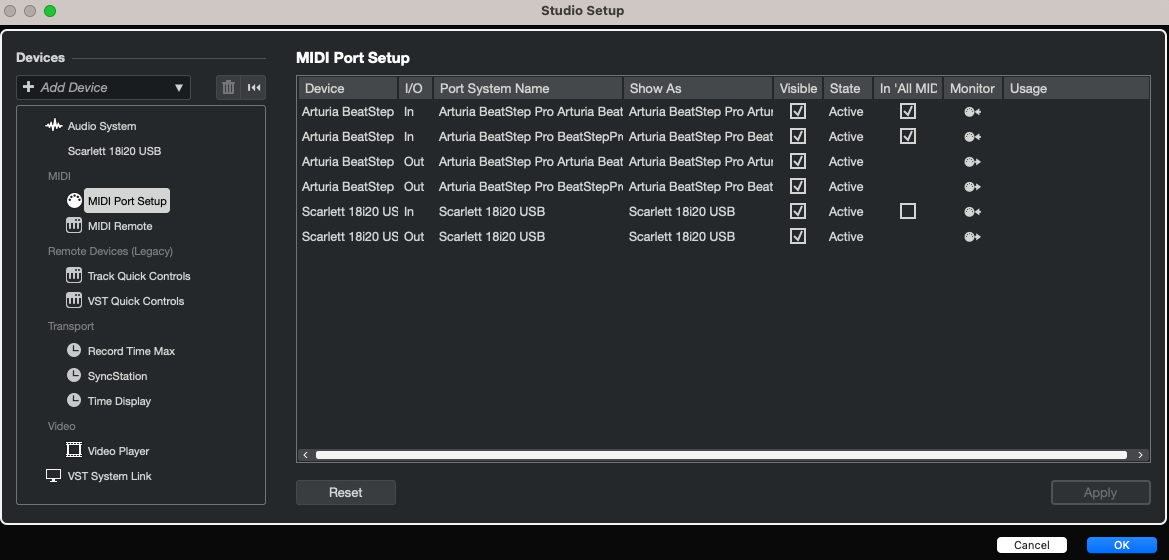
It’s worth mentioning that each of these hardware devices have different “feels,” so it’s important to explore which device works best for you and your setup. If you have a drumming background already, then an electronic drum set such as the Alesis Nitro Max is a logical choice, provided you have the space to accommodate it. A multipad such as the Roland SPD-SX Pro is also a fantastic option for those who want to use actual drumsticks but don’t have enough room for a full drum set. Plus, the SPD-SX Pro has dedicated hi-hat control and wonderful functionality outside the studio, including triggering ambience, soundscapes, and sound effects for live performances.
Those with experience playing piano, guitar, or some other fingered instrument, however, may be better served either by a traditional MIDI keyboard controller or perhaps a control surface with drum pads, such as the Maschine MK3 from Native Instruments. These work extremely well for electronic music, and it’s possible to get realistic acoustic drum sounds, as well, with a little bit of practice. Personally, I have a drumming background, so I prefer to record on an eKit because it feels more natural to me. I also find it difficult to get certain techniques, such as closed-snare buzz rolls, to sound natural on anything else than an eKit with mesh heads. Depending on your background and genre(s) of choice, however, this may not be a deal-breaker.
Control Surfaces with Drum Pads
Let’s explore the so-called “finger drumming” via control surfaces with drum pads. I’m using an Arturia BeatStep Pro with Superior Drummer 3. The BeatStep Pro is an incredibly flexible MIDI controller and sequencer; it’s ideal for songwriters whose music features repeating patterns. The following is a very simple drumbeat (Michael Jackson’s “Billie Jean”), but I was able to program it in just a couple minutes using the BeatStep Pro’s intuitive sequencer, even though I had never used the hardware before.
The BeatStep Pro is also easy to get up and running compared to many similar products out there. All you need to do is create an Arturia account (if you don’t already have one), download the Arturia Software Center app, and enter your BeatStep Pro’s serial number and unlock code, which are conveniently supplied on a card inside the BeatStep Pro’s box. Then you also download Arturia’s MIDI Control Center so you can edit the MIDI notes on the BeatStep Pro if you wish. I found the entire process very user-friendly and got my BeatStep Pro ready to use within 15 minutes.
The drum kit selected for this, by the way, is the default Superior Drummer 3 kit that loads when you first open the program. I haven’t made any adjustments to it whatsoever, and it still sounds awesome, right? There are myriad kits in the base SD3 program and even more kits and tweakability made possible by a plethora of expansion packs. Superior Drummer 3 is ideal for producers who are very particular about their drum sounds or for professional drummers who track remotely for clients using an eKit at home and want the utmost flexibility and sound quality.
Multipads
Next, let’s look at what we call “multipads” or sometimes “sampling pads.” Alongside the aforementioned SPD-SX Pro, other heavy hitters include the Nord Drum 3P, the Alesis Strike Multipad, and — what I’m using for this article — the standard Roland SPD-SX.
Sidebar: If you’re curious about the differences between the SPD-SX and the SPD-SX Pro, then a brief clarification: the SPD-SX Pro has dedicated hi-hat control as well as much more internal storage, more connectivity, more onboard samples, a larger screen, and programmable LED lights.
The first thing I noticed about the SPD-SX is that the driver installation came on a CD. Fortunately, if you no longer (or never did) possess a CD drive, then Roland’s support website makes it easy to navigate to the required drivers and learn how to set up your SPD-SX.
Once everything has been downloaded and installed, the SPD-SX is incredibly easy to use whether as a MIDI device, an audio interface, or simply an audio device if you route its internal sounds as audio outs into your own audio interface. Below are two examples: the first demonstrates the onboard acoustic drum sounds of the SPD-SX, and the second is the SPD-SX triggering sounds from Toontrack’s EZdrummer 3.
Once again, no processing has been applied to these sounds, and the quality is still excellent right out of the gate. The ability to upload your own custom samples to the SPD-SX and trigger them while recording in real time should appeal to creative producers and beat makers who are always on the lookout for interesting sounds to use in their productions. Uploading interesting sounds and playing them live on a multipad such as the SPD-SX will give you a unique sound as well as a natural feel, and you won’t need to take up your entire living room to do it.
Electronic Drum Sets
Now we come to my personal favorite: electronic drum sets! There are so many excellent kits out there right now, it’s genuinely mind-boggling. But you can rest assured that every eKit Sweetwater carries is guaranteed to get the job done. If you have a drumming background and are used to the feel of an acoustic drum set, then I would suggest getting an eKit that has mesh heads, which more closely simulate the feel and rebound of real drumheads than rubber pads do. On the budget-friendly side of things, you’ll find the Alesis Nitro Max as well as the KAT Percussion KT-150.
Conversely, on the high end, you’ll find the Zildjian ALCHEM-E Gold EX and the DW DWe drum sets, which are essentially acoustic and electronic kits in one package.
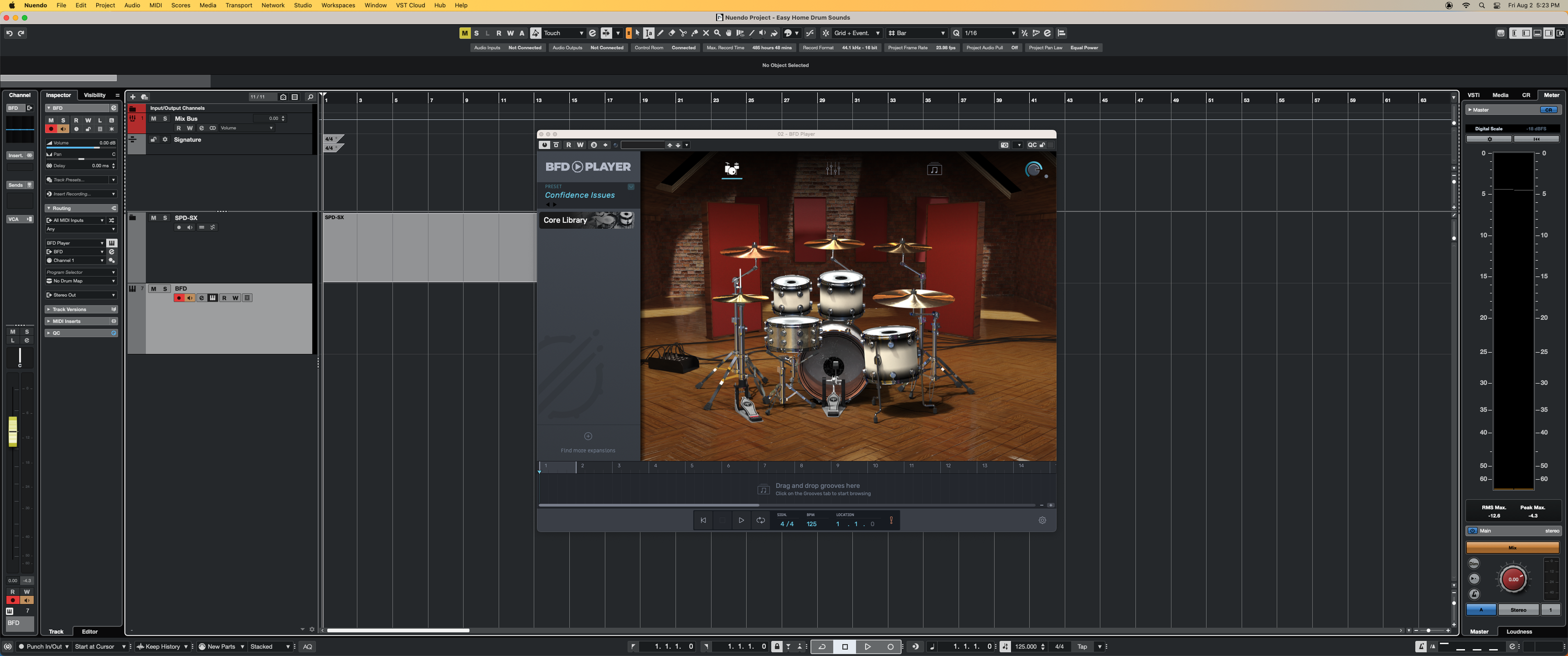
I was fortunate to play an excellent mid-to-high-level kit, the Alesis Strata Prime. It easily connects to your computer with the included USB-B to USB-A cable and isn’t difficult to register and set up either, even if you’re new to electronic drum sets. Featuring a powerful onboard BFD sound engine, it shouldn’t come as any surprise that the Alesis Strata Prime integrated immediately and effortlessly with the BFD player. Listen to the below example — and apologies for the embellishment, but man, this thing was fun to play!
Did you hear me putting my sticks down at the end? How’s that for realism?!
Drum Software
As you’ve seen and heard, there are many available options for drum software, and I’m pleased to say that every piece of software Sweetwater offers is high quality. The sounds you’ve heard so far are just the default preset kits — imagine what can be done with a little bit of dynamic processing and proper mixing! (Side note: If you’d like to get ideas for how to better mix your software drums, then please check out my article “Better MIDI Grooves | Advanced Drum Programming Tips & Tricks.”)
Some other brands not mentioned in this article so far but still definitely worth a mention include the GetGood brand of drum software, the KIT Plugins KIT Drums platform, and the exceptional Steven Slate Drums SSD5 plus the Steven Slate Drums Trigger 2, which practically sets the bar for drum replacement.
Network
Finally, it needs to be said that the absolute best thing you can do is use a real drummer for truly great drum sounds! Even if you don’t happen to have Nick D’Virgilio or Casey Cooper nearby, there are likely some awesome drummers in your community. Local concerts are a great place to start your search, as are open-mic jam nights. Networking is crucial to making connections and finding partners who can help take your music to the next level. For those who might be just joining the music world, please check out “How to Start Your First Band.” Happy hunting!
Take It Easy
Hopefully, this article has demonstrated that you don’t have to go to a top-tier, A-list studio to get A+ drum sounds. By making a small investment in quality software, combining that with your hardware of choice, and then putting in the time to learn both well, you’ll be able to get exceptional drum sounds from the humblest of studio setups. So, if you’re ready to get the best drum sounds the easy way, then simply call your Sweetwater Sales Engineer at (800) 222-4700to get started today!