Veteran mixing engineers will caution against overcompressing your audio tracks and full mixes. And, when it comes to multiband compression, you’re likely to be warned away from it altogether — after all, if a broadband compressor can hurt your audio if used carelessly, then surely multiband compression is a recipe for disaster, right? Well, yes and no. Just like the rest of your plug-ins, a multiband compressor is a powerful mixing tool to have at your disposal. Let’s look at some ways you can utilize multiband compression in your audio projects.
Get to Know Your Multiband Compressor
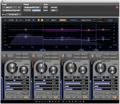
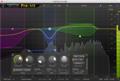
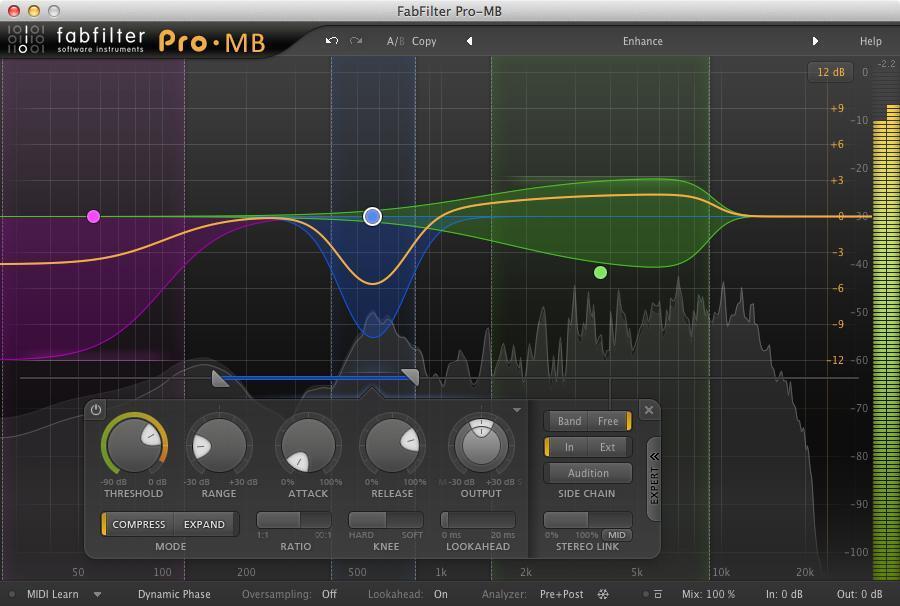
Whether you’re using your DAW’s included multiband compressor plug-in or using a third-party plug-in like Waves C4 or FabFilter Pro-MB, you’ll want to familiarize yourself with its interface so you can quickly tweak parameters. Just like a broadband compressor, you’ll spend most of your time adjusting attack and release times, threshold levels, ratio amounts, and makeup gain values — you’ll want to be able to adjust these quickly without having to spend minutes searching for them. If you need a refresher on compressor parameters, and some smart starting points, then check out Sweetwater’s “A Beginner’s Guide to Audio Compression.”
Start from a Completely Initialized State
Just like with a broadband compressor, it’s best to set up a multiband compressor from a neutral state (with no compression being applied). Raise all thresholds to 0dB (or higher, if needed) so that no compression is occurring, and turn off makeup gain until you need it. You’ll also want to identify any processing that may be occurring outside of the individual bands (some multiband compressor plug-ins may include a master limiter or harmonic saturation, for example) — turn all that off, too. By starting with a clean slate (no processing), you’ll be better positioned to make choices that help your mix instead of hurt it.
Solo Bands to Analyze Specific Frequency Ranges
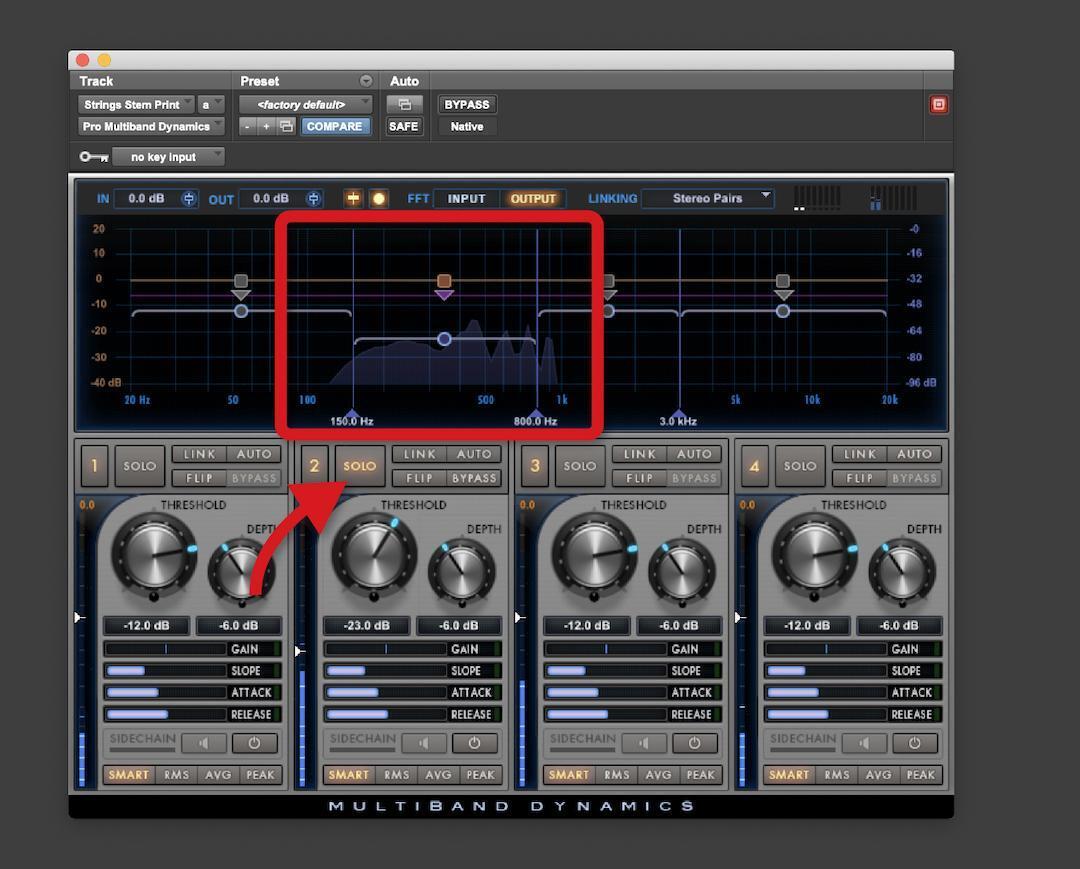
The whole point of a multiband compressor is that it allows you to compress specific frequency ranges of an audio track, as opposed to the entire audible spectrum. Whether your multiband compressor plug-in offers three bands, six bands, or some other number, it gives you the ability to isolate specific ranges of frequencies for compression. To better understand what’s going on in specific parts of your audio spectrum, start off by using your multiband compressor as a multiband analyzer. Practically every multiband compressor plug-in allows you to solo or bypass the individual bands — solo any band then adjust the cutoff frequencies for that band while listening critically. Not only will this show you exactly what part of the audio spectrum you’ll be compressing, but you’ll also have better insight on what’s going on sonically within your tracks. Just remember to leave the threshold amount all the way up so that no compression is taking place.
By placing a multiband compressor plug-in set up in this manner on your master bus, you’ll be able to quickly analyze the lows, mids, and highs of your audio simply by soloing each band without any compression actually occurring. Using a multiband compressor in this manner can actually be more useful than using a spectrum analyzer, allowing for sonic analysis instead of a visual representation. Said another way, a spectrum analyzer can show you that your mix has too much bass, but soloing the lowest band on a multiband compressor will allow you to listen to exactly what is going on in the lowest octaves, helping you to create a solution instead of just pointing out the problem.
Don’t Use All the Bands at Once
One of the reasons you may be discouraged from using multiband compression is that things can quickly get out of hand when you’re dealing with multiple bands, each being compressed differently. The best way to avoid this is by only using a single band at a time. Instead of thinking of it as a multiband compressor, think of it as a band-specific (or bandpass) compressor. Bypass all of the individual bands except for the frequency range you want to focus on — let’s say 20Hz–60Hz to focus on the low thump of a bass drum or 4kHz–8kHz to focus on the attack of the beater. This is where the real magic of a multiband compressor lies — its ability to control the dynamics of a specific frequency range to enhance tone or to control troublesome resonances or noises. Start with a single band engaged, as opposed to all of them, and you’ll be in a better position to make tweaks that help your mix instead of hurt it.
Use Multiband Compression Like a Dynamic EQ
Sometimes, shaping the tonality of a track isn’t as simple as adding an EQ boost or cut because the EQ settings are static — what may sound great during the verse may sound horrid when the chorus hits. You could automate your EQ as much as you like, or you could try using a multiband compressor instead. Let’s say you’d like to add some weight to an acoustic guitar track without making it sound boomy. Set up a single band of your multiband compressor plug-in to work in the guitar’s lowest octave, 80Hz–160Hz, then start with a mild ratio around 2:1. Lower the threshold until you’re achieving a few dB of gain reduction, then adjust the makeup gain to compensate. The mild compression will help accentuate the low fundamentals of your guitar tone, giving it a stronger low-mid character without sounding boomy or uncontrolled. And, because it’s responding to the dynamics of your audio, you’ll avoid the inconsistent results a static EQ boost could create. To emphasize the effect, try applying more makeup gain or increasing the compression ratio. If the compression starts to make your track sound smaller or distant, then try lowering the ratio or raising the compression threshold. Just like with a broadband compressor, a soft touch can make things sound big and full, while heavier compression can suck the life out of your audio.
Fix Sibilance and Other Troublesome Sonic Artifacts
If you’ve ever used a de-esser plug-in, then you already have experience with this concept of band-specific compression — a de-esser is essentially a compressor tuned to the frequency band responsible for harsh sibilance. In the case of de-essing, set up your compression to cover the range between 2kHz and 10kHz, roughly. Solo that band then adjust the frequency range to really zero in on just the most troublesome frequencies — we want to use the compressor to squash down on the sibilance while leaving the rest of the sonic spectrum untouched. Once you’re focused on sibilance and little else, adjust the threshold and ratio controls to achieve whatever level of gain reduction your situation requires — 5dB–10dB of gain reduction would be a suitable starting point. Now, here’s the key — don’t apply any makeup gain. Our goal is for the compressor to ignore everything that isn’t sibilance and to only squash down on sibilant frequencies once they’ve crossed the threshold.
You can apply this same principal to other common mix issues, like loud finger squeaks in an acoustic guitar track. Just like de-essing, trying to use a static EQ to fix these could hurt the overall tonality of your track. By soloing a band in your multiband compressor and then focusing it until you’re mainly hearing squeaks and not much else, you’ll be able to apply compression that squashes down the squeaks without fundamentally changing the character of the guitar track. Basically, you can use this technique to deal with frequency-specific noises in your audio tracks more effectively than you could with most EQ plug-ins.
Don’t Be Afraid of Multiband Compression
The best way to become familiar with multiband compressor processing is to load up your DAW and see how your tracks respond to it. Remember to only use a band or two at a time and to start from a neutral state to better hear the results of any tweaks you make. Bypass the plug-in regularly to ensure your changes are improving your sound, not making it worse. When you’re ready for more versatility than your DAW’s built-in multiband compressor offers, you can browse Sweetwater’s selection here — or give your Sweetwater Sales Engineer a call at (800) 222-4700. Whether you have compatibility questions or aren’t sure which option best fits your needs, we’ll help you find the best solution.