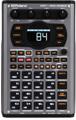
“I’m trying to get in and do some editing on my Roland MC-303, but I’m not quite sure how to get in and what I can really do.”
Many MC-303 specific editing parameters are accessible using NRPNs. Eight of these controllers change basic synthesis functions, and five are for editing individual instruments within a Rhythm kit. Listed below are the synth editing NRPNs, their corresponding controller numbers and value ranges. A value of 64 is the default setting. You can raise or lower any of the values +/- 50. Values above 64 will increase the effect, and values below 64 will decrease it. Some sounds may not respond as you might expect because the current value may already be at its maximum. For instance, if a sound’s factory default for filter cutoff is already wide open (114), adding 50 to it will have no effect. In this case, lowering the cutoff by 50 should produce a noticeable effect.
TIP: The effect of the NRPN functions is usually more noticeable if you change the values in realtime. You can do this by assigning a slider (on a keyboard or in your sequencer) or a foot controller to transmit CC6. Now when you send the first two CC messages, you can sweep the CC6 value manually. Keep in mind that you can only affect one parameter at a time per MIDI channel.
| Description | CC99 | CC98 | CC6 |
| Vibrato Rate | 01 | 08 | 14-114 |
| Vibrato Depth | 01 | 09 | 14-114 |
| Vibrato Delay | 01 | 10 | 14-114 |
| TVF Cutoff Freq | 01 | 32 | 14-114 |
| TVF Resonance | 01 | 33 | 14-114 |
| TVA & TVF Env. Attack Time | 01 | 99 | 14-114 |
| TVA & TVF Env. Decay Time | 01 | 100 | 14-114 |
| TVA & TVF Env. Release Time | 01 | 102 | 14-114 |
Here are some examples:
To change the filter cutoff setting of a particular part, use the following messages:
| Controller | Value | |
| CC99 | 01 | Selects NRPN function. |
| CC98 | 32 | Selects filter cutoff. |
| CC06 | 74 | Settings of 70-114 will open up the filter for a brighter sound. |
To slow the attack time of a particular part, try these settings:
| Controller | Value | |
| CC99 | 01 | Selects NRPN function. |
| CC98 | 99 | Selects TVF & TVA attack time. |
| CC06 | 86 | Higher values = slower attack times. |
You can also edit vibrato settings:
| Controller | Value | |
| CC99 | 01 | Selects NRPN function. |
| CC98 | 08 | Selects vibrato rate. |
| CC06 | 81 | Higher values = faster vibrato. |
| CC99 | 01 | Selects NRPN function. |
| CC98 | 09 | Selects vibrato rate. |
| CC06 | 33 | Higher values = faster vibrato. |
| CC99 | 01 | Selects NRPN function. |
| CC98 | 10 | Selects vibrato rate. |
| CC06 | 21 | Higher values = more delay time before vibrato starts. |