
If you’re a performing musician (and not a lighting tech), then the very idea of adding lighting to your rig can be so intimidating that you don’t even want to consider the subject. Poke around on the Internet awhile, and you’ll see countless references to DMX, which only makes lighting appear more complex and daunting. We hope this quick guide will demystify DMX for you and help you appreciate all the cool things you can do with it. Before we dive into DMX, here are three things you should know about DMX.
- There’s a good chance you don’t even need to worry about DMX.
- You don’t need to be a lighting guru to get a lot out of DMX.
- Once you start using a DMX controller (if you need one), it gets really simple.

What Is DMX?
If you’re familiar with MIDI, then DMX is easy to grasp: it’s a communications protocol you use to control your lights. Basically, your controller continuously outputs values within a fixed range, kind of like the gain you control with each fader on a mixing board. Each controllable aspect of your fixture will take one DMX channel. For instance, the most basic color mixing (red, green, and blue) requires three open channels. The more complex the fixture, the more DMX channels it will require.

Lighting Without DMX
Here’s the easiest way to put DMX to use: Don’t. If you just need lights that move to the beat of your music, then the sound-activated programs onboard most LED lighting fixtures will let you add great-looking light to your shows, without stressing about programming of any sort. Likewise, you’ll find automated programs (not sync’d to the music) and standalone color-mixing modes on many fixtures, which make them great for creating atmospheric effects.

Master/Slave Chaining
You can take the automated/sound-activated patterns we just covered and apply them across multiple fixtures to create even better, more coordinated light shows. Master/slave chaining is really simple. You set one fixture as the master and the rest of the compatible fixtures to slave using the fixture’s settings. Then just daisy-chain them together with DMX cables (Light 1 Out to Light 2 In, Light 2 Out to Light 3 In, and so on) and start the program on the first light. The master fixture acts as the DMX controller, telling the other lights down the chain what to do. Basically, master/slave chaining is super simple, and the effects can look like you spent hours programming, not minutes hooking up lights.
What Can DMX Control?
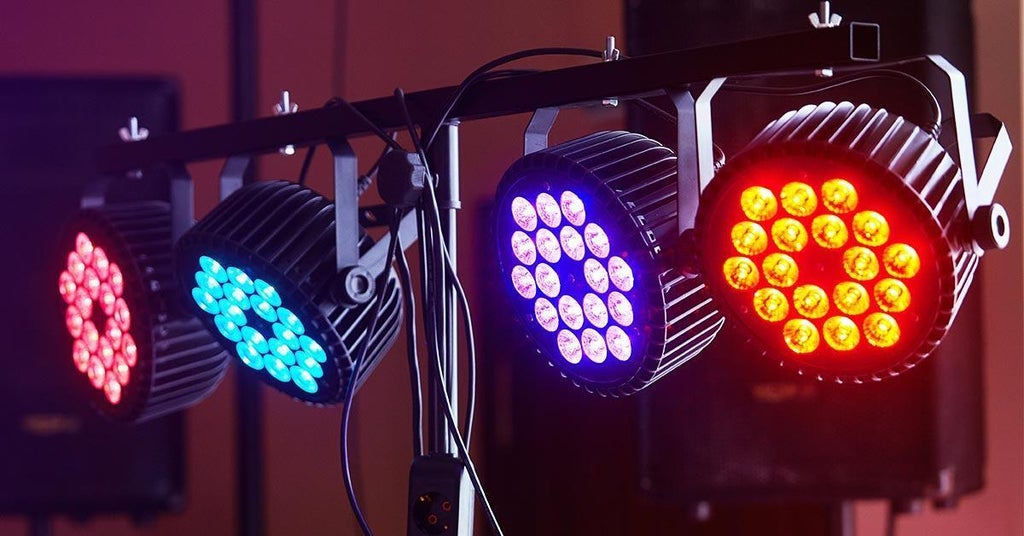
Before we can dive into DMX controllers, let’s go over what exactly you can control via DMX. Assuming you’re dealing with some relatively simple LED instruments, such as a PAR-style wash or a light bar, the most straightforward DMX control is color mixing. That’s where you control the brightness of each base color (red, green, blue, plus amber, white, and UV on fixtures that have them). Given the resolution of DMX, you can get millions of colors from even a basic RGB fixture.
Color mixing is great for getting the exact look you want, and if you’re seriously into designing all the details of your light show, then color mixing is your biggest tool. Color mixing accounts for at least three or four channels (RGB plus master brightness), so what about all the other channel configurations available on a single fixture?
It may seem complex, but that’s where lighting fixtures become easier to use if you’re planning on programming your light shows. These extra channels tend to control things like running and switching automated/sound-activated programs or switching between preset color macros. You can also trigger things with strobe effects and numerous other special effects, depending on the lighting instrument.
DMX Controllers
If you’re ready to go all in and program your own light shows, you’re going to need a DMX controller. These come in two varieties: hardware and software. Both of these have their relative merits and limitations. While you can use either hardware or software DMX controllers for all the same applications, it’s important that you find a system that works for you.
Hardware DMX Control

The more traditional method of controlling DMX lighting rigs is by using a hardware controller. These controllers tend to look a lot like audio mixing boards. Most of the time, each fader controls a single DMX channel, so large DMX controllers tend to have multiple layers, with complex moving-head instruments often taking up one or more entire layers. Scenes are basically snapshots of settings that you can recall in sequence to create energetic and exciting light shows. Hardware controllers can come with many additional features, including programs for chases, special effects, and global sound-activated mode.
The biggest pros for hardware controllers are that they have something tangible to grab and tweak. Many seasoned lighting techs prefer hardware controllers because they’re quick and easy to use, even if they don’t provide quite as much flexibility and depth compared with software DMX control. They’re also more stable than DMX control applications — a problem that pops up with software of any type. It’s little wonder that hardware DMX controllers are overwhelmingly more popular than software.
Software DMX Control

DMX control software has come a long way in the past decade. What began as essentially a software analog of DMX control hardware, modern DMX control apps now provide sophisticated features you’ll never find on control hardware, such as the ability to set up your light show in a virtual environment, which can save you a lot of work while you program your light show. But the main advantage of software is how easy it is to set up brilliant light shows, because you have a visual environment that lets you access and tweak settings much faster than hardware does.
There are other distinct advantages to software DMX control. For instance, hardware controllers have limited channel outputs, whereas most software DMX control systems give you one whole DMX universe (512 DMX channels), so you can pile on the lighting fixtures. You also get things like MIDI control, effects, and templates for most common instruments, which makes it easy to keep track of your rig while you’re programming.
If you need any help figuring out what lighting or controllers you need, give your Sweetwater Sales Engineer a call at (800) 222-4700.
We have lots more articles that you should check out.
Lighting Essentials for the Gigging Musician
Best Stage Lighting for Churches
Basic Lighting Terms for Musicians