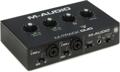
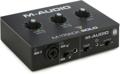
“I’m having problems installing my M-Audio DUO in Windows XP. Any tips?”
Your problem may be a stemming from a number of contributing factors. First try downloading and installing the latest drivers from http://www.midiman.com.
Also, make sure you have Windows XP Service Pack 1 (SP1) and install it if you do not. To check to see whether you have this installed already, follow these steps:
1. Right-click on MY COMPUTER
2. Select PROPERTIES – This will display: Microsoft Windows XP Home Edition and (on the 2nd line) Service Pack 1 if you have it.
If you do not have it, we recommend you download it at: http://www.microsoft.com.
This download is 133MB, so you might do this from a high-speed Internet connection and then burn it to CD to archive it. Or, you can order a CD from Microsoft. Note: be sure to download the 32-bit version, not the 64-bit version. Also, it’s best to get the Network install, which contains all of the updates in a single file for burning to CD. The Express install performs the same task, but downloads the data as needed throughout the update and therefore cannot be saved for future use.
If neither of these updates helps you it may be prudent to contact technical support with more specific information about the problems you are having.